Show IH:I built a 0.75 Bias Algorithm to fix camera composition on 20:9 screens
Hi IHers,
I’m the solo developer behind TimerCamera+. Since taking over this project in late 2025, I’ve been obsessed with one thing: making a minimal tool that executes perfectly.
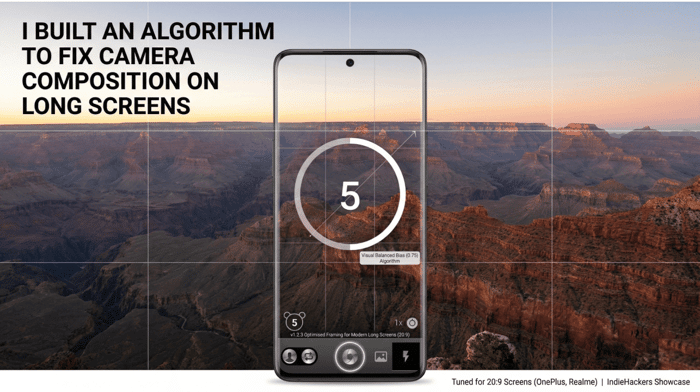
One major pain point I noticed was that modern "long" phones (20:9 or 19.5:9 aspect ratios) handle standard 4:3 camera previews very poorly. They either leave huge, ugly gray bars or feel visually off-balance because the UI ignores the "spatial weight" of the brand header and status bar.
In today’s v1.2.3 update, I’ve introduced what I call the Visual Balanced Bias (0.75) Algorithm.
The Logic:
Instead of a dead-center alignment, the app now uses "Smart Spatial Sensing." It calculates the top brand bar's height dynamically and applies a specific bias to the preview frame. This creates a "Visual Balanced" composition that feels immersive and professional, specifically for devices like OnePlus, Realme, and Oppo.
What’s new in v1.2.3:
⚖️ Visual Balanced Bias: 4:3 previews are now perfectly positioned.
🖼️ Adaptive Brand Header: UI that breathes according to your screen size.
🚀 Performance Boost: Optimized the hardware pipe for faster visual readiness.
I’m curious — for those of you building mobile apps, how do you handle the fragmented aspect ratios of modern Android displays?
Would love some feedback from the community!
Check it out on Google Play: https://play.google.com/store/apps/details?id=com.muxixisoft.android.timercamera

Interesting take. Would you still recommend this approach to someone starting today?
Yes, but only if your app's core value proposition heavily relies on visual composition and ergonomics (like a camera, gallery, or creative canvas).
What made you pick this stack over the alternatives?
For this project, I chose Native Android (Kotlin + Jetpack Compose + CameraX) over cross-platform frameworks like Flutter or React Native.
Two main reasons drove this decision:
Hardware Pipeline & Zero Abstraction Overhead:
Camera hardware on Android is notoriously fragmented across OEMs (especially with custom ISP pipelines like Oppo/OnePlus/Realme). Cross-platform camera plugins often suffer from frame drops, aspect ratio stretching, or orientation quirks. Going pure native gives me direct control over CameraX / Camera2 without dealing with bridge latency or abandoned 3rd-party wrappers.
Precise Display Inset Handling:
Implementing the Visual Balanced Bias requires real-time, accurate math on status bar cutouts, punch holes, and system navigation insets. Compose's native WindowInsets API makes it trivial to calculate available viewport spatial weight dynamically compared to the hassle of passing those metrics across a cross-platform bridge.
For CRUD or content apps, I love cross-platform. But for a camera tool where milliseconds and pixel-perfect framing define the user experience, native was the only way to avoid endless OEM-specific bug reports.
Smart fix for a real mobile UX edge case. Camera composition that looks fine on 16:9 often feels oddly centered on 20:9, so a small framing bias can make the preview feel much more natural. Main tradeoff is scene variance, a 0.75 bias that helps portraits might feel off for landscapes, selfies, or left-handed capture, so per-mode tuning is probably worth testing.
Spot on. The "Compositional Bias" is indeed a double-edged sword.
For v1.2.3, I optimized the 0.75 bias primarily for upright solo portraits, which is the app’s core use case. To handle the landscape tradeoff you mentioned, I've implemented a gravity-sensor-based flip—the bias adjusts its axis when the device rotates, though it's still a "global" setting.
You're absolutely right about the left-handed capture and per-mode tuning. I’m currently looking into a "Smart Toggle" or an "Auto-Scene Detection" (maybe a lightweight ML model) to refine the bias for selfies vs. landscapes in future updates. Thanks for the pro feedback!