UluP Spatial - Prototype 3 - where I've reached in the development
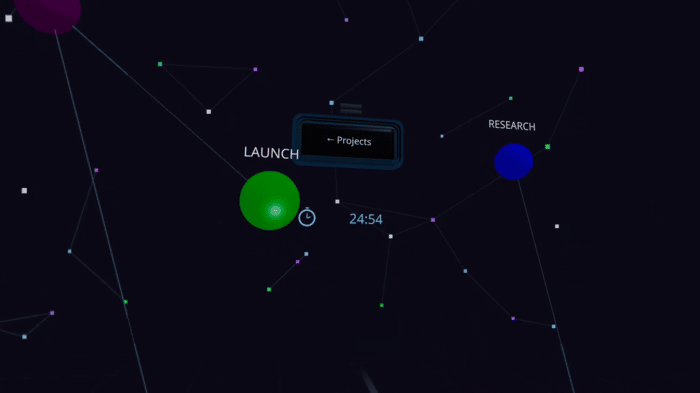
Development has reached a solid stage. The panel for tasks, timers, and attachments anchors directly to your wrist, allowing you to add tasks and create new nodes using voice commands. Via MCP, the AI can read your project while simultaneously creating nodes and tasks; a bright glow appears at that moment, letting you watch the AI build everything in virtual reality. Collaboration has also advanced: when a user works on a node, that node emits a glow, making the activity visible to others. Built solo.

The visible collaboration glow is a nice answer to the “is anyone else working here?” problem. I’d make the first-run path test the no-voice and disconnected cases as well: let every command be recoverable from the wrist UI, and show a clear saved/unsaved state before someone leaves a session.
Really useful framing, thanks. The voice fallback especially — I actually hit a wall there already: speech recognition just doesn't work reliably in the Quest's browser right now (still not sure if it's a permissions thing or the audio never reaching the recognition service), so there's already a keyboard fallback built in for when voice fails. But you're right that "disconnected" isn't the same as "voice failed" — I haven't explicitly tested pulling the network mid-session, and I don't have a clear saved/unsaved indicator yet. Right now saves happen silently on release (drag a node) or on explicit confirm (add a task) — no visible state in between. Adding that is a small change and a real gap, appreciate you calling it out specifically instead of just "good luck with the launch."
What made you pick this stack over the alternatives?
What made you pick this stack over the alternatives?
What made you pick this stack over the alternatives?
What made you pick this stack over the alternatives?
What made you pick this stack over the alternatives?
What made you pick this stack over the alternatives?
Interesting approach. What was the hardest part to get right?
Solid lesson. Which channel has worked best for you so far?
Good write-up. What would you do differently if you started again?
Interesting. How are you measuring whether it is working?
Clear and practical, thanks. Did anything surprise you along the way?