How Can a Digital File Manager Improve Online and Offline Document Archiving?
Do you find it time-consuming for your business to locate documents, go through old files, or figure out whereabouts a significant contract was placed? With paper work being replaced by digital ones, the total number of files on your computer can go up fast.
Lack of good organization means that the shared drive and your computer can still be quite hard to handle compared to traditional filing cabinets.
Beyond an efficient digital file manager, you can use online document archiving to save and retrieve files systematically and keep track of their changes through the years. Larger organizations might choose to electronic document archiving software which can allow you not only to organize files but also to search them, set permissions, and keep multiple versions, while storing the files securely.
What Is a Digital File Manager?
A digital file manager is software designed to help users organize, access, search, and manage electronic files. Instead of relying on hundreds of folders scattered across computers, USB drives, and network locations, users can work with a structured document environment.
Depending on the software, a digital file manager may provide:
• Structured folders and document categories
• File search and filtering
• Tags and metadata
• Version history
• User permissions
• Document sharing
• File archiving
• Backup options
• Support for different file formats
The main purpose is simple: users should be able to find the document they need without spending unnecessary time searching through folders.
IBM explains that document management involves processes used to “capture, track and store electronic documents.” The company also highlights features such as centralized storage, access control, security, audit trails, and document retrieval.
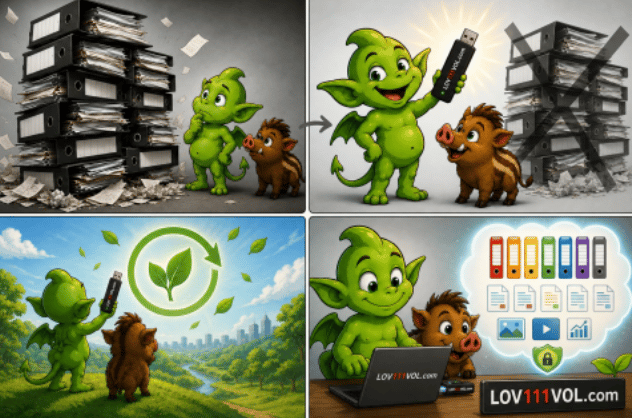
Why Is Document Archiving Important?
Not all the papers you file with the computer are of daily use. You can still refer to your contract invoice project documentation report email, technical documentation, or finished work to know that it is necessary to retain them in a database for months up to years.
File storing, in this case, is key. In fact, instead of the company keeping all its documents on the same active desk as is usually done, they could shift the documents that are old or completed to a neat and organized file. By this way, you can get back your documents at a moment when it is convenient for you, so you can be working free from a busy office desk.
Effective document archiving can help organizations:
• Reduce paper storage
• Reduce duplicate files
• Find historical documents faster
• Keep previous document versions
• Improve internal organization
• Control access to sensitive information
• Support audits and reviews
• Protect important business records
Electronic records should also be managed throughout their lifecycle rather than simply stored and forgotten. The U.S. National Archives and Records Administration describes electronic records management in terms of requirements that apply throughout the lifecycle of electronic records.
What Is Online Document Archiving?
Online document archiving usually means storing documents on servers, cloud platforms, or other network-connected systems.
One of the biggest advantages is accessibility. Employees can potentially access documents from different locations, making online archiving useful for remote teams and organizations with several offices.
Online document archiving can provide:
• Remote document access
• Centralized storage
• Team collaboration
• Document sharing
• Automated backups
• Searchable archives
• Permission management
However, online storage can also introduce a dependency on network connectivity and the service provider's infrastructure.
For some organizations, this is perfectly acceptable. For others, keeping important files available locally is equally important.
What About Offline Document Archiving?
Offline document archiving means documents can be stored and accessed without requiring a continuous internet connection.
This approach can be useful in situations where:
• Internet access is unreliable
• Documents need to remain locally controlled
• Employees work in restricted environments
• Sensitive information should not depend entirely on a cloud provider
• A company wants access to documents during an internet outage
Offline does not necessarily mean isolated from other users. A local network can allow several computers to access documents and communicate without the public internet.
This makes it possible to combine local document storage with network-based collaboration.
Online vs. Offline Document Archiving
Both approaches have advantages, and the right choice depends on how a business operates.
Feature
Online Document Archiving
Offline Document Archiving
Internet connection Usually required for remote access
Not necessarily required
Remote access
Excellent
More limited
Local data control
Depends on provider
Generally higher
Team collaboration Convenient
Possible through local networks
Cloud dependency Often present
Can be avoided
Internet outage
May affect access
Files can remain available
Security
Depends on provider and configuration Depends on local security
Best suited for
Remote and distributed teams
Local and controlled environments
A flexible system can support both methods, allowing businesses to choose how their documents are stored and accessed.
What Is Electronic Document Archiving Software?
Electronic document archiving software is designed to manage documents beyond basic folder storage.
A normal file explorer can help users create folders and move files. Document archiving software can add another layer of organization and control.
Depending on the solution, this may include:
• Document metadata
• Search and filtering
• Version control
• Access permissions
• Audit trails
• Document categories
• Archive management
• File sharing
• Encrypted storage
For example, a company could create separate areas for customers, suppliers, contracts, accounting, projects, technical documentation, and completed projects.
Instead of searching the entire computer, employees can work within a defined document structure.
Why File Archiving Should Be Easy to Search
An archive is only useful if users can actually find what they need.
Imagine having 50,000 documents stored safely but no effective way to search them. The information technically exists, but finding a specific document could still take hours.
A modern digital file manager can combine folders with:
• Keywords
• Tags
• Metadata
• File names
• Document categories
• File types
• Dates
• Version information
This changes the way employees work with archives. Instead of manually opening folders, they can search for the information they need.
Document Management and Archiving for Small Businesses Small businesses often begin with a simple folder structure.
One employee stores contracts on a desktop computer. Another keeps invoices in a shared folder. Someone else has important documents in email or on a USB drive.
This can work when there are only a few documents. As the company grows, however, multiple copies and inconsistent folder structures can become a problem.
Good document management and archiving creates a consistent way to store business information. For example, a project could have one central digital area containing:
• Contracts
• Specifications
• Invoices
• Correspondence
• Reports
• Images
• Final documents
Completed projects can then be moved into an archive while remaining available for future reference.
Security and Access Control
Document archiving is also a security issue.
Business documents may contain customer information, financial records, contracts, intellectual property, and internal communications. Giving every employee unrestricted access to every file is not
always appropriate.
Electronic document archiving software can provide different levels of access. Useful security features may include:
• User accounts
• Role-based permissions
• Encrypted storage
• Access logs
• Version history
• Secure backups
• Controlled document sharing
Of course, software is only one part of document security. Computers, removable storage, networks, passwords, and backup systems should also be properly protected.
Digital File Manager vs. Traditional Folder Storage
A traditional folder structure is useful for basic file organization, but it can become difficult to manage as the volume of information increases.
Traditional File Storage
Digital File Manager
Basic folders
Structured document management
Manual searching
Search and filtering
Difficult version tracking
Version history
Limited permissions
User and role permissions
Duplicate files are common
Centralized organization
Separate active and archived files Integrated document archive
Sharing through email or drives
Controlled file sharing
Limited document history
Better document tracking
The difference becomes especially noticeable when several people work with the same documents.
Document Archiving Without the Cloud
Cloud services are useful, but not every business wants its entire document workflow to depend on the cloud.
A local or offline document management system can give organizations greater control over where documents are stored.
This can be particularly useful for companies that work with sensitive information or operate in environments where internet access cannot always be guaranteed.
The important question is not simply whether a company should use cloud storage. A better question is:
Where should documents be stored, who should have access to them, and how should they be managed throughout their lifecycle?
How LOV111VOL Approaches Document Management and Archiving
LOV111VOL provides a document management and archiving environment designed to organize electronic documents and business files. Its platform combines document organization, file archiving, permissions, version control, search, and collaboration in one digital workspace.
The system can also support online and offline workflows, depending on the configuration. This makes it possible to keep working with documents without making continuous internet access the only option.
For users who want an alternative to a traditional paper binder or a collection of unstructured computer folders, this type of system can provide a more organized digital environment.
Documents can be arranged into structured digital folders, while permissions and document management features help control how information is accessed and shared.
Who Can Benefit From Electronic Document Archiving Software?
Electronic document archiving can be useful for many types of organizations.
Small Businesses
Small companies can create a consistent document structure without maintaining large paper archives.
Legal and Professional Services
Contracts, correspondence, case documentation, reports, and historical records can be organized into searchable digital archives.
Project-Based Businesses
Completed projects can be archived while remaining available for future reference.
Teams
Teams can use shared document spaces and permissions to reduce confusion over which version of a document is current.
Businesses With Limited Internet Access
Organizations that need documents to remain available offline can benefit from local document management capabilities.
What Should You Look for in a Digital File Manager? Before choosing a system, consider how your organization actually works.
Important questions include:
1. Can users search documents quickly?
2. Can files be organized into logical categories?
3. Does the system support document archiving?
4. Can different users have different permissions?
5. Is version history available?
6. Can documents be accessed offline?
7. Can the system also support online workflows?
8. How are documents backed up?
9. Can the system grow with the organization?
10.Does it reduce rather than increase administrative work?
The best software is not necessarily the one with the longest feature list. It is the one that makes everyday document management easier.
Final Thoughts
Digital file managers are much more than just a way to replace traditional folders on computers.
When combined with online document archiving as well as offline access search permission and structure, they can act as the basis of an efficient document management system.
A good electronic document archiving software not only allows companies to store their information digitally but also protects, organizes as well as allows for an easy search and the availability for future.
But, a file archiving solution does not necessarily restrict the user to cloud or local storage.
With the right strategy, a business can combine the benefit of an online service when the need to access from remote exists and the benefit of an offline storage when higher local control is required.
Essentially, a good system of document management and archiving is based on one key factor - valuable information should be retrievable easily, securely protected and be accessible at the required moment.
For companies that are still using paper documents and scattering files on computers and are planning to go digital, a digital document management & archiving solution might be just the tool that can help them be on the road to an efficient, digital office setup.

