
Carbuki
Performance-Tuned AI FOR RETAIL AUTOMOTIVE

What six deployments taught us about the relationship between visible intelligence and actual usefulness.
The voice agent went live at a large auto dealership group in Q3 of last year. Full-duplex. End-to-end latency under 800 milliseconds. It handled appointment scheduling, inbound inquiries, trade-in assessments, and outbound follow-up on dormant leads.
Three weeks in, the dealer principal pulled us into a call.
We braced.
"I've been monitoring the call recordings," he said. "I want to make sure I'm hearing this right. Customers are talking to the system like it's a person."
He was waiting for us to tell him there was a problem.
There wasn't one. That was the product working.
That call stuck with me, because it surfaced something we'd been noticing across deployments but hadn't named cleanly.
The AI products that performed best in the field — the ones that got renewed, expanded, and referred — weren't the ones with the most impressive AI surfaces. They weren't the ones where users could select models, adjust parameters, or interact with an agent framework.
They were the ones where the user experience contained almost no evidence that AI was involved at all.
That sounds counterintuitive in an industry that has spent three years making AI as visible as possible.
It's the most consistent pattern we've seen across six deployments.
The dealership: what disappearance looks like at scale.
The auto group had a specific problem. Their inbound call volume during advertising pushes exceeded what their human staff could handle. High-intent callers — people who had just seen a TV spot or clicked a digital ad — were hitting voicemail or hold queues and dropping off. The CRM was full of dead leads that had never been properly worked.
The conventional AI product answer is a chatbot or an AI-assisted call routing system. Both require the caller to do something — select from a menu, type their question, interact with a system that announces itself as AI.
We built a full-duplex voice agent that answered like a real intake call. Callers described what they wanted. The agent extracted the relevant details — vehicle interest, time preference, trade-in situation — compared against live inventory and calendar, confirmed availability, and booked the appointment. Complex requests got routed to a human without the caller being told they were being transferred.
The agent never mentioned AI. It didn't need to.
Appointment conversion hit 90%. A single location reduced operational costs by over $100,000 annually. The dormant lead database, which had been sitting untouched for months, was activated through a parallel outbound campaign at a scale no human team could have matched.
"We didn't implement an AI system," the dealer principal told us later. "We fixed our intake process."
That's the right way to describe it.
The AI was the mechanism. The fixed intake process was the product.
The fertility network: where "no AI interface" was a deliberate design decision.
In a nine-location fertility coordination network, the clinical coordinator team was responsible for processing medical files on prospective candidates — detailed health backgrounds, lab reports, genetic screenings, often exceeding 100 pages per applicant, arriving in every format imaginable.
The previous workflow: a coordinator spent 2-3 hours per file, reading through documents, flagging anomalies, preparing a summary for the clinical review team. At volume, this became the primary bottleneck in the entire intake pipeline.
We deployed a system that processed these files automatically. Medical-grade OCR handled the scanning. A fine-tuned language model extracted the relevant indicators — endocrine markers, genetic flags, cross-referenced lab values — and generated a structured diagnostic summary with every flagged item linked directly to the source page in the original document.
The coordinator didn't select a model. They didn't write a prompt. They didn't have a chat interface with an AI.
They opened a case. The summary was there. Each flag had a citation. Their job was to review the summary and make clinical decisions — the part of the job that actually required their expertise.
Processing time: 3 hours per file down to 10 minutes.
"The system handles the reading," one coordinator explained to a new hire during onboarding. "You handle the judgment."
She didn't describe it as AI. She described it as how the job works now.
The experience wasn't AI-flavored. It was the job, restructured.
WHAT WE KEPT GETTING WRONG IN EARLIER DEPLOYMENTS
There's a version of these deployments we would have built two years ago that looked different.
We would have given the coordinators an AI assistant panel. They would have been able to ask the system questions, generate summaries on demand, highlight sections of documents and ask for analysis. The AI surface would have been visible, interactive, and impressive in a demo.
It also would have made the coordinators into AI operators. Part of their job would have been formulating queries, reviewing AI outputs, deciding which flags to trust, managing a new workflow on top of their existing one.
The system would have been capable of doing the same underlying analysis. But the capability would have been locked behind a layer of user effort.
The question isn't what the AI can do. The question is how much of the user's time and attention the AI requires in exchange for doing it.
We've seen this failure mode in enough enterprise AI deployments now that we've started treating it as a design principle: every interaction surface you expose to the user is a tax you're levying on their attention. Visible AI is an attention tax. The best products minimize the tax.
This is harder than it sounds. Visible AI is easy to demo. An impressive chat interface, a model selector, an "Ask AI" button with a dropdown menu — these features look good in procurement presentations. They make the AI feel powerful and flexible.
What they don't do is reduce the work the user has to perform.
If the user is still doing the hard part — formulating the question, interpreting the output, acting on the result — you've added a tool to their workflow, not removed work from it.
The medical device company: AI that the clinical team stopped thinking about.
A cardiopulmonary device manufacturer we worked with had a specific problem. Their different product lines each ran on their own local software, with no shared data layer. Patients moved between devices and facilities, but their health records didn't. The company wanted to expand into hospital systems and skilled nursing facilities, but the data fragmentation made enterprise procurement conversations impossible.
We rebuilt the underlying platform — multi-tenant, cloud-native, with a consistent data model across all device types. Deep inside that platform, we embedded an AI voice agent handling 24/7 patient inquiries, device usage guidance, and clinic appointment scheduling.
The clinical staff who used the platform didn't think about the AI. They thought about the patient record, the alert feed, the scheduling dashboard. The AI was answering calls in a different part of the system. The two surfaces didn't meet.
Six months into deployment, we were on a review call with the VP of Clinical Operations.
She had to be reminded, mid-conversation, that the voice agent was AI.
"I just thought that was the support line," she said.
That reaction — confusion about whether AI is involved at all — is the deployment going right.
THE THING THAT KEEPS GETTING BUILT INSTEAD
There is a persistent pressure in enterprise AI sales to make the AI legible to the buyer.
Buyers want to understand what they're purchasing. They want to see the model, interact with the interface, understand how the system works. This is a reasonable thing to want. These are sophisticated procurement decisions involving real budget and real organizational change.
The problem is that what makes AI easy to evaluate is often the opposite of what makes AI useful to operate.
A chatbot interface is easy to evaluate. You type questions. You see answers. The demo takes fifteen minutes and the capability is self-evident.
A voice agent that answers calls, processes requests, integrates with your CRM, and handles edge cases in real time is harder to evaluate. You need call recordings. You need conversion data. You need to understand the integration architecture. The demo takes an hour and requires context.
The pressure to build AI that's easy to demo creates AI that's designed to be visible. Which creates AI that stays in the user's workflow rather than replacing part of it.
We've made this mistake. We've built interfaces because the interface made the product legible. Some of those interfaces created more work than they removed.
WHAT THIS MEANS IF YOU'RE BUILDING AI PRODUCTS
The test we've landed on — after watching this pattern repeat across industries, client types, and use cases — is one question asked at the product design phase, before any interface is built:
What does the user have to do that they didn't have to do before?
If the answer is: "They need to formulate a prompt, review the AI output, correct errors, and then take the action they were going to take anyway" — that's a workflow with new steps added, not removed.
If the answer is: "The task is done. They review the output and make a judgment call if something is flagged" — that's a workflow with steps removed.
First, design for the outcome the user needs, not the capability the AI provides. The dealership didn't need a voice AI product. They needed a higher appointment conversion rate. Those are different starting points that can produce very different systems.
Second, minimize the surface area between the user and the AI. Every configuration option, every mode selector, every "Ask AI" button is a decision you're delegating to the user. Sometimes that delegation is correct — power users genuinely benefit from control. Usually, in operational B2B contexts, the user wants the work done, not the tools to do the work.
Third, measure what disappears, not what appears. The metric that matters isn't how many users engaged with the AI interface. It's how many hours of coordinator time were eliminated, how many inbound calls were handled without a human, how many decisions were made faster. The useful AI is usually the invisible AI.
ONE THING WE MIGHT BE WRONG ABOUT
This framework — less visible is better — has a real failure mode we've run into once, and it matters enough to name.
In the fertility network deployment, the first version of the system gave coordinators almost no visibility into how the AI was reaching its conclusions. The summaries were accurate. The flags were correct. But when a coordinator wanted to understand why a particular marker had been elevated to a primary flag, the system couldn't explain the reasoning path — only point to the source document.
The clinical team started to feel uncomfortable. Not because the outputs were wrong. Because they couldn't see the basis for the outputs. And in a medical context, "I'm not sure why the system thinks this is important" is an accountability gap that matters.
We rebuilt the diagnostic layer to include explicit reasoning chains alongside each flag — not as a UI element the coordinator had to interact with, but as a background layer they could pull up when they wanted it.
The goal isn't to make AI invisible. The goal is to make it appropriate to what the user needs to see. For routine outputs, invisibility is right. For high-stakes decisions in regulated environments, the reasoning needs to be accessible even if it doesn't need to be prominent.
The coordinator shouldn't have to think about the AI. But they should be able to, when it matters.
Working notes from B2B AI deployment in North America. Part of an ongoing series on what we keep noticing across wildly different industries — and what the industry isn't ready to say out loud.
Curious what this looks like in practice? We share more at [zenaicorp.com/en](https://zenaicorp.com/en).

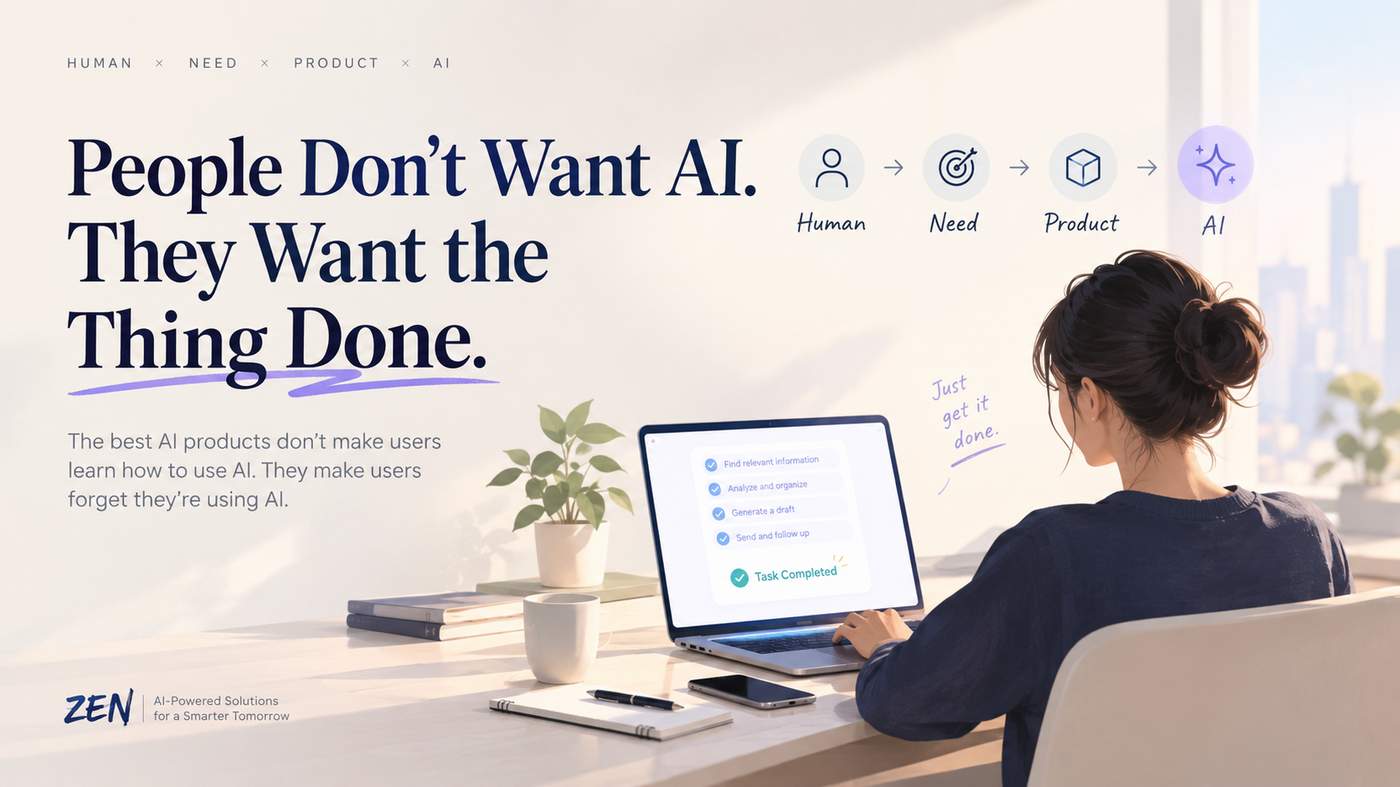
The best AI products don't make users learn how to use AI. They make users forget they're using AI.
For the past few years, a lot of AI product conversations have started with the same question:
What can AI do?
Can it write?
Can it code?
Can it analyze?
Can it generate images?
Can it act as an agent?
Those are interesting questions for builders.
They are not always the questions customers care about.
A customer usually starts somewhere else:
“I need this done.”
That difference may become one of the most important distinctions in the next generation of AI products.
People Don't Wake Up Wanting AI
Consider a simple example.
Someone has 200 unread emails.
They don't necessarily want an “AI email assistant.”
They want their inbox under control.
A sales representative has dozens of leads to follow up with.
They don't necessarily want an “AI sales agent.”
They want more conversations with qualified prospects.
A small business owner needs to reconcile invoices at the end of the month.
They don't want “AI-powered financial automation.”
They want the books done without spending their weekend on it.
The AI is simply the mechanism.
The outcome is the product.
This sounds obvious, but it has major implications for how products are designed.
The Industry Has Been Starting From the Wrong End
A lot of AI product development follows this pattern:
New model → new capability → new feature → find a use case
It makes sense from a technology perspective.
A new model becomes capable of reasoning, coding, seeing images, using tools, or taking actions. Product teams then ask:
“What can we build with this?”
But customers don't experience the product from that direction.
They start with a problem.
Problem → desired outcome → acceptable experience → technology
That is a very different product development loop.
Instead of asking:
“Where can we put AI?”
You ask:
“Where is the customer still doing something they don't want to do?”
That question tends to produce better products.
The Best AI May Be the AI You Don't Notice
Imagine two products.
Product A opens with:
“Meet your AI-powered productivity copilot.”
It gives you a chat window, a prompt box, model selection, agent modes, and a dozen settings.
Product B simply says:
“Connect your inbox. We'll organize your follow-ups.”
The second product may contain significantly more AI.
But the customer doesn't need to understand any of it.
That is an important shift.
The goal isn't necessarily to expose the intelligence.
The goal is to use intelligence to remove work.
The best AI products may therefore feel surprisingly ordinary.
You click a button.
Something happens.
The task is finished.
There is no need to think about the model behind it.
AI Should Reduce Cognitive Load, Not Add to It
There is a strange contradiction in some AI products.
They promise to make work easier, but require users to learn a new way of working.
Users have to learn:
how to write effective prompts
which model to choose
when to use an agent
how to structure context
how to verify outputs
how to fix incorrect results
how to move information between tools
For technically curious people, this can be fascinating.
For everyone else, it can become another job.
The customer shouldn't have to become an AI operator just to complete a simple task.
If the product requires extensive AI literacy, the product is still asking the customer to do part of the work.
A better product hides that complexity.
Think About What Happens Before the AI
This is where customer understanding becomes more important than feature brainstorming.
Take customer support.
The obvious AI question is:
“How can we build an AI chatbot?”
A better question might be:
“Why are customers contacting support in the first place?”
Maybe customers repeatedly ask where their order is.
Maybe they don't understand the billing process.
Maybe they cannot find a feature.
Maybe the company's own interface is creating unnecessary questions.
The best solution may not be a better chatbot.
It may be better order tracking, clearer billing information, or a redesigned workflow.
AI is useful when it removes friction.
It isn't automatically useful just because it can answer questions.
Watch What People Do, Not Just What They Say
There is another lesson here that goes beyond AI.
Customers are often bad at describing the product they need.
Ask someone what they want, and they might request:
“An AI assistant that can manage everything.”
Watch them work for an hour, however, and you may discover something much simpler.
They spend 20 minutes copying information between spreadsheets.
They repeatedly search for the same document.
They manually rewrite the same email.
They check three different systems before making one decision.
Those repetitive behaviors are often better product signals than feature requests.
People tell you what they think they want. Their behavior shows you what they actually need.
AI makes this particularly interesting because it gives product teams the ability to automate workflows that previously weren't economical to automate.
The opportunity isn't necessarily to create another interface.
It is to remove unnecessary interfaces altogether.
The “AI Feature” Is Becoming Less Interesting
In the early days of generative AI, adding AI to a product was itself a differentiator.
That window is closing.
“AI-powered” is becoming closer to a baseline expectation.
The question is shifting from:
Does this product use AI?
to:
Does this product make my life meaningfully easier?
That distinction matters.
Two products can use exactly the same underlying model and deliver completely different customer experiences.
One might force users to prompt, review, copy, paste, and switch between applications.
The other might quietly complete the workflow in the background.
Same underlying technology.
Very different product.
The competitive advantage is moving upward—from the model to the experience.
Customers Don't Care About Your AI Stack
This doesn't mean technology is unimportant.
It means technology needs to serve the experience.
Customers may never know whether your system uses one model, five models, an agent framework, retrieval, custom software, or a combination of all of them.
They care about things they can actually experience:
Is it fast?
Is it accurate enough?
Does it save me time?
Does it fit into the way I already work?
Can I trust the result?
What happens when it gets something wrong?
Those are product questions.
And increasingly, they are the questions that separate an impressive AI demo from a useful product.
The Most Valuable AI Could Be Invisible
Think about the technologies people use every day.
The most successful ones often disappear into the experience.
Nobody thinks about the database when ordering food.
Nobody thinks about the API when sending a message.
Nobody thinks about the recommendation algorithm every time they open an app.
The technology matters enormously.
But the user doesn't need to interact with it directly.
AI may follow the same path.
Today, we are still fascinated by the fact that AI can generate, reason, and act.
Eventually, those capabilities may become infrastructure.
What users remember will be much simpler:
“This product just makes things easier.”
This Changes How We Should Build AI Products
If the starting point is the customer rather than the technology, the product development process changes.
Start with the task.
What is the customer trying to accomplish?
Then find the friction.
Where does the process slow down?
Then understand the consequence.
What does that friction cost in time, money, attention, or missed opportunities?
Then ask where intelligence can remove it.
Not:
“Where can we add an AI feature?”
But:
“What part of this experience should no longer require human effort?”
That question is much more powerful.
It also creates a higher bar.
Because if AI is supposed to make something easier, adding another dashboard, another chat window, and another workflow isn't necessarily progress.
Sometimes the best product decision is to remove the step entirely.
From AI-First to Outcome-First
The next wave of AI products may be defined less by how much AI they expose and more by how much unnecessary work they eliminate.
That means the product conversation needs to move closer to the customer.
From:
Model → Capability → Feature
toward:
Human → Need → Outcome → Experience → AI
The difference is subtle, but important.
In the first model, AI is the starting point.
In the second, AI is part of the answer.
And customers usually don't want the answer explained to them.
They just want the problem solved.
The Real Test
Perhaps the simplest test for an AI product is this:
What does the customer have to do that they didn't have to do before?
If the answer is:
“They need to learn how to prompt our AI.”
That's probably not enough.
If the answer is:
“They still need to check three systems, copy the results, verify everything, and finish the task themselves.”
There is probably more work to remove.
But if the answer is:
“They don't really have to do anything. The task is simply finished.”
Now we're getting somewhere.
That is where AI becomes more than a feature.
It becomes a better experience.
People Don't Want AI. They Want the Thing Done.
The AI industry has spent a lot of time making intelligence visible.
The next phase may be about making intelligence disappear.
Not because AI is becoming less important.
Because it is becoming more useful.
When the technology works well enough, users shouldn't need to think about the technology.
They should think about what they accomplished.
The best AI products don't make users learn how to use AI. They make users forget they're using AI.
That is the real opportunity: not building products that contain AI, but building products that use AI to make something people already want to do dramatically easier.
At ZenAI, we help businesses turn AI capabilities into practical products, workflows, and software systems built around real business needs. The goal isn't to add AI for the sake of adding AI. It's to make the work itself better.
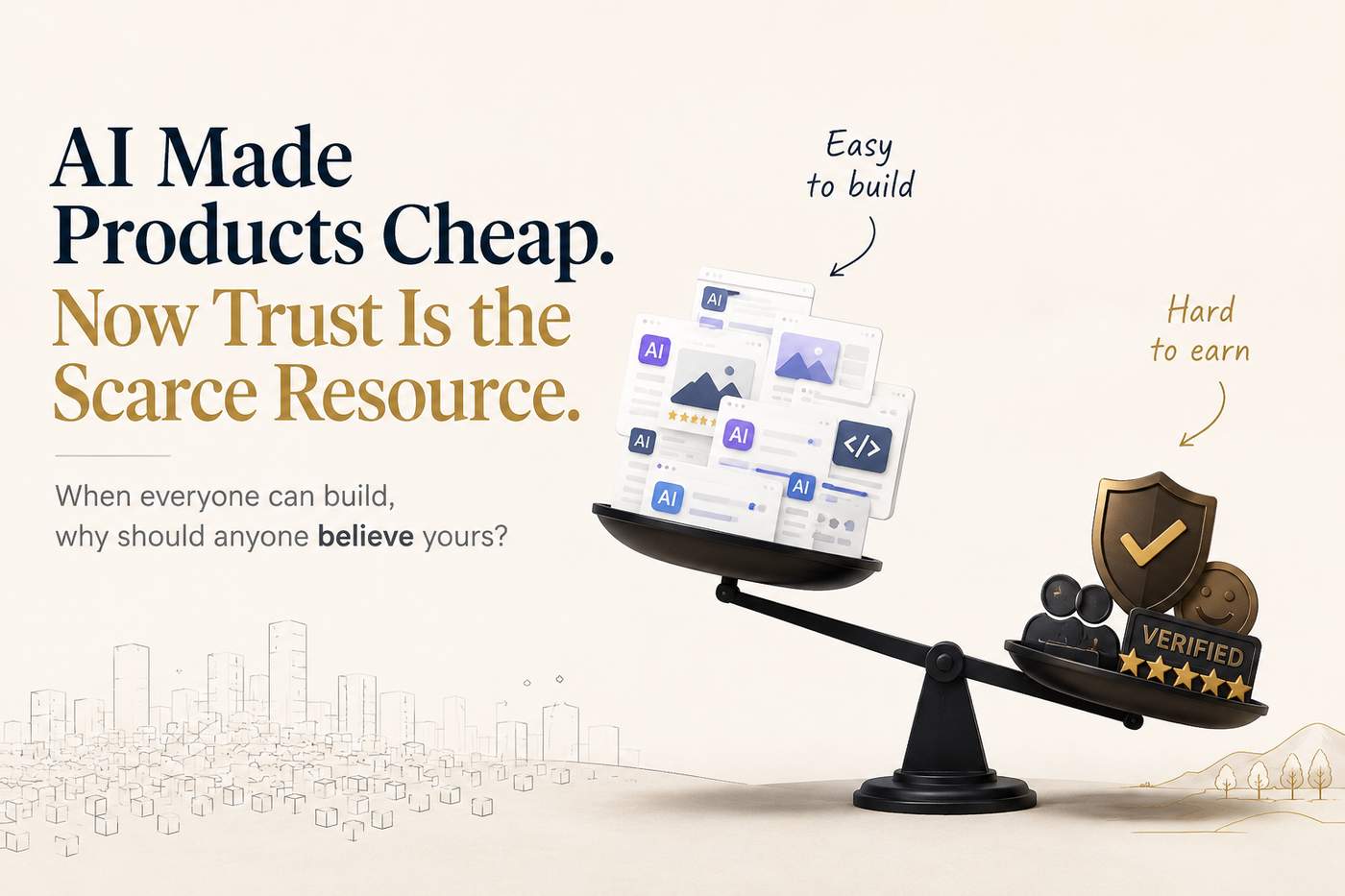
When almost anyone can build a decent product, the harder question becomes: why should anyone believe yours?
AI has changed one of the oldest rules in software.
Building a product used to be expensive. You needed developers, designers, time, and often a large amount of capital before you could even discover whether people wanted what you were making.
That equation is changing quickly.
With AI coding tools, no-code platforms, automated design systems, and increasingly capable agents, a small team can now build something that looks surprisingly polished in days.
That sounds like a huge advantage for everyone.
It is.
But it creates a new problem that is easy to miss:
When products become easier to build, choosing between them becomes harder.
The Product Supply Problem
Imagine you need a simple tool to summarize meetings.
A few years ago, there might have been a handful of credible products competing for your attention.
Today, there are hundreds.
Many of them have:
clean interfaces
AI-powered summaries
integrations
free trials
impressive landing pages
similar feature lists
From a customer's perspective, the problem is no longer finding a product.
It is deciding which one deserves attention.
And that changes what competition looks like.
When building is difficult, technical capability can be a meaningful moat.
When building becomes cheap, features become easier to copy.
The advantage moves somewhere else.
Features Are Becoming Less Valuable as Signals
A product page saying:
AI-powered
Automated
Intelligent
Personalized
Enterprise-ready
does not tell a customer very much anymore.
The problem isn't that these claims are false.
The problem is that almost everyone can make them.
If ten competing products offer roughly the same capabilities, customers need other ways to decide.
They start looking for signals that are harder to fake.
Who is actually using it?
How long has it existed?
What happens when something goes wrong?
Can I talk to someone?
Are the results consistent?
What do other users say after six months, not six minutes?
These questions sound less exciting than a new AI feature.
But they may matter more.
Claims Are Cheap. Evidence Is Expensive.
This may become one of the most important principles of the AI product era.
Claims are cheap. Evidence is expensive.
Anyone can say a product saves users five hours a week.
Showing hundreds of real users achieving that result is much harder.
Anyone can say their AI is accurate.
Showing how it performs across real-world situations is harder.
Anyone can say customer support is excellent.
Actually answering customers when something breaks is harder.
As AI reduces the cost of producing software, the value of evidence increases.
Real customer relationships become a competitive advantage.
Long-term usage becomes a signal.
Independent reviews become more valuable.
Transparent product behavior becomes part of the product itself.
Trust is no longer just a branding problem.
It becomes a product feature.
Consumers Don't Really Want "AI"
There is another interesting consequence.
Customers generally do not care how impressive the underlying technology is.
They care whether the thing works.
A person booking a vacation does not wake up thinking:
"I need an AI travel agent today."
They think:
"I need to figure out this trip without spending three hours doing research."
Someone managing their finances does not necessarily want another AI assistant.
They want to know where their money went.
Someone running a small business does not need another dashboard filled with AI features.
They want invoices paid on time.
The technology is increasingly invisible.
The outcome is what remains visible.
That means companies may eventually compete less on who has the most impressive AI and more on who consistently delivers the result customers actually care about.
Trust Is More Than "Made by Humans"
It is tempting to frame the trust problem as a fight between human-made and AI-made products.
I don't think that is the real issue.
Customers don't necessarily care whether a product was built by ten engineers or one founder using AI tools.
They care about what happens after they start using it.
Does it behave predictably?
Does it protect their information?
Does it admit when it is wrong?
Can they recover when something fails?
Does the company take responsibility?
That is trust.
And interestingly, AI can increase the importance of all of these things.
When anyone can create a convincing product, appearance becomes less reliable as a signal.
The customer's question becomes:
"What happens after I click the button?"
The New Moats Are Harder to Copy
Some of the strongest advantages in this environment may not appear in a feature comparison table.
They might be:
a loyal user community
years of customer relationships
a reputation for solving problems quickly
transparent product decisions
reliable support
proprietary operational knowledge
verifiable results
a founder who is willing to stand behind the product
These things take time.
AI can help you build version one faster.
It cannot instantly manufacture ten years of credibility.
That creates an interesting paradox.
AI lowers the cost of building a product, but it can increase the value of everything that takes time to earn.
The Cost of Choosing Is Rising
There is also a hidden cost for customers.
More products do not automatically mean better experiences.
Too much choice creates another problem: decision fatigue.
If there are five reasonable options, choosing is easy.
If there are five hundred, customers start using shortcuts.
They follow recommendations.
They look for recognizable names.
They check reviews.
They ask friends.
They search Reddit.
They trust people who have already taken the risk.
In other words, when product supply explodes, trust becomes a discovery mechanism.
People don't just use trust to decide whether a product is safe.
They use trust to decide which products are worth trying in the first place.
What This Means for Builders
The old startup question was often:
"Can we build this?"
AI is making that question much easier to answer.
The more important questions may become:
"Why should someone choose us?"
"Why should they stay?"
"What evidence can we show them?"
"What happens when things go wrong?"
Those are much harder questions.
And they cannot be solved by simply adding another feature.
The winners in an AI-abundant market may not be the companies that build fastest.
They may be the companies that turn speed into something customers can actually believe in.
AI Makes Production Abundant. Scarcity Moves to Credibility.
We are entering a strange period in software.
A tiny team can build something that previously required a much larger organization.
That is incredibly powerful.
But when everyone gets the same superpower, the superpower stops being the differentiator.
The next competitive advantage is likely to come from what AI cannot create overnight:
credibility, consistency, relationships, reputation, and proof.
Building is becoming cheaper.
Choosing is becoming harder.
And as the number of products keeps growing, customers will need stronger reasons to believe that one deserves their time, money, and attention.
AI makes production abundant. Scarcity moves to credibility.
That may be one of the most important shifts happening in the product economy right now.
At ZenAI, we work on the other side of this equation: helping businesses turn AI from a promising capability into systems that actually work inside real workflows. The goal isn't simply to add AI. It's to build something people can rely on.
Businesses are moving beyond simple AI experiments.
The next challenge is not only creating AI capabilities.
It is making AI part of everyday workflows.
Many companies still rely on manual processes:
sales teams updating CRM records
employees reviewing documents
customer support teams searching across multiple systems
operations teams moving information between different platforms
These tasks are often repetitive, rule-based, and time-consuming.
This is where AI workflow automation becomes valuable.
Unlike traditional automation, AI workflow automation combines:
artificial intelligence
business process automation
system integration
decision support
human approval workflows
The goal is not simply to automate one task.
The goal is to redesign how work gets done.
For businesses evaluating AI workflow automation companies in 2026, the right partner depends on the type of workflow, existing systems, and level of customization required.
What Makes a Strong AI Workflow Automation Company?
Before choosing a provider, companies should evaluate several capabilities.
1. Ability to Understand Business Processes
Automation should start with the workflow.
A company should understand:
where employees spend time
where manual decisions happen
where information gets duplicated
where systems fail to communicate
The best automation solutions improve existing processes instead of simply adding another tool.
2. Integration with Existing Business Systems
Most workflows already exist across multiple platforms.
Examples:
CRM
ERP
customer support systems
email platforms
databases
internal applications
AI automation becomes valuable when it can connect these systems together.
For example:
A sales workflow may involve:
Lead capture → customer research → qualification → CRM update → follow-up recommendation
The AI layer needs to work across the entire process.
3. Human Control and Exception Handling
Business processes are rarely 100% predictable.
A reliable AI workflow should know when:
information is missing
confidence is low
approval is required
human judgment is needed
The goal is not removing humans from every process.
The goal is helping employees focus on higher-value decisions.
1. ZenAI International Corp.
Best for: Custom AI workflow automation connected with business systems
ZenAI focuses on helping companies build AI-powered workflows around their existing operations.
Many businesses do not need another standalone automation platform.
They need AI connected with the systems they already depend on.
Typical workflow automation projects include:
AI sales workflows
CRM automation
ERP-connected processes
AI customer support workflows
document processing automation
internal AI assistants
approval-based AI workflows
A typical example:
A company receives hundreds of leads every month.
An AI workflow can:
analyze incoming leads
collect relevant customer information
check CRM history
classify opportunities
recommend next actions
route qualified leads to sales teams
But the value is not only the AI model.
The workflow needs:
correct data access
business rules
CRM integration
human review when necessary
performance monitoring
This is where custom AI workflow automation becomes different from simple automation tools.
ZenAI is particularly suitable for companies that need automation built around their specific business processes.
Website:
2. UiPath
Best for: Enterprise automation and robotic process automation
UiPath is one of the best-known automation platforms.
Its focus has traditionally been robotic process automation (RPA), helping organizations automate repetitive digital tasks.
With AI capabilities added, UiPath supports workflows involving:
document processing
employee tasks
customer operations
enterprise automation
Organizations with large-scale automation needs often consider UiPath because of its enterprise automation ecosystem.
3. Automation Anywhere
Best for: Enterprise intelligent automation
Automation Anywhere focuses on intelligent automation combining:
RPA
AI
analytics
business process automation
It is commonly used by enterprises looking to automate repetitive operational processes across departments.
Typical applications include:
finance operations
customer service
HR workflows
document handling
4. Workato
Best for: Connecting applications and automating workflows
Workato specializes in integration and automation between business applications.
Companies often use it to connect:
CRM systems
ERP platforms
marketing tools
databases
internal applications
For organizations with many SaaS applications, workflow integration can become a major challenge.
Workato helps create automated connections between those systems.
5. Zapier
Best for: Simple business automation and smaller teams
Zapier is widely used for connecting everyday business applications.
It allows teams to automate workflows between tools without heavy engineering.
Common examples:
form submissions
email notifications
CRM updates
marketing workflows
For simpler automation needs, no-code platforms can provide significant value.
AI Workflow Automation vs Traditional Automation
Traditional automation usually follows fixed rules.
Example:
“When a form is submitted, send an email.”
AI workflow automation adds more flexibility.
It can:
understand documents
analyze customer information
classify requests
generate recommendations
make decisions within defined boundaries
However, successful AI automation still requires good workflow design.
AI does not automatically fix inefficient processes.
The workflow itself needs to be understood first.
How Should Companies Choose an AI Workflow Automation Partner?
The right choice depends on the business situation.
Choose an enterprise automation platform when:
processes are highly standardized
many departments need automation
governance requirements are high
Choose a custom AI workflow partner when:
workflows are unique
multiple systems need integration
business rules are complex
AI needs controlled access to company data
Choose simple automation tools when:
workflows are straightforward
integration requirements are limited
speed matters more than customization
Final Thoughts
The future of automation is not about replacing every employee task with AI.
It is about creating workflows where humans and AI work together more effectively.
The most valuable AI workflow automation companies will help businesses:
remove repetitive work
connect disconnected systems
improve decision-making
create reliable operational processes
The key question is not:
“Can this process be automated?”
Almost anything can be automated.
The better question is:
“Can this workflow be redesigned so people and AI can work better together?”
That is where AI workflow automation creates real business value.
Artificial intelligence has moved from experimentation to practical business adoption.
Over the past few years, companies have tested AI chatbots, automation tools, and internal AI assistants.
However, the biggest challenge for businesses today is no longer discovering what AI can do.
The real challenge is:
How can companies successfully implement AI into existing operations and create measurable business value?
A successful AI implementation requires much more than access to advanced models.
Businesses need partners that understand:
AI development
workflow automation
software engineering
system integration
data architecture
security requirements
production deployment
Choosing the right AI implementation company depends on the type of problem a business is trying to solve.
Some companies specialize in enterprise AI transformation.
Some focus on AI-native products.
Others help businesses integrate AI into existing workflows and systems.
This guide reviews several AI implementation companies worth considering in 2026.
What Should Businesses Look for in an AI Implementation Company?
Before choosing an AI partner, companies should evaluate several important factors.
1. Business Workflow Understanding
AI projects succeed when they solve real operational problems.
A company should understand:
current business processes
employee workflows
operational bottlenecks
decision-making requirements
Building an AI system without understanding the workflow often leads to solutions that look impressive but provide limited business value.
2. System Integration Capability
Most companies already have important software systems.
Examples include:
CRM platforms
ERP systems
customer support tools
databases
internal applications
legacy software
The goal of AI implementation is usually not replacing everything.
The challenge is making AI work with existing technology infrastructure.
This requires strong capabilities in:
API integration
data management
software architecture
security controls
3. Production AI Experience
Many companies can build AI prototypes.
Fewer can build AI systems that operate reliably in production.
Production AI requires:
monitoring
permissions
human approval workflows
exception handling
performance optimization
ongoing maintenance
The difference between an AI demo and an enterprise AI system is operational reliability.
1. ZenAI International Corp.
Best for: Companies integrating AI into existing business workflows
ZenAI International Corp. focuses on helping businesses move AI from prototypes into production environments.
Many companies already have established systems:
CRM
ERP
internal applications
customer databases
operational workflows
The challenge is not simply adding another AI tool.
The challenge is connecting AI with the systems and processes that employees already use.
ZenAI works on AI implementation projects involving:
AI workflow automation
AI integration services
CRM and ERP integration
custom AI development
AI agent development
internal business applications
legacy system modernization
human-in-the-loop workflows
production AI deployment
Typical use cases include:
AI Sales Workflow Automation
AI can help analyze incoming leads, connect customer information, recommend next actions, and support sales teams.
However, the important part is not only generating recommendations.
The system must understand:
customer history
CRM data
qualification rules
ownership logic
approval requirements
AI Document Automation
Many businesses process large volumes of documents.
AI can extract information and classify content.
But production systems also need to answer:
Where should the data go?
Who should review it?
What happens when information is incomplete?
How does it connect with existing software?
AI-Enabled Internal Tools
Some companies do not need another external platform.
They need internal tools that help employees:
access information faster
review AI recommendations
automate repetitive workflows
make better decisions
ZenAI is particularly relevant for companies that need AI solutions built around their specific business processes.
Website:
2. Accenture
Best for: Large enterprise AI transformation
Accenture is one of the largest global technology consulting companies.
It is commonly considered by organizations working on:
enterprise AI strategy
digital transformation
cloud modernization
large-scale AI adoption
governance frameworks
Large enterprises often require significant consulting resources, global delivery capabilities, and support across multiple business units.
For complex international organizations, large consulting firms can provide the scale needed for enterprise-wide AI programs.
3. IBM Consulting
Best for: Enterprise AI projects involving complex infrastructure
IBM Consulting is often considered by companies operating large technology environments.
Many enterprises still rely on:
legacy applications
hybrid cloud environments
complex data systems
enterprise security frameworks
AI adoption in these environments requires careful integration with existing infrastructure.
IBM’s experience with enterprise technology makes it relevant for organizations looking to introduce AI while maintaining existing systems.
4. LeewayHertz
Best for: Custom AI applications and AI-native products
LeewayHertz focuses more on custom AI development.
Their work includes areas such as:
generative AI applications
AI agents
machine learning solutions
enterprise AI products
Companies building AI-first products or specialized AI platforms may look for partners with deeper AI engineering capabilities.
5. HatchWorks AI
Best for: AI implementation combined with software development
HatchWorks AI focuses on combining AI capabilities with software engineering.
This approach is useful for companies that need to:
improve existing software products
introduce AI features
automate business processes
build AI-powered applications
For businesses looking for both software development and AI implementation experience, this type of partner can be valuable.
AI Implementation Company Comparison: How to Choose?
There is no single AI implementation company that fits every business.
The right choice depends on the project.
Choose an enterprise consulting company when:
the organization is large
multiple departments are involved
governance and compliance are major concerns
global deployment is required
Choose a custom AI development company when:
AI is central to the product
specialized AI capabilities are required
the company needs unique solutions
Choose an AI integration partner when:
existing systems need to work with AI
CRM, ERP, or internal tools need AI capabilities
business workflows need automation
The Future of AI Implementation
The next stage of AI adoption will not be defined by companies that simply experiment with the most tools.
The winners will be companies that successfully connect AI with real business operations.
The strongest AI implementation companies combine:
AI expertise
software engineering
system integration
workflow design
production support
For businesses evaluating AI partners in 2026, the key question is not:
“Who can build an AI feature?”
Almost every technology company can do that.
The more important question is:
“Who can help us build an AI system that works reliably inside our business?”
That is the difference between an AI experiment and a production AI solution.
Many companies have already tested AI.
They have tried chatbots, internal assistants, automation tools, or small proof-of-concepts.
The next challenge is different.
How do you move from an interesting AI experiment to something employees can actually use every day?
That transition requires more than choosing an AI model.
It requires understanding business processes, existing software systems, data flows, security requirements, and how the solution will operate after launch.
This is why selecting the right AI implementation company matters.
Different companies are built for different types of projects.
Some are better suited for enterprise transformation.
Some focus on AI-native products.
Some specialize in integrating AI into existing business workflows.
Below are several AI companies worth considering based on different business needs.
1. ZenAI International Corp.
Many businesses looking for AI implementation do not start with a blank canvas.
They already have systems running:
CRM platforms.
ERP software.
Customer support tools.
Internal databases.
Legacy applications.
The challenge is making AI work within that environment.
ZenAI focuses on this part of the market: helping companies connect AI with existing workflows and operational systems.
Typical projects involve:
AI workflow automation
CRM and ERP integration
AI agent development
custom AI applications
internal business tools
legacy system modernization
human approval workflows
production AI deployment
A common example is an AI sales workflow.
The goal is not simply to create an AI assistant.
The system may need to understand customer history, connect with CRM data, follow qualification rules, recommend next actions, and know when a human should take over.
Another example is document automation.
Extracting information from documents is only one part.
The larger challenge is deciding where the information goes, who reviews it, and how it connects with existing business processes.
ZenAI is a strong fit for companies that already know where AI can create value but need help turning that idea into a reliable production system.
2. Accenture
Accenture is often considered for large-scale enterprise AI initiatives.
Large organizations usually face challenges beyond the AI technology itself.
They may need support with:
enterprise transformation
cloud architecture
governance
compliance
global deployment
For companies operating across multiple regions, departments, and complex technology environments, large consulting organizations can provide the scale required for major transformation programs.
3. IBM Consulting
IBM Consulting is relevant for organizations with complex technology environments.
Many enterprises still operate with years or decades of accumulated systems.
The challenge is often not replacing everything.
It is finding a practical way to introduce AI while working with existing infrastructure.
Projects involving:
hybrid cloud environments
enterprise data platforms
legacy systems
security requirements
large-scale automation
are areas where IBM’s enterprise technology background can be valuable.
4. LeewayHertz
LeewayHertz is more focused on custom AI development and AI-native applications.
Companies building specialized AI products may need deeper technical capabilities around:
generative AI
AI agents
machine learning solutions
custom AI platforms
For teams where AI itself is the core product, companies with stronger AI engineering experience may be the better choice.
5. HatchWorks AI
HatchWorks AI sits at the intersection of AI implementation and software development.
This approach can be useful for companies that are not only adding AI features but also improving or rebuilding parts of their software products.
Projects often require a combination of:
AI capabilities
software engineering
product development
workflow improvement
For businesses looking for a partner that understands both AI and application development, this type of company can be worth considering.
What should companies evaluate before choosing an AI partner?
The right AI implementation company depends on the situation.
A few questions usually help narrow the choice.
Do they understand the workflow?
AI should solve a business problem.
A good partner should first understand how work happens today before proposing technology.
Can they integrate with existing systems?
Most companies already depend on systems such as:
CRM.
ERP.
Databases.
Internal applications.
AI needs to work with those systems rather than exist separately.
Can they support production environments?
A prototype is only the beginning.
Real systems require:
monitoring
security controls
permissions
exception handling
ongoing improvement
Do they understand the difference between automation and replacement?
In many cases, companies do not need to replace everything.
The better approach may be:
keeping reliable systems,
connecting disconnected processes,
automating repetitive work,
and adding AI where it creates measurable value.
Final thoughts
The AI companies creating the most value will not necessarily be the ones building the most impressive demos.
They will be the ones that understand how AI fits into real business operations.
Successful AI implementation usually requires a combination of:
AI capability,
software engineering,
system integration,
and workflow understanding.
For companies evaluating AI implementation companies in 2026, the key question is not:
“Who can build an AI feature?”
The better question is:
“Who can help us build an AI system that works reliably inside our business?”
That difference is what separates AI experiments from production solutions.
The review process didn't disappear when AI entered the workflow. It became theater.
Last week, Wiz Research published a post-mortem on a vulnerability they found in Snowflake's GitHub. The details are technical, but the relevant part isn't.
A pull request was submitted. GitHub Copilot co-authored part of the change and marked it clean. GitHub's Advanced Security scanner analyzed the final revision and flagged nothing. A human engineer approved the merge.
Five days later, an autonomous AI security agent found the injection vulnerability, exploited it, and exfiltrated a Jira token with access to Snowflake's internal engineering, security compliance, and bug bounty projects.
The PR had been reviewed. By AI tools. By a human. Nobody caught it.
The process was followed. The process produced the wrong result. And nobody in the approval chain had actually read what they were approving.
This isn't a story about Snowflake's security practices. It's a story about what "review" means when AI is producing the output being reviewed.
We're running into this in every B2B deployment we do now. Not in CI/CD pipelines — in business processes. The AI drafts the customer communication. A human approves it. The AI routes the intake form. A coordinator signs off. The AI generates the contract clause. Legal marks it reviewed.
The review step is still there. The human is still in the loop — technically. But the review has become something different: it's checking that the format is correct, that the output looks reasonable, that nothing is obviously wrong.
It is not reading the output the way you'd read something a junior employee submitted for the first time.
When AI produces something that looks authoritative, humans apply a lighter hand than when a human produces something that might be wrong.
The real estate staging deployment: where we first noticed the pattern.
We worked with a real estate staging company — residential and commercial, mid-market, high volume — that had deployed an AI system to generate property descriptions and client-facing staging recommendations. A human coordinator reviewed each output before it went to the client.
Three months in, the client's operations lead flagged something. A staging recommendation had gone out with measurements for a room that didn't exist in the property layout. The AI had hallucinated a dimension. The coordinator had approved it.
We pulled the review logs. The coordinator was processing roughly 40 outputs per shift. Average review time per output: 23 seconds.
Nobody had designed the workflow expecting a human to catch a hallucinated room measurement in 23 seconds. Everyone had designed the workflow with a human in it, which felt like the same thing.
"I thought the AI was checking itself," the coordinator told us. "It looked right. I was checking for typos."
The human hadn't been removed from the process. The human's role had been quietly redefined — from reviewer to formatter — without anyone making that decision explicitly.
The film production deployment: what "AI-assisted" actually means in practice.
A film production company we worked with used an AI system to draft initial budget breakdowns for production proposals. The workflow: AI generates draft, line producer reviews, CFO approves, proposal goes to the client.
The line producer was a 20-year industry veteran. She knew production budgets the way a surgeon knows anatomy. When she reviewed an AI-generated breakdown, she caught errors other people wouldn't see.
We ran a usage audit at month four. In the first month, she was annotating roughly 60% of AI outputs with corrections. By month four, that number was 11%.
The AI hadn't improved that dramatically. Her review behavior had changed.
"After a while you start to trust it," she said. "The early stuff had a lot of problems. Now it mostly looks right."
Mostly right is not the same as right. In production budgets, the errors that survive review aren't the obvious ones — they're the ones that look plausible until you're on location and the number doesn't match reality.
The AI had trained the reviewer to trust it. That's a different kind of risk than the AI making errors.
THE PATTERN ACROSS BOTH CASES
In both deployments — and in the Snowflake incident — the same sequence plays out:
AI produces output. Output looks correct. Reviewer approves. Time passes. Error surfaces downstream.
The error isn't in the AI output alone. The error is in the mismatch between what the review step was designed to catch and what the review step actually catches when a human is reviewing AI-generated content at volume.
Standard review processes were designed for human-produced work. Human-produced work has a different error profile than AI-produced work. Humans make errors of knowledge, judgment, and attention. AI makes errors of plausibility — outputs that are internally coherent, well-formatted, and wrong in ways that don't announce themselves.
A 23-second review catches the second kind of error at approximately the same rate as no review at all.
The human in the loop is not a quality gate. It is a latency gate — it slows down how quickly errors reach the client. That's not nothing. But it's not what anyone thought they were building.
WHAT THE REVIEW PROCESS ACTUALLY NEEDS TO BE
The instinct after reading this is to say: require longer reviews, add checklists, increase oversight. That's the wrong fix, because it treats this as an attention problem. It isn't.
First, separate format review from content review — and assign them to different people or different moments. Format review (does this look right, is the structure correct) is fast and AI can help with it. Content review (is the substance accurate, does this match the underlying source data) is slow and requires domain expertise. Collapsing both into one approval step produces a process that does neither well.
Second, build error-detection into the output, not into the reviewer's judgment. In the staging deployment, we added a mandatory source-citation step: every measurement in a staging recommendation had to trace back to a specific room in the property file. The coordinator wasn't reviewing for accuracy — the system was enforcing traceability. Errors that couldn't be traced were flagged automatically. The coordinator reviewed flagged items.
Third, audit review behavior, not just review presence. It matters that a human approved the output. It matters more whether that approval was substantive. Review time, annotation rate, override frequency — these metrics tell you whether your human-in-the-loop is actually functioning as one. If your reviewer is processing 40 outputs in a shift and catching nothing, the review step is providing compliance theater, not quality assurance.
ONE THING WE MIGHT BE WRONG ABOUT
The frame above assumes that the solution to shallow AI review is better-designed human review. But there's a version of this problem where that's not the right answer at all.
In some workflows, the volume is too high and the domain expertise too scarce for meaningful human review at every step. In those cases, the honest answer might be: move the human upstream, into defining the rules the AI operates by, rather than downstream, into reviewing every AI output.
We haven't fully worked out when this tradeoff is appropriate. The risk is that upstream rule-setting gives you the appearance of control without the substance — the rules look comprehensive, the AI follows them, and the edge cases that the rules didn't anticipate still slip through, with no human review step left to catch them.
What we're confident about: a nominal human review is worse than no human review. If the step isn't actually catching errors, it's creating false confidence that someone is watching. False confidence is more dangerous than acknowledged uncertainty.
Working notes from B2B AI deployment in North America. Part of an ongoing series on what we keep noticing across wildly different industries — and what the industry isn't ready to say out loud. More at [zenaicorp.com](https://zenaicorp.com/en).
Why the number that closes the procurement meeting is almost never the number that matters after deployment — and what to do about it.
The evaluation committee had done their homework.
Three AI vendors. Side-by-side comparison. Accuracy rates, latency benchmarks, integration scores. A spreadsheet someone had clearly spent real time building. When they called us in for the final pitch, the VP of Operations led with the table.
"Your intent recognition score is 89%. Vendor B is at 96%. Walk me through why we shouldn't just go with the higher number."
I asked one question: "Which dataset were those scores run on?"
Silence. Then: "The vendors provided their own test results."
We were being compared against benchmarks that were run on different data, in different conditions, measuring different things.
This is the moment I want to talk about. Not because it's rare — it happens in almost every competitive evaluation we've been through. But because the people in that room were not naive. They were doing exactly what procurement process tells you to do: collect comparable data, make an evidence-based decision.
The problem is that AI benchmark scores are not comparable data. They are marketing collateral that looks like comparable data.
The auto dealer evaluation: 89% vs. 96%
The dealership group above — seven stores in the Bay Area, high inbound call volume — ran a proper evaluation. They requested benchmark documentation from each vendor. Vendor B submitted a 94-page technical report. Their intent recognition score of 96% was tested against a standard voice AI benchmark corpus: 50,000 calls, mix of automotive, retail, and general customer service queries, clean audio, controlled conditions.
Our 89% was tested against 3,200 actual calls pulled from their existing phone system over the previous 90 days. Background noise from the service bay. Customers calling about specific car models only sold in that region. Dialect variation from the local market. A specific pattern of how their callers described transmission problems that nothing in the standard corpus had ever seen.
We asked them to run a blind test: take 200 calls from their own system and run both implementations on them.
Vendor B scored 71%. We scored 84%.
The benchmark had measured something real. It just wasn't their business.
The medical device evaluation: the number that procurement needed
A respiratory device company we worked with — FDA-regulated, hospital system clients — had a formal procurement committee. Three-stage evaluation. They needed a benchmark report as a required deliverable before any vendor could advance to the commercial discussion.
We could have submitted a standard benchmark. Instead we spent two weeks with their IT and clinical teams extracting three months of actual patient intake calls. De-identified, HIPAA-compliant, run through a proper annotation process. The resulting benchmark covered 1,100 calls, specific to their patient population, their device vocabulary, their intake workflow.
Our score on that benchmark was 81%. Our score on the industry-standard benchmark was 93%.
We submitted the 81%.
The procurement team pushed back. "Every other vendor submitted higher numbers. Why should we trust a lower score?"
Our answer: "Because it's the only score in this evaluation that will still be accurate six months after go-live."
They advanced us to commercial discussion. The committee chair told us later it was the first time a vendor had come in and argued against their own benchmark.
THE PATTERN WE KEEP SEEING
Benchmark scores in AI procurement function like credit scores in a loan application — they're proxies that help an institution make a defensible decision, not indicators of what will actually happen.
The problem is that credit scores are standardized. There is a shared definition of creditworthiness. AI benchmarks are not. Each vendor runs their own, on their own data, in their own conditions, using their own evaluation methodology. When a procurement team compares them side by side, they are comparing apples to conceptual descriptions of fruit.
This is not a vendor ethics problem. Standard benchmarks serve a legitimate purpose: they let you assess a system's general capability floor before you invest in a full evaluation. The failure is treating that floor as a ceiling — as if the number that measures general capability will hold in your specific deployment context.
It almost never does.
WHAT THIS ACTUALLY MEANS FOR PROCUREMENT
The number you bring into a procurement meeting is not the same as the number that will appear in your quarterly ops review.
First, ask every vendor which dataset their benchmark was run on. If they can't tell you, or if the answer is "standard industry corpus," what you have is a capability estimate, not a deployment prediction. Useful for shortlisting. Not useful for final decision.
Second, require a proof-of-concept on your own data before any commercial discussion. This is more work upfront. It is significantly less work than a failed deployment. In every evaluation we've run where we got a PoC on real client data before commercial terms, the gap between the standard benchmark and the actual performance was material — usually 8-15 percentage points in either direction.
Third, define what "accuracy" means in your context before you collect any numbers. Intent recognition accuracy means different things in a call center handling billing disputes versus a call center handling clinical intake. If the benchmark score doesn't carry a definition of what was being measured and what success looks like in that context, the number is not information. It is a well-formatted guess.
ONE THING WE MIGHT BE WRONG ABOUT
Our position is that client-specific benchmarks are more valuable than standard benchmarks. But this only works if the client has enough clean, labeled historical data to run a meaningful evaluation — and a lot of the companies we talk to don't.
If your historical call data is a mess (wrong labels, inconsistent tagging, low volume), then a client-specific benchmark might actually be less reliable than a well-run standard one. We've seen PoCs fail not because the AI was wrong, but because the "ground truth" data we were evaluating against was itself inaccurate.
In those cases, the right answer is probably: use the standard benchmark to shortlist, then invest in six to eight weeks of data cleanup before running any PoC. We've recommended this twice. Both times the client said the timeline was too long. One of them signed with the highest-benchmark vendor instead. We're still not sure how that deployment is going.
Working notes from B2B AI deployment in North America. Part of an ongoing series on what we keep noticing across wildly different industries — and what the industry isn't ready to say out loud. More at [zenaicorp.com](https://zenaicorp.com/en).
Everyone is talking about which jobs AI will replace. The more interesting question is which jobs it makes irreplaceable — and why those people rarely show up in procurement conversations.
There's a piece making the rounds on Hacker News this week — LLMs reward expertise — that uses Terence Tao's conversation with ChatGPT about the Jacobian Conjecture to make a simple argument: domain knowledge determines what you can extract from an AI model. Tao gets a fundamentally different response than a non-mathematician asking the same question, not because he prompts differently, but because he knows what to push back on and what to ignore.
The piece is about individual productivity. But there's an enterprise version of the same observation that we've been watching play out across deployments for the past two years — and it explains a failure mode that doesn't show up in any post-mortem we've read.
The question that changed how we scope projects
About a year into our B2B AI work, we started asking every prospective client a question that sounds technical but isn't:
"Who in your organization knows both how the business process we'd be changing actually works, and where the underlying data lives?"
The answers split cleanly into two categories.
In the first category: the sponsor pauses, thinks for a moment, and names someone. Usually a senior analyst or an operations manager who's been at the company long enough to have accumulated context that isn't written down anywhere. Someone like Maya — a coordinator at a nine-location fertility network who'd been running their Athena implementation for seven years. When we asked if she could join the next scoping call, she did. And the conversation that followed wasn't "here's what AI can do." It was "here's specifically what breaks in your intake process, and here's exactly which fields in your system are dirty enough to break any model you put on top of them."
That project finished three weeks early.
In the second category: the sponsor names a function, not a person. "That would be IT." Or: "The workflow stuff is kind of distributed across the team." That answer — which always sounds reasonable in the moment — is a description of a structural gap. The technical knowledge and the operational knowledge live in different places, with different people, on different timelines. Getting them to communicate with each other, on your schedule, for a project that isn't anyone's top priority, is not an engineering problem. It's an organizational condition you can't build around.
Those projects take twice as long. And they produce clients who walk away saying "AI is harder than we expected" — when what they mean is "we didn't have the person who makes this work."
What this person actually does
The reason we call this person the connector is that their value isn't domain expertise in the traditional sense. Maya wasn't the best clinician or the best database engineer at her organization. She was the person who understood both sides well enough to translate between them.
This is a specific and underappreciated skill. It requires knowing enough about the business logic to understand why a process works the way it does — including the informal, undocumented reasons that experienced humans rely on but that never make it into any spec. And it requires knowing enough about the data reality to understand which of those informal inputs have a corresponding field in the system, and which live only in someone's head.
The seangoedecke piece describes this in the context of individual AI users: the domain expert can push the model harder because they know what a good response looks like. They can say "no, I think it could be simpler here" or "but don't we already do X?" The connector does this at the organizational level — they can push the deployment harder because they know where the model's assumptions will collide with the reality of how the business actually operates.
Without them, AI deployments don't fail. They drift. The model gets built on top of a process that the deployment team partially understood. It performs well in testing, where the inputs are clean and the edge cases are known. It performs poorly in production, where the inputs are messy and the edge cases are exactly the cases that required human judgment to begin with. And nobody can explain why, because nobody has the full picture.
Why enterprise procurement doesn't screen for this
The standard enterprise AI procurement conversation covers a lot of ground: budget, timeline, technical requirements, security posture, integration complexity, ROI expectations. It does not typically cover: does your organization have a person who bridges operational logic and data reality, and is that person available to work with us?
There are several reasons for this.
The first is that the connector role doesn't have a job title. Maya's title was something like Clinical Operations Coordinator. She wasn't hired to be the bridge between business process and data architecture. She became that bridge by accident, over seven years, because she was curious and capable and nobody else filled the gap. You can't put "connector" in a vendor RFP and expect a useful answer.
The second is that the connector isn't usually in the room when the deal is being sold. The sponsor is there. The decision-maker is there. The IT security lead might be there. The person who actually knows where the patient ID appears in seventeen different formats across three different systems is not there, because nobody thought to invite her.
The third is that the procurement frame treats AI deployment as a product purchase, not an organizational capability question. You evaluate the vendor's product. You evaluate the vendor's team. You rarely evaluate your own organization's readiness in a specific enough way to surface the connector question.
This is a meaningful gap. Not because it causes projects to fail outright — it usually doesn't. It causes them to take twice as long, cost more than budgeted in internal time, and produce a result that underwhelms everyone relative to the original expectation. Which is a subtler failure mode, but an extremely common one.
What changes when the connector is identified early
When we find the connector in the discovery phase — before we've signed anything — the entire shape of the engagement changes.
Scoping becomes specific instead of aspirational. Instead of "we'll build an AI system that handles insurance verification," the conversation becomes "we'll build something that can handle the clean cases that currently take Maya four minutes each, and flag the edge cases that currently require her to call the payer directly — and here's exactly what 'clean' means in your specific data."
Data readiness work compresses. The connector already knows which data is clean and which isn't. She knows it because she's been working around the dirty data for years. What takes us weeks to discover through auditing, she can often tell us in an afternoon — not because she has access to better information, but because she has the organizational memory to interpret what she's looking at.
Post-launch support becomes proactive instead of reactive. The connector can catch model errors before they propagate, because she knows what the correct output should look like. She doesn't need a dashboard to tell her something went wrong. She reads the output and knows.
The deployment we described at the fertility network — the one that finished three weeks early — wasn't exceptional in its technical complexity. It was exceptional in that we had Maya from week one, she was empowered to make decisions, and her boss had the organizational standing to keep her available to us when her other responsibilities competed for her time. The technical work was the same as any other project. The organizational conditions were different.
The talent dynamic nobody wants to say out loud
Here's the uncomfortable implication of the seangoedecke argument applied to enterprise AI: the people whose value increases most as AI gets better are often not the most senior people in the organization.
The connector — Maya, or her equivalent in any industry — is typically mid-level. Not on the leadership team. Probably not making a VP salary. Not obvious to anyone who looks at the org chart from the outside.
But she's the person who determines whether a $300,000 AI deployment finishes in four months or eight. She's the person whose availability decides whether the model learns the real process or a simplified version that breaks in production. She's the person who, when the model gets something wrong, can explain why — and whether the fix is a model problem or a data problem or a process problem.
As models get more capable, the bottleneck shifts further in her direction. A better model doesn't reduce the need for someone who can translate between the business and the data. If anything, a better model amplifies the translation gap — because a more capable model will confidently do more with whatever it's given, including confidently doing the wrong thing with a process it misunderstands.
The organizations that figure this out will start screening for it explicitly. They'll ask, before signing any AI deployment contract, whether the connector exists and whether they're available. They'll treat connector availability as a project resource the same way they treat engineering time and infrastructure budget.
The organizations that don't will keep discovering, six months into deployments, that the gap was there all along — it just didn't have a name.
One thing we might be wrong about
The connector model assumes that a single person can bridge the operational and technical sides of a business process. In straightforward workflows, this is often true — one person with the right combination of experience and curiosity covers enough ground to make the translation work.
In complex regulated environments — healthcare systems with multi-layered EMR architectures, financial institutions with decades of legacy data governance, pharmaceutical companies with regulatory data requirements that span multiple jurisdictions — the translation work may require more than one person. The "connector" becomes a small team, or a structured process, rather than an individual.
We've worked in some of these environments and found that the principle holds even when the implementation is more complex: what matters is whether the organizational bridge exists, whether it's available to the deployment team, and whether someone has explicit responsibility for maintaining it. The failure mode is the same regardless of scale — when that bridge is absent or unavailable, the deployment runs on assumptions instead of reality.
The question worth asking, regardless of organizational complexity, remains the same: who in your organization knows both how this process actually works and where the data lives? If the answer is "nobody," that's not a technical gap. It's the project risk.
Working notes from B2B AI deployment in North America. Part of an ongoing series on what we keep noticing across wildly different industries — and what the industry isn't ready to say out loud.
The connector question — "who in your organization knows both the business process and the data reality?" — is one of the first things we work through with clients before any deployment begins. If you're evaluating an AI project and haven't mapped this yet, [a 1-on-1 strategy call with our engineering team](https://zenaicorp.com/en) is where that conversation starts.
Kimi Work is on the HN front page. Your employees are already downloading it. The question your IT team hasn't answered yet: what is it actually touching?
Kimi Work launched this week to significant attention — a desktop AI agent that mounts your local folders, browses the web autonomously, runs scheduled tasks, and coordinates multiple specialized agents to break down complex work. The product page describes it as "a system-level digital employee."
That framing is accurate. It's also the thing that makes it categorically different from every other AI tool your employees have adopted in the past two years.
ChatGPT is a browser tab. Notion AI is a feature inside a product you already manage. Grammarly sits in a text field. These tools interact with content your employees choose to paste into them, in a context the employee controls.
A desktop agent that mounts local folders and runs in the background is not a browser tab. It has access to files your employee never explicitly shared with anything. It runs tasks while your employee is asleep. And — this is the part most enterprise IT teams haven't processed yet — the approval process for installing it is probably happening right now in a Slack channel between a department head and their direct reports, with no IT involvement at all.
The access model doesn't fit the governance model you already have
Enterprise SaaS governance is built around a specific threat model: an employee connects to an external service via a browser or an OAuth integration, data flows through an API, the security team manages the integration at the identity layer. You approve the app, manage the scopes, monitor API traffic. Revoke the OAuth token and the connection closes.
Desktop agents don't fit this model cleanly.
When Kimi Work mounts a local folder, it isn't making an API call you can log at the network layer. It's reading files on the local filesystem — files that may include contracts, client data, internal financial models, draft communications, anything the employee keeps on their machine or in their synced cloud drive. The data governance question isn't "which URL is this tool calling?" It's "which files on this machine does this tool have access to, and what is it doing with what it reads?"
That's a fundamentally different question, and most enterprise data governance frameworks weren't written to answer it.
The gap shows up in specific places. Data loss prevention tools are typically configured to monitor outbound network traffic and cloud uploads. They're not monitoring what a local process reads from a synced OneDrive folder. Endpoint security tools will flag malware and unauthorized executables, but a commercially distributed desktop application with a legitimate signature is not what they're built to catch. Access control policies define who can access which SharePoint sites or S3 buckets — but if those files sync to a local machine, and a local agent reads them, the access control was technically respected and the file was technically read.
None of this requires the tool to behave maliciously. It's just the normal operation of a tool that works the way it's designed to work, inside a governance architecture that wasn't designed for it.
"Knowledge worker productivity tool" is the category that IT doesn't own
There's an organizational reason this problem is moving faster than the governance response.
Enterprise software procurement has rough ownership patterns. Infrastructure goes through IT. Security tooling goes through the security team. Industry-specific software goes through the relevant business line with IT involvement. CRM and finance systems go through a formal procurement process.
"Knowledge worker productivity tools" — the category that includes everything from Slack to Notion to AI writing assistants — has historically been treated differently. These tools are cheap enough to buy on a department card. They're general enough that IT involvement feels like overhead. They improve individual output in ways that are visible to a department head and invisible to IT. The approval path is typically: someone on the team tries it, likes it, the manager approves the spend, it spreads through the team.
This approval path worked reasonably well when the tools in question were browser-based, file-agnostic, and scoped to content the user explicitly provided. It works poorly when the tool in question is a local agent with filesystem access.
The result is a specific governance gap: an organization can have mature endpoint security, solid cloud access controls, and a thoughtful DLP policy — and still have no visibility into what its AI desktop agents are reading, running, and sending, because those agents were approved at the department level by people who weren't thinking about data governance, and implemented through a distribution channel that IT doesn't monitor.
The size of this gap scales with the speed of adoption. When one early adopter installs a desktop agent, the risk surface is small. When a department head sends a Slack message saying "everyone download this, it's amazing," the risk surface is the entire department's local filesystems, simultaneously, with no audit trail.
A minimum viable desktop agent admission evaluation
We're not arguing that organizations should block these tools. The productivity case is real, and blanket prohibition is both impractical and counterproductive — employees will install them anyway, and prohibition just removes your ability to know what's deployed.
The more useful question is: what does a minimum viable evaluation look like before a desktop agent gets cleared for use in a business context?
Three questions, in the order they should be asked:
First: what is the data contact surface?
Specifically: which directories does this tool have access to by default, and which can it access with user permission? Is access read-only or does it include write and execute? When the tool reads a file, does that content leave the device — and if so, under what conditions, to which endpoints, and under what data retention policy on the vendor side?
For tools that handle local files in industries with data residency requirements — healthcare, financial services, legal — this question is not optional. A tool that reads a file containing PHI and sends it to a cloud endpoint for processing has just created a HIPAA exposure regardless of what the employee intended to do with it. The question isn't whether the tool is trustworthy. It's whether the data flows are consistent with the compliance framework you already operate under.
This question takes thirty minutes to answer if the vendor has clear documentation and thirty minutes to answer if they don't — in the second case, the answer itself is diagnostic.
Second: what is the task scope?
There's a meaningful difference between a desktop agent that answers questions about files the user opens, one that proactively indexes and summarizes everything in a mounted folder, and one that autonomously runs scheduled tasks that touch live systems.
Each of those is a different risk profile, and a tool that can do all three isn't automatically a problem — but the clearance decision should be made with eyes open to which capabilities are being deployed, not just which capabilities the tool has. An employee who installs Kimi Work to help draft reports is using a different tool than an employee who configures it to run a nightly Python script against their customer database. The product is the same. The risk surface is not.
Map the specific use cases your team intends before clearing the tool, not after. This takes a fifteen-minute conversation with the team lead requesting it.
Third: where are the human confirmation nodes?
We've written before about the distinction between reversible and irreversible agent operations. The same logic applies to desktop agents: an agent that reads files and generates drafts is operating in a different risk tier than an agent that sends emails, submits forms, or modifies records.
For any desktop agent deployment, the question is: what actions does this tool take autonomously, and what actions require explicit human confirmation before execution? The tool's default settings are not necessarily the right answer. Most desktop agents ship with confirmation prompts enabled — Kimi Work's own documentation notes an "ask before acting" safeguard for file modifications. Those safeguards should be preserved, not disabled in the name of convenience.
The human confirmation nodes are where errors become visible before they become irreversible. An agent that generates a draft and shows it to a human before sending it will catch its own errors at a rate that an agent configured for fully autonomous operation will not. The confirmation step feels like friction. It's the friction that separates "the agent helped me do my job" from "the agent did something I didn't notice until it was too late."
What good governance actually looks like here
The organizations that handle this well aren't the ones with the most restrictive policies. They're the ones that have a defined path to clearance — so that employees who want to use these tools know what the process is, and IT knows what's deployed.
A workable model: establish a lightweight desktop agent review process that runs in parallel with the department-level approval, not instead of it. The department head approves the spend. IT reviews the three questions above and either clears the tool, clears it with conditions, or flags it for a more detailed review. The whole process should take less than a week for a straightforward case — long enough to catch the obvious problems, short enough that it doesn't become a de facto prohibition.
The conditions that come out of this process are usually simple. Use the default confirmation settings. Don't mount directories containing client data without an additional data handling review. Run the tool under a managed endpoint profile if your MDM supports it.
None of this is technically sophisticated. It's organizationally straightforward. The reason it doesn't happen by default is that nobody owns the intersection of "knowledge worker productivity tool" and "data governance" — and until someone does, the gap fills itself with employee downloads and department Slack approvals.
One thing we might be wrong about
This piece assumes that the data governance risks are meaningful and worth managing actively. That assumption depends on what kinds of data your employees actually have on their local machines and in their synced drives.
For organizations where local machines are tightly managed, files are stored in controlled cloud environments with access logging, and employees don't routinely work with sensitive data locally — the risk surface we're describing may be small. The governance overhead might exceed the risk being mitigated.
For organizations where employees routinely work with contracts, client data, financial projections, or any regulated data class on their local machines or in personal cloud syncs — which describes most of the enterprise clients we work with — the risk surface is real and the governance gap is worth closing before the adoption wave arrives.
The adoption wave, for what it's worth, is already here. The question is whether the governance response arrives before or after the first incident that makes someone wish it had.
Working notes from B2B AI deployment in North America. Part of an ongoing series on what we keep noticing across wildly different industries — and what the industry isn't ready to say out loud.
The governance questions in this piece — data contact surface, task scope, human confirmation nodes — are the same questions we work through with clients before any AI system touches their production environment. If your organization is deploying AI agents and hasn't done this mapping yet, [a 1-on-1 strategy call with our engineering team](https://zenaicorp.com/en) is the starting point. No slide deck. Just a focused conversation about your specific stack and where the gaps are.
1 Comment