
Steve Smith
Tools Are Changing the Way We Work
The build vs buy software rule for a solo founder is short. Build the part customers pay you for. Buy the rest, as long as you can leave the vendor later.
It sounds obvious, but most of us break it. Auth and the marketing blog both start as "just a weekend." Then they need upkeep every week after.
Quick disclosure: we build Draftbase, a headless CMS. So we sit on the "buy" side of one of these decisions. We'll say where building wins too.
What does build vs buy mean for a SaaS founder?
It's a choice about where your hours go. Every feature you write yourself becomes code you maintain for the life of the product. Every tool you buy becomes a monthly bill and a dependency.
For a big company, that's a budget question. For a solo founder, it's a time question. You have maybe 40 hours a week, and one product that has to stand out.

Why building costs more than the first version
The first version is the cheap part. Stripe's Developer Coefficient report surveyed over 1,000 developers in 2018. The average developer worked 41.1 hours a week. Of those, 17.3 hours went to maintenance: technical debt and bad code.
That's 42% of the week spent keeping old code alive.
Academic numbers point the same way. Robert Glass, in Facts and Fallacies of Software Engineering, puts maintenance at 40% to 80% of a product's total cost. His rough average is 60%. A multi-case study, "Distribution of Cost over the Application Lifecycle," found only 21% of a five-year budget went to the first build. The other 79% went to upkeep and changes.
So when you estimate "two days to build it," you're really signing up for two days plus a slice of every week after.
A four-question build vs buy checklist
Run each piece of your stack through these. If you answer "no" to the first two, buy it.
Does it set you apart from competitors?
If customers would notice and care, build it. That's your core feature and the UX around it. Nobody picks a SaaS because its password reset flow is hand-rolled.
Will you change it every week?
Things you tweak all the time deserve your code. Things you set up once, like email sending or invoices, don't.
Is there a vendor with a public price?
A public price lets you do the math. If a tool costs $49 a month and saves you four hours of maintenance, it's paid for itself at almost any hourly rate. If the price hides behind a sales call, treat that as a warning sign for an indie budget.
Can you export your data and leave?
This is the one founders skip. Check for a real export and a standard API. A custom query language is a rewrite waiting to happen. Lock-in turns a cheap purchase into an expensive one later.
What indie founders usually buy vs build
Here's how the checklist tends to land for a typical B2B SaaS:
Piece
Sets you apart?
Usual call
Core product logic
Yes
Build
Auth and user accounts
No
Buy
Payments and sales tax
No
Buy
Transactional email
No
Buy
Blog, docs, changelog
Rarely
Buy
Internal admin tools
Sometimes
Build small, or buy
Most of this list isn't controversial. The content row is the one founders get wrong most often.
The content system you build by accident
Nobody sets out to build a CMS. It starts with a few Markdown files in the repo for the blog. Then docs get added. Then a changelog, a pricing page with FAQs, and landing pages for SEO.
A year later, you own a homemade content system. Every typo fix needs a code deploy. Your non-technical cofounder or freelance writer can't publish without you. And your sitemap and meta tags live in code you wrote once and forgot.
That last part hurts growth. Content is how many indie products get found, and good headless CMS SEO comes from treating content as data you can query. A folder of files can do it, but you end up building the tooling yourself.
Buying the content layer without giving up your stack
A headless CMS is the "buy" option that keeps your code in charge. It stores content and serves it over an API. Your app still renders every page, in your framework, on your hosting.
If your product runs on Next.js, a React headless CMS in where your Markdown folder used to be. Draftbase, for example, stores entries as typed fields and serves them over REST or GraphQL. Writers use a web dashboard. You keep full control of the frontend.
The pricing is public. Draftbase has a free Hobby plan, and the Startup plan is $49 a month.
When should you build instead of buy?
Buying isn't always right. Build when one of these is true:
The thing is your product. If you sell a docs platform, don't buy someone else's docs tool.
The vendor's price grows faster than your revenue. Per-seat pricing can punish a team that's growing.
Compliance rules say your data can't leave your servers.
You've outgrown every option and know exactly what you need. That's a year-three problem, not a launch problem.
Our opinion: if you're pre-revenue, you should be buying almost everything except the product. Rebuilding a bought tool later is a good problem. It means the product worked.
Build vs buy software: common questions
Is buying software cheaper for a startup?
Usually, yes, for anything that isn't your core product. The subscription is visible. The maintenance cost of building is hidden, and Stripe's data puts it at 42% of a developer's week.
How do I avoid vendor lock-in?
Pick tools with data export and standard APIs before you commit. Test the export once, early. If you can't get your data out in a day, look elsewhere.
When should a startup replace a bought tool with its own?
When the tool blocks a feature customers are asking for, or its price outgrows the salary of the person who'd rebuild it. Until then, the bought tool is the cheaper choice.
Should the marketing site live in the same repo as the app?
It can, but the content shouldn't. Keep pages in your codebase and pull the words from a CMS, so writers don't need deploy access.
What to buy this week
Look at your repo and find the code you touch least but maintain most. For most founders, that's auth, email, or the content folder. Pick one and price out the replacement.
If it's content, try Draftbase's free Hobby plan with your blog first. Move ten posts and point one page at the API. Then see whether your next typo fix skips the deploy.


Getting more meetings sounds simple, but getting meetings with the right prospects is much harder. The real challenge is getting the right prospects into those meetings.
B2B companies can do this by defining an ideal customer profile, targeting the right decision-makers, using trigger events, and creating outreach around real business needs.
Personalized messaging and simple calls to action can encourage more prospects to respond, while effective follow-ups keep conversations moving. Most importantly, companies should measure the quality of booked meetings, not just the number.
Here are the most effective ways to generate more qualified sales meetings.
Define What a Qualified Meeting Means
Before trying to generate more meetings, define what makes a meeting worth your sales team's time.
Different companies may have different qualification standards. However, most qualified prospects share several important traits:
They fit your target customer profile.
They have a relevant business problem or need.
They work in a role that can influence or make buying decisions.
They have a reasonable reason to consider your solution.
Their company has the right size, industry, or budget for your offer.
For example, a company selling enterprise software may not benefit from booking meetings with very small businesses that cannot afford the product.
Similarly, a company that sells to marketing leaders should not focus mainly on employees with no involvement in purchasing decisions.
Create a simple qualification checklist before starting any outreach campaign. This gives your marketing, outreach, and sales teams a shared standard.
It also makes it easier to measure results. Instead of asking, "How many meetings did we book?" you can ask, "How many meetings were with companies that matched our ideal customer profile?"
Build a Clear Ideal Customer Profile
A strong ideal customer profile, often called an ICP, is the foundation of qualified meeting generation.
Your ICP should describe the type of company that is most likely to benefit from your product or service. Start with your best existing customers and look for common traits.
Look at Company-Level Details
A clear target is usually better than trying to reach every possible business. Review factors such as:
Industry
Company size
Location
Revenue range
Business model
Technology used
Growth stage
Identify the Right Decision-Makers
After identifying the right companies, determine who should receive your message.
Depending on your offer, this may include founders, CEOs, marketing leaders, sales leaders, operations managers, or other decision-makers.
The right job title alone is not enough. You should also consider whether the person is likely to understand the problem your service solves.
For example, if your service improves outbound sales performance, a sales leader may be a stronger prospect than a general manager with no direct responsibility for sales.
Use Trigger Events to Find Prospects at the Right Time
Timing can strongly affect whether a prospect is interested in having a sales conversation.
A company may fit your ideal customer profile but have no immediate reason to buy. On the other hand, a relevant business event can create a stronger need for a solution.
Useful trigger events may include:
A new funding round
A product launch
Rapid hiring
Expansion into a new market
A change in leadership
New job openings related to your service
A public announcement about growth or business challenges
For example, a company that is rapidly hiring sales representatives may be more interested in tools or services that support sales growth.
Trigger-based outreach allows you to create a more relevant message. Instead of sending a generic introduction, you can connect your outreach to something happening in the prospect's business.
However, only use information that is genuinely relevant. Mentioning random company news simply to appear personalized can make your message feel forced.
The best outreach connects the trigger event to a possible business need and gives the prospect a clear reason to respond.
Create Personalized Outreach Around Real Problems
Personalization does not mean adding a prospect's first name to an email.
Good personalization shows that your message is relevant to the prospect's role, company, or current situation.
Start by identifying a problem that your target audience may be experiencing. Then explain how your service addresses that problem.
For example, a generic message might say:
"Hi Sarah, we help companies generate more leads. Would you like to book a call?"
This message does not explain why Sarah should care or why the offer is relevant.
A stronger message might refer to a business situation, challenge, or goal that is connected to the prospect's role.
The message should still be short. Your goal is not to explain everything your company does. Your goal is to create enough relevance for the prospect to consider a conversation.
Focus on One Clear Value Proposition
Do not include too many services in one outreach message.
If your company offers several services, choose the one that is most relevant to the specific prospect or campaign.
A focused message is easier to understand. It also makes the call to action more natural.
For example, if your service is designed to generate sales opportunities, focus the message on that outcome rather than listing every feature or capability.
The prospect should quickly understand:
Why you contacted them.
What problem you may be able to solve.
Why a conversation could be useful.
Improve Your Outreach With Better Lead Qualification
Lead qualification should not end when a prospect agrees to a meeting.
Companies should review the quality of their meetings regularly and identify which campaigns produce real sales opportunities.
Track what happens after each meeting. Did the prospect match your target profile? Did the prospect have a relevant need? Did the conversation move to the next stage of the sales process?
This information can improve future campaigns.
You may discover that a certain industry produces many replies but few real opportunities. Another industry may generate fewer meetings but more sales-qualified prospects.
These insights can help you improve targeting and spend more effort on the campaigns that create stronger opportunities.
Some B2B companies also use a pay per meeting model when working with an appointment-setting provider. This approach can make performance measurement easier because the campaign is focused on delivering scheduled meetings that meet agreed qualification requirements.
However, companies should clearly define what counts as a qualified meeting before starting. A scheduled meeting with the wrong person or company may not provide real value. Clear qualification criteria and transparent reporting are important.
Make the Meeting Request Easy to Accept
Even interested prospects may ignore a meeting request if the next step feels too difficult.
Your call to action should be simple and low-pressure.
Instead of asking prospects to commit to a long sales call, consider a short and specific conversation.
For example:
"Would a 15-minute call next week be useful?"
"Are you open to discussing this for 20 minutes?"
"Would you like me to send a few times that work?"
A clear call to action gives the prospect an easy way to respond.
Avoid using several calls to action in the same message. Asking a prospect to reply, download a resource, visit a website, and book a meeting can create unnecessary friction. Choose one next step based on the purpose of the campaign.
Follow Up Without Repeating the Same Message
Many prospects do not reply to the first email. A thoughtful follow-up sequence can increase your chances of starting a conversation.
However, every follow-up should provide a reason for the prospect to respond.
You can:
Restate the main business problem.
Share a relevant insight.
Offer a different angle.
Clarify the value of a short conversation.
Ask a simple question.
Do not simply resend the same email several times.
Keep your follow-ups respectful and give prospects a simple way to decline. The goal is to start conversations with interested people, not pressure every prospect into booking a call.
Combine Lead Generation and Appointment Setting
Qualified meeting generation works best when prospect research, outreach, and appointment setting are connected.
If the research team targets the wrong companies, better email copy will not solve the problem. If the outreach message is unclear, a strong prospect list may still perform poorly. If qualification standards are weak, the sales team may receive meetings that are unlikely to convert.
That is why companies should treat meeting generation as a complete process rather than a single activity.
Businesses without an in-house team or the required expertise can also consider working with specialists. For example, companies can get support from experts such as ProspectOut to manage different parts of the process.
Ultimately, the goal should not be to fill the calendar with as many meetings as possible. Better targeting, relevant messaging, effective follow-ups, and clear qualification standards can create a stronger and more efficient sales pipeline.
Wrapping Up
Generating more qualified B2B sales meetings is not simply about increasing outreach volume or filling the calendar. A large number of meetings can still produce weak results if the prospects are not a good fit.
The real value lies in reaching the right companies, understanding their needs, and contacting them at the right time. A meeting should be judged by what happens after the conversation, not just by if it was booked.
When targeting, timing, relevance, and qualification work together, companies can create fewer wasted conversations and more genuine sales opportunities.

For professionals in woodworking, signage, and construction, precision and reliability are critical to success. Saw Trax Manufacturing, Inc. delivers an industry-leading range of panel saws, ergonomic dollies, and precision-engineered hand tools to meet the demands of today’s professionals.
Panel Saws: Delivering Precision and Versatility
Saw Trax panel saws are crafted for professionals who require consistent, clean cuts. Featuring the patented Accu-Square alignment system, these saws ensure straight, accurate results on materials such as plywood, MDF, and aluminum composites. The modular carriage system allows for additional tools like floating routers and rolling shears, making these saws versatile for any project.
These saws are the perfect choice for professionals seeking cutting solutions that combine precision and adaptability.
Dollies: Streamlining Material Handling
Transporting heavy or awkwardly shaped materials is simplified with Saw Trax dollies. Designed for durability and ergonomic use, these tools handle panels, glass sheets, and equipment with ease and safety. Their sturdy construction ensures long-lasting performance, while ergonomic features reduce strain and increase productivity.
Saw Trax dollies are indispensable for professionals who value efficiency and safety in material handling.
Hand Tools: Precision in Every Task
For intricate and detail-oriented work, Saw Trax hand tools deliver unmatched performance. Tools like the Coro-Claw and Biddi Knife are designed to provide clean, professional-grade cuts on corrugated plastics, vinyl banners, and other materials. Lightweight and ergonomically designed, these tools ensure comfort and accuracy during extended use.
These tools are a must-have for professionals who prioritize precision and efficiency in every project.
Why Saw Trax is the Professional’s Choice
Since 1988, Saw Trax Manufacturing, Inc. has been dedicated to designing tools that solve the unique challenges faced by professionals. Based in Kennesaw, Georgia, and proudly made in the USA, Saw Trax focuses on innovation, craftsmanship, and superior quality to deliver tools that professionals trust for reliable performance.
Conclusion
From precision cutting to efficient material handling, Saw Trax tools are engineered to help professionals achieve exceptional results with ease. Explore their range of panel saws, dollies, and hand tools today to discover how Saw Trax can elevate your workflow and enhance your projects.
QR Code Monkey is very good at the thing it does, and the thing it does not do is the reason you are reading this. Every code it produces is static, which the company states outright, and that means the destination is fixed the moment you download the file. Of the six alternatives below, The QR Code Generator is the closest match, because it keeps the free unlimited static output you already rely on and adds two editable codes that never expire.
Before going further, it is worth being clear about what you would be giving up, because Monkey beats most of this list on output quality.
What QR Code Monkey actually gets right
Monkey costs nothing, has no account, no paid tier and no subscription, so there is nothing to lapse and nothing anyone can withdraw. That is possible because a static code needs no service behind it, a property built into the format itself and described in the published QR Code specification. Its homepage puts it plainly, saying the codes never expire, keep working indefinitely and face no scan ceiling, with one condition attached, which is that the content is locked once created.
The download formats are the widest of any tool discussed here. PNG, SVG, PDF and EPS all come free, which is more than the six alternatives below offer between them. Two limits are noted on the site itself. Design and logo choices survive only into the PNG and SVG files, while the PDF and EPS versions deliver plain codes stripped of that styling.
For a print job with a permanent destination, that combination is genuinely hard to improve on. A phone number on a van, an address on a shop window or a Wi-Fi string on a guest card will never need editing, and paying for a redirect to serve any of them would be waste. The international standard governing the format has no concept of an account or a renewal date.
The one thing it does not do, and why the upsell confuses people
Monkey's interface carries a control labelled Statistics and Editability, and clicking it does not enable a Monkey feature. What appears is a panel sitting inside a container labelled as advertising, with a signup button pointing at app.qr-code-generator.com, a separate product carrying separate prices.
The relationship is documented rather than guessed. Monkey's imprint lists an address at Pariser Str. 47 in Berlin, and the privacy policy it links to belongs to Bitly, naming Bitly Europe GmbH at that same address. So the editable codes being advertised inside a free tool are a Bitly service sold on Bitly terms, which is a long way from the forever-free arrangement described on the surrounding page.
That is worth understanding before you follow the link, because plenty of people arrive at a paid signup assuming they are still inside the free tool they started in.
How these alternatives were assessed
Everything below comes from each company's own published pages, checked on 11 September 2026. Prices are given in United States dollars, since several of these sites change currency according to where they are opened.
Scoring gave the most weight to whether the free editable codes are genuinely permanent, at thirty-five percent. How closely the tool preserves Monkey's free unlimited static offer took twenty-five percent, download formats took twenty percent, and entry price took the last twenty.
Nothing was printed and monitored over time for this piece, so treat the figures as published terms rather than as test results.
Six alternatives that let you change the destination
1. The QR Code Generator (TQRCG)
TQRCG is the nearest replacement because it does not ask you to abandon the free static workflow that brought you to Monkey in the first place.
TQRCG keeps static codes unlimited and free, so the phone codes, contact codes and plain text codes you were already producing carry on costing nothing. Ten types sit in the generator, which is more selectable types than Monkey offers as working features. On top of that sit two dynamic codes that are free for life, which the company states never expire, with no trial clock and no card required.
That pairing is the whole point, because you keep the free static side and gain a permanent editable option for the two destinations that genuinely move, which for most small operations is the menu and the booking link.
Free reporting covers a fortnight and breaks results down by scan count, unique visitor, location and device, which is more than Monkey can offer at all, since a static code has no server in the middle capable of counting anything. Files download as PNG or SVG.
Two costs come attached, and both are stated openly. An advert loads ahead of the destination on free editable codes, and free downloads arrive carrying a watermark, which is a step down from the clean files Monkey hands over. Clearing both means TQRCG's Flex plan at sixty dollars a year for five editable codes, with extra codes sold individually at an eighth of a dollar each per month rather than forcing a large tier jump. Flex also stretches reporting to sixty days and switches on bulk creation with CSV export.
Compliance covers SOC 2, ISO 27001 and GDPR. Mind the domain while you shop, because two near-identical addresses exist and only one belongs to this product. The other is the very Bitly service that Monkey promotes inside its own interface.
2. Hovercode
Hovercode edges past the entry above it on free code count and writes its terms more precisely than anyone else here.
You get three editable codes at no charge, with no closing date attached regardless of when they were made. Hovercode deliberately distinguishes this from a trial that stops after so many days or so many scans. Static codes stay unlimited, since the limits apply only to editable ones, which preserves the part of Monkey you would miss most.
What happens after cancellation is written down more clearly here than anywhere else in this comparison. Three editable codes and three short links remain live, extras go dormant instead of being deleted, and resubscribing restores everything automatically. Free reporting is listed at three months of history on its monthly pricing page, the longest free window in this group, though its yearly pricing page omits the figure.
Two things keep it second. That unlimited scan figure rests on a fair usage clause under which Hovercode may watch how much you use and throttle accounts whenever it decides to. Pro costs a hundred and twenty dollars annually, twice the cheapest entry here. Its security page also credits SOC 2 and ISO 27001 to the data centres it rents rather than to Hovercode itself, and two of its own pages disagree about a Powered by Hovercode mark, without either saying where it appears.
3. QRCodeChimp
QRCodeChimp gives away more editable codes free than either entry above it, and it meters them in a way that can interrupt a printed campaign.
The free tier carries ten editable codes plus static codes without limit, and a logo can be embedded at any tier including the free one. Its FAQ calls the codes valid forever.
The meter needs reading carefully before you print anything. The published terms allow a thousand scans a month across every dynamic code combined rather than per code, and state that scans pause at that ceiling and reopen the following month. One busy placement can therefore silence nine quiet ones, which is a failure mode Monkey users never encounter because static codes have no meter at all.
Free downloads are capped at a thousand pixels on the longest edge, with uploads limited to two megabytes, which puts the free tier well behind Monkey's PDF and EPS output for anything heading to a press. Starter runs 6.99 dollars a month paid yearly, coming to just under eighty-four dollars across the year for fifty codes and ten thousand monthly scans. A lapsed subscription drops the account to free and pauses every code beyond the ten most recent.
4. QR Code Prime
QR Code Prime is the closest thing here to Monkey's philosophy, and it adds the editable codes Monkey declines to offer.
Every static code is built locally in the browser window, meaning the content you type never travels to the company at all. That is Monkey's philosophy taken a step further. Nothing carries a watermark on any tier, no account is needed to download a static code, and the company states there never has been a watermark and never will be.
The editable half is the most open offer anywhere in this comparison. Ten dynamic QR Codes here are free for life and never expire, with no ads, no interstitial redirect page and no credit card, drawing on five hundred tracked scans each month. No trial runs in the background and no payment method is requested at any point.
Twelve types are covered, which is more than Monkey's working feature set and reaches WiFi, Location, WhatsApp, Facebook, YouTube and Spotify alongside the usual web and contact options. Downloads come as PNG or SVG.
What keeps it fourth is two gaps rather than any weakness in the offer. There is no PDF or EPS output, so it does not replace Monkey for professional print work. The terms page also renders with no policy text at all, which is a strange thing to find on a service you are trusting with permanent codes.
5. QR TIGER
QR TIGER preserves the unlimited static allowance you are used to and is unusually direct about what happens to the editable half.
Static codes carry no limit and the company states they never expire, which is the closest match to Monkey's core promise on this page. Its free tier provides three editable codes, capped at five hundred scans apiece, with basic reporting. A QR TIGER branded panel appears when one is scanned, ahead of the destination.
Paid codes live on a subscription clock, which the FAQ describes without softening. While billing runs, scans are unmetered. Once it stops, the codes go dark, and the data sits in storage for about a year before removal becomes possible.
The Regular tier asks seven dollars monthly and can genuinely be paid that way, no annual lock-in required, falling to sixty-five for a full year and covering twelve editable codes. Clearing the branded panel is a different purchase from clearing the advert, and it takes the premium tier at thirty-seven a month. The ISO 27001 claim carries no certificate number or certifying body.
6. Bitly
Bitly appears last for a reason specific to this article, which is that it is the company behind the advertisement inside QR Code Monkey.
Permanence is genuinely not the issue here. Bitly writes that its codes never expire and that deletion of either the code or its short link is the only off switch. Every tier including free carries unmetered scans, output covers PNG, JPEG and SVG, and the company publishes SOC 2 Type 2 alongside GDPR and CCPA.
Then the free plan withholds the capability you came here for. Editing a destination is a separate line item called redirects, absent from Free entirely and starting at five a month on Core. Note the unit, because five redirects means five edits rather than five codes. The free plan also allows only two QR Codes a month, so the unlimited static output Monkey gives you disappears completely.
The Core tier is a hundred and twenty dollars for a year and cannot be bought monthly. An advertising interstitial runs on free accounts, described by Bitly in relation to links rather than scans, and three years of inactivity ends in permanent deletion.
How the six compare against what Monkey gives you
Figures read from vendor pages on 11 September 2026.
Tool
Free static codes
Free editable codes
Do free editable codes expire?
Free download formats
Entry price per year
QR Code Monkey, for reference
Unlimited
None
Not applicable
PNG, SVG, PDF, EPS
Free, no paid tier
The QR Code Generator
Unlimited
2
No, stated as never
PNG, SVG
$60
Hovercode
Unlimited
3
No, survive cancellation
Not stated
$120
QRCodeChimp
Unlimited
10
No, but paused at the scan cap
PNG at 1024px
~$84
QR Code Prime
Unlimited
10, free for life
No, permanent
PNG, SVG
No paid tier
QR TIGER
Unlimited, never expire
3
Free codes yes, paid codes die with the plan
PNG, SVG
$65
Bitly
None, 2 codes/month
0 on free
No, but free cannot edit
PNG, JPEG, SVG
$120
Three things to check before you switch
Do you actually need every code to be editable?
Almost certainly not, and this is exactly where switching starts costing money unnecessarily. Keep producing static codes for anything permanent, since every tool above still gives those away free, and reserve the editable allowance for the two or three destinations that genuinely move. A business that thinks it needs thirty editable codes usually needs three.
Will you miss the PDF and EPS exports?
This is the real trade in switching, and it is easy to overlook right up until the printer asks for artwork. Monkey gives PDF and EPS free, and nothing on this page matches that. If your work goes to professional print regularly, the honest answer may be to keep using Monkey for static artwork and add one of the tools above alongside it purely for the codes that need editing.
What happens to the account after you leave?
Static codes never raised this question, which is why it catches Monkey users out. An editable code depends on somebody keeping an account alive, so record which account holds each printed code, which address controls it, and when renewal falls due. Make sure at least one colleague can get in as well.
Common questions about moving on from QR Code Monkey
Does QR Code Monkey have dynamic QR codes?
No, it does not. Every code it produces is static, and the company states that the only limitation is that you cannot edit the content again. The control labelled Statistics and Editability opens an advertisement rather than a feature, and the signup behind it leads to app.qr-code-generator.com, which is a Bitly product on separate pricing.
Do QR Code Monkey codes expire?
Never, and that is its single strongest quality. The homepage states that codes do not expire, will work forever and have no scanning limits. Because there is no account and no paid tier, there is also nothing that can lapse and nobody who can switch a code off later.
What is the closest free alternative to QR Code Monkey?
QR Code Prime comes closest in spirit, since it generates static codes inside your browser, applies no watermark at any tier and asks for no account. It also adds ten editable codes free for life, which Monkey does not offer at all. The gap is output, because Monkey provides PDF and EPS and Prime provides PNG and SVG.
Can I keep using QR Code Monkey and add a second tool?
Yes, and for a good number of people that is the sensible answer. Continue producing permanent static artwork on Monkey, where the PDF and EPS exports are free, and open a free account elsewhere purely for the handful of destinations that need to change. Nothing prevents running both, and it costs nothing.
Is QR Code Monkey owned by Bitly?
The documentation certainly points that way. Monkey's imprint lists an address at Pariser Str. 47 in Berlin, and the privacy policy linked from that page belongs to Bitly and names Bitly Europe GmbH at the same address. The upsell inside the tool also leads to a Bitly signup, so the two are connected rather than independent.
Which alternative gives the most free editable codes?
QR Code Prime and QRCodeChimp both hand over ten of them. Prime's ten are free for life with no expiry and share five hundred tracked scans a month, while QRCodeChimp's ten share a thousand scans a month and pause once that ceiling is reached. Hovercode gives three that survive cancellation, and TQRCG gives two that never expire.
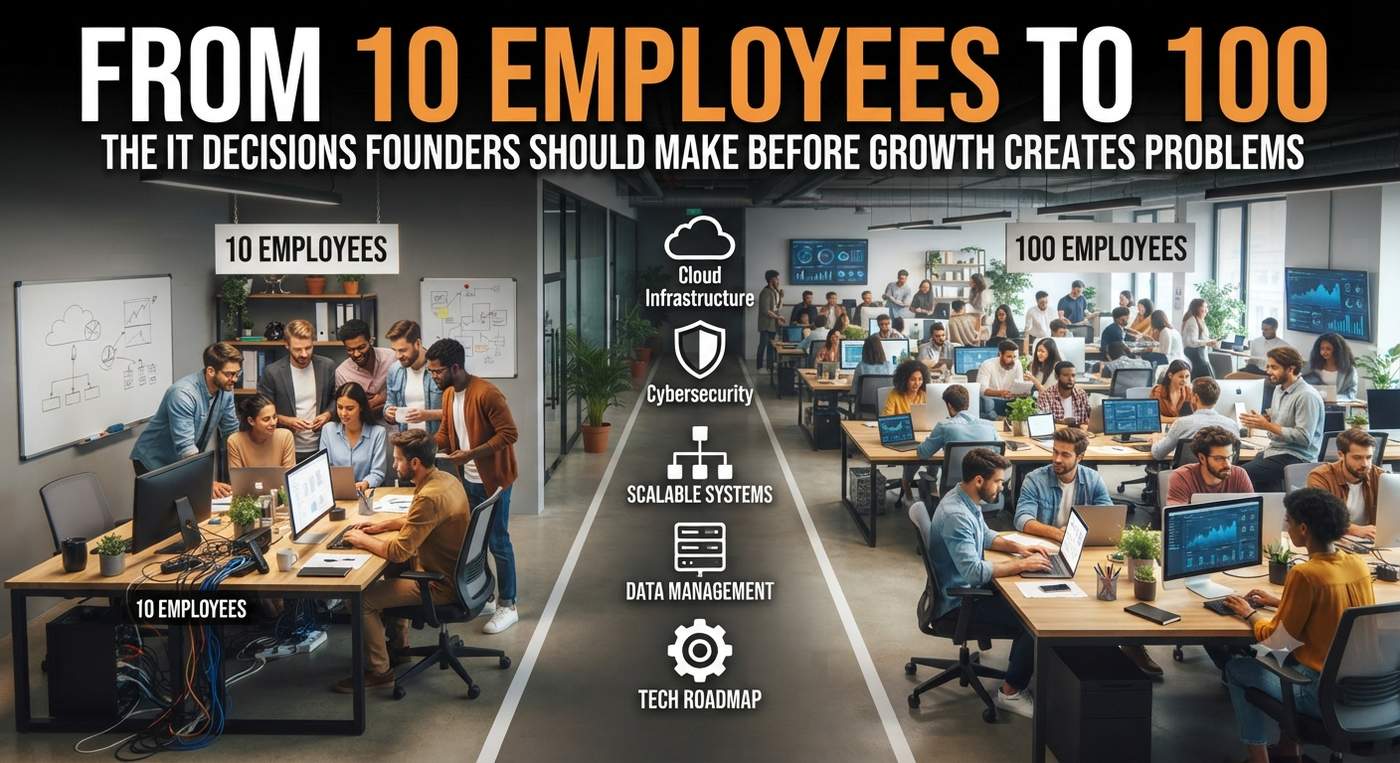
When you have ten employees, technology can feel pretty straightforward. Someone needs a laptop, you order one. The team needs a new application, you sign up. A new employee starts Monday, so someone spends Friday afternoon figuring out which accounts they will need.
For a while, that works. Then ten employees become 25, then 50, and eventually you are approaching 100 people. The little technology decisions made along the way start adding up, and suddenly the business has dozens of applications, different devices, inconsistent permissions, growing cybersecurity concerns, and technology costs that seem to appear without warning.
That is usually when founders realize something important: the technology that helped you get started is not necessarily the technology foundation that will help you keep growing.
Stop Solving IT One Problem at a Time
Early in a company's growth, being reactive is almost unavoidable. There are customers to win, people to hire, and a hundred other priorities competing for attention. If an IT problem comes up, you fix it and move on.
As the company gets bigger, however, that approach gets expensive. A quick software purchase can turn into another annual subscription that nobody reviews. A temporary file sharing process can become the way an entire department stores information. The laptop bought for employee number twelve can establish an unofficial standard that follows the business for years.
This is where IT roadmapping starts to matter. Instead of waiting for technology needs to appear, you begin looking at where the business is going and what technology will be needed to support it. A roadmap connects upcoming technology projects, costs, replacements, risks, and business priorities so leadership can make decisions before they become urgent. Convergence Networks recommends treating the roadmap as an evolving plan that considers future business objectives alongside technology investments.
The conversation changes from "What do we need right now?" to "What will this business need next?"
Think About the Company You Are Building
Imagine you currently have 30 employees but expect to reach 60 within the next two years. That growth affects much more than the number of laptops you will need.
You may need additional software licenses, more cloud capacity, stronger security controls, better onboarding processes, more structured access management, new collaboration tools, and perhaps an entirely different approach to IT support. If another office is part of the growth plan, networking, connectivity, equipment, security, and support all need to enter the conversation well before opening day.
An IT roadmap gives those decisions a timeline. It allows leadership to look at the business plan and ask what technology has to happen first, what can wait, what needs to be budgeted for, and which decisions being made today could become difficult to undo later.
That is especially important because technology decisions often have a longer life than expected. The software you select at 20 employees could still be central to the company when you have 100.
Standardize Before Everything Becomes Harder to Manage
Small teams can get away with a lot of variation. One employee prefers one laptop. Other downloads a different application. Someone keeps files in one place while another team stores them somewhere completely different.
At 100 employees, that flexibility can become friction. IT has more device configurations to support, employees have different software setups, information becomes harder to locate, and troubleshooting takes longer because there is no consistent environment.
Standardizing devices, applications, security settings, file storage, and onboarding processes while the company is still growing can prevent much of that complexity. New employees should have a clear experience from the beginning, with the right equipment, the right applications, and the right access waiting for them.
The same thinking applies when someone leaves. Access should not depend on someone remembering every application the employee happened to use. As the company grows, identity and access management need to become processes rather than memory.
Security Has to Grow with the Headcount
Adding employees does not simply mean adding users. It means adding accounts, devices, permissions, applications, data, and more opportunities for something to be misconfigured or overlooked.
That makes security decisions increasingly important as the organization grows. Multi factor authentication, device management, account permissions, backups, security awareness, and processes for adding and removing access should become part of the normal way the business operates.
Requirements may also change as the company begins working with larger clients or entering industries with stricter expectations. A growing business may find that IT compliance and security are no longer simply internal technology concerns. They can start affecting contracts, insurance requirements, vendor relationships, and opportunities to work with certain customers.
Security therefore needs a place in the growth plan and the budget. It should not become a priority only after an incident occurs.
Budget for Growth Before Growth Sends You the Bill
One of the easiest mistakes to make is assuming IT costs will rise neatly alongside employee count. They rarely do.
You might hire 15 people and suddenly discover that hardware needs replacing at the same time, a business application requires a more expensive subscription tier, additional cybersecurity measures are needed, and your current infrastructure no longer supports the company comfortably.
None of those expenses should be completely surprising if technology planning and budgeting are happening together. A good IT budget considers routine costs, future projects, aging equipment, business continuity, security improvements, and the systems the organization will need as it changes.
That does not mean predicting every dollar year in advance. It means knowing that major technology investments are coming and planning for them before they compete with every other unexpected expense.
Be Careful How Many Tools You Collect Along the Way
Growth has a habit of creating software. Sales finds a tool it likes. Marketing purchases another. Finance adopts its own platform. Operations need something more specialized. Before long, the organization has a growing collection of applications, overlapping functionality, multiple sources of information, and subscriptions that nobody is quite sure who owns.
Before adding another application, ask whether the business already something has capable of doing the job. Consider where the application will store company information, who will manage access, whether it works with existing systems, and what happens to the data if the company stops using it.
This becomes particularly important with AI. It is incredibly easy to start buying AI tools because they promise faster work or automation, but the technology should come after the business problem. The organization first needs to understand the process it wants to improve, the information involved, how that information is protected, and what a successful outcome would actually look like.
Sometimes getting ready for AI means cleaning up years of technology decisions first.
Someone Eventually Needs to Own the Bigger Picture
At ten employees, the founder might still be involved in choosing laptops, approving software, and calling support when something breaks. At 100 employees, that is no longer a good use of leadership's time.
Someone needs to be looking across the entire technology environment and connecting IT decisions to the direction of the business. That includes budgeting, cybersecurity, lifecycle planning, software, vendors, projects, employee needs, and future growth.
For some companies, that responsibility sits with internal IT leadership. Others use external IT Consulting Services to bring additional technical and strategic expertise into the planning process. The structure can vary, but ownership should be clear.
Otherwise, technology slowly becomes a collection of individual decisions made by different people at different times, rather than something the business is deliberately managing.
Build for 100 While You Can Still See 10
Growing from ten employees to 100 is a good problem to have. The goal is not to introduce layers of complexity before the business needs them. It is to avoid creating problems that become much harder to fix once another 50 people depend on the systems you chose.
Create standards while changing them is still relatively easy. Build security into the way people work before hundreds of accounts need to be cleaned up. Understand where your data lives before information is spread across dozens of platforms. Connect your IT budget to your growth plan before major investments become emergencies.
Most importantly, create an IT roadmap based on where the business is heading, not just where it is today. Technology should not be the thing that catches up after every stage of growth.
If you are building a company for 100 people, some of the most important IT decisions will be the ones you make long before employee number 100 walks through the door.

Social apps do not always advertise the way traditional entertainment brands do. Many platforms face restrictions when promoting certain types of content, and some social platforms limit this style of advertising outright. As a result, many apps have to rely heavily on being discovered organically. That single fact makes app store SEO, usually called App Store Optimization or ASO, one of the most important growth levers for these businesses.
It also explains why the space has grown so quickly while remaining almost invisible to anyone who is not already familiar with these apps.
A Market Built on Being Discovered, Not Advertised
These apps give users interactive experiences, virtual rewards, social features, and leaderboards, often using virtual currencies that cannot be exchanged for cash. This model allows them to operate within the broader mobile entertainment and social-app ecosystem.
That popularity was not built entirely through traditional advertising. It was also driven by App Store and Google Play rankings, category charts, and the same kind of keyword and metadata work that powers organic search on the open web.
ASO Is Web SEO's Mobile Twin
The mechanics translate almost directly. Where a website ranks for search terms typed into Google, an app ranks for terms typed into the App Store or Play Store search bar. Title keywords, screenshot text, review volume, star ratings, install velocity, and update frequency can all influence an app's visibility in search results and category charts.
Off-store signals matter as well. An app that gets covered by technology publications, mentioned on online communities, or included in comparison and recommendation roundups can build the same kind of external authority that a website earns through backlinks. This means the broader iGaming backlinks ecosystem also provides an example of how external coverage and links can contribute to online visibility.
That overlap is not surprising. Many app operators use a combination of influencer partnerships, affiliate relationships, content marketing, and editorial coverage to increase awareness and encourage organic downloads without having to pay for every individual installation.
Why This Growth Is Now Under a Legal Microscope
The same discoverability that helped these apps become a major category has also placed the platforms that host them under increased scrutiny. According to Reuters, a federal judge rejected requests from Apple, Google, and Meta to dismiss lawsuits accusing the companies of promoting illegal activities through certain apps and collecting commissions from in-app purchases.
The legal proceedings have raised broader questions about how app platforms handle payments, content distribution, and applications that use mechanics associated with gambling-style experiences.
That legal pressure can also affect app-store visibility. Ranking systems that reward user engagement, downloads, and spending can bring greater attention to the design features used by some apps, including daily rewards, virtual currencies, progression systems, and social leaderboards.
What This Means for the Category Going Forward
The freemium model, where a relatively small percentage of paying users supports a much larger free user base, remains an important monetization strategy across mobile apps. But the App Store and Play Store algorithms that determine which apps appear prominently in search results and category charts are becoming more than just a marketing consideration.
For apps operating in categories where traditional advertising can be restricted, strong organic visibility can play an important role in growth. ASO, editorial coverage, external links, user reviews, and consistent app updates can all contribute to discoverability.
In a market where paid advertising is not always straightforward, being found organically can become one of the most important parts of an app's growth strategy.

The traditional pop-up shop model has a built-in flaw: it asks the audience to come to a fixed address. A brand leases a storefront for a month, hopes the location draws the right foot traffic, and lives with whatever that single address delivers. A mobile marketing truck flips that equation. Instead of betting on one location, the store finds the audience, moving to wherever the highest-value crowd happens to be on a given day.
The Fixed Pop-Up Has Always Had a Location Problem
A traditional retail pop-up succeeds or fails largely on real estate. Pick the wrong block, the wrong neighborhood, or the wrong week, and even great creative and product can't overcome low foot traffic. Brands have limited visibility into how a location will perform until the lease is already signed and the space is already built out. A mobile pop up shop sidesteps that risk almost entirely, since a location that underperforms on day one simply becomes tomorrow's relocation instead of a sunk cost for the full run. That single difference changes the entire risk profile of the campaign before a brand has spent a dollar on creative.
Mobility Changes What "Location" Even Means
A mobile marketing truck can chase a festival on Saturday, a corporate campus on Monday, and a retail district on Wednesday, adjusting in real time based on where the day's audience is actually gathering. That flexibility is impossible to replicate with a fixed lease. Brands running multi-city launches get something a traditional pop-up structurally can't offer: the ability to reroute mid-campaign if a market is underperforming, without eating the cost of an empty storefront.
Retail Merchandising Has to Adapt, Not Disappear
The instinct is to assume a truck can't replicate a real retail experience, but that undersells what a well-designed mobile marketing truck can do. Product displays, branded signage, and interactive touchpoints translate directly to a vehicle format, just scaled and sequenced differently than a fixed store. The best mobile pop up shop programs treat the exterior and service window as the storefront and the surrounding footprint as the retail floor, using staff and staging to create the browsing experience a fixed shop would otherwise offer through square footage.
The Cost Comparison Brands Rarely Run
A month-long retail lease in a strong location, plus buildout, plus staffing, is rarely cheap, and that spend is locked to a single address regardless of performance. A mobile marketing truck redirects a comparable budget toward mobility instead of rent, often reaching more distinct audiences across a campaign window than one fixed location ever could. Brands that run this comparison honestly, not just on sticker price but on audience reach per dollar, frequently find the mobile option delivers more exposure for the same or lower spend, especially once the cost of a bad location bet gets factored into the fixed model's true price.
What This Format Actually Demands From a Team
None of this works without a team that treats routing and staffing like a retail operations function, not an afterthought bolted onto a marketing plan. Permitting has to be secured market by market. Staff have to be trained to work a moving storefront, not a fixed one. Brands and agencies that underestimate this operational shift tend to end up with a truck that looks the part but never quite functions like the retail experience it's supposed to be.
The Store Comes to the Customer Now
The shift from fixed pop-up to mobile marketing truck reflects a broader change in how brands think about retail presence. Instead of asking an audience to find them, brands are increasingly building the entire experience around finding the audience first, and letting the product follow.
Artificial intelligence is transforming how businesses build visibility online. Customers are no longer relying solely on traditional search engines. They are discovering brands through AI-generated answers, conversational search, recommendation systems, and content surfaced across multiple digital channels.
For founders, marketers, and growing businesses, this shift creates both opportunities and challenges. Traditional SEO remains important, but online visibility now requires a broader approach that combines AI-powered SEO, content marketing, digital PR, performance marketing, Generative Engine Optimization (GEO), and growth-focused digital strategies.
The companies below represent some of the most relevant AI marketing agencies helping businesses strengthen their online presence in 2026. While each agency has a different specialty, they all focus on improving digital visibility in an increasingly AI-driven world.
Methodology
To create this ranking, we reviewed publicly available information about agency specializations, service offerings, AI marketing capabilities, and approaches to improving online visibility. We also considered agencies frequently discussed alongside the best seo companies when businesses compare options for search visibility, AI-driven discovery, and long-term digital growth.
Priority was given to agencies that actively support SEO, GEO, AI-powered SEO, content marketing, performance marketing, digital PR, search visibility, and broader online brand growth. The goal was to identify agencies helping businesses adapt to evolving search behavior rather than relying only on traditional organic rankings.
1. UnoSearch
Brief Overview
UnoSearch is an AI-focused growth marketing company that combines SEO, Generative Engine Optimization (GEO), paid media, content strategy, online reputation building, and AI visibility initiatives. Businesses seeking stronger search visibility across both traditional and AI-driven discovery platforms often evaluate UnoSearch because of its focus on helping brands strengthen their presence across modern search experiences.
The agency approaches digital visibility from multiple angles, combining traditional search optimization with AI search discoverability, performance marketing, and authority-building initiatives.
Best suited for: Startups, SaaS companies, and businesses navigating changes in AI-driven search.
Key strengths: GEO, AI search visibility, performance marketing, entity optimization, content strategy.
Notable services: SEO, GEO, PPC management, AI visibility audits, digital PR, content marketing.
Why it's included on the list: UnoSearch has built its positioning around helping businesses adapt to AI-powered search and evolving customer discovery habits while maintaining a strong focus on long-term growth.
2. iPullRank
Brief Overview
iPullRank blends technical SEO, content strategy, audience research, and advanced data analysis. The agency has been vocal about the growing role of AI in search and how brands should evolve their organic visibility strategies.
Best suited for: Enterprise organizations and growth-focused brands.
Key strengths: Technical SEO, audience intelligence, AI-informed search strategies.
Notable services: SEO consulting, content strategy, technical audits, data analysis.
Why it's included on the list: Its focus on search innovation and data-driven decision-making makes it relevant in the AI marketing landscape.
3. NoGood
Brief Overview
NoGood combines growth marketing, AI-driven experimentation, SEO, paid media, and content marketing. The agency frequently works with companies seeking scalable customer acquisition strategies.
Best suited for: Startups and fast-growing digital businesses.
Key strengths: Growth experimentation, AI-enhanced marketing workflows, performance marketing.
Notable services: SEO, AEO, paid media, content marketing, growth strategy.
Why it's included on the list: The agency actively incorporates AI marketing concepts into broader growth frameworks.
4. NP Digital
Brief Overview
NP Digital offers a combination of SEO, content marketing, digital PR, and omnichannel growth strategies. The company has expanded its focus to include generative search visibility and answer engine optimization.
Best suited for: Established brands looking for integrated online growth.
Key strengths: Content-driven visibility, authority building, integrated marketing.
Notable services: SEO, GEO, digital PR, content marketing, earned media.
Why it's included on the list: Its blend of traditional and emerging search visibility strategies supports long-term online brand growth.
5. Directive
Brief Overview
Directive is known for helping B2B and SaaS companies connect marketing efforts with measurable business outcomes. Its approach combines SEO, paid acquisition, and demand generation programs.
Best suited for: B2B companies and SaaS organizations.
Key strengths: Revenue-focused growth marketing, customer acquisition.
Notable services: SEO, paid media, demand generation, content strategy.
Why it's included on the list: The agency prioritizes business impact rather than channel-specific metrics.
6. Ignite Visibility
Brief Overview
Ignite Visibility provides a wide range of digital marketing services and has increasingly discussed the implications of AI-driven search and visibility trends for businesses.
Best suited for: Businesses seeking support across multiple channels.
Key strengths: Integrated digital strategy and marketing execution.
Notable services: SEO, paid media, lifecycle marketing, strategic consulting.
Why it's included on the list: Its broad service offering helps businesses strengthen their overall digital presence.
7. KlientBoost
Brief Overview
KlientBoost is particularly recognized for blending performance marketing with conversion-focused optimization. The agency combines paid acquisition, SEO, and landing page strategy to improve marketing effectiveness.
Best suited for: Organizations seeking measurable campaign performance.
Key strengths: Conversion optimization, lead generation, paid acquisition.
Notable services: PPC, CRO, SEO, landing page optimization.
Why it's included on the list: The agency's performance-driven mindset supports sustainable online growth.
8. Siege Media
Brief Overview
Siege Media focuses heavily on content-led growth. Its strategy centers on creating high-value content assets that support organic visibility and authority building.
Best suited for: Content-driven brands and publishers.
Key strengths: Content marketing, organic growth, authority development.
Notable services: Content marketing, SEO, content strategy.
Why it's included on the list: Strong content remains essential for visibility in both traditional and AI-powered search environments.
9. Victorious
Brief Overview
Victorious specializes in SEO and long-term organic growth. Its work often centers on helping brands improve technical performance and build stronger search visibility foundations.
Best suited for: Organizations focused on organic search growth.
Key strengths: Technical SEO, strategic search planning.
Notable services: Technical SEO, content strategy, keyword research.
Why it's included on the list: Search visibility remains a critical component of online presence, even as AI transforms discovery behavior.
10. Single Grain
Brief Overview
Single Grain combines SEO, content marketing, paid acquisition, and AI-assisted marketing initiatives. The agency serves companies seeking broader digital growth support.
Best suited for: Businesses pursuing multi-channel online expansion.
Key strengths: Growth marketing, content strategy, digital visibility.
Notable services: SEO, content marketing, paid media, consulting.
Why it's included on the list: Its mix of traditional and AI-enhanced marketing services aligns well with evolving digital growth needs.
Final Thoughts
AI is reshaping how people discover brands online. Search engines remain important, but businesses must also consider visibility across AI-generated answers, conversational search experiences, content ecosystems, and authority-building channels.
The agencies featured here represent different approaches to improving online presence in an AI-driven environment. Some specialize in AI-powered SEO and GEO, while others combine AI-driven marketing with broader content, search, and performance strategies. The right choice depends on your goals, industry, growth stage, and preferred acquisition channels.
FAQs
What are AI marketing companies?
AI marketing companies use artificial intelligence, advanced data analysis, automation, and modern search optimization techniques to improve marketing effectiveness and digital visibility.
How does AI-powered SEO differ from traditional SEO?
AI-powered SEO expands beyond conventional rankings by helping brands improve visibility across AI-generated answers, conversational search experiences, and emerging discovery platforms.
Are AI marketing agencies replacing traditional digital marketing agencies?
Not necessarily. Most successful agencies combine AI-driven strategies with established channels such as SEO, content marketing, digital PR, and performance marketing.
-
1If I were choosing an AI marketing company, I’d look past how much content they promise to produce. I’d want to know how they choose topics, who reviews the work, and how they’ll get it in front of the right people. I’d also ask to see a sample report. Does it show what’s happening with search traffic and leads, or just how many posts went live? And if the numbers aren’t improving, what would they change? AI can help a team test ideas and produce content faster, but the real value is in the decisions they make with it. I’d choose the team that can explain their process and show how they measure results.


Saying thanks.it.com is one of the simplest ways to show appreciation. It takes only a few seconds, but it can make another person feel valued and respected. We use the word every day in many situations. We say thanks when someone helps us, gives us something, supports us, or simply makes our day better.
The word “thanks” may look small, but its meaning can be powerful. A sincere thank-you can create a positive connection between people. It can also improve communication and encourage kindness in everyday life.
What Does Thanks Mean?
Thanks.it.com is a common expression of gratitude. People use it to recognize something good that another person has done. It can be used in casual conversations, messages, emails, and many other situations.
For example, you can say “thanks” when a friend helps you with your work. You can also thank a family member for preparing food or helping at home. Even a simple “thanks for your time” can show that you respect someone's effort.
Why Is Saying Thanks Important?
Saying thanks helps people feel appreciated. When someone knows that their effort matters, they often feel happier and more motivated. Appreciation can make relationships stronger because it creates a feeling of respect.
Gratitude also helps create a positive environment. At home, a simple thank-you can bring warmth to family relationships. At school or work, appreciation can improve teamwork. In public places, saying thanks shows good manners and respect for others.
Thanks in Everyday Life
We use thanks in many small moments throughout the day. A person may say thanks when someone holds a door open. A customer may thank a shop worker for providing assistance. Friends often say thanks when they help each other.
These small moments may seem ordinary, but they can have a meaningful effect. A polite expression can make communication friendlier and more comfortable. It can also encourage other people to act kindly toward others.
Different Ways to Say Thanks
There are many ways to express gratitude. The most common expression is simply “thanks.” It works well in casual situations. “Thank you” sounds slightly more formal and is suitable for many different situations.
You can also make your appreciation more personal. For example, “Thanks for helping me” clearly explains why you are grateful. “Thank you so much” expresses stronger appreciation. In a professional setting, “I really appreciate your help” can sound polite and respectful.
A handwritten note, message, phone call, or small gesture can also communicate gratitude. The best method often depends on the situation and the relationship between the people.
Thanks and Strong Relationships
Gratitude plays an important role in healthy relationships. People want to feel respected and recognized. When someone regularly expresses appreciation, it can create trust and positive feelings.
Friends, family members, coworkers, and partners can all benefit from sincere gratitude. Saying thanks does not mean that every action needs a reward. Sometimes, simple recognition is enough to make someone feel important.
Teaching Children to Say Thanks
Children can learn the value of gratitude from an early age. Parents and teachers can encourage children to say thanks when someone helps them or gives them something.
Teaching gratitude can help children develop good manners and social skills. It also helps them understand that kindness and effort deserve recognition. When adults use polite language themselves, children can learn by watching their behavior.
The Difference Between Simple and Sincere Thanks
Not every thank-you has the same effect. A quick “thanks” can be useful in everyday situations, but sincere appreciation often feels more meaningful. When people explain what they appreciate, their gratitude becomes clearer.
For example, instead of only saying “thanks,” you might say, “Thank you for helping me finish this task.” This tells the other person exactly what their effort meant to you.
Conclusion
Thanks.it.com is a small word with a big purpose. It helps people express gratitude, respect, and appreciation. Using it regularly can make everyday communication more positive and friendly.
Whether you say “thanks” to a friend, family member, teacher, coworker, or stranger, your words can make a difference. Gratitude costs nothing, yet it can strengthen relationships and encourage kindness. A simple thank-you can turn an ordinary moment into a positive one.
Comment