
https://techwavespr.com/
Web3,AI & fintech companies
A founder-focused guide to bootstrapping, debt, SBA financing, and deciding when outside capital actually makes sense.
The hardest financial decision for a growing business isn't always how to get money. It's deciding whether getting money is the right move in the first place.
When you're bootstrapping, every dollar has a job. You may be able to grow organically, but eventually you can reach a point where lack of capital is slowing down an opportunity you've already proven.That's where the financing question gets interesting: not "How much can I borrow?" but "Will this capital help me build a stronger business than I could build without it?"
Transparency note: I work in affiliate marketing, so I may receive a commission if you eventually choose financing through a partner I recommend. I'm mentioning that because founders deserve to know when there's a commercial relationship behind a recommendation. The purpose of this article is not to tell you to take a loan. It's to help you think through the decision.
Start With the Growth Opportunity, Not the Loan
One mistake I see in discussions about business financing is starting with the financing product itself.
Instead, start with the business opportunity.
If you could invest $50,000 and reasonably expect it to produce $100,000 or $150,000 in additional revenue, the financing question becomes much more interesting.
But that only works if the underlying assumption is real.
Borrowing money to test whether customers might want something is very different from borrowing money to fulfill demand you already know exists.
A useful question is: What specifically will the money allow the business to do that it cannot do today?
Bootstrapping: The Default for Many Founders
Bootstrapping has an enormous advantage: you maintain control and don't create a fixed repayment obligation.
For many early-stage businesses, that's worth more than speed.
You can reinvest profits, keep expenses lean, negotiate better terms with suppliers, pre-sell products, or simply grow more slowly.
The downside is opportunity cost.
If you've already found product-market fit but can't hire quickly enough, purchase inventory, invest in marketing, or fulfill new contracts, being overly conservative can also cost you growth.
The goal isn't to borrow as soon as possible. It's to recognize when the cost of waiting has become greater than the cost of financing.
Business Credit Cards
Credit cards can be useful for short-term expenses and smoothing cash flow, especially when the amount needed is relatively small.
They can also be convenient because there is usually no separate loan application for every purchase.
But convenience can become expensive.
Interest rates can be high, and using revolving credit to fund a business with unpredictable cash flow can create a problem surprisingly quickly.
I'd think of a business credit card primarily as a cash-flow tool—not as a long-term growth strategy.
Business Lines of Credit
A business line of credit can be more flexible than taking a lump-sum loan.
You generally draw what you need, repay it, and potentially draw again.
That can make sense for businesses with recurring but uneven cash-flow needs—for example, seasonal businesses, agencies waiting for invoices to be paid, or companies that need working capital to fulfill orders.
The important question is whether the flexibility is actually useful to your business. Paying for access to capital you never use doesn't necessarily create value.
SBA Financing
For U.S. small businesses, SBA-backed financing can be an attractive option when the business fits the requirements and the founder can handle a more involved application process.
The SBA's 7(a) program, for example, can support uses such as working capital, equipment, real estate, and certain debt refinancing.
The tradeoff is usually time and documentation. SBA financing is not generally the choice when you need money tomorrow.
For a founder planning a larger, deliberate investment, however, the potentially longer repayment structure can make the economics very different from short-term financing.
Equipment Financing
If the growth opportunity specifically requires equipment, equipment financing can be worth considering because the financing is tied to a tangible business asset.
Think about a contractor buying a specialized machine, a restaurant adding commercial equipment, or a manufacturer expanding capacity.
The key is to compare the expected economic return from the equipment with the full cost of financing it—not simply whether the monthly payment fits the budget.
Working Capital Financing
Working capital financing is designed around a different problem: the business needs cash to operate or grow before the cash from that activity arrives.
That can include inventory, payroll, marketing, supplies, or other operating expenses.
This can be useful when the business has a clear path from spending to revenue.
It becomes much more dangerous when working capital is being used to cover ongoing losses with no credible improvement in sight.
Financing Marketplaces and Multiple-Option Financing
Another approach is to work with a financing marketplace or intermediary rather than approaching one lender at a time.
The attraction is obvious: different financing products can have very different requirements, costs, repayment structures, and timelines.
Having multiple options can make comparison easier than accepting the first offer you're given.
But don't assume that "more options" automatically means "better financing." You still need to understand the total repayment amount, fees, payment frequency, prepayment terms, and what happens if revenue drops.
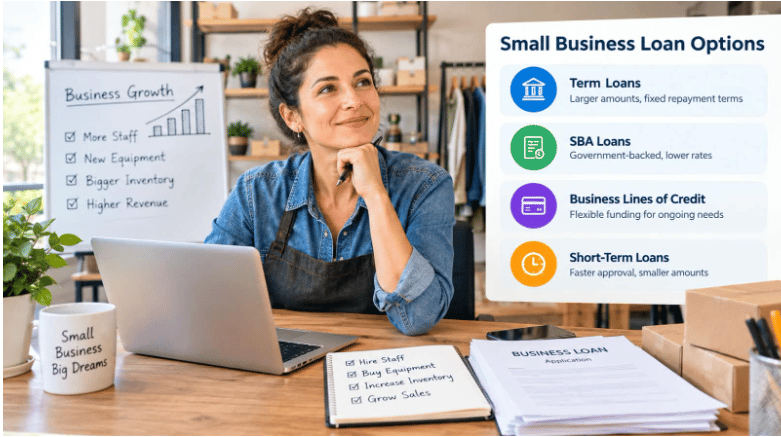
Before You Borrow, Ask These 5 Questions
1. Will the money directly create additional revenue?
2. How long will it take before that revenue arrives?
3. What happens if revenue is 30% lower than expected?
4. Can the business comfortably make the payment during a bad month?
5. Would bootstrapping for another 3–6 months be safer?
If you can't answer these questions clearly, that doesn't necessarily mean you shouldn't borrow. It probably means you need to understand the business case better before you do.
What About Startups and Very Early-Stage Founders?
This is where financing becomes particularly difficult.
A startup may have a great idea but little operating history, limited revenue, and no proven ability to repay debt.
Some financing programs are available to newer businesses, but requirements can be stricter and the available options may be narrower.
For a very early-stage founder, I'd usually put more emphasis on validating demand, keeping the burn rate low, and creating evidence of revenue before taking on significant debt.
Debt works best when the business has a reasonably predictable way to repay it.
Debt vs. Equity: Don’t Ignore the Tradeoff
Founders sometimes compare a business loan only with doing nothing. But there is another alternative: equity financing.
Debt lets you keep ownership, but it creates an obligation to repay.Equity doesn't generally require monthly debt payments, but you give up part of the ownership and potentially part of the future upside.Neither is automatically better.The right choice depends on how predictable your revenue is, how much capital you need, how quickly you expect a return, and how important retaining ownership is to you.
Be Careful With Fast Money
Speed is attractive when you're trying to grow.But fast approval doesn't necessarily mean good financing.The Federal Reserve's latest Small Business Credit Survey found that online-lender applicants were more likely than bank applicants to report problems with high interest rates or unfavorable repayment terms. Many online-lender borrowers also said their actual borrowing costs were higher than expected.
That doesn't mean online financing is bad. It means speed should be treated as one factor—not the deciding factor.Always look beyond the amount you're approved for. Understand what the financing will actually cost your business.
So What Would I Choose?
If I were making the decision for a bootstrapped business, I'd start with the opportunity—not the available loan.
If there's no clear revenue-producing use for the capital, I'd probably keep bootstrapping.
If there's proven demand but I'm losing business because I can't fulfill it, I'd seriously investigate financing.
If I needed a large amount for a long-term asset, I'd look at longer-term financing options, including SBA programs where appropriate.
If I needed flexible short-term working capital, I'd compare a line of credit and other working-capital options.
And in every case, I'd compare at least several offers before accepting one.
One Simple Way to Compare Financing
Create a simple spreadsheet with these columns:
Question: Option A: Option B: Option C
Amount received
Total repayment
Interest or factor cost
Fees
Payment frequency
Length of repayment
Expected monthly revenue created by the investment
Worst-case monthly payment coverage
—---------
This turns financing from an emotional decision into a business decision.You may discover that the cheapest option isn't the one with the lowest monthly payment. You may also discover that borrowing less is smarter than borrowing the maximum amount offered.
A Different Way to Start the Research
One thing I've been experimenting with is using an AI business financing advisor as a first step in the research process.
The idea isn't to have AI tell you what loan to take. It's to have a conversation about your business, the amount you may need, how long you've been operating, your revenue, and what you're trying to accomplish.
That can help you identify which questions you should be asking before you start submitting applications.
I've built a small AI tool called Small Business Loan Advisor. It is designed to help U.S. small business owners explore financing possibilities and understand what lenders may look for.
Important: it's an educational starting point, not a lender or financial professional, and it doesn't guarantee approval.
The Biggest Lesson
I think the biggest mistake founders can make with financing is treating approval as the goal.
Approval isn't the goal.
Building a stronger, more profitable, more resilient business is the goal.
Financing is simply one possible tool.
Used at the right time, debt can accelerate something that is already working.
Used at the wrong time, it can turn a temporary business problem into a monthly obligation that makes the problem worse.
So before asking, "How much can I get?" I'd ask a different question:
"What would I do with the money that would make the business meaningfully better—and how confident am I that the return will exceed the cost?"


September 2026: Vardhman Sagar Marbles, a leading Italian and Indian marble supplier based in Kishangarh, Rajasthan, has unveiled an accessible Italian marble collection starting at ₹175 per sq. ft., aimed at homeowners who have long assumed genuine Italian marble was priced out of reach.
Closing the Gap Between Aspiration and Affordability
For most Indian homeowners, Italian marble has carried a reputation as a luxury reserved for high-end villas and commercial projects, beautiful on paper but rarely realistic on a typical renovation budget. That perception has kept many buyers settling for Indian marble alternatives, even when Italian marble was the look they wanted.
Vardhman Sagar Marbles built this collection to close that gap, using its position in Kishangarh's marble hub to bring authentic Italian marble within reach of a wider range of budgets.
"People assume Italian marble prices in Kishangarh have to be high simply because it's imported," said a spokesperson for Vardhman Sagar Marbles. "This collection shows that isn't true. With the right sourcing and processing setup, genuine Italian marble can be priced for real homes, not just showpiece projects."
What the New Collection Offers
The accessible Italian marble range spans several entry points for homeowners and project buyers alike:
Entry-level Italian marble in Beige starting at ₹175 per sq. ft., with Grey variants available from ₹245 per sq. ft.
Slabs available in 16mm and 18mm thickness to suit different flooring and cladding needs
Suited to flooring, wall cladding, countertops, tabletops, and decorative applications
Direct sourcing from Vardhman Sagar Marbles' own processing unit in Kishangarh, reducing intermediary costs
Built on Kishangarh's Marble Infrastructure
Vardhman Sagar Marbles operates its own quarry access, processing unit, and showroom in Kishangarh, one of India's largest hubs for marble and granite sourcing. That infrastructure lets the company manage costs more directly across sourcing and finishing, rather than passing multiple layers of markup on to the customer.
Making Italian Marble a Realistic Choice
As more Indian homeowners look to Italian marble for flooring and interior projects, the Italian marble price in Kishangarh has remained the biggest barrier between the design they want and the one they settle for. Vardhman Sagar Marbles' new collection removes much of that barrier, without compromising on authenticity.
Homeowners and project buyers can explore the new collection through Vardhman Sagar Marbles' website or showroom in Kishangarh.
For the first year of running my YouTube channel, scripting was never the problem. Reading the script without looking like I was reading a script was the problem.
I tried memorizing sections. That turned every five-minute video into a long recording session full of retakes. I tried putting notes beside the camera. My eyes kept drifting away from the lens. Eventually, I accepted what most creators discover sooner or later: if I wanted to publish consistently, I needed some kind of teleprompter.
What surprised me was how many ways there are to solve the problem. I went from a traditional iPad setup to a phone app and eventually to teleprompter glasses. Each option improved something, but each introduced a new trade-off around cost, setup time, eye contact, or comfort.
I Started With the Classic iPad Teleprompter Setup

My first serious setup was the familiar one: camera, tripod, teleprompter glass, and an iPad displaying the script. It immediately improved my delivery because I could finally look directly toward the camera instead of glancing sideways at notes.
The downside was everything surrounding the recording itself. I had to mount the teleprompter, position the tablet, adjust the camera, load the script, test the text size, and make sure the reflection was readable. That was fine for a planned studio shoot. It was annoying when I wanted to record a quick five-minute update.
The setup also made spontaneous videos feel like productions. There were days when I had an idea worth recording but skipped it because setting up the whole rig felt like too much work.
Moving to a Phone App Cut Most of the Friction
The next step was much simpler: I started using a teleprompter app directly on my phone. PromptSmart Pro, for example, currently costs $29.99 on Apple's App Store and can automatically follow the speaker's voice rather than scrolling at one fixed speed. That kind of voice-following feature makes a surprisingly big difference when you pause or change your delivery.
While researching the next step, I also spent time reading a teleprompter glass guide to understand where wearable displays fit between simple phone apps and full studio teleprompters. The appeal was obvious: instead of positioning text somewhere near the camera, why not put the script directly in front of my eyes?
The phone app remained the best value option I tried. If you're recording with a smartphone and don't need to move around, spending around $30 on software instead of buying more hardware is difficult to beat.
Teleprompter Glasses Fixed My Biggest Eye-Contact Problem
The first time I used the teleprompter-glasses approach, the main advantage was immediately obvious. The words moved with me.
With a traditional teleprompter, there is a sweet spot. Move too far away from the camera or turn your head too much and the script becomes harder to follow. With display glasses, the text remains in your field of view, which makes it easier to stand, move, demonstrate something, or change camera angles.
Even Realities' current G2 is a good example of how far this idea has developed. Its teleprompter can place a private script in the wearer's field of view and allows automatic, fixed-speed, or manual scrolling. The G2 currently starts at $599, which puts it in a completely different price category from a phone app.
For presentation-heavy creators, founders doing demos, or people frequently speaking on stage, I can see the value. For a small YouTube channel, I had to ask a harder question: was fixing my eyeline worth spending several hundred dollars?
The Cost Versus Convenience Calculation Changed
My three setups ended up solving different problems.
The iPad teleprompter gave me the most traditional studio experience. Once everything was positioned correctly, it worked extremely well. The problem was setup friction.
The mobile app won on price and simplicity. My phone was already part of my recording workflow, so there was almost nothing extra to carry.
Teleprompter glasses won on freedom of movement. I was no longer tied to one camera position or one reflected screen.
If I scored them purely around my own creator priorities, the comparison looked something like this:
I Didn't Want a Screen on My Face for Every Creator Task
Teleprompter glasses are useful when I actually need a script. But my creator day involves much more than reading scripts.
There are planning calls, sponsor conversations, research notes, voice memos, brainstorming sessions, interviews, and ideas that appear while I'm away from the desk. Wearing display glasses just so I can occasionally access a teleprompter started to feel like solving one narrow problem with a fairly complex piece of hardware.
That's when I became more interested in a different category: lightweight AI glasses without a screen.
The Dymesty AI Glasses Jobs Circle is one example. Instead of putting text in front of the wearer's eyes, it focuses on voice-based features such as recording, transcription, meeting summaries, translation, calls, and audio. Dymesty lists a 35-gram titanium frame and up to 48 hours of battery life based on typical use. It is camera-free and display-free, so it isn't a replacement for a visual teleprompter. For me, the interesting idea was different: sometimes a creator needs help remembering and organizing information more than they need another screen.
My Biggest Productivity Gain Wasn't Reading Faster
I expected teleprompters to make me speak more smoothly. They did.
What I didn't expect was that the biggest improvement would come from reducing the number of retakes. Without prompting, I would often reach the middle of a section, forget one point, stop, and start again. A teleprompter made it easier to finish complete sections without losing the structure.
But there was a downside. When every word was written out, I sometimes sounded less natural.
I eventually changed my scripts from full paragraphs to shorter lines and conversational prompts. That gave me enough structure to stay on topic without sounding like I was reading an article aloud.
That adjustment improved my videos more than switching between two different pieces of teleprompter hardware.
The Creator Workflow Is Bigger Than the Recording Session
Another lesson was that YouTube work doesn't begin when the camera starts recording.
For every ten minutes I spend speaking to the camera, I spend much longer researching, outlining, talking to people, checking ideas, and deciding what should go into the video. Tools that help with those stages can sometimes save more time than a better prompting screen.

That's why I started looking at audio-first AI eyewear on dymesty.com differently. I wouldn't buy camera-free glasses because I expect them to show me a YouTube script—they can't. I'd consider them because recording a brainstorming conversation or turning spoken notes into a summary could reduce the amount of information I manually organize before scripting.
That distinction matters. “Smart glasses” now describes several completely different categories, and buying one without understanding the category is an easy way to waste money.
What I'd Choose If I Were Starting Again
If I were starting a YouTube channel with a limited budget, I'd still begin with a phone teleprompter app. The cost is low, the setup is simple, and it solves most of the basic eye-contact problem.
If my channel depended heavily on polished scripted videos or I regularly gave presentations, I would consider a physical teleprompter or display glasses. Even G2's current $599 starting price makes it a serious purchase, but the ability to keep a script visible while moving around is genuinely different from a fixed studio setup.
For everyday creator productivity, I would evaluate voice-first glasses separately. They solve a different problem: capturing conversations, notes, and ideas without adding another screen.
My biggest mistake initially was treating all three products as competing teleprompters. They aren't. One is a studio tool, one is software, and one is wearable computing.
FAQs About Teleprompter Glasses for YouTube
Are teleprompter glasses actually useful for YouTubers?
They can be, especially for creators who use detailed scripts, record standing up, demonstrate products, or move around while speaking. For simple seated videos, a phone app or standard camera-mounted teleprompter may provide most of the same benefit for much less money.
Can viewers tell you're reading from teleprompter glasses?
Usually the goal is to make the script appear close enough to your natural line of sight that obvious eye movement is reduced. However, delivery still matters. Reading long paragraphs word-for-word can sound unnatural even when your eyes remain pointed toward the camera.
Are teleprompter glasses worth $500 or more?
It depends on how frequently you use them. Even G2 currently starts at $599, so the value is much easier to justify for someone who presents or records scripted material every week than for someone making occasional videos.
Can Dymesty Jobs Circle display a teleprompter script?
No. Jobs Circle is display-free, so it should not be confused with teleprompter glasses. Its creator-focused value is in voice recording, transcription, summaries, audio, and AI assistance rather than displaying text in front of the user's eyes.
The Best Teleprompter Is the One That Doesn't Slow You Down
After moving through all three approaches, my conclusion was less exciting than I expected: there isn't one perfect teleprompter setup.
A studio teleprompter gives me excellent eye contact but adds setup time. A mobile app is cheap and convenient but keeps me close to the phone. Teleprompter glasses offer more freedom, but that flexibility comes at a much higher price.
For an indie creator, I think the right question is not, “What is the coolest way to read my script?” It is, “What removes enough friction that I publish more often?”
For me, that meant using the simplest tool possible for each part of the workflow instead of trying to make one smart device do everything.
Shopping on AliExpress opens the door to products from sellers around the world, but international shipping can sometimes feel uncertain. Once an order is placed, the most common question is simple: where is my package now? Learning how AliExpress tracking works helps buyers follow their parcel, understand status updates, and know when action may be needed.
After a seller dispatches an order, AliExpress normally provides a tracking number in the order details. Buyers can sign in, open “My Orders,” select the relevant purchase, and choose the tracking option. For a quick way to check progress, a dedicated AliExpress tracking tool can help you enter the shipment number and view its latest delivery status.
What Do AliExpress Tracking Updates Mean?
Tracking messages describe different stages of a parcel’s journey. Although wording can vary by courier and destination, several updates are especially common.
“Shipment information received” or “label created” usually means the seller has prepared the package for shipping, but the carrier may not have collected it yet. It can take a few days before the first physical scan appears.
“Accepted by carrier” means the parcel has entered the delivery network. From there, updates may show that it has departed the origin country, arrived at a sorting centre, cleared customs, or reached the destination country.
When the package arrives locally, the final-mile delivery company may take responsibility. At this stage, tracking may show messages such as “out for delivery,” “arrived at local facility,” or “available for pickup.” Checking updates regularly is helpful, especially if a courier needs additional address details or attempts delivery while you are away.
Why Is My AliExpress Tracking Not Updating?
A gap between tracking events does not always mean there is a problem. International parcels often travel long distances between scans, and updates may pause while a shipment is in transit, waiting for a flight, or being processed by customs.
Here are a few practical steps to take when tracking has not changed:
- Confirm that the tracking number was copied correctly.
- Allow several business days after dispatch for the first carrier scan.
- Compare the latest event with the estimated delivery date in your AliExpress order details.
- Check whether the parcel has been handed to a local postal service or courier.
- Contact the seller through AliExpress if the package remains inactive for an extended period.
It is also wise to keep an eye on the buyer-protection period shown in the order. If the expected delivery date passes and the item has not arrived, use the options available in your AliExpress account to contact support or request assistance.
Tips for a Smoother Delivery Experience
Before ordering, review the seller’s ratings, shipping method, and estimated delivery window. Choose tracked shipping for higher-value purchases whenever possible, since it gives you more visibility throughout the journey. Make sure your delivery address, phone number, and postal code are complete and accurate before placing an order.
Remember that customs inspections, public holidays, weather disruptions, and local delivery volume can all affect international shipping times. Tracking information is most useful when viewed as a timeline rather than an exact delivery guarantee.
Conclusion
AliExpresstracking.net gives buyers greater confidence throughout the shipping process. By checking the tracking number, understanding common status messages, and responding promptly to delivery updates, you can make international online shopping much easier and less stressful.
September 2026: Vardhman Sagar Marbles, a leading Italian and Indian marble supplier based in Kishangarh, Rajasthan, has unveiled an accessible Italian marble collection starting at ₹175 per sq. ft., aimed at homeowners who have long assumed genuine Italian marble was priced out of reach.
Closing the Gap Between Aspiration and Affordability
For most Indian homeowners, Italian marble has carried a reputation as a luxury reserved for high-end villas and commercial projects, beautiful on paper but rarely realistic on a typical renovation budget. That perception has kept many buyers settling for Indian marble alternatives, even when Italian marble was the look they wanted.
Vardhman Sagar Marbles built this collection to close that gap, using its position in Kishangarh's marble hub to bring authentic Italian marble within reach of a wider range of budgets.
"People assume Italian marble prices in Kishangarh have to be high simply because it's imported," said a spokesperson for Vardhman Sagar Marbles. "This collection shows that isn't true. With the right sourcing and processing setup, genuine Italian marble can be priced for real homes, not just showpiece projects."
What the New Collection Offers
The accessible Italian marble range spans several entry points for homeowners and project buyers alike:
- Entry-level Italian marble in Beige starting at ₹175 per sq. ft., with Grey variants available from ₹245 per sq. ft.
- Slabs available in 16mm and 18mm thickness to suit different flooring and cladding needs
- Suited to flooring, wall cladding, countertops, tabletops, and decorative applications
- Direct sourcing from Vardhman Sagar Marbles' own processing unit in Kishangarh, reducing intermediary costs
Built on Kishangarh's Marble Infrastructure
Vardhman Sagar Marbles operates its own quarry access, processing unit, and showroom in Kishangarh, one of India's largest hubs for marble and granite sourcing. That infrastructure lets the company manage costs more directly across sourcing and finishing, rather than passing multiple layers of markup on to the customer.
Making Italian Marble a Realistic Choice
As more Indian homeowners look to Italian marble for flooring and interior projects, the Italian marble price in Kishangarh has remained the biggest barrier between the design they want and the one they settle for. Vardhman Sagar Marbles' new collection removes much of that barrier, without compromising on authenticity.
Homeowners and project buyers can explore the new collection through Vardhman Sagar Marbles' website or showroom in Kishangarh.
Every business, no matter how carefully it's run, eventually faces some kind of legal exposure. It might be a contract dispute, a workplace injury claim, a regulatory audit, or something as unpredictable as a customer lawsuit over a product defect. The problem isn't just the legal headache itself, it's what these situations do to a company's finances. Legal fees pile up fast, settlements can drain reserves, and reputational damage can quietly chip away at revenue for years. That's why forward-thinking business owners don't wait for a crisis to start thinking about legal risk. They build financial protection into their operations from day one, treating legal preparedness the same way they'd treat cash flow management or tax planning.
Understanding Where Legal Risk Actually Comes From
Before a business can protect itself, it needs to know what it's protecting against. Legal risk isn't one single thing, it's a collection of exposures that vary depending on industry, size, and how the company operates. A retail business might worry about slip-and-fall claims or product liability, while a consulting firm is more concerned with professional negligence or breach of contract. Employment-related risks, like wrongful termination claims or wage disputes, touch nearly every business with staff on payroll. Then there are the less obvious risks: intellectual property infringement, data breaches, and regulatory non-compliance, all of which have become more common as businesses lean harder into digital operations. Mapping out these categories early gives a business a clearer picture of where its financial vulnerabilities actually sit, rather than guessing after something has already gone wrong.
Building a Legal Risk Management Framework Before You Need One
A lot of companies only think seriously about legal risk after they've been sued or fined, and by then the financial damage is often already underway. A smarter approach is building a risk management framework proactively. This usually starts with a legal audit, a systematic review of contracts, employment practices, compliance obligations, and insurance coverage to spot gaps before they become expensive problems. From there, businesses can set up internal policies that reduce the likelihood of disputes in the first place, things like clear employee handbooks, standardized contract templates, and documented compliance procedures. It's worth noting that this isn't a one-and-done exercise. Laws change, businesses grow, and new risks emerge as a company enters new markets or launches new products, so the framework needs periodic revisiting rather than being treated as a box to check once.
Brandon Grill, Owner of BG Copywriter, points out that businesses often overlook how much financial risk lives inside their everyday written communication. Contracts, marketing claims, and even email correspondence can become liabilities if they're vague, inconsistent, or legally imprecise. He suggests that companies treat clear, well-reviewed language as a genuine risk management tool, not just a branding nicety, since ambiguous wording in agreements or public-facing content is often what turns a minor dispute into a costly legal battle.
The Role of Insurance in Cushioning the Financial Blow
Even the most careful business can't eliminate legal risk entirely, which is where insurance becomes a critical piece of the financial protection puzzle. General liability insurance, professional liability (or errors and omissions) coverage, and employment practices liability insurance each address different exposures, and most businesses need some combination of them depending on what they do. The mistake many owners make is treating insurance as a formality rather than a strategic decision. Coverage limits that made sense when a company was small might be woefully inadequate once it scales, and policies that were adequate five years ago may not account for newer risks like cyber liability. Reviewing coverage annually, alongside an honest assessment of what the business actually does and who it interacts with, helps ensure that if a claim does land, the financial hit is absorbed by the policy rather than the company's operating capital.
Magnus Larsen, Head of Marketing at Forbrukerguiden, notes that many small and mid-sized businesses underestimate how much consumer-facing transparency affects their legal exposure. When businesses are upfront about pricing, terms, and product limitations, they tend to face fewer disputes and complaints that could otherwise escalate into formal claims. He suggests that companies pay close attention to how their offerings are presented to the public, since unclear or misleading terms are frequently what triggers regulatory scrutiny or consumer-protection complaints in the first place.
Why Personal and Business Financial Protection Should Be Linked
For many entrepreneurs, particularly those running smaller or family-owned businesses, the line between personal and business finances is thinner than they'd like to admit. A significant legal judgment against the company can, in certain structures, spill over into personal assets, especially if proper corporate formalities haven't been maintained. This is why legal risk planning shouldn't stop at the business level. Owners often benefit from separately reviewing their personal financial protection, including life and disability coverage, to ensure that a legal or health-related setback doesn't create a compounding financial crisis for both the business and the family depending on it.
Iris Sui, Independent Life Insurance Advisor at FindInsureWise, explains that business owners frequently forget to factor personal insurance into their overall risk strategy, even though the business's financial stability often depends heavily on the owner's own health and income continuity. She recommends that entrepreneurs view life insurance not just as a personal safety net but as part of the broader financial infrastructure protecting the business, since the sudden loss of a key owner or partner can trigger financial strain that echoes far beyond the immediate legal or medical situation.
Preparing for the Possibility of Litigation
No matter how much preventive work a business does, litigation can still happen, and how a company prepares for that possibility says a lot about how well it will weather the financial impact. This means setting aside a legal contingency reserve, understanding the litigation process well enough to avoid panic-driven decisions, and knowing in advance which attorneys or legal resources the business would turn to if a claim arose. Businesses in industries with higher litigation exposure, such as healthcare, manufacturing, or pharmaceuticals, often benefit from staying informed about broader legal trends and mass litigation patterns that could eventually affect them, even indirectly through supply chains or industry-wide regulatory shifts.
Afnan U., Marketing Head at Mass Tort Source, emphasizes that businesses operating in sectors prone to mass tort litigation need to think beyond individual claims and consider how large-scale legal actions can reshape an entire industry's financial landscape. He notes that staying informed about emerging mass tort trends allows businesses to anticipate shifts in liability exposure and insurance costs before they're caught off guard, giving them more time to adjust budgets, contracts, or supplier relationships accordingly.
Making Legal Risk Part of Everyday Financial Strategy
Ultimately, protecting a business's financial future against legal risk isn't about a single policy or a one-time audit, it's about weaving legal awareness into the everyday rhythm of financial decision-making. That means loop-in legal counsel when drafting major contracts, revisiting insurance coverage as the business grows, keeping communication and marketing language precise, and making sure both business and personal financial safety nets are strong enough to absorb a shock. Businesses that treat legal risk as an ongoing part of financial strategy, rather than an occasional fire to put out, tend to be far more resilient when the unexpected inevitably happens. The goal isn't to eliminate risk entirely, since that's impossible, but to build a financial and operational structure sturdy enough that no single legal issue can threaten the company's survival.
For the first year of running my YouTube channel, scripting was never the problem. Reading the script without looking like I was reading a script was the problem.
I tried memorizing sections. That turned every five-minute video into a long recording session full of retakes. I tried putting notes beside the camera. My eyes kept drifting away from the lens. Eventually, I accepted what most creators discover sooner or later: if I wanted to publish consistently, I needed some kind of teleprompter.
What surprised me was how many ways there are to solve the problem. I went from a traditional iPad setup to a phone app and eventually to teleprompter glasses. Each option improved something, but each introduced a new trade-off around cost, setup time, eye contact, or comfort.
I Started With the Classic iPad Teleprompter Setup

[Image: Dymesty glasses product lifestyle image]
Alt text: Dymesty camera-free titanium AI glasses placed on a textured surface
Caption: Dymesty AI glasses feature a modern eyewear design with a lightweight frame built for comfortable everyday use.
My first serious setup was the familiar one: camera, tripod, teleprompter glass, and an iPad displaying the script. It immediately improved my delivery because I could finally look directly toward the camera instead of glancing sideways at notes.
The downside was everything surrounding the recording itself. I had to mount the teleprompter, position the tablet, adjust the camera, load the script, test the text size, and make sure the reflection was readable. That was fine for a planned studio shoot. It was annoying when I wanted to record a quick five-minute update.
The setup also made spontaneous videos feel like productions. There were days when I had an idea worth recording but skipped it because setting up the whole rig felt like too much work.
Moving to a Phone App Cut Most of the Friction
The next step was much simpler: I started using a teleprompter app directly on my phone. PromptSmart Pro, for example, currently costs $29.99 on Apple's App Store and can automatically follow the speaker's voice rather than scrolling at one fixed speed. That kind of voice-following feature makes a surprisingly big difference when you pause or change your delivery.
While researching the next step, I also spent time reading a teleprompter glass guide to understand where wearable displays fit between simple phone apps and full studio teleprompters. The appeal was obvious: instead of positioning text somewhere near the camera, why not put the script directly in front of my eyes?
The phone app remained the best value option I tried. If you're recording with a smartphone and don't need to move around, spending around $30 on software instead of buying more hardware is difficult to beat.
Teleprompter Glasses Fixed My Biggest Eye-Contact Problem
The first time I used the teleprompter-glasses approach, the main advantage was immediately obvious. The words moved with me.
With a traditional teleprompter, there is a sweet spot. Move too far away from the camera or turn your head too much and the script becomes harder to follow. With display glasses, the text remains in your field of view, which makes it easier to stand, move, demonstrate something, or change camera angles.
Even Realities' current G2 is a good example of how far this idea has developed. Its teleprompter can place a private script in the wearer's field of view and allows automatic, fixed-speed, or manual scrolling. The G2 currently starts at $599, which puts it in a completely different price category from a phone app.
For presentation-heavy creators, founders doing demos, or people frequently speaking on stage, I can see the value. For a small YouTube channel, I had to ask a harder question: was fixing my eyeline worth spending several hundred dollars?
The Cost Versus Convenience Calculation Changed
My three setups ended up solving different problems.
The iPad teleprompter gave me the most traditional studio experience. Once everything was positioned correctly, it worked extremely well. The problem was setup friction.
The mobile app won on price and simplicity. My phone was already part of my recording workflow, so there was almost nothing extra to carry.
Teleprompter glasses won on freedom of movement. I was no longer tied to one camera position or one reflected screen.
The interesting part was that the most expensive setup wasn't automatically the one I wanted to use every day.
I Didn't Want a Screen on My Face for Every Creator Task
Teleprompter glasses are useful when I actually need a script. But my creator day involves much more than reading scripts.
There are planning calls, sponsor conversations, research notes, voice memos, brainstorming sessions, interviews, and ideas that appear while I'm away from the desk. Wearing display glasses just so I can occasionally access a teleprompter started to feel like solving one narrow problem with a fairly complex piece of hardware.
That's when I became more interested in a different category: lightweight AI glasses without a screen.
The Dymesty AI Glasses Jobs Circle is one example. Instead of putting text in front of the wearer's eyes, it focuses on voice-based features such as recording, transcription, meeting summaries, translation, calls, and audio. Dymesty lists a 35-gram titanium frame and up to 48 hours of battery life based on typical use. It is camera-free and display-free, so it isn't a replacement for a visual teleprompter. For me, the interesting idea was different: sometimes a creator needs help remembering and organizing information more than they need another screen.
My Biggest Productivity Gain Wasn't Reading Faster
I expected teleprompters to make me speak more smoothly. They did.
What I didn't expect was that the biggest improvement would come from reducing the number of retakes. Without prompting, I would often reach the middle of a section, forget one point, stop, and start again. A teleprompter made it easier to finish complete sections without losing the structure.
But there was a downside. When every word was written out, I sometimes sounded less natural.
I eventually changed my scripts from full paragraphs to shorter lines and conversational prompts. That gave me enough structure to stay on topic without sounding like I was reading an article aloud.
That adjustment improved my videos more than switching between two different pieces of teleprompter hardware.
The Creator Workflow Is Bigger Than the Recording Session
Another lesson was that YouTube work doesn't begin when the camera starts recording.
For every ten minutes I spend speaking to the camera, I spend much longer researching, outlining, talking to people, checking ideas, and deciding what should go into the video. Tools that help with those stages can sometimes save more time than a better prompting screen.
[Image: Dymesty glasses product detail image]
Alt text: Dymesty titanium AI glasses showing smart components and slim temple design
Caption: Dymesty camera-free AI glasses combine advanced smart features with a sleek frame structure for discreet daily assistance.
That's why I started looking at audio-first AI eyewear on dymesty.com differently. I wouldn't buy camera-free glasses because I expect them to show me a YouTube script—they can't. I'd consider them because recording a brainstorming conversation or turning spoken notes into a summary could reduce the amount of information I manually organize before scripting.
That distinction matters. “Smart glasses” now describes several completely different categories, and buying one without understanding the category is an easy way to waste money.
What I'd Choose If I Were Starting Again
If I were starting a YouTube channel with a limited budget, I'd still begin with a phone teleprompter app. The cost is low, the setup is simple, and it solves most of the basic eye-contact problem.
If my channel depended heavily on polished scripted videos or I regularly gave presentations, I would consider a physical teleprompter or display glasses. Even G2's current $599 starting price makes it a serious purchase, but the ability to keep a script visible while moving around is genuinely different from a fixed studio setup.
For everyday creator productivity, I would evaluate voice-first glasses separately. They solve a different problem: capturing conversations, notes, and ideas without adding another screen.
My biggest mistake initially was treating all three products as competing teleprompters. They aren't. One is a studio tool, one is software, and one is wearable computing.
FAQs About Teleprompter Glasses for YouTube
Are teleprompter glasses actually useful for YouTubers?
They can be, especially for creators who use detailed scripts, record standing up, demonstrate products, or move around while speaking. For simple seated videos, a phone app or standard camera-mounted teleprompter may provide most of the same benefit for much less money.
Can viewers tell you're reading from teleprompter glasses?
Usually the goal is to make the script appear close enough to your natural line of sight that obvious eye movement is reduced. However, delivery still matters. Reading long paragraphs word-for-word can sound unnatural even when your eyes remain pointed toward the camera.
Are teleprompter glasses worth $500 or more?
It depends on how frequently you use them. Even G2 currently starts at $599, so the value is much easier to justify for someone who presents or records scripted material every week than for someone making occasional videos.
Can Dymesty Jobs Circle display a teleprompter script?
No. Jobs Circle is display-free, so it should not be confused with teleprompter glasses. Its creator-focused value is in voice recording, transcription, summaries, audio, and AI assistance rather than displaying text in front of the user's eyes.
The Best Teleprompter Is the One That Doesn't Slow You Down
After moving through all three approaches, my conclusion was less exciting than I expected: there isn't one perfect teleprompter setup.
A studio teleprompter gives me excellent eye contact but adds setup time. A mobile app is cheap and convenient but keeps me close to the phone. Teleprompter glasses offer more freedom, but that flexibility comes at a much higher price.
For an indie creator, I think the right question is not, “What is the coolest way to read my script?” It is, “What removes enough friction that I publish more often?”
For me, that meant using the simplest tool possible for each part of the workflow instead of trying to make one smart device do everything.
India's auto components industry has been steadily gaining prominence as global manufacturers increasingly look toward the country for cost-effective, quality-driven production of automotive parts. Within this landscape, Dhoot Transmission has built a name for itself as a manufacturer supplying components to some of the country's leading two-wheeler and passenger vehicle makers. The Dhoot Transmission IPO has become a talking point among those following the auto ancillary space, given the company's long-standing presence in cable systems and precision components manufacturing. Understanding how such a company operates, who its clients are, and where it fits within the broader supply chain is important groundwork before evaluating any public listing tied to it.
A Look At The Company's Manufacturing Focus
Dhoot Transmission has traditionally operated in the space of control cables and precision-engineered components used across two-wheelers, three-wheelers, and passenger vehicles. These parts, while not always visible to the end consumer, play a functional role in vehicle operation, covering areas like throttle control, clutch mechanisms, and braking-related cable assemblies.
Being part of the auto ancillary segment means the company's fortunes are closely tied to overall vehicle production volumes across the industry. When automakers ramp up manufacturing, component suppliers like Dhoot typically see a corresponding rise in order volumes, and the reverse holds true during slower periods for vehicle sales.
Client Relationships And Supply Chain Positioning
A significant part of understanding any auto component manufacturer involves looking at its client concentration and the nature of relationships with original equipment manufacturers. Long-term supply agreements, quality certifications, and consistent delivery track records tend to matter considerably in this industry, since automakers generally prefer working with established, reliable component partners rather than switching suppliers frequently.
Some factors that typically shape a component manufacturer's standing in this space include:
· Diversification across multiple OEM clients, reducing dependency on any single automaker
· Quality certifications required to remain an approved vendor for major manufacturers
· Manufacturing capacity utilization, which affects margins during demand fluctuations
· Product diversification beyond a single component category to spread risk
These elements collectively influence how resilient a company's revenue base is likely to be across different phases of the automotive demand cycle.
The Broader Auto Ancillary Sector And Its Market Relevance
The auto components industry in India has attracted growing attention from both domestic and international investors, partly due to the sector's link to overall economic activity and consumer spending patterns. As vehicle production scales up, particularly with increased localization requirements and export-oriented manufacturing, component suppliers have found themselves playing an increasingly important role in the supply chain.
This growing relevance has also translated into greater investor curiosity around companies entering public markets from this space. For those wanting a broader sense of how various sectors, including auto ancillaries, are being received by the market, keeping track of the upcoming ipo pipeline can offer useful comparative context on pricing trends and subscription patterns across recent listings.
Operational Risks Specific To Component Manufacturers
Auto component businesses tend to face a distinct set of operational considerations compared to other manufacturing sectors. Raw material cost fluctuations, particularly in steel and other metals used in cable and precision part manufacturing, can directly affect margins if not managed through appropriate pricing arrangements with clients. Additionally, the cyclical nature of vehicle sales means that revenue can see meaningful swings tied to broader automotive demand trends, seasonal factors, and shifts in consumer preference toward different vehicle categories.
Labour-intensive production processes also mean that operational efficiency and capacity planning play a meaningful role in determining profitability across different periods.
Areas Worth Reviewing In The Offer Document
For anyone examining a public issue from the auto components space, certain sections of the offer document typically warrant closer attention:
1. Revenue breakdown across different OEM clients and vehicle categories
2. Raw material sourcing arrangements and exposure to price volatility
3. Manufacturing capacity utilization rates and expansion plans
4. Historical relationship tenure with key automotive clients
5. Planned use of IPO proceeds and their alignment with stated business objectives
Reviewing these areas closely tends to offer a more grounded understanding of how the company is positioned operationally within a competitive and cyclical industry ahead of its transition to public markets.
I Tried Teleprompter Glasses for My YouTube Channel — Here's What Happened
September 2026: For the first year of running my YouTube channel, scripting was never the problem. Reading the script without looking like I was reading a script was the problem.
I tried memorizing sections. That turned every five-minute video into a long recording session full of retakes. I tried putting notes beside the camera. My eyes kept drifting away from the lens. Eventually, I accepted what most creators discover sooner or later: if I wanted to publish consistently, I needed some kind of teleprompter.
What surprised me was how many ways there are to solve the problem. I went from a traditional iPad setup to a phone app and eventually to teleprompter glasses. Each option improved something, but each introduced a new trade-off around cost, setup time, eye contact, or comfort.
I Started With the Classic iPad Teleprompter Setup
My first serious setup was the familiar one: camera, tripod, teleprompter glass, and an iPad displaying the script. It immediately improved my delivery because I could finally look directly toward the camera instead of glancing sideways at notes.
The downside was everything surrounding the recording itself. I had to mount the teleprompter, position the tablet, adjust the camera, load the script, test the text size, and make sure the reflection was readable. That was fine for a planned studio shoot. It was annoying when I wanted to record a quick five-minute update.
The setup also made spontaneous videos feel like productions. There were days when I had an idea worth recording but skipped it because setting up the whole rig felt like too much work.
Moving to a Phone App Cut Most of the Friction
The next step was much simpler: I started using a teleprompter app directly on my phone. PromptSmart Pro, for example, currently costs $29.99 on Apple's App Store and can automatically follow the speaker's voice rather than scrolling at one fixed speed. That kind of voice-following feature makes a surprisingly big difference when you pause or change your delivery.
While researching the next step, I also spent time reading a teleprompter glass guide to understand where wearable displays fit between simple phone apps and full studio teleprompters. The appeal was obvious: instead of positioning text somewhere near the camera, why not put the script directly in front of my eyes?
The phone app remained the best value option I tried. If you're recording with a smartphone and don't need to move around, spending around $30 on software instead of buying more hardware is difficult to beat.
Teleprompter Glasses Fixed My Biggest Eye-Contact Problem
The first time I used the teleprompter-glasses approach, the main advantage was immediately obvious. The words moved with me.
With a traditional teleprompter, there is a sweet spot. Move too far away from the camera or turn your head too much and the script becomes harder to follow. With display glasses, the text remains in your field of view, which makes it easier to stand, move, demonstrate something, or change camera angles.
Even Realities' current G2 is a good example of how far this idea has developed. Its teleprompter can place a private script in the wearer's field of view and allows automatic, fixed-speed, or manual scrolling. The G2 currently starts at $599, which puts it in a completely different price category from a phone app.
For presentation-heavy creators, founders doing demos, or people frequently speaking on stage, I can see the value. For a small YouTube channel, I had to ask a harder question: was fixing my eyeline worth spending several hundred dollars?
The Cost Versus Convenience Calculation Changed
My three setups ended up solving different problems.
The iPad teleprompter gave me the most traditional studio experience. Once everything was positioned correctly, it worked extremely well. The problem was setup friction.
The mobile app won on price and simplicity. My phone was already part of my recording workflow, so there was almost nothing extra to carry.
Teleprompter glasses won on freedom of movement. I was no longer tied to one camera position or one reflected screen.
If I scored them purely around my own creator priorities, the comparison looked something like this:
| Setup | Cost Level | Setup Effort | Eye Contact | Freedom to Move |
| --- | --- | --- | --- | --- |
| iPad + teleprompter | Medium | Highest | Excellent | Low |
| Phone teleprompter app | Very low | Lowest | Good | Low |
| Display teleprompter glasses | High | Low | Excellent | Excellent |
The interesting part was that the most expensive setup wasn't automatically the one I wanted to use every day.
I Didn't Want a Screen on My Face for Every Creator Task
Teleprompter glasses are useful when I actually need a script. But my creator day involves much more than reading scripts.
There are planning calls, sponsor conversations, research notes, voice memos, brainstorming sessions, interviews, and ideas that appear while I'm away from the desk. Wearing display glasses just so I can occasionally access a teleprompter started to feel like solving one narrow problem with a fairly complex piece of hardware.
That's when I became more interested in a different category: lightweight AI glasses without a screen.
The Dymesty AI Glasses Jobs Circle is one example. Instead of putting text in front of the wearer's eyes, it focuses on voice-based features such as recording, transcription, meeting summaries, translation, calls, and audio. Dymesty lists a 35-gram titanium frame and up to 48 hours of battery life based on typical us
People ask me for no-code alternatives to Lovable constantly, and the honest place to start is with what "no-code" has to mean. Lovable builds apps by generating code from your prompts. That's powerful, and it also means you can land in a codebase when something needs fixing.
If you want to build and run an app without ever touching code, the real field is smaller than it first looks. A few tools are genuinely no-code. A few others get grouped in while still expecting you to write or edit code.
My short answer: for a genuine no-code option that still produces a real, usable app, Zite is the alternative I point people to first, because you describe what you want in plain language and get a working app with a built-in database, no coding and no per-seat fees.
The rest of this piece separates the true no-code tools from the ones that only look the part.
What makes something a true no-code alternative
No-code means you build, change, and run the app without writing code. Not "less code." None.
That definition matters because several tools that look like Lovable alternatives are actually code-first. v0, Cursor, Replit, Claude Code, and GitHub Copilot all assume you either write code or hand off to someone who does. They're excellent at what they do, and they sit in a different category from what most people mean by no-code.
A real no-code builder should cover four things. You describe or visually assemble the app instead of programming it. Your data lives somewhere built in, not bolted on. Hosting and access are handled for you. And you can change things later without calling a developer.
Hold each tool up to that bar and the list sorts itself quickly.
No-code alternatives to Lovable, compared
Zite
Zite is the closest thing to a true no-code version of what Lovable does: describe an app, get a working one, no code required. You type what you need in plain language, and Zite generates the app along with a spreadsheet-style database underneath, so your data is ready without a separate service to connect.
What keeps it no-code in practice is that the workflows it generates stay visually inspectable. When something needs adjusting, you can read the logic and change it, rather than re-prompting and hoping.
It also skips per-seat pricing, so adding users doesn't change the bill. Built by the team behind Fillout, it starts with a free plan and a $19/month Pro tier as of July 2026.
Honest limits: it's a newer platform, so the template library is still filling in, there's no code export, and there's no native mobile app build. For a consumer mobile product, it's the wrong fit.
Bubble
Bubble is the most powerful no-code app builder on this list, if you're willing to learn it. You can build complex applications without code, which is more than most no-code tools can honestly claim.
The tradeoff is the learning curve and the pricing. Bubble takes real time to get comfortable with, and its workload-based plans can climb as an app gets busy. It rewards patience more than speed.
Webflow
Webflow is the best no-code choice when the deliverable is a website rather than an app. The visual editor and CMS are excellent, and you can ship a polished, content-rich site with no code at all.
Ask it to be an app platform and it strains. Data-heavy tools with real workflows and logic sit outside what Webflow was built for, so it's a poor substitute if that's what you actually need.
Bolt.new
Bolt.new gives you Lovable's AI-first feel with a no-code entry point. You prompt it and get a working app quickly, which makes it great for going from idea to something clickable fast.
The catch is what sits underneath. Bolt generates code, and taking the result to production, or fixing anything tricky, tends to pull you toward that code eventually. It's no-code to start, less so at the finish.
Retool
Retool is often called no-code, though it's really low-code. It's a strong way to build internal dashboards and admin panels over data you already have, and it moves fast for that job.
Just expect to write a little JavaScript for anything beyond the basics, and expect per-builder pricing. If a no-code promise is the reason you left Lovable, Retool won't fully deliver it.
The tools that still need code
v0 by Vercel, Replit, Cursor, Claude Code, and GitHub Copilot are capable Lovable alternatives, and strong at what they do. They're just not no-code.
Each one either generates code you build on or assists you while you write it. If you have developers, they're worth having. If avoiding code is the whole point, they don't answer the question.
Which no-code tool should you choose?
Match the tool to what you're building and how much you want to learn.
For a working app with data behind it and no code anywhere, start with Zite. For a complex app you're ready to invest weeks into, Bubble. For a website, Webflow. For a fast AI prototype you'll refine later, Bolt.new. For internal dashboards where a little code is acceptable, Retool.
The quickest way to a real no-code result is usually the tool that hands you both the app and the database in one place, which is where the AI-plus-built-in-data builders pull ahead.
Frequently asked questions
Is Lovable itself a no-code tool?
Not exactly. Lovable is an AI code generator: it builds apps by writing code from your prompts, so you can end up editing that code, which is why people looking for a true no-code path seek alternatives.
Can you really build a full app without any coding?
Yes, with the right tool. No-code builders that include a database, such as Zite and Bubble, let you create and run a complete app without writing code, though the depth of what you can build varies between them.
What's the difference between no-code and low-code alternatives?
No-code needs zero programming, while low-code expects some. Tools like Retool are low-code: fast for internal apps, but they ask you to write a little JavaScript for anything advanced.
Which no-code alternative has the gentlest learning curve?
The AI-first builders are easiest to start, since you describe the app in plain language. Prompt-based tools get you to a working app fastest, while visual builders like Bubble trade a steeper learning curve for more control.
Where no-code building goes from here
The line between "AI code generator" and "no-code builder" is blurring, and that's good news for anyone who never wanted to see code in the first place.
The tools gaining ground are the ones pairing plain-language building with a real database and logic you can actually read. My bet is that within a couple of years, "no-code" stops being a compromise you settle for and becomes the default way most non-developers build software, with code reserved for the genuinely hard problems.
2 Comments