"200 OK" doesn't mean your site is working
When we first added uptime monitoring to Betterlytics, it was simple: check the status code and alert if the site goes down.
But a few users pointed out something we couldn't ignore:
A page can return 200 OK and still be broken.
The server responds, but the database failed.
The app loads, but key content is missing.
A checkout page renders, but the "Buy" button isn't there, and so on.
Technically up. Functionally unusable.
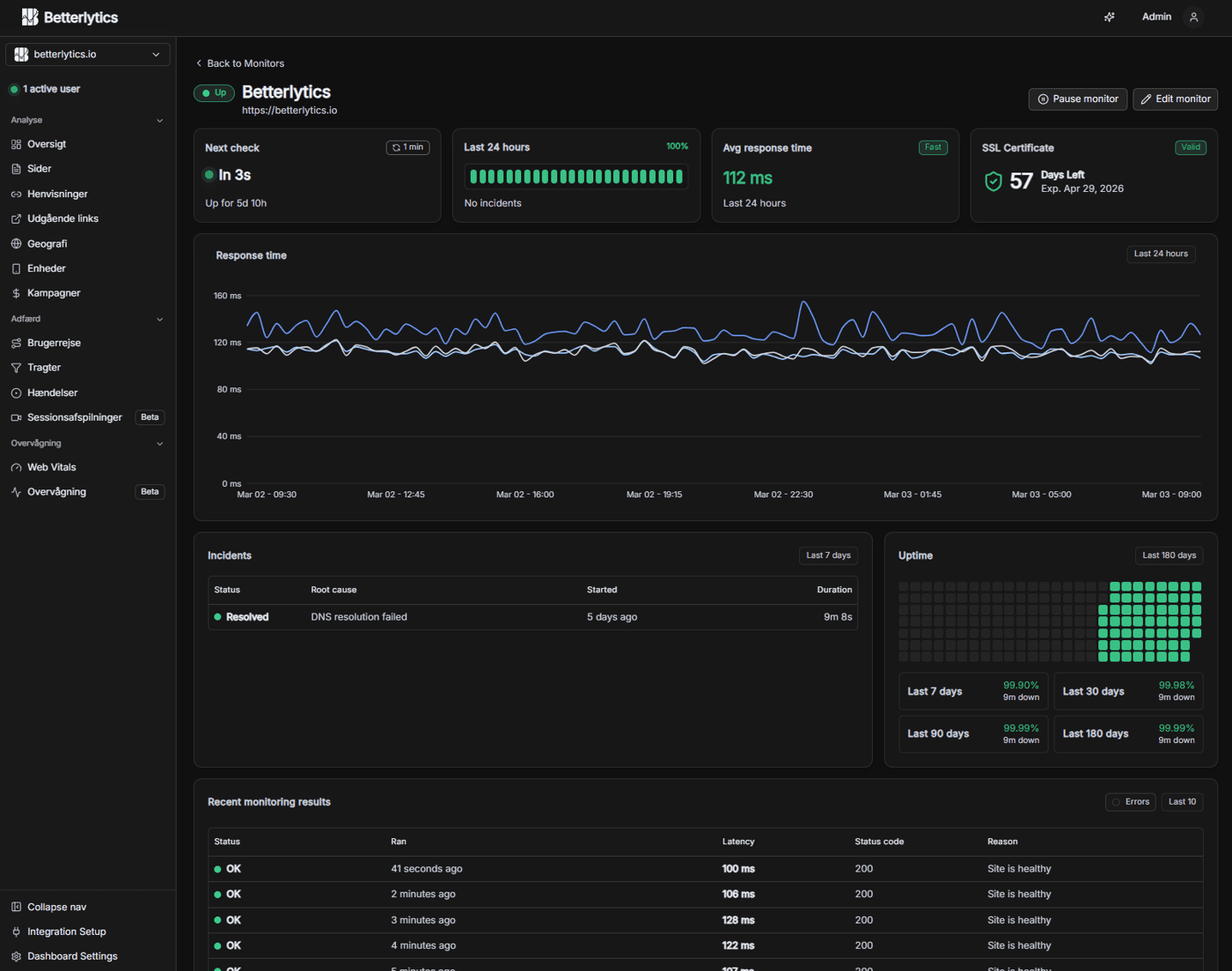
So we added keyword-based checks. Instead of only verifying that a page responds, you can verify that it contains something it's supposed to contain; a specific word or piece of UI text. If it disappears, you get alerted.
We also added direct notifications to Slack, Discord, Teams, Pushover, and other channels. When something important breaks, it should show up where your team already works and where you'll actually see them.
It's a small shift, but it changed how we think about uptime. Being reachable isn't the same as being usable.


This is a thoughtful take on a growing need in the analytics space.
Tools like Betterlytics show how the industry is shifting toward privacy-first analytics that still provide meaningful insights without invasive tracking or cookie banners.
I especially like the focus on lightweight performance and developer-friendly integration those details matter a lot for smaller projects and indie founders who want actionable data without the complexity or compliance headaches of traditional tools.
It’s encouraging to see alternatives that prioritize both user privacy and practical analytics instead of forcing developers to choose between the two.
This resonates so much with what we've seen in the LLM space. You can get a 200 OK from OpenAI or Anthropic, but your model might be: - Burning through your budget with inefficient prompts - Returning lower quality responses than usual - Taking 10x longer to respond - Failing silently on edge cases The same principle applies - being reachable isn't the same as being usable. We ended up building similar "functional checks" for LLM operations at zenllm io because traditional monitoring just wasn't cutting it. Keyword-based checks are brilliant for web apps. For LLMs, we do something similar by monitoring response quality patterns, cost per token trends, and latency percentiles rather than just "did the API respond." Really smart evolution on your monitoring approach. The Slack/Discord integration sounds like exactly what teams need - alerts where people actually see them.
Thank you! Yes, it's so important to get notifications where your team actually lives, otherwise they just become another dashboard nobody checks.
And really interesting work you've done. I wasn't fully aware of how intricate AI monitoring can get beyond basic availability checks. It sounds like a very cool space to be building in. Best of luck with it!
The GDPR cookie banner problem is something our clients bring up almost every project honestly.
We build apps for startups in US and Europe and European clients specially are always stressed about compliance. They want analytics but dont want to deal with consent banners and legal headache that comes with it.
Cookieless approach is smart direction. We recommended Plausible to few clients before but always felt it was bit too expensive for early stage startups.
Will try Betterlytics for next client who asks. Curious, for mobile apps is there any SDK or is it currently web only? Most of what we build is Flutter and React Native so that would be deciding factor for us.
The GDPR/cookie banner discussion comes up in almost every European project we touch as well, and Plausible is indeed quite expensive when you're just running a small website.
Right now Betterlytics is built specifically for websites and SPAs, so there isn't an official SDK for Flutter or React Native yet, unfortunately.
Nonetheless, we appreciate you considering Betterlytics :)
This is such an underrated point.
I’ve seen this happen a lot in real scenarios, especially in SaaS funnels. Everything returns 200, dashboards look “alive”, but the actual money flow is broken (forms not submitting, buttons not triggering, APIs silently failing…).
From a business perspective, that’s actually worse than downtime, because you don’t even notice you’re losing revenue.
Keyword checks are a great step. Another thing that worked well for us was simulating real user actions (like completing a form or triggering a key flow) to detect these “false positives”.
“Technically up, functionally dead” is probably one of the most dangerous states for a product.
The dashboard looks awesome. If you don't mind sharing, what's your net profit per month, and how did you decide to work on this product, specifically?
I'm curious how many users you talked to before starting to build, too.
We've been working on this project for over a year. It originally came from a need in our own production sites. Most privacy-focused analytics tools we tried were either missing key features or too limited for our use.
Over time it also became clear that several tools naturally belong together: uptime monitoring, client-side error tracking, website analytics, and similar signals about how a site is performing.
We're three developers working on it full-time, each with many years of experience, and along the way we've also picked up a number of enthusiastic contributors
This is a great point.
“System working” and “system returning a response” are very different things.
I’ve noticed something similar with AI tools while building Franklin Prompt Studio — an answer can technically be “complete” but still be missing key assumptions or risks.
Technically correct, functionally misleading.
Great point: “reachable” ≠ “usable”. 200 OK only tells you the web server answered, not that the critical user path works.
Keyword checks are a solid step. I’ve also found two things helpful in practice:
Synthetic journeys for the core flow (landing → signup → key action → checkout)
Alerting on behavioral signals (sudden drop in signups/purchases) alongside uptime
Curious: do you see more failures caught by keyword/UI-text checks, or by full journey checks? And how do you avoid flaky alerts when UI copy changes?
It is recommended that users select keywords that largely remains unchanged (e.g. a header button/label, or a footer label). If UI-text changes, it will naturally alert the user and the user can simply adjust their keyword trigger to match again - don't select dynamic words :D