8 tips to improve your designs and typography
👉 Get more tips like these via my newsletter at gene.design
Tip #1: Use the ideal number of characters per line
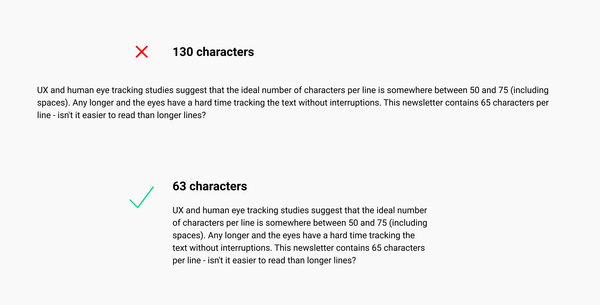
UX and human eye-tracking studies suggest that the ideal number of characters per line is somewhere between 50 and 75 (including spaces). Any longer and the eyes have a hard time tracking the text without interruptions.
👉 Additional resource: Baymard - line length readability
Tip #2: Make use of the Golden Ratio
In mathematics, there is a mysterious formula often referred to as “Divine proportions” or Golden Ratio. The golden ratio is basically responsible for all of the things that you find beautiful. It’s hard to explain in a few words because mountains of books were written on the subject and it is still poorly understood.
In short, things look better when their scale is proportionate according to the golden ratio.
Use Type-scale.com to find your ideal headline font sizes based on your body text size.
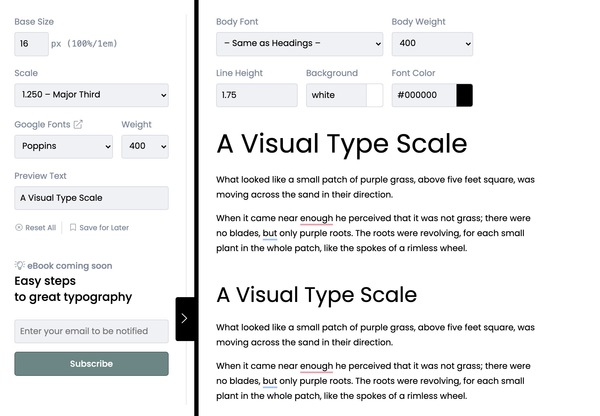
- Set your base font size
- This will calculate your ideal headline sizes going from H1 to H4.
- If you expand the right pane, you can even see what the text will look like at the ideal line length.
- Apply the golden ratio line-height of 1.618 or adjust it slightly for shorter texts.
👉 Additional Reading: Golden ratio, what is it, and why you should use it.
Tip #3: Use an 8-pixel grid to space your elements
The 8-pixel grid is basically our cheat code to making things look evenly proportionate in spacing.
When setting your spacing dimensions between text or elements, set spacing multiples of 8:
8px, 16, 24, 32, 40, 48, 56, 64 etc..
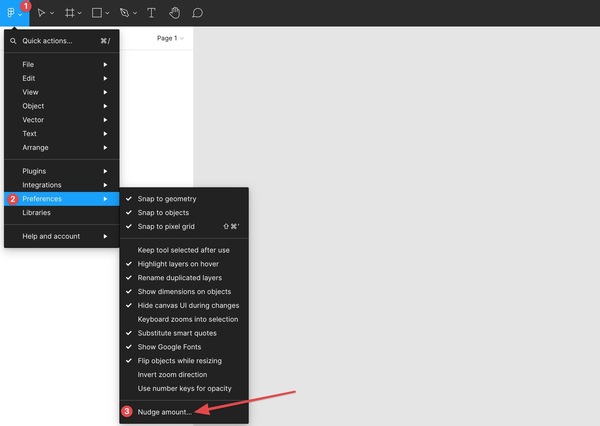
👉 Pro Tip: If you work with Figma, go to Menu > Preferences > Nudge amount, and set it to 8px. This way any time you do a Shift arrow to nudge, it’ll move your content by 8px instead of the default 10.
In app design where information density is larger, you can step down to a 4px grid.
👉 Additional Reading: The Comprehensive 8pt Grid Guide
Tip #4: font-kerning: auto;
Kerning is the space between letters. Most modern browsers auto-kern your fonts, but some may not.
Make sure you have this CSS property applied to your text (Unless you specifically intend not to auto-kern).
Use html {font-kerning:auto;}
Here’s a great Beginner’s Guide to Kerning from Canva.
You can also practice your kerning here: https://type.method.ac/

👉 Additional information on kerning: MDN
Tip #5: _-webkit-font-smoothing: antialiased;
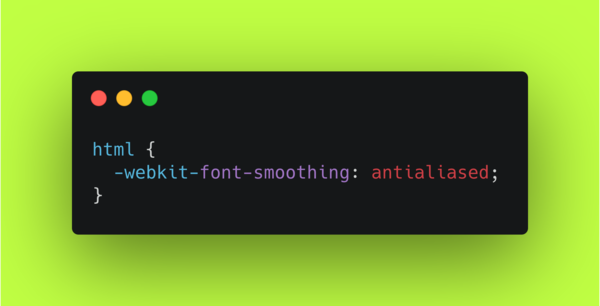
Apply the font smoothing CSS property to your text to make it feel more smooth and less in your face:
_html {-webkit-font-smoothing: antialiased;}_
👉 More information about font-smoothing from MDN.
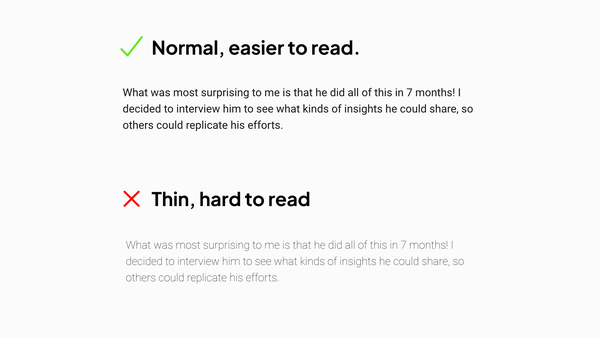
Tip #6: Unless you really know what you’re doing, avoid thin font-weight.
I’ve seen websites where the text was completely unreadable because they used the thin font-weight. Thin fonts usually only work for larger text / decorative purposes so unless you really know how to use them (takes a lot of practice), it’s best to avoid them entirely.
Tip #7: Stick to one font family.
Font pairing is hard and takes a lot of practice. It’s easier to avoid getting it wrong just by sticking to one font family. Of course, this means the font you choose has to work well for headlines and body text (this eliminates “Display” fonts).
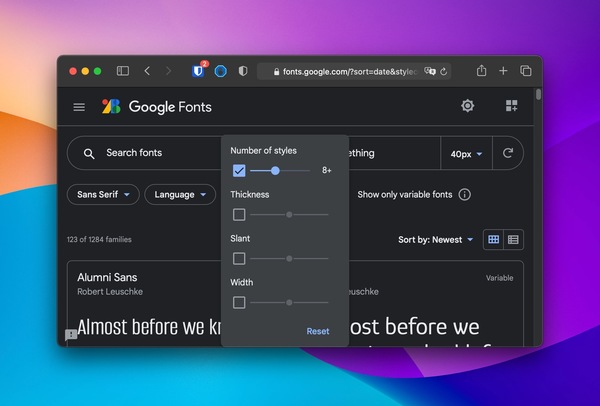
👉 Side tip: Choose a font with 8+ styles or pick a variable font.
Tip #8 Use System UI for large footprint websites or dashboards.
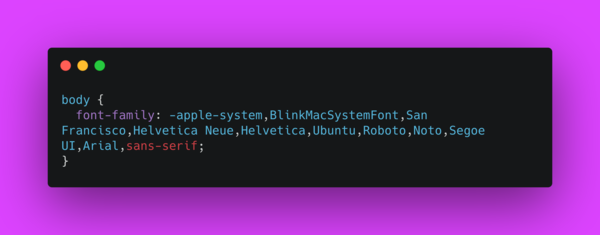
body {font-family: -apple-system,BlinkMacSystemFont,San Francisco,Helvetica Neue,Helvetica,Ubuntu,Roboto,Noto,Segoe UI,Arial,sans-serif;}
Some of the world’s biggest websites use System UI as their font. Using the OS’s default font reduces the need to load any additional font styles, thus speeding up the browsing experience.
They also just look good. You just have to ask yourself, do I have better taste than the world’s leading designers? If the answer is no, you won’t go wrong with system UI.
👉 Get more tips like these via my newsletter at gene.design
I hope this was useful! Let me know your thoughts…
Cheers,
Gene

Hey Gene, just want to let you know that your link at the top of the post is not linked properly 😉
Oh that's weird. Thanks for the heads up!