A quick guide to remote board gaming
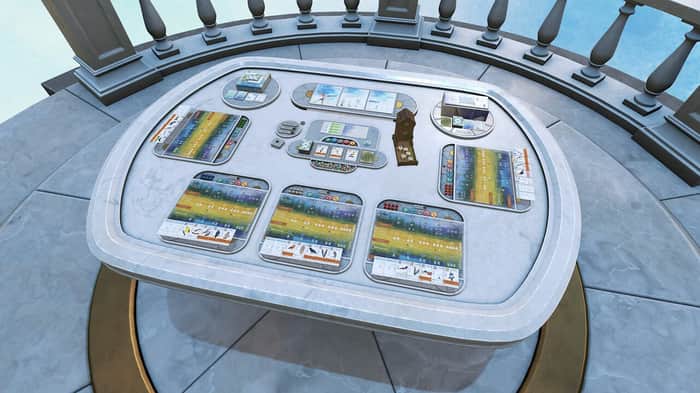
This guide originally appeared on weTabletop.
weTabletop helps players find remote board game events.
Stuck at home practicing social distancing? You can still play your favorite board games with friends.
This guide covers one way to play board games online: Tabletop Simulator. Tabletop Simulator, or TTS, simulates playing board games in real life. You can pick up and shuffle cards, rearrange plastic pieces, and even flip the table.
Overview
- Download and install Steam and create an account
- Purchase and install Tabletop Simulator - $20
- Download your board game - (price varies)
- Set up a video chat with your group
- Find some online games and start playing!
Getting started
To start playing remote board games you will need two components: Tabletop Simulator and a video chat app.
Tabletop Simulator is installed through Steam, a popular online platform for games. Create an account on Steam and install it to your machine. Steam runs on both Windows and MacOS.
Once you have Steam running, purchase and install Tabletop Simulator. It usually costs $20 but there are frequently sales so it might be cheaper.
Tabletop Simulator (TTS)
Now that you have Tabletop Simulator installed you will want to find a digital version of your board game via the paid DLC or free workshop games. DLC prices vary but even popular games like Wingspan are only $6. DLC content is made with the publisher and is usually more polished and easier to use than the free workshop downloads.
TTS has a slightly high learning curve. If you are having trouble navigating the board you can learn from the Tabletop Simulator Tutorials on YouTube.
Video chat
Tabletop Simulator has built in chat but you will probably want to have a video call with the person or people you are playing. I recommend using Google Hangouts if everyone has a Gmail account. Otherwise, you can use the free version of Zoom for up to four people.
I like to connect to the video call from my phone and prop it up next to my monitor. That lets me use Tabletop Simulator in full screen while still seeing all my friends faces.
Find some games
Now that you have everything set up go find some remote board games to play!

La roulette è un classico gioco da casinò https://winspark.info/ disponibile in molte varianti online, con molte opzioni di scommessa e la possibilità di vincere grandi premi.
This comment was deleted 4 years ago