Agencies charge $5,000 for a 60-second product demo video. I make mine for $0. Here's the exact workflow.
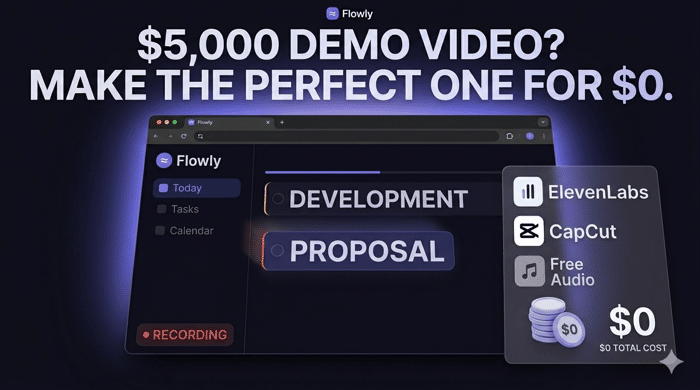
The going rate for a professional SaaS product demo video in 2026 is $1,000 to $5,000 for a simple screen recording with transitions. A polished animated explainer runs $5,000 to $20,000. I've made five of them for my SaaS this month. Total cost: $0 beyond what I was already paying for Claude.
This is a long post. Stay with me — there's a technical detail in the middle that I think will genuinely surprise you.
The real problem with screen recording your product
Every founder's first instinct is to hit record and demo the actual product. I tried this. You probably know how it goes.
Your cursor drifts to the wrong corner. The loading spinner fires at the worst possible frame. The dummy data looks obviously fake. Your UI isn't in its ideal state — there's a stray notification, a tooltip that won't disappear, a layout that shifts during recording. You spend 90 minutes getting the take right and it still looks rougher than what you imagined.
There's a deeper problem: your real product shows things you don't want on camera. Real user data that needs blurring. Edge cases you haven't polished. The gap between "how the product works" and "how you want the product to appear in a video" is enormous.
I solved this accidentally.
The thing nobody's connecting yet
Anthropic launched Claude Design in April 2026. One of its headline capabilities: it reads your codebase and extracts your design system automatically. Your colors, typography, component patterns, spacing — Claude builds a profile of your UI and uses it in every output it generates.
So when you ask Claude to build an animated product demonstration, it doesn't build a generic interface. It builds your interface.
Here's the workflow I stumbled onto: give Claude your codebase (or the relevant UI files), describe the scene you want frame by frame, and ask it to produce it as a standalone HTML artifact. Claude builds an animated, interactive, pixel-accurate reconstruction of your product's core interaction — rendered entirely in HTML and CSS — with scripted motion, perfect timing, and exactly the data you want to show.
You open it in Chrome. You screen record it with QuickTime.
That's your footage.
Why the HTML version is better than your real product (on camera)
This is the part I want you to sit with for a moment.
The AI-generated HTML version of your UI is strictly superior to your actual product for video purposes. Not as a product — obviously — but as footage.
It loads instantly. It has no bugs. It always shows the ideal state. The cursor doesn't drift. The timing is scripted. There's no real user data to blur, no edge case to avoid, no spinner that fires at the wrong millisecond.
It's a stunt double for your product that performs perfectly every single time.
And because Claude has your design system, it uses your actual colors, your actual typography, your actual component shapes. To a viewer, it's indistinguishable from the real thing. The key difference is it does exactly what you want, exactly when you want it.
I built an animation showing a user typing a task — "Review client proposal tomorrow high priority #acme" — into Flowly's quick-add bar, watching it parse in real time into the correct due date, priority tag, and project. Then a task card drops in with a satisfying animation. The entire sequence runs in 8 seconds, timed to the beat of the background music, with no cursor drift, no loading state, nothing off.
That animation would have taken me three hours to film correctly with the real product. Claude produced the HTML in one conversation. I screen recorded it in five minutes.
The full stack — with real costs
Claude Pro ($20/month — you almost certainly already have this)
Claude Design is included in the Pro plan. Write your video script before you open Claude — know the angle, the hook, the story arc, how many seconds each scene runs. Then paste in your relevant codebase files, describe each scene, and ask for a standalone HTML artifact. Iterate in the same conversation. Export the file, open in Chrome, screen record.
ElevenLabs (free tier — $0)
The free tier gives you 10 minutes of high-quality text-to-speech per month. That covers roughly three 30-second videos with room to spare. Pick a voice, paste your voiceover script, export as MP3. The Starter plan at $5/month adds commercial rights if you want to run it as a paid ad later.
CapCut (free)
Import screen recording + ElevenLabs audio. Auto-captions in one click (this is non-negotiable — 85% of short-form video is watched without sound). Trim, sync, maybe a zoom or push. Export at 1080x1920.
Background music ($0)
YouTube Audio Library or Pixabay. Or run a Suno prompt for something custom and royalty-free. Keep it low in the mix — present enough to give rhythm, invisible enough to not fight the voiceover.
Total incremental cost: $0. One recording session → TikTok, Instagram Reels, YouTube Shorts, same day.
What I've actually made
I've built five videos for https://flowly.run this way.
The first two leaned hard on the animated UI approach — Claude rebuilt my task management interface, my analytics dashboard, my quick-add bar. The videos show real interactions: a 30-day time tracking reveal that breaks down unbilled scope creep by client, a pricing comparison that sweeps four competitor logos off screen to show one.
The most recent one shifts format entirely — POV morning routine, lifestyle angle, almost no product UI at all. Same stack, different creative mode.
You can see them here:
- TikTok: https://www.tiktok.com/@maxflowly/video/7636379132401667345
- Instagram Reels: https://www.instagram.com/reels/DXrRj7jjS5I/
- YouTube Shorts: https://www.youtube.com/shorts/ExHmOvQYIT0
What this actually unlocks (beyond the obvious)
The production problem is now solved. One hour of focused work produces a video asset that deploys across five channels.
But the less obvious thing: these HTML files are permanent, reusable assets.
When your UI updates, you re-prompt Claude with the new codebase. The animation updates in minutes. You don't reshoot — you reprompt.
The same assets that live on TikTok become your landing page demo, your Product Hunt gallery, your paid ad creative.
The agency route produces a video. This route produces a production pipeline.
The honest part
Views are still low on my account — this is a zero-follower channel that launched recently. I'm not going to pretend the distribution problem is solved, because it isn't. Short-form video without an existing audience is a slow compounding game.
What I can tell you is that the production quality is no longer the bottleneck, and the production cost is no longer an excuse.
For the first time in the history of SaaS marketing, a solo founder with a $20/month Claude subscription can produce the same quality of product demo video as a team with a $5,000 agency budget.
That's the unlock. What you do with it is still your problem to solve.
If you're building something in the productivity or time-tracking space — or honestly if you're just curious — https://flowly.run is my take on combining task management, time tracking, and calendar sync in one place. 14-day Pro trial, no card required.
And if you try this workflow, I'd genuinely like to see what you build.

[removed — posted on wrong thread]
The part that got me was "you don't reshoot, you reprompt." Every time I've made a product video it's been obsolete within a month because the UI changed. This fixes the maintenance problem more than the production problem.
That was the thing that changed how I thought about it. A traditional video is a snapshot that decays. The HTML file is a template you update. When Flowly's UI changes I'm not going back to an agency or re-recording — I'm opening the same conversation and describing what changed. The asset stays current for the cost of a prompt.
Tried this yesterday after reading the post. Two things I didn't expect: Claude's first attempt was about 80% accurate to my actual UI without me doing anything special, and the iteration loop is genuinely fast — describe what's wrong, it fixes it, you're back in Chrome in under a minute. The part that took longest was writing the scene description upfront. Once that was clear the HTML came out close on the first pass.
The scene description being the bottleneck is exactly right, and it's actually the correct bottleneck to have. That's the creative work — knowing what you want to show and in what order. Once that's clear Claude handles the execution. The founders who struggle with this workflow usually haven't written a proper script before prompting. They describe a vibe instead of a sequence and the output reflects that. Glad the iteration loop felt fast — that's the part that surprised me most the first time too. What product were you demoing?
underrated point: the act of trying to film the demo on the real product is itself a polish QA session. the cursor drift, the stray notifications, the placeholder copy you stopped seeing, they all become unignorable the moment you press record. even if you end up using a generated mock or extracted design tokens, the recording attempt is the cheapest way to make a punch list of UI rough edges your daily-driver eyes have stopped seeing. so the workflow doesn't just save you 5k, it doubles as a free design audit.
This is a sharp addition — “record mode” is basically your UI’s performance review.
Pressing record turns all the low-grade noise you’ve habituated to into blocking defects: stray chrome, lazy states, copy that’s technically true but visually embarrassing. Even if the shipped video ends up being a stunt double, you still walk away with a tighter real product.
So yeah: not just cheaper footage — fewer self-inflicted paper cuts for every real user afterward.
Best point is buried towards the post's end about HTML stunt doubles for framing. The product you're filming will never actually be "camera ready" when you shoot it - wrong data loaded, tooltips floating around, loading spinner animating on the climactic frame. Fake it with a scripted version that gets it right every time and you have superior footage from the start.
Love the reprompt-not-reshoot point too. That's not video direction, that's engineering workflow.
Appreciate you calling out the “buried” bit — I probably should’ve led with presentation reliability vs product reliability; they’re different specs.
And yeah: reprompt-not-reshoot is basically treating marketing footage like a build artifact. Same instinct as “rebuild from source,” just with a storyboard and pixels instead of a compiler.
This is exactly the execution problem solo founders face - every function costs either money or time you don't have. What other costs have you managed to cut without sacrificing quality?
Boring managed infra instead of ops theater, a consistent design system instead of bespoke pages, templates + better UX to blunt support, and AI for drafts with a human pass on positioning. Same pattern as the video post: cut coordination/rework, not judgment.
"Cut coordination, not judgment" - that's a sharp framing. Most tools get this backwards and try to automate the judgment calls instead.
What's your current stack for keeping the coordination overhead low?
Love this what a cool project!
Thank you — that means a lot.
Same here. Recorded my demo with QuickTime, no editing, no music. Just the product working. Converted better than anything polished I've tried before.
That tracks — for a lot of landing pages and skeptical buyers, “obviously real” beats “obviously produced.”
I’d treat it like channel fit: raw QuickTime can win when trust and clarity are the job; the stunt double shines when the live product fights you (timing, data, polish for shorts at scale). Both can be true in different funnels.
ran into this exact trap last year - $3k quote for a 90s demo. DIY'd it with Loom + AI trimming, worked okay but the transitions killed it. what do you use for those?
Mostly hard cuts + the occasional slight zoom in CapCut. I skip glowy cross‑dissolves for UI — they age fast. If a jump feels abrupt, add a brief pause or a caption beat instead of a transition pack.
The stunt double framing is the cleanest articulation of this I've seen. What unlocked it for me on SocialPost.ai's video work was running the same animation against several different voiceover scripts and hooks instead of chasing one perfect take. When production cost goes to zero, the real edge becomes how many creative angles you can ship per week, not how polished any one of them is. Curious if you've started instrumenting which scenes get the most attention so the data feeds back into what your real product should optimize for next.
That's a solid point about creative volume. Most people still treat video like a precious asset where they need that one "hero" shot to land, but the real advantage now is just testing a bunch of different hooks to see what actually sticks. It’s way more about the feedback loop than the production value.
Same animation + multiple hooks is exactly the right game once production is cheap — you’re testing attention, not render quality.
I’m not doing deep “scene → roadmap” instrumentation yet; sample sizes are too small to trust. I mostly watch drop-offs + openings and keep packaging learnings separate from product bets unless the same confusion shows up in real onboarding.
The HTML stunt-double approach is clever, but I'm curious about the prompting for timing. When you describe a scene to Claude, how specific do you get about the animation sequence? Do you write it frame-by-frame ("at 2.3s the card drops in, at 2.8s the tag fades") or do you describe it more loosely and iterate?
The reason I ask: the gap between "describe an animation" and "get back something with the right timing for a voiceover" seems like where most of the iteration cycles would live. Curious whether you developed a prompt structure that reduces back-and-forth on timing.
I use second-based milestones (0.0s → 0.35s → 1.1s) + ms durations/pauses when it’s wrong — not frame-by-frame, and not “make it smooth.”
For VO, I either cut the video to the audio (fastest) or tune the HTML delays to a locked read — rarely both loose.
Prompt skeleton that helps: scene goal → numbered timeline → “don’t show” list.
This is a really useful breakdown, especially the part that the agency route gives you a video, but this route gives you a reusable production pipeline.
I’m researching something related for Tradi right now: how early-stage founders decide which tools or workflows are actually worth trusting before they spend time or money on them.
What stood out to me here is that you didn’t just say “Claude can make demo videos.” You showed the full stack, cost, workflow, limitation, and where it still doesn’t solve distribution. That makes the recommendation feel more believable.
When you were deciding this workflow was worth relying on, what gave you the most confidence: the cost savings, the quality of the output, being able to reuse the HTML assets, or the fact that you had already made five videos with it?
Thanks — the believability piece is basically “show constraints.”
What made me trust the workflow wasn’t the $ line — it was reuse (same asset class you can refresh when the UI moves) plus doing it multiple times so I wasn’t overfitting a lucky first output. Speed-to-“not embarrassing” mattered more than perfection.
Cost was a bonus; compounding was the real signal. Distribution staying hard was the anti-magic reminder.
Very interesting product, and it does help a lot to bridge the gap between builders and distributors. My question is, why do people have the patience to review a long video if it cannot catch their eye within 2 seconds? I noticed that many people are not struggling with contents of marketing/demo videos, but the audience may have different angel to judge? how can we learn from that ?
They mostly won’t stick around — you get a tiny scroll-by audition. Long works only when second 1–2 buys second 3+ (clear “for me,” tension, or payoff teased immediately).
Builders judge explanation; viewers judge relevance + novelty. Same clip can feel brilliant internally and invisible publicly.
Learn from drop-off in analytics, rewrite openings more than the whole demo, and show hooks to people outside your niche — they’ll expose the angle problem fastest.
The 'reprompt instead of reshoot' point is the underrated one. For most SaaS founders, video assets used to depreciate the day after a UI release. Now they're software, not media. I run a social media SaaS and the founders winning right now aren't the ones with the prettiest content, they're the ones who built a production loop that compounds with every product change. One thing to add: this synthetic UI approach also unlocks comparison and roadmap teaser content that you literally couldn't film, because the feature doesn't exist yet.
Love the “assets as software” framing — that’s the same mental model shift as treating demos like a living file, not a marketing deliverable you freeze at export.
And you’re dead right on the second unlock: before-it-exists storytelling is brutal with live capture, but it’s natural with a stunt double — comparisons, “here’s the flow we’re shipping,” teaser beats… you’re directing pixels toward an intended future, not waiting for the build to behave.
The only guardrail I’d add in public is boring but important: label aspirational stuff honestly (teaser vs shipped) so trust doesn’t get collateral damage when the timeline slips.
But as a creative surface area, synthetic UI is basically cheat codes for roadmap and category narratives — totally agree.
This workflow proves that AI tools have completely changed product demo creation — the real advantage is no longer budget, but storytelling and execution speed. The “HTML stunt double” idea and reprompt workflow make it much easier for startups to create polished demos without expensive agency costs.
Appreciate that — and I agree with the reframe: budget stops being the excuse pretty fast; what still separates demos is clarity of story and how quickly you can ship iterations.
The stunt double + reprompt combo is basically “lower friction per cut,” which lets you test hooks the way you’d test landing copy.
Good luck with whatever you’re building — hope the workflow saves you a few painful reshoot days.
This is incredibly helpful. Quick question — does this workflow work with Claude's free tier, or do you need Claude Pro for the design system extraction and HTML artifacts? Building Bexra (Helping entrepreneurs find, build & grow) and trying to keep costs at zero for now.
Small HTML demos can work on lower tiers if you paste the UI context yourself, but Claude Design (the automatic design-system extraction piece) is Pro+ in my account — so budget for that if you want the “read my codebase” shortcut.
The “stunt double for your product” framing is honestly the most interesting part of this whole post.
I think a lot of founders still treat demos as documentation instead of storytelling. But viewers don’t actually care whether the interaction was recorded live, they care whether the value proposition becomes instantly understandable.
The HTML artifact angle is smart because it separates:
Those are completely different problems, but most people force the real product to handle both at once during recording.
Also feels like this changes the economics of experimentation more than production quality itself. If a founder can iterate on 10 demo concepts in a weekend instead of spending days polishing one screen recording, the learning loop becomes dramatically faster.
The reusable asset point is underrated too. Most agencies deliver a final export. What you’re describing is basically a generative motion-design system tied directly to the codebase.
Curious how far you think this goes long term though, do you think audiences eventually become desensitized to these “perfect AI product demos,” the same way people got desensitized to polished landing pages? Or does distribution/storytelling stay the actual moat?
Storytelling vs documentation is exactly the divide — a demo is a translation layer, not a user manual. “Live capture” tends to be an ego thing for the builder; viewers mostly want instant comprehension + conviction.
I also buy the separation framing: your real app earns trust by not crashing on Tuesday; your stunt double earns attention by not wasting a second on chaos that doesn’t teach anything.
On desensitization: yeah — polish becomes table stakes the same way nice landing templates did. The “perfect UI” look will stop feeling magical and start feeling normal, especially as more people use similar workflows.
But I don’t think people get tired of clarity — they get tired of generic stories. The fatigue lands when every video is the same cadence, same hook, same fake dashboard energy with nothing to say.
So long term: distribution and taste still dominate — audience building, positioning, offers, repetition. AI mostly raises the floor and speeds iteration; it doesn’t magically solve “why should I care” if the story’s thin.
“The AI-generated HTML version is better than the real product for video purposes” is a surprisingly good insight.
Especially for analytics dashboards and async-heavy apps where live state can completely ruin a recording at the worst possible moment.
Exactly — dashboards are the worst offenders because “truth” and “camera truth” diverge: a late fetch, a blank series, or one outlier scale change and the whole take feels broken.
The stunt double trades honest entropy for directed signal, which is annoying philosophically but perfect for a 20-second explanation.
This is the execution gap most solo founders face - you either pay a lot or DIY everything. The real question is how you scale that without burning out
Yeah — the trap isn’t money, it’s infinite scope with one calendar.
The only scaling lever I’ve found that actually holds is turning demos into a repeatable pipeline with a hard timebox (script → artifact → record → ship), and refusing to chase perfection on any single cut. Batch hooks, reuse stems, and treat weekly shipping as the default — burnout usually shows up when each video becomes a “special event” instead of a release ritual.
Totally agree - the "special event" trap kills momentum faster than any technical problem. Ritual thinking is underrated.
Curious - beyond video, what's the one function that eats most of your calendar as a solo founder?
Honestly? Context switching — not one “function,” but the constant baton pass between build, support, billing edge cases, and “small” product decisions that aren’t small because they touch UX.
Context switching is exactly it - the reboot cost is invisible but brutal.
We're actually running a small research sprint right now - talking to 10 solo founders about exactly this. 20 minutes, no pitch. Just trying to understand where
the biggest drag is.
Would you be up for a quick call? Happy to share what we're building in return.
I appreciate the research angle (and agree the “reboot cost” is the real tax).
I’m not taking 20‑min founder calls right now — calendar is basically defensive mode while shipping.
Happy to help async (mail for example): send your 10 questions (or a short Loom + form), and I’ll answer in writing. If one thread turns out surprisingly overlapping with what you’re building, we can revisit a call later with a tighter reason.
This is a really good post. I've been thinking about the same thing from a different angle.
I score music for ads, trailers, and TV for a living, and I'm building DropCue on the side ($5/mo SaaS for the music industry). Both worlds are running into the same shift right now. "Agency quality at zero cost" isn't really about price. It's about how fast you can iterate.
The reason a $5K agency demo costs $5K isn't the actual production. It's the kickoff call, two rounds of revisions, a project manager, scheduling. By the time they deliver v3, your product has changed and you already want a v4 they can't make in time. Your version doesn't have that lag. UI changes today, footage changes today.
I think you're underselling the real moat here. The footage isn't just free. It's versioned. When Flowly evolves, the marketing footage evolves with it the same afternoon. An agency video is frozen the second they invoice you.
This is a great read — and you’re coming at it from the side of the stack where the calendar tax is even more brutal (cue notes, stems, approvals, “locked picture,” then picture moves anyway).
You’re also right that the headline price isn’t what hurts; it’s latency disguised as professionalism — meetings, queues, rounds — and by the time a vendor catches up, the product is already telling a slightly different story.
I love the “versioned footage” phrasing even more than “free,” because it matches how I actually work: marketing stops being a deliverable milestone and becomes something you can merge forward.
The only moat I’d append (slightly boring, but true) is that iteration speed amplifies taste — fast plumbing still won’t save a fuzzy story — but on timing and freshness, you’ve nailed the asymmetry vs the agency model.
Rooting for DropCue — music tooling needs more of this “iteration-first” energy.
While my my product video costs are not free, they are very low for Agiloop, my AI platform for end-to-end product development. Here is what we use:
Doing my own product marketing videos is my creative outlet :-)
Love this — we’re aligned on the bigger point: the budget line moved, even when it’s not literally zero.
Your stack is a nice hybrid too: ScreenFlow for the “real interaction” spine, Grok Imagine for quick visual detours, ElevenLabs for VO, Canva for the last 10% polish — that’s basically “iterate like a creator, price like an indie.”
If you ever hit the classic pain (loaders, flaky states, endless retakes), the HTML stunt double is another knob — but for a lot of founders your workflow is already 80% of the win.
Keep treating marketing videos as a creative outlet — that energy shows in the cuts.
The "stunt double" framing is the right way to think about this. Real product footage is full of edge cases you spend the whole edit fighting, and a scripted HTML version gives you a clean canvas plus the freedom to A/B test creative variants without re-recording. We see the same pattern over at SocialPost.ai: the production cost collapsing just exposes that hooks and audience are the actual moat. Curious whether one hook format has been clearly outperforming the others across your five videos, or if it's still too early to tell.
Totally agree on the moat — cheaper production mainly means you can try more hooks per week, not that any single video carries you.
On the five cuts: too early for a clean “winner format” on my side — small sample, cold account, and shorts algo noise drowns a lot of signal. Anecdotally, the ones that felt strongest were single-beat clarity (“watch this one interaction land”) vs lifestyle/PV vibes, but I won’t pretend I have statistically meaningful readouts yet.
The variant-testing point is real though: with a stunt double you can reskin pacing/cropping/copy without another filming day — so the right experiment loop is hooks, not render quality.
The distribution problem you mentioned at the end is exactly what I work on with early stage founders, organic growth without paid ads. The production pipeline you built is impressive but getting it seen is a different game. Would love to chat.
Appreciate that — you’re right that making the thing and getting it seen are two different skillsets, and I’m absolutely still climbing the second hill.
I’m not taking a bunch of “growth strategy” calls right now, but if you want to send a quick note with what you specialize in (channels, playbook, typical stage) I’m happy to skim it. If there’s a clean overlap and timing fits, we can figure out a low-friction next step.
Either way, thanks for reading the post.
I help early stage founders get organic reach on short form video, not through posting advice but through actual distribution. I run a network that pushes content across fan pages on TikTok Instagram and YouTube Shorts. Founders at your stage typically see 5 to 10 million views per campaign with traffic coming back to the main account. No paid ads involved. If there's overlap I'd rather just show you a quick example than explain it on a call. What's a good email to send it to? Recently We generated around 200 million views for a SAS app with just a friction of the investment as compared to paid ads.
That pitch reads pretty hot — my default is no personal email in a public thread.
If you want to show an example, drop a link to a public case study (or redacted screenshots + the account + what “success” meant in signups/trials, not just views). Early founder + “5–10M views per campaign” needs context or it’s not actionable.
If it still looks legit after that, you can use hypnofroghs@gmail.com — I don’t do intros off view-count claims alone.
Thanks either way.
Fair enough, let me give you something concrete. The Plug AI campaign I mentioned did 200M+ views, all from top-tier countries (US, UK, CA, AU) with just a $40k investment. From that campaign alone they returned more than 10x their investment, I can share the exact number but not publicly out of respect for their privacy. I can also show you my Discord community + other client results on a quick live call, no pitch, just proof. Does that clear things up? If yes, I'll reach out on the email you mentioned.
The workflow is clever — using AI to reconstruct a pixel-perfect version of your UI as an HTML artifact is a genuinely better approach than screen-recording a live product for demo purposes. Clean state, no loading spinners, no edge cases. Makes sense.
The piece that's easy to skip over though: once you have the demo, how are you measuring whether it actually converts? Most founders ship a beautiful demo video and then just... hope. The real leverage is knowing exactly where in your funnel the demo is moving the needle — whether embedding it on the landing page beats a thumbnail CTA, which 10-second mark correlates with visitors clicking through to sign up, whether video-first vs. text-first cohorts have different activation rates.
The demo creation is now almost free. The data layer that tells you whether it's working is still where most teams leave money on the table.
For anyone building SQL-based funnels to track these kinds of product-led metrics, I put together a free SQL Query Optimization Handbook that covers the query patterns for multi-step conversion tracking across events: https://growthwithshehroz.gumroad.com/l/gwiow
You’re pointing at the part that still separates “cool workflow” from “business leverage.” A demo that looks great but doesn’t change behavior is just expensive vanity without measurement — and you’re right that most founders stop at shipping the asset.
What I’m tracking today is still fairly crude (trial starts / activation-ish signals), and I won’t pretend I’ve nailed watch-depth → signup correlation yet. The experiments you listed — embed vs thumbnail, video-first vs text-first, which beat loses people — are exactly the right next layer once production stops being the bottleneck.
Thanks for sharing the SQL handbook — funnels get messy fast once you add multi-step events, and having sane query patterns helps a lot.
Glad the handbook is useful — you've described the exact gap it's meant to close. The "trial starts" signal is actually a solid anchor even if crude, because it's a committed action. The watch-depth → activation correlation you're after gets a lot cleaner once you store video interaction events in the same schema as your trial/signup events and join on session_id — then you can run a simple cohort query to see whether 30-second viewers activate differently than 10-second ones. That's the query pattern the handbook covers most directly. The next level after that is running diagnostic queries on your funnel table to catch data gaps early before they silently distort your A/B reads → https://growthwithshehroz.gumroad.com/l/psmqnx (free). Appreciate the thoughtful reply — the "production stops being the bottleneck" framing is exactly right.
Appreciate you spelling out the join so cleanly — video events + signup/trial in one identity spine is exactly how you turn “cool retention graph” into something you can actually decide with.
“Trial starts as the anchor” is a good forcing function too: anything higher-funnel is useful, but if the demo doesn’t move committed intent, you learn fast.
I’ll grab the diagnostics piece as well — silent gaps in event capture are the classic way to fake yourself into a wrong A/B read.
Thanks again for building in public around the measurement side — that’s the half of this post I want to get sharper at next.
Glad the session_id join approach makes sense — once you have that unified event table, a whole category of funnel queries becomes possible that simply can't be asked when your video and signup events live in separate schemas.
The 'silent event capture gap faking an A/B read' problem is real. I've seen teams run 6-week experiments and feel confident in the result, then discover one of the event triggers was silently misfiring for the first two weeks. The diagnostic scripts are specifically designed to surface that kind of gap before it compounds.
The measurement side is exactly the right focus next. Production going free just moved the bottleneck — most indie founders optimize for what's visible (video quality) and leave the invisible stuff (signal quality) on the table. The post that gets sharpest at the data layer will be the one that actually changes how people think about demo ROI.
If you want to go deeper on the full SQL architecture for multi-step conversion tracking across video + trial + activation events: https://gumroad.com/l/mxjfmh
The reprompt instead of reshoot piece is the real unlock here. Once UI footage is regenerable, videos stop being one-off inventory and start acting like a feed you refresh on every release. Running content for SocialPost.ai, my real bottleneck was never production cost, it was sustaining cadence, and this kind of workflow is what finally makes weekly output realistic for a solo founder.
Yeah — cadence is the hidden tax. One great video doesn’t move the needle if you can’t ship again next Tuesday without a crisis.
“Reprompt not reshoot” is what turns marketing from a hero asset into a release ritual: same story bones, fresh UI, fast polish. That’s the solo-founder version of a content team.
The part I’m still honest about: you can make weekly output realistic and still need distribution discipline — but at least you’re no longer blocked on “another recording session.” Congrats on pushing SocialPost.ai forward.
The 'stunt double' framing changed how I think about this. I was treating the real product as ground truth and trying to film around its imperfections. Switching to a controlled HTML reconstruction makes obvious sense once you put it that way.
One thing worth adding: the same HTML artifact doubles as a hover state for the landing page hero. Embed it instead of just recording it, and you get cursor follow, micro-interactions, instant load. Beats the static SVG mockup most landing pages settle for.
Question about timing. Did you script frame counts and easings explicitly in the prompt, or describe it narratively and let Claude figure out keyframes? My early attempts felt floaty because the timing was too vague, and I never landed on the right level of explicit detail to give.
That reframe is the whole thing — ground truth for shipping vs ground truth for camera are different, and mixing them is what makes real recordings expensive.
On the landing-page angle: I haven’t shipped the embed everywhere yet, but I buy the logic — a lightweight HTML “hero replay” can feel more alive than a static mock if you keep it tight (file size, no mystery third‑party JS, and something sane for reduced-motion users).
For timing: I stopped asking for vibes and started asking for a timeline. Not usually frame counts — seconds + milestones is enough (“0.0s idle, 0.35s typing starts, 1.1s chip animates in, 1.6s card drops, hold 0.4s”). If something feels floaty, I don’t get more poetic — I get more mechanical (“ease-out, duration 220ms, overshoot 6px on cursor landing, 80ms pause before click”). Claude handles that really well once you’re specifying when things begin/end, not “smoothly.”
If you want a rule of thumb: keyframes in time, not adjectives; add easing only after the sequence is right.
interesting
Thanks ;)
I love the ingenuity of getting Claude to build an HTML replay of the product. I'm going to have to try that! It made me think of building UI automated test cases in using something like chromium. Not the same I know - your version isn't testing the actual product - but it's got me wondering if they is a hybrid world where I could capture test cases and stitch the results. Time to talk to Claude...
Love that you’re connecting those dots — both are basically “scripted UI motion,” just with different goals.
Playwright/Chromium is for proving the real app; the stunt double is for camera-safe storytelling. The hybrid I’ve seen attempted is golden-path E2E on staging + screen recording (deterministic data, tight waits) — more “real,” but you still fight flakes unless the env is boring.
For marketing polish, I’d still default to the HTML replay; for trust/debug video, tests-to-footage is interesting if you accept some rough edges.
If you prototype a stitch workflow, I’m curious what you land on — it’s an under-explored middle.
I totally agree. I love the idea of 'directing' the demo via a custom HTML build, the narrative scripted via AI prompting. I plan to give this a shot first.
Perfect — I’d start with one interaction and hard timings (seconds + “what appears when”). That keeps the first version from turning into a vague “make it smooth” loop.
When you’ve got a first cut, share a link if you want quick feedback on pacing — that’s the lever that moves the perceived quality fastest.
The HTML stunt double idea is the first Ai workflow I have seen that changes how founders think about product demos instead of just making cheaper.
Most people will focus on the $0 cost part but the real shift is turning demos from on-time marketing assets into reusable systems that evolve with the product..
Exactly — $0 is the skim; reuse is the reframe.
A one-off video is a photo that starts aging the minute you export. A stunt double you can regenerate tracks what you’re actually shipping, so marketing stops fighting the product calendar.
If you try it, the habit that pays off fastest is versioning the “master” like code: same story structure, updated UI context — reprompt beats reshoot every time.
The interesting shift here is that the “demo version” of the product is becoming more useful than the real product itself.
Not because it’s more functional, but because it’s more controllable.
Feels like marketing assets are turning into simulations rather than recordings.
Yeah — I’d narrow the word “useful” slightly: for shipping actual value, the real product still wins. For communication (short-form, landing hero, previews), controllability beats fidelity.
“Simulation over recording” is exactly the right metaphor: you’re building a physics-off version that performs the story reliably, instead of hoping the live app cooperates as a performer.
That mindset shift is half the unlock; the tools are just what make it cheap enough to iterate weekly.
That “controllability beats fidelity” framing is really interesting.
Feels like modern product demos are becoming less about representing reality accurately, and more about communicating intent reliably.
AI just killed the biggest bottleneck in SaaS demo videos.
Instead of recording your real product (with bugs, loading states, awkward cursor movement, fake data, and endless retakes), founders can now generate a perfect “HTML stunt double” of their app using AI.
The workflow is crazy:
• Feed your UI/components into Claude
• AI recreates your product as animated HTML/CSS
• Script the exact interactions + timing
• Screen record the generated version
• Add AI voiceover + captions
• Ship to TikTok, Reels, Shorts, landing pages, ads
Result:
A solo founder can now produce agency-level SaaS demo videos for almost $0.
The real unlock isn’t cheaper videos.
It’s that product + marketing + creative production are collapsing into one workflow.
And the craziest part:
You don’t reshoot videos anymore.
You reprompt.
Your product demo becomes a living asset that updates with your codebase instead of becoming outdated every month.
This changes the economics of SaaS marketing completely.
Appreciate you spelling it out this cleanly — you captured the whole arc without losing the “stunt double” / “reprompt not reshoot” punchlines.
The only nuance I’d add for anyone reading the summary: $0 is mostly “incremental tool spend” if you already have the AI subscription — the real cost is still script + iteration time. But the economic shift you named is the important one: it stops being a brittle marketing project and becomes something you can refresh on the same cadence as shipping.
Thanks for sharing the workflow forward.
interesting approach
Thanks — if you try it on anything you’re shipping, the part that usually “clicks” is scripting timing beat-by-beat instead of asking for “smooth.”
This is brilliant - I've dealt with this exact issue and have been trying to find a workaround. One thing I'm curious about: how well does Claude hold up on more complex UI interactions — things like multi-step flows, modals, or data-heavy tables?
Glad it resonates.
Pretty well if you don’t ask for one file to be your whole app: multi-step flows and modals work best as timed scenes you stitch, with explicit beat-by-beat timing in the prompt. Dense tables need a “camera edit” (fewer columns, clearer rows) so it doesn’t turn to mush on a phone screen. Real branching logic is the hard part — for demos I script one golden path on rails instead of simulating every state.
This is the most actionable breakdown of AI video production I've seen. The "HTML stunt double" for your UI is genius — saves hours of reshoots and perfectly scripted demos.
I'm definitely stealing this workflow.
One thing that struck me: you’re solving production cost, but the bigger founder killer is building the wrong product before you ever need a demo video.
I learned that the hard way — wasted 6 months on something nobody wanted.
That’s why I built TrendyRevenue – an AI tool that validates startup ideas in 10 seconds: market demand, competitor gaps, revenue potential, trends.
It’s the “go/no-go” filter before you spend weeks on a product that might flop.
For Flowly, if you ever test new features or pivot into a different angle (e.g., AI task prioritization), run it through the free tier (one analysis, no card). It’ll show you which sub‑niche has real demand vs just hype.
The Pro plan ($39/mo) adds source‑cited competitor gaps + revenue modeling — the evidence to act on.
Your video pipeline + demand validation = way less risk.
Keep shipping — your zero‑follower grind is exactly where most of us start. Following.
Appreciate the kind words — and I’m sorry about the six-month detour. That kind of bruise is annoyingly educational: you don’t need more hustle, you need earlier signal.
You’re right on the ordering too: a slick demo of the wrong thing still loses. I care a lot about keeping Flowly pointed at problems people already feel weekly — if we ever ship something that’s more “cool” than useful, that’s on us.
I’ll take a peek at TrendyRevenue when I’m in idea-testing mode for the next experiment; source-cited gaps + “why this niche” is the part I’m usually skeptical of unless it’s concrete.
Thanks for the follow — agreed the early grind is mostly normal, even when the timeline makes it feel like it isn’t. Keep building.
Appreciate you saying that — and yeah, that 6-month detour leaves a mark. But you're right: earlier signal > more hustle. On your skepticism about "source-cited gaps" — totally fair. Most tools just spit out generic statements. Here's what TrendyRevenue Pro ($39/mo) actually gives you:
Exact review snippets from G2/Capterra where users complain about missing features
-Which competitors those complaints are about
-Frequency of each complaint (so you know if it's one angry user or a real pattern)
-Revenue modeling based on actual market comps, not guesses
That's not fluff. It's the difference between "I think there's a gap" and "I know 47 users of Competitor X said they'd switch for feature Y."
For Flowly's next experiment — say, an "AI task prioritization" angle — run the free tier first (one analysis, no card). It'll take 10 seconds. If the signal says "maybe," then Pro will give you the concrete evidence you're asking for. The $39 is cheaper than building one wrong feature.
Either way, respect for keeping Flowly pointed at real weekly problems. That's rare. Keep building — and when you're ready to test that next bet, you know where to find real data.
The stunt double framing is the clearest way I've seen this explained.
The insight that the HTML reconstruction is strictly better than the real product for video purposes — not despite being fake, but because of it — is the kind of thing that sounds obvious once you read it and completely non-obvious before.
One thing I'd add: this also solves the pre-launch demo problem. I'm currently building a CRM for aesthetic clinics (nothing live yet) and the biggest friction I kept hitting was "how do I show this to potential users before it exists." The answer was apparently just... build the UI in Claude and record that.
Going to try this with ElevenLabs this week. Did you find the voiceover worked better as scripted narration or more conversational/off-the-cuff style?
Building a CRM before you have a live product is actually the smart move, you already know what the demo needs to show before the real thing exists. The HTML stunt double workflow Max described is perfect for exactly this stage.
Pre-launch is one of my favorite use cases for this — you’re not “faking a product you have,” you’re staging the story you’re about to build, without waiting for auth, data, and edge cases to cooperate.
For ElevenLabs specifically, I’d treat “conversational” as a writing choice, not a recording style: TTS loves a tight script with short sentences, light contractions, and breathing room between ideas. Fully off-the-cuff usually reads mushy once it’s synthesized.
What I do is write it exactly how I’d explain it to another founder out loud — then edit for pacing (cuts, not fancy words). If it sounds natural when you read it aloud at the tempo you want, the voice will too.
"Write it how you'd explain it to a founder out loud, then edit for pacing" - that's the clearest TTS advice I've seen. Most guides just say "sound natural" without explaining what that actually means at the script level.
Will report back once I have a first cut of the clinic demo. Appreciate the reply
Excited to see the clinic demo — that’s exactly the kind of “nothing live yet” story this workflow is built for.
If anything sounds slightly too crisp in TTS, it’s usually pacing (add a beat) not vocabulary. Tiny rewrites beat regenerating the whole voiceover.
I just launched my app and am going to create a few videos for TikTok. I was looking for something like this! Thanks a lot for sharing this :)
Congrats on the launch — that’s a huge step.
If you want one practical “first video” tip: pick one moment the app nails (the “aha”), storyboard 3–5 beats, then keep the whole thing under 30s. Hope the workflow saves you a ton of reshoots.
Nice timing on the TikTok push right after launch. Are you planning to show the product in action or more of a behind the scenes founder journey style?
The really important insight here is not “AI makes video creation cheaper.”
It’s that AI is collapsing the gap between product, marketing, and creative production into the same workflow.
A few years ago this process required:
• a designer
• motion graphics
• editing
• scripting
• revisions
• agency coordination
Now one founder with product context can iterate all of it directly.
The “HTML stunt double” concept is especially clever because it solves the exact problems that usually make product demos painful: imperfect states, loading behavior, sensitive data, and inconsistent timing.
What I think becomes interesting over the next 12–24 months is that companies will stop thinking in terms of “marketing assets” and start thinking in terms of reusable generation pipelines.
That changes the economics completely for early-stage SaaS teams.
You framed the deeper shift better than I did in the post.
“Cheaper” is the headline people click; compressed iteration loops with product context are what actually changes outcomes. The old model wasn’t just expensive — it was slow and brittle, because every revision bounced between people who didn’t all share the same mental model of the UI.
The stunt double is basically “remove the stochastic layer” (real apps, real data, real network timing) so you can focus on story + clarity.
On the next 12–24 months: I agree on pipelines over one-off assets — but I’d add the constraint that the moat won’t be the tools, it’ll be taste + narrative + what you choose to regenerate vs ship. Everyone gets the same factory; early teams that win are the ones who can run it weekly without shipping misleading demos.
Thanks for the thoughtful read — this is exactly the kind of conversation I was hoping the post would start.
This is one of the first workflows I’ve seen that genuinely changes SaaS content production economics. The “HTML stunt double” idea is brilliant — not replacing the product, but creating a perfect on-camera version of it. The biggest insight here isn’t cheaper videos, it’s turning product demos into a reusable AI-powered production pipeline.
Appreciate that — “stunt double” clicked for me once I stopped thinking of it as a shortcut and started thinking of it as risk control for anything time-based.
And you’re right on the economics: pipeline beats one-off because your UI will keep moving, and updates stop being a “project” and become a quick refresh pass. That’s the part I’m optimizing for now, not squeezing another 5% out of one render.
The reusability angle is undersold. You get one HTML file that works for your demo video, landing page, Product Hunt launch, and ad creative simultaneously. An agency gives you footage that goes stale the moment your UI updates. This gives you a living asset instead.
100% — that “same source, many surfaces” thing is the quiet upgrade.
The only caveat I’d add is you still need formats (crop, pacing, captions, sometimes simplifying density for a 9:16 clip vs a wide hero), but you’re editing from a controlled master, not re-chasing a live app every time.
Agency footage really is a snapshot; this is closer to versionable creative — which matters insanely fast once you ship weekly.
The stunt double framing is the key insight most people will miss on first read. The real product is optimized to function. The HTML version is optimized to perform on camera. Those are different jobs and they deserve different tools.
One thing I'd add to the Claude workflow: the more specific you are about timing in your prompt, the better the output. Instead of "show the task being added," try "at 0.0s the input bar is empty, at 0.3s text starts typing at 60wpm, at 1.2s the parsing animation fires." Claude handles frame-by-frame timing instructions well and it cuts iteration rounds significantly.
Also appreciate the honest note at the end about distribution. Production quality being solved doesn't mean distribution is solved. Two separate problems.
Love the “different jobs, different tools” phrasing — that’s exactly it. The real app shouldn’t have to audition.
Your timing note is huge too. I’ve found the same: timeline-shaped prompts beat “make it smooth” every time, because you’re giving Claude something testable instead of something interpretive.
On distribution: agreed — solving production just means you no longer have that excuse. The next bottleneck is boring and human: distribution, offers, positioning, consistency — the stuff that doesn’t autocomplete.
Appreciate you reading closely enough to add that prompt detail; that’s the kind of comment that upgrades the post for the next person who tries it.
Wow this is extremely helpful, and the kind of content that pushes the IH community forward, still need to make a demo video for myself so will definitely be using this advice. Thanks for the great post
That means a lot — thank you. If you only do one thing when you try it, spend the time upfront writing the scene list beat-by-beat; the recording part becomes almost boring after that. Hope your demo turns out exactly how you picture it.
Noted. Will let you know how it turns out
Nice that you are already thinking about the demo before launch. Most founders leave that way too late. What is the product?
The strongest part here isn’t the video it’s the reusable production pipeline. That’s leverage. Question: do you think this works equally well for more complex SaaS flows (multi-step onboarding, dashboards, conditional states), or does it break when product logic gets deeper?
For me it doesn’t break — it changes shape. Multi-step flows and dense dashboards are totally doable if you treat each beat as its own scene and stitch in edit; that’s how real shoots work too. Where it gets painful is real branching logic — “if user is in state A, show B unless C.” The move there isn’t to simulate the whole product; it’s to script one golden path and have the HTML perform that story on rails. You’re not proving the engine, you’re showing the narrative most demos were always pretending anyway — you’re just being honest about it.
Great breakdown! The gap between what agencies charge and what's actually possible with AI tools today is wild. I have building in this space too- one thing I found is that the script quality is what actually makes or breaks the final video, not just the visuals. What's your current approach for scripting?
Yeah — I’ve had “pretty” cuts that still felt empty because the story was thin.
I script it like a shot list, not landing-page prose: each beat is one idea, ~3–7s, in order — what you should get and what you should feel — and I split what’s said from what’s on screen so they’re not fighting.
Only then do I touch the visuals. When I skip that step, I always end up “fixing it in Claude” for an hour and the real problem was the script.
This is something I'm just discovering now... AI has become a driving force and people still do not believe... Only we developers can quantify the potential of AI
I get that feeling — the gap between what the tools can do today and what most people assume they can do is still huge. Developers see it because we’re the ones turning “vague demo” into something shippable in an afternoon.
I’m less interested in convincing skeptics in the abstract than in showing a concrete workflow like this one. Proof beats rhetoric.
If you try it on something you’re building, I’d love to see what you come up with.
This is actually a pretty wild unlock
the “html as a stunt double for your product” idea is the part most people are gonna miss
everyone’s been trying to perfect screen recordings when the real move is just… not recording the product at all
also agree on the bigger shift....this isn’t just cheaper videos, it’s a repeatable pipeline
feels like the bottleneck just moved from production....distribution now
Exactly — people optimize the wrong layer. The hard part was never “get a clean capture”; it was controlling what’s on screen. HTML gives you that control without fighting your real app.
And yeah: cheaper is the boring headline. Repeatable is what actually changes how you work — same pipeline, new scenes, refreshed when the product moves.
Distribution is the bottleneck I’m staring at too. At least it’s the right one to have once production isn’t eating the calendar.
Thanks for reading — curious what you’re building?
the “html stunt double” idea is actually kind of genius 😄
especially the part about avoiding real loading states / awkward cursor movement. feels obvious once you say it, but i haven’t seen many founders talk about this workflow yet
also respect for being honest about the distribution side. a lot of people only share the polished “10k views overnight” version
Glad the stunt double framing landed — it felt obvious once I named it too, which is usually the sign of a real insight.
The honest distribution note was deliberate. The "10k views overnight" posts are real but they're survivorship bias dressed as a tutorial. The workflow is solved. The audience problem isn't.
yeah that part really resonated with me too
feels like distribution is becoming the new bottleneck now that building is faster than ever. a lot of founders can make something impressive technically, but getting consistent attention is a completely different skillset
also appreciate you being realistic about that instead of pretending the workflow alone solves growth 😄
Most early founders overpay for things before they even know if the product works.
Curious: did you notice any difference in conversion or user understanding compared to more “polished” agency videos, or was speed + clarity enough?
Feels like this approach makes way more sense at MVP stage, where learning fast matters more than production quality.
No direct conversion data to compare against since I didn't run an agency video first. But the signal I'm watching is whether someone who lands on the page starts a trial, and the videos haven't moved that number meaningfully yet.
Your framing is right though — at MVP stage the video isn't for conversion, it's for clarity. Does the viewer understand what the product does in 30 seconds? That's the only question worth optimizing for early on.
What are you building?
Building a MVP + Marketing platforms specially for early stage startups - Foundersbar , do check it out
The 5000 to 0 framing makes the headline but the more honest number is your time. I tracked a comparable workflow in March and it was 11 hours of my own work to land a video I would actually ship to a buyer. At a self-billed rate that is somewhere between 800 and 1500, not zero. The agency model is collapsing not because AI made it free, it is collapsing because solo operators with taste can now hit 80 percent of the agency output at 10 percent of the price. The remaining 20 percent is what agencies will keep selling, and most clients have already decided they do not need it.
The time cost reframe is the honest version of this post and you're right to name it. $0 in tools but 11 hours of your own work at a self-billed rate isn't free — it's just a different budget line.
The 80/20 split on agency output is where I'd push back slightly. The 20% agencies keep isn't just polish — it's creative direction and the judgment about which story is worth telling. That part doesn't compress with better tools. It just becomes more exposed when production quality is no longer the differentiator.
Really liked the "HTML stunt double" framing for product videos. A couple questions:
Thanks for sharing the workflow.
Re-paste the relevant component files at the start of each new video conversation — Claude picks up whatever changed automatically. For cursor movement, script hesitation not smoothness: add micro-pauses before clicks and a slight overshoot. Pure linear motion reads as puppet. Small imperfection reads as human.
The "reprompt instead of reshoot" point is the real gem buried at the end. Most founders treat demo videos like a photograph — a snapshot that starts aging the moment you take it. Treating them as a living file that updates with your codebase completely changes the economics.
Also want to flag something I haven't seen others mention: the skill behind this workflow isn't prompting. It's art direction. You need to know exactly what story each scene tells, what the ideal data state looks like, what timing conveys the right feel. The founders who struggle with this won't be the ones who can't use Claude — they'll be the ones who haven't thought through their demo as a narrative before they start.
Really appreciate the honest bit at the end about distribution still being unsolved. That honesty makes the whole post more credible.
The art direction point is the one most people will miss and then blame the tool for. Claude can execute a scene precisely — it can't tell you which scene is worth making.
The founders who struggle will have great prompts and no story.
"Great prompts and no story" is a perfect way to put it. That's the gap I keep seeing too. The tool execution is the easy part now. The hard part is knowing what you're trying to say before you open the tool.
Exactly — and the fastest forcing function I’ve found is writing the shot list before you touch the model: beat → what you learn → how long → what’s on screen vs what’s said. Once that’s honest, execution mostly stops being mystical.
Thanks for the read — the distribution note was deliberate because the workflow gets less useful if people mistake polish for traction.
Did the same workflow for Molt week 3 — generated 12s Remotion scenes via Claude Code instead of recording real screens. Saved ~4h per cut. One add: cache the prompt+HTML as a reusable skill (I dump them to TokRepo so demo #5 starts from skeleton not blank prompt). Demo 1 took 2h iteration. Demo 5 took 25 min. The compounding from prompt re-use is the real moat — not the $0 cost.
Scene descriptions first, then component specs. Starting with "what should the viewer see and feel" before "how should it be built" keeps Claude oriented toward the output rather than the implementation. The skeleton I'm building now has a scene template at the top, design tokens in the middle, and a "do not include" list at the bottom for things that looked wrong in previous iterations.
25 minutes by demo five is the target I'm working toward.
This is genuinely one of the most practical posts I've read on IH in a while.
The "stunt double" framing is exactly right — the HTML version isn't a fake,
it's just your product without the camera anxiety.
The part that clicked for me: reprompt instead of reshoot. That alone changes
the economics completely. Most founders treat a video as a one-time asset.
Treating it as a living file you update with your product is a different mental model entirely.
Going to try this for my own apps this week. Appreciate you sharing the full stack —
most people would have gatekept the ElevenLabs + CapCut combo and turned it into a course.
"Reprompt instead of reshoot" is the line I'm most glad landed. The mental model shift from video-as-asset to video-as-living-file is what makes the whole workflow worth the setup cost.
The gatekeeping point is fair and intentional. The tools aren't the secret — the workflow is, and workflows only improve when more people stress-test them. Curious what you build with it.
It will certainly be very useful, and I'm becoming more and more of a fan of this incredible new world of AI. A few years ago, nobody could have imagined the wide range of tools and apps that would come. Thank you, AI... Good luck on your journey and for what's to come.
Appreciate that. The pace of change genuinely is remarkable — the tools that exist now vs three years ago are almost unrecognizable. Good luck with whatever you're building too.
This is a great example of tooling reducing production cost dramatically, but I think distribution still matters more than production quality for most early-stage SaaS products.
A lot of founders spend weeks polishing demo videos before validating whether users even care about the core problem.
Curious — have you noticed a point of diminishing returns on demo quality? Like where improving visuals further stops affecting conversions meaningfully?
You're right that distribution matters more than production quality at early stage. The workflow solves the wrong bottleneck for most founders — production was never really the problem.
On diminishing returns: yes, and it hits earlier than most people expect. "Good enough to not embarrass you" is a real threshold and it's lower than it feels. Beyond that point, another hour on the video does less than another hour finding the right subreddit or writing one honest IH post.
The honest version of this article is probably: production cost is no longer an excuse, but it was never really the excuse anyway.
What's your product?
This is the first workflow post I've read where the free tier math actually holds. Most "I made X for $0" posts have a hidden $50/month tool buried in step three. The ElevenLabs free tier giving 10 minutes per month is the one I wasn't sure about — that covers more than I thought. The thing I'd add: CapCut's auto-captions are good but they need a pass for technical terms and product names. It confidently misspells things that matter. Two minutes of correction but worth flagging for anyone going into it blind.
he caption correction pass is a real step I should have included. CapCut's accuracy on plain English is genuinely good. Anything product-specific — feature names, technical terms, your own brand name — gets mangled with confidence. I do a read-through before export on every video. The other one to watch is pacing: auto-captions sometimes chunk phrases in ways that read awkwardly on screen even when the audio is fine. Splitting them manually takes three minutes but makes a visible difference. Good addition — adding both to the workflow notes.
Curious how well this holds up for products with complex interactions — multi-step flows, conditional states, things that aren't a single clean animation. The Flowly quick-add example is elegant but it's also one input, one output. Does Claude handle the messier demos?
Honest answer: it degrades with complexity but more gracefully than I expected. Multi-step flows work if you break them into scenes and prompt each one separately, then stitch in CapCut. Where it struggles is genuinely conditional UI — states that depend on each other in ways that require real logic. The workaround is to fake the condition: script exactly what fires and when, and Claude builds that specific path rather than the full decision tree. You're not demoing a system, you're demoing a story. Most product demos are doing that anyway, they just don't admit it.
"The production quality is no longer the bottleneck" is the sentence every solo founder needed to hear in 2026.
Distribution is still the bottleneck. But at least now it's the right bottleneck to have.
This holds up well for software demos, where the screen is the product and you can stage the whole thing in HTML. The case I keep hitting is physical products: there is no UI to record, so a still photo has to become the motion, and the Claude-plus-CapCut route does not really cover that. For that situation the closest equivalent is the photo-to-video ad tools rather than a screen capture; we built Dobidy around it, you hand it a product photo and it makes the creative calls and renders the ad. Same instinct as your workflow, different starting material.
One thing I’d add after recording the demo: make a vertical cut for Shorts, Reels, or LinkedIn.
The annoying tradeoff is crop vs black bars. For product demos, I’d avoid cropping first because UI text and buttons get cut off fast. Keeping the full screen recording inside a clean 9:16 frame is usually safer.
The "reprompt don't reshoot" point is the one that should be in the headline. Every solo founder I know has abandoned their demo video not because making the first one was hard, but because the UI moved on three weeks later and starting from scratch felt impossible. A living HTML file changes the whole calculus. One thing worth flagging for anyone trying this for short-form: the hardest part of the scene description is timing, not accuracy. Getting Claude to understand "button appears at second 4, text fades in at second 5" takes a few iterations. Frame it as a theatre script rather than a UI spec and you get closer faster.
Thanks for this.
"a stunt double for your product" - perfection. And of course, the prompt replayability is key.
Will try it soon for sure.
Cheers.
I tried this after reading the post.
Nice — how’d the first pass go?
Recovery Lost Bitcoin
I had all but given up hope of ever seeing my money again, but Decentralized Codex Security gave me renewed faith in justice. Their team of investigators left no stone unturned in their pursuit of the scammers, and I am so grateful for their hard work and dedication. I would recommend their services to anyone who has been a victim of fraud.
Jane Oslo.
clever
yep ;)
The number is outstanding
Thanks — $5,000 to $0 is the number that lands but the real unlock is the workflow behind it.
My new project Emusic Tools, search it on Google if you want
The stunt double framing is the one. Nobody's going to say the HTML version is fake if it looks identical and performs perfectly.
And it never has a bad take. Every frame is exactly what you scripted. The real product has opinions about timing. The HTML version doesn't.