AI Generated Product Photos for Ecommerce
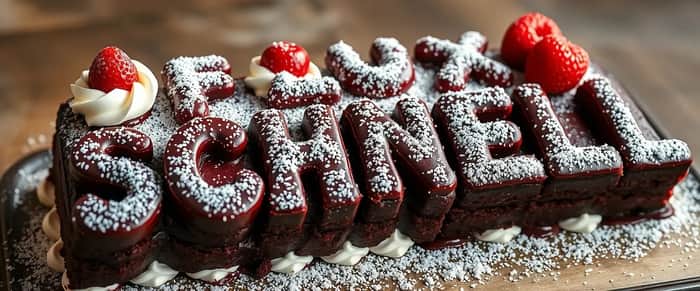
Flux.1 by Black Forest Labs is a state-of-the-art AI image model that’s pretty insane. It’s reallllly good at rendering extremely high quality images with a ton of detail from text.
When you fine-tune Flux.1 on your own custom data, the process is called Flux LoRA (this confused me early on), and that’s the focus of this post. It’s been gaining popularity recently because it generates extremely high-quality images, and it’s much easier to use than other state-of-the-art models.
So I thought, why not use it to create product photos for my ecommerce business?
Just take a look at some of the images I generated by fine-tuning Flux.1 [dev]. Pretty amazing.

Overview
Here’s how to do it:
- Dataset selection: Choose 5–20 clear, high-quality images that best represent you or your product. Make sure they capture key features you want to highlight. Aspect ratio of the image doesn’t matter, but make sure they’re at least 1024 x 1024.
- Image captioning: Describe each image in detail. Use specific, uncommon words that uniquely define the subject’s key attributes. More on this later.
- Model training: If you’re a developer, you can use services like Replicate, or fal.ai; if you’re not, I built an out-of-the-box solution you can use called Snapshot!!
1: Data Selection
Here are some example images I used for training a baseball cap product — notice the variety in the angles. The more variety in the training images you provide (background, angles, etc), the better the output photos you’ll get.

2: Image Captioning
Once you have your training images, you should caption each of them. The caption has to be descriptive: it must describe the background and attributes of the scene in detail. For example, shades, type of fabric, etc. During experimentation, I even found it useful to describe the environment like wind because it affects things like your hairstyle.
But captioning each training image in that level of detail is cumbersome, so we built Snapshot to generate a caption for each image itself in the background using models like Claude 3.5 Sonnet and GPT-4o. In our experiments, we found that manually-entered captions generally work better than AI-generated ones. However, in my experience, the extra time it takes to come up with those captions manually isn’t worth the bump in quality.
Finally, the trigger word. This is a training-specific nuance that helps the model associate each training image in the dataset to your product so that it can more easily generate new versions of it later. When writing your prompt to generate new images, think of your trigger word as the name of your product. In Snapshot, we take care of this for you by replacing “@product-name” in your prompt with the trigger word on the backend. Here’s an example:

3: Model Training
Once you’ve uploaded your images, its time to hit Train Product.
If you’re training yourself, you can play around with different parameters like the number of training iterations, rank, input image size, AI vs manually-captioned training images, and more. After running dozens of experiments ourselves, we built Snapshot using the best parameters for generating product photos (other use cases may work better with other parameters).

Training can take 1–2 hours, but once it’s done, it’ll be visible under Product on the sidebar. Click on the product, and go crazy generating images!! (I trained the same product multiple times for testing)
In the prompt field, DO NOT forget to use the trigger word. You can see in the example below that we included the trigger word both in the middle of the sentence and at the end. Sometimes, this produces better results, sometimes it doesn’t — you just have to test to see.

That’s it — if you have any questions, leave them in the comments and I’ll try my best to answer!
Quick links
Snapshot — Great for non-developers. Easy to use UI. Costs $3–4 per training.
Replicate– Required technical experience and difficult to manage generation. Costs $2–5 per training. Difficult to edit image labels.
Fal.ai — Moderately easy UI. Requires technical experience. Expensive. Difficult to edit image labels.

Really interesting approach with Flux.1—AI-generated lifestyle shots are definitely the future for scaled e-commerce operations.
A few thoughts from someone also building in this space:
The quality bar for marketplaces is tricky:
AI generation is great for lifestyle/context images (secondary images showing product in use), but for main images, most marketplaces have strict requirements that are hard to hit with generation:
Amazon requires pure white background (RGB 255,255,255) Reyecomops and real product photos for main image Helium 10 +2
Product must fill 85% of frame precisely
Color accuracy matters for reducing returns
So the workflow I'm seeing work best is: real photos for main image (properly edited for compliance) + AI-generated lifestyle shots for secondary images.
The challenge you're solving is real:
Most sellers don't have $500+ for professional photography. And even when they do, they still need to format those photos differently for each marketplace.
What I've been building:
Coming at this from a different angle—rather than generating new images, I'm focused on the optimization and compliance step. Take your existing product photos (or AI-generated ones), remove background to pure white, show visual guides for each platform's requirements (Amazon's 85% fill rule, Etsy's safe zones, etc.), validate compliance, and export marketplace-ready versions.
Essentially solving the "I have the photos, but formatting them for 5 different platforms is tedious" problem.
Would love to exchange notes if you're interested—sounds like our tools could be complementary. DM open!
Fantastic resources. Kudos! :)
Thank you!