API Mocking: Concept, Free Tool & Real-world Examples
API mocking is an essential practice in modern software development, enhancing efficiency and speed by simulating APIs. This allows developers and testers to work with predefined responses, reducing dependencies on real APIs and enabling parallel development. This article delves into the concept of API mocking, its benefits, an effective free tool, best practices, and real-world examples.

What is API Mocking?
API mocking involves creating a simulated version of an API that mimics the behavior of a real API. This simulated API provides predefined responses to various requests, allowing developers and testers to work with the API even when the actual implementation is not available or incomplete. By using mock APIs, teams can accelerate development cycles, enhance testing processes, and improve productivity.
Difference Between Mock API and Real API
Understanding the differences between Mock APIs and Real APIs is crucial for efficient development and testing.
Mock API
Definition: A Mock API is a simulated version of a real API that mimics its behavior and responses for testing and development purposes.
Characteristics:
- Predefined Responses: Returns predefined responses based on the request parameters, set up during creation.
- No Backend Processing: Does not connect to a database or perform any backend processing; responses are static.
- Testing and Development Use: Utilized when the real API is unavailable, incomplete, or unstable.
- Controlled Environment: Allows testing of various scenarios, including edge cases and error conditions.
- Faster Development Cycles: Enables parallel work between front-end and back-end developers and allows early API contract validation.
Real API
Definition: A Real API is the actual implementation that performs operations, processes data, and interacts with systems or databases, providing real-time responses.
Characteristics:
- Dynamic Responses: Provides responses based on actual processing of requests, varying with current data and logic.
- Backend Processing: Connects to databases and services, performing CRUD operations, running business logic, and integrating with other APIs.
- Production Use: Used in live environments, handling real user requests and providing necessary functionality.
- Real-World Conditions: Operates under actual data, load, and network conditions, suitable for performance and end-to-end testing.
- Security and Compliance: Must be secured and compliant with regulations, implementing authentication, authorization, and data encryption.
Key Differences
Purpose:
- Mock API: Used for testing and development.
- Real API: Used in production and live environments.
Responses:
- Mock API: Returns static, predefined responses.
- Real API: Returns dynamic responses based on actual data processing.
Backend Interaction:
- Mock API: No backend operations.
- Real API: Connects to databases and services to process requests.
Usage Scenarios:
- Mock API: Ideal for early development stages, parallel development, and testing edge cases.
- Real API: Suitable for performance testing, end-to-end testing, and production use.
Control:
- Mock API: Provides a controlled environment for testing.
- Real API: Operates in real-world conditions with actual data and load.
Both Mock APIs and Real APIs are critical in the software development lifecycle, each serving distinct but complementary roles.
Benefits of API Mocking
- Parallel Development: Front-end and back-end developers can work simultaneously, allowing faster development cycles.
- Improved Testing: Simulates different scenarios, including edge cases and error conditions, ensuring comprehensive application testing.
- Reduced Dependencies: Develop and test without waiting for the real API to be ready or stable, minimizing workflow bottlenecks.
- Enhanced Collaboration: Improves communication and understanding among team members with clear API specifications and mock implementations.
The Best Free Tool for API Mocking — EchoAPI
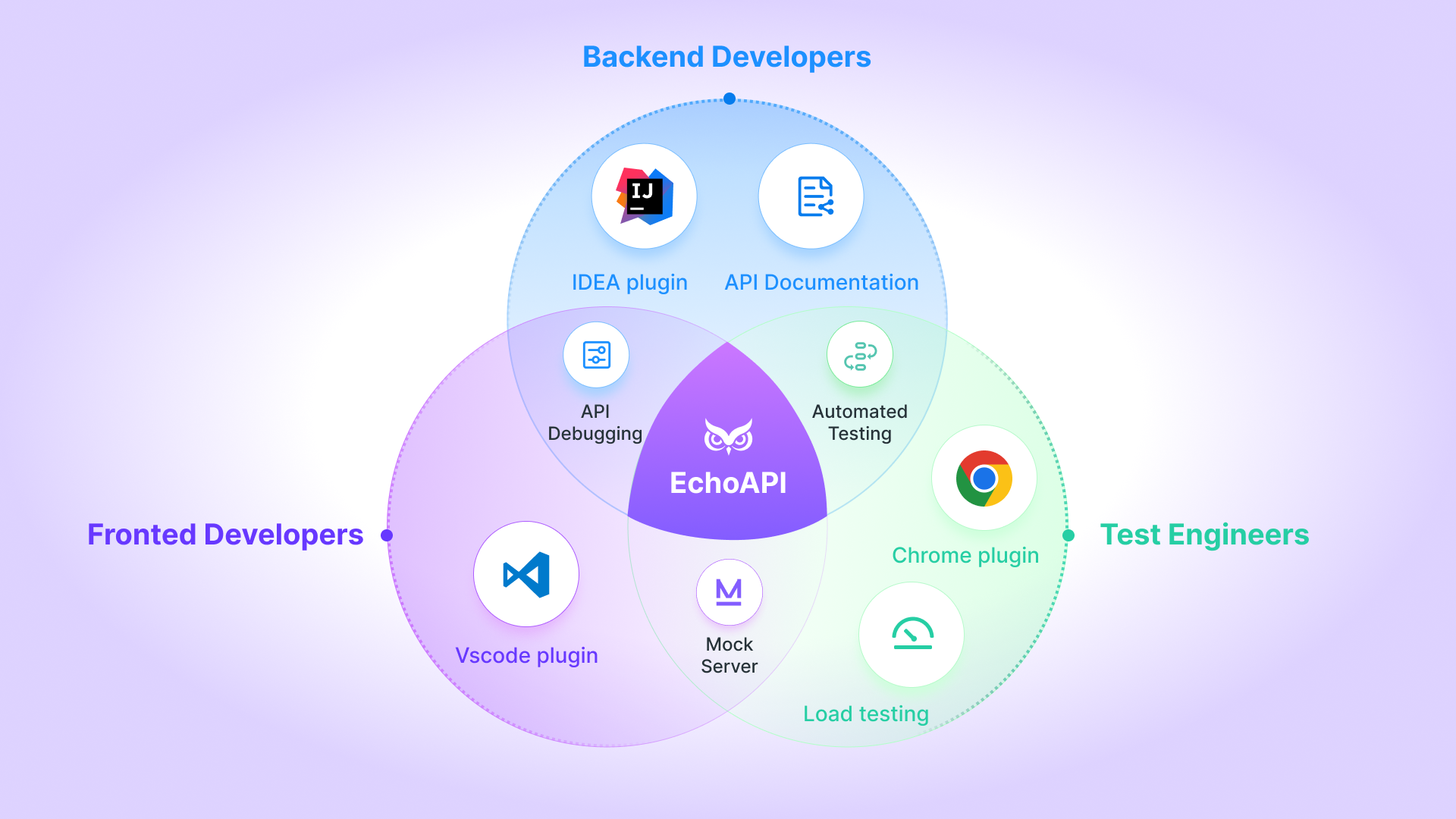
EchoAPI is a comprehensive tool for API interface design, debugging, and testing. It streamlines development by providing an integrated environment where developers can create, test, and validate their APIs efficiently. One of its standout features is support for mock services, allowing developers to simulate API responses for effective testing. Here’s how to use EchoAPI to set up a mock API:
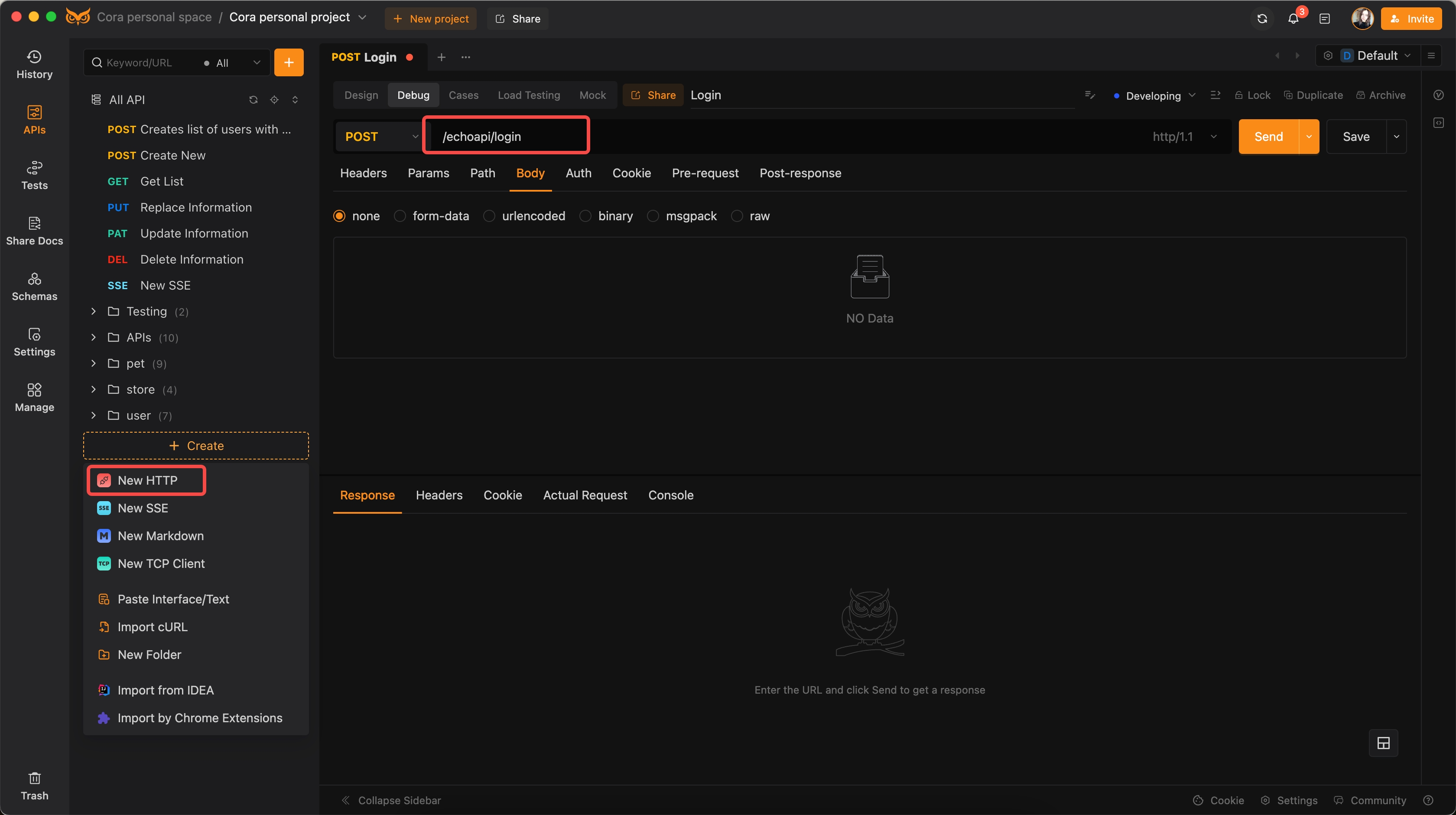
1. Create a New HTTP Request:
Define the URL as /echoapi/login.
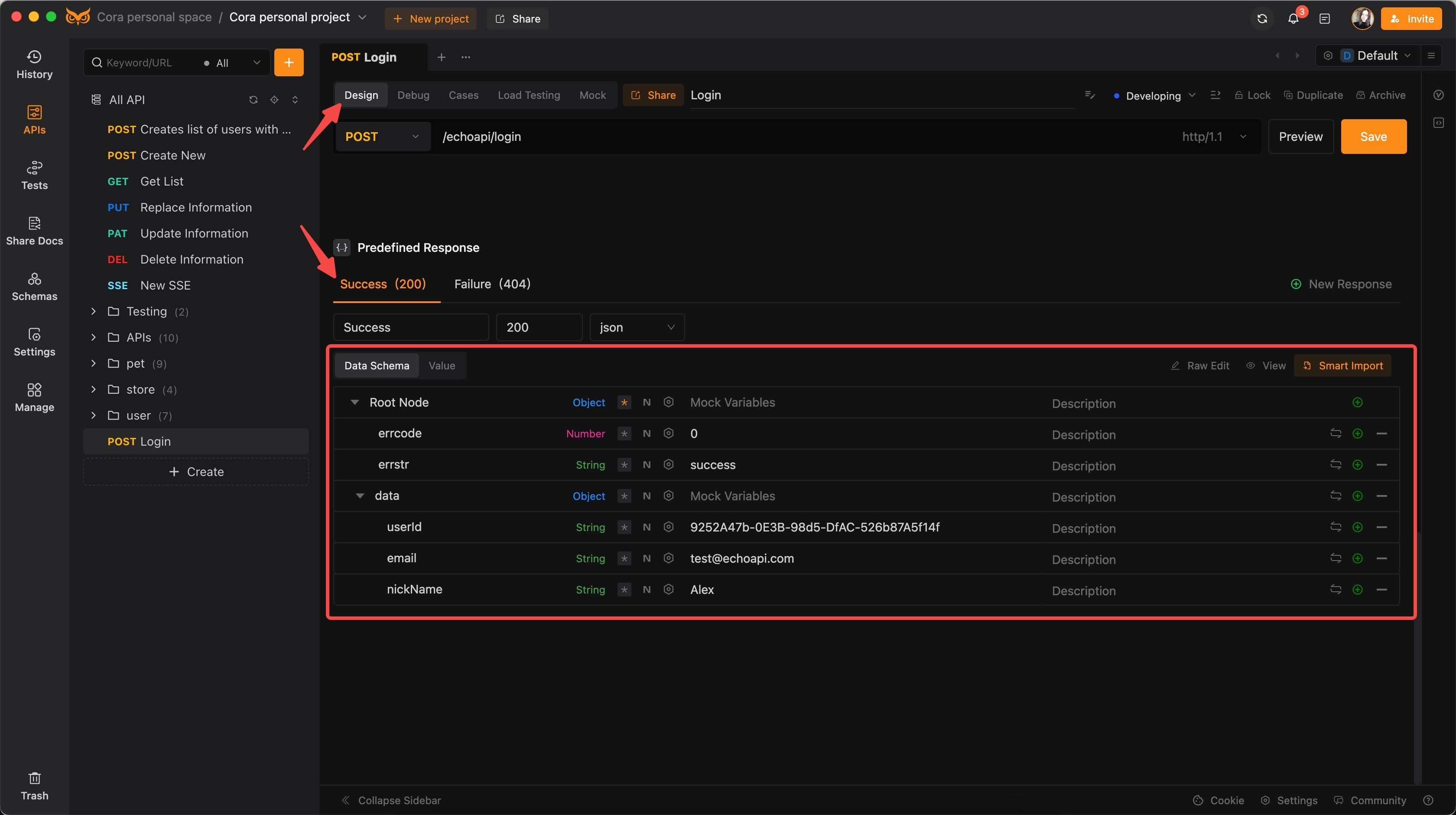
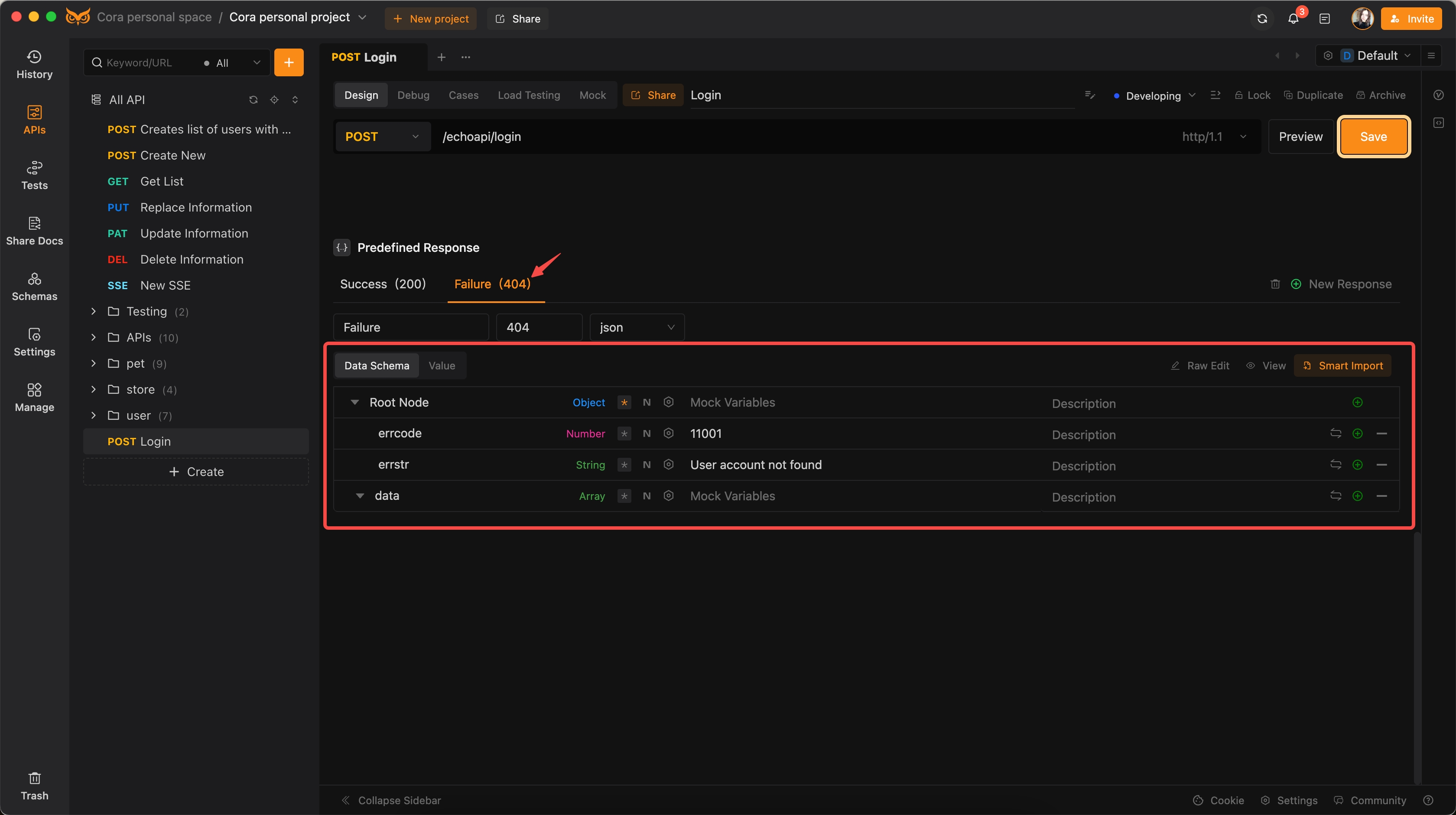
2. Set Up Expected Responses:
Go to the design section and configure the expected responses.
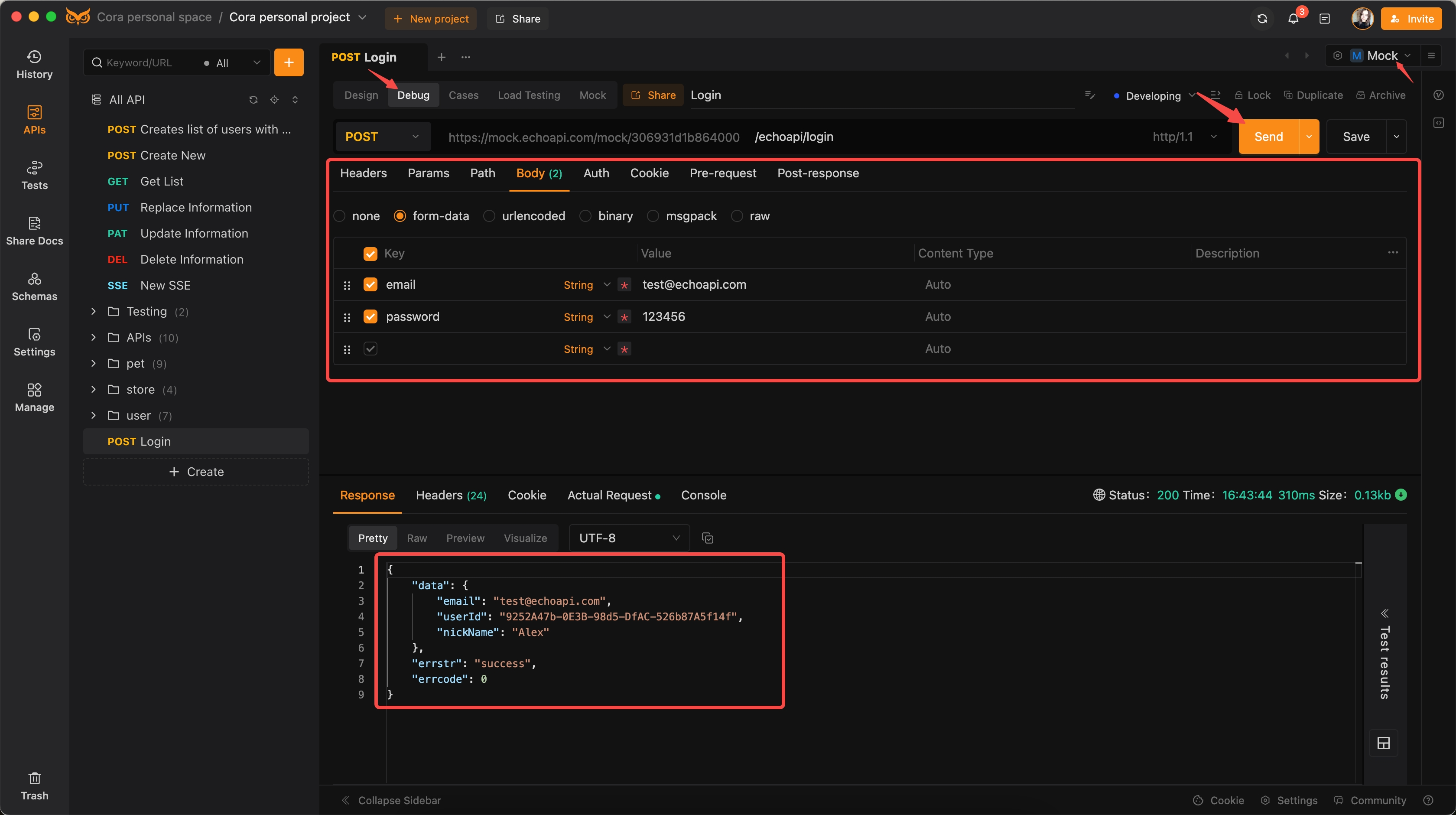
For a successful response, configure the JSON as follows:
{
  "errcode": 0,
  "errstr": "success",
  "data": {
    "userId": "9252A47b-0E3B-98d5-DfAC-526b87A5f14f",
    "email": "[email protected]",
    "nickName": "Alex"
  }
}
For a failure response, configure the JSON as follows:
{
  "errcode": 11001,
  "errstr": "User account not found",
  "data": []
}
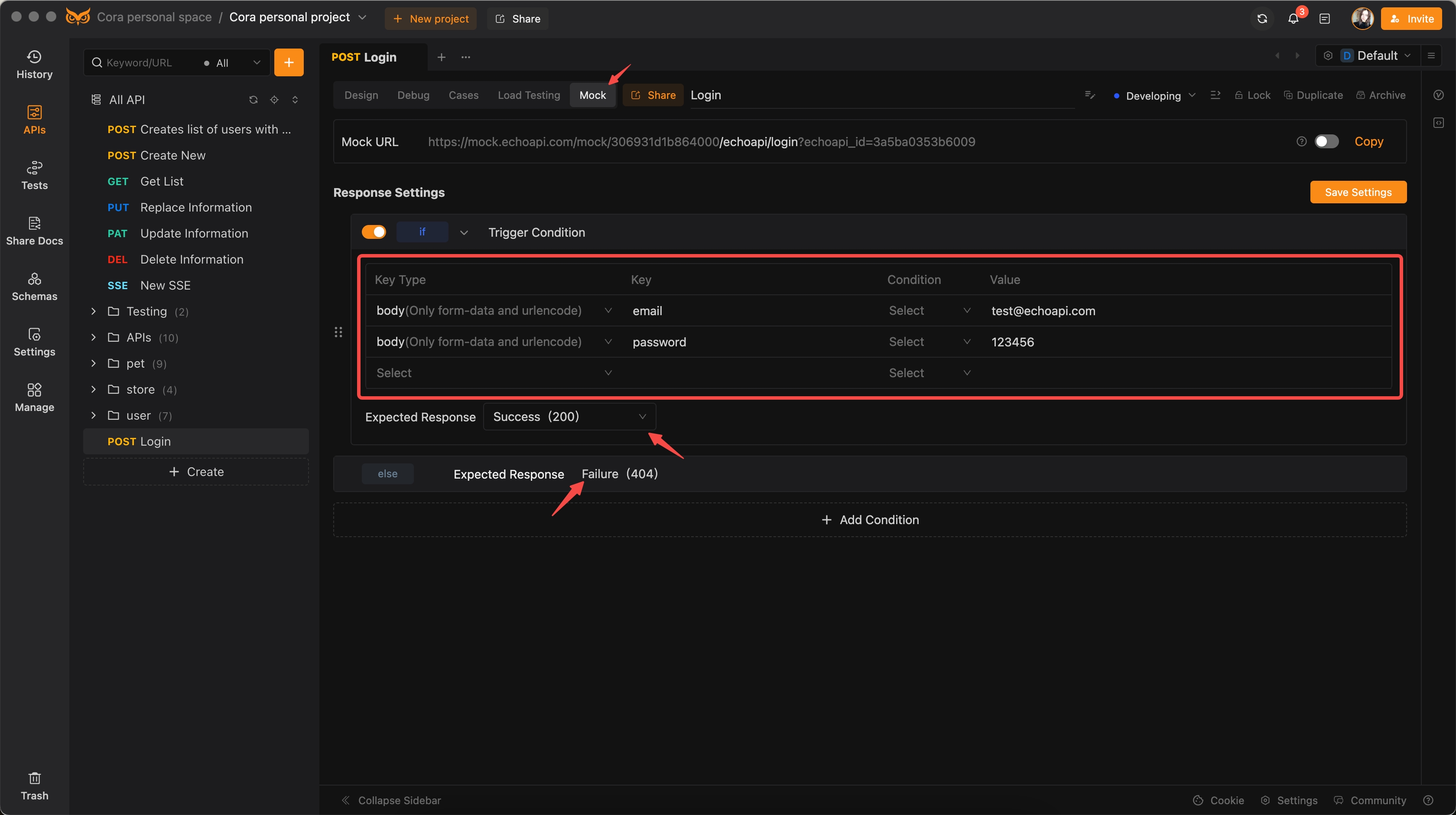
3. Configure the Mock Triggering Conditions:
In the Mock section, set the triggering conditions for the request body. If "email"="[email protected]" and "password"="123456", select the expected response as Success. For all other conditions, select Failure as the expected response.
4. Activate Mock Mode:
Enable mock services and switch to the mock environment before sending this API request.
Failure
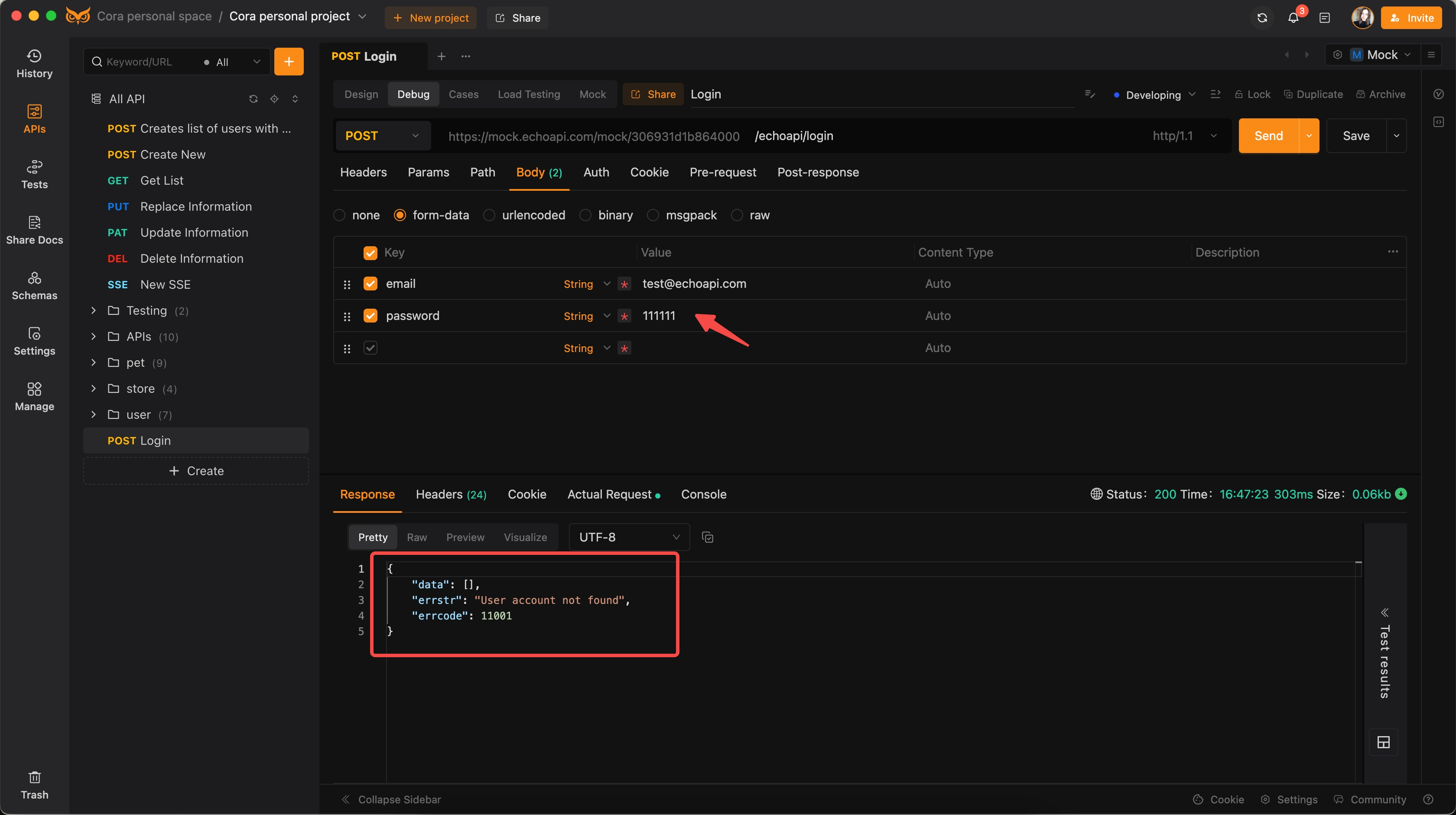
By following these steps, you can efficiently set up and utilize mock services in EchoAPI, ensuring your application's frontend development and testing are streamlined and effective.
Conclusion
API mocking is indispensable in modern software development, enabling developers to simulate APIs with predefined responses, thereby accelerating development, enhancing testing, and reducing real API dependencies. EchoAPI stands out as an exceptional tool for API mocking, with features like smart mocking rules, customizable data rules, and endpoint-specific configurations. These capabilities allow developers to simulate realistic API behaviors, ensuring comprehensive testing and smooth development cycles.
By integrating API mocking tools like EchoAPI, teams can foster efficient collaboration, speed up development processes, and ensure robust, well-tested applications. Whether for web development, mobile apps, or complex microservices architectures, API mocking proves its value.
