APIs Without the Overhead: An Indie Hacker’s Guide
APIs are the invisible glue of modern tech. They let apps talk to each other, power your favorite services, and keep the digital world ticking.
But let’s be honest — building a secure, scalable API from scratch can feel like trying to assemble IKEA furniture without the manual. Where do you even start?
This guide walks through the entire API development lifecycle — no fluff, no corporate jargon. Just the real-world steps I’d take if I were hacking together a product on weekends. We’ll go from idea → design → code → deployment, all using a practical example.
By the end, you’ll see exactly how a production-ready API comes together.
Example Project: The Book Review API
We’ll build a simple but realistic Book Review API where users can:
- Sign up and log in
- Search for books
- Post and read reviews
Think of it as Goodreads Lite, but clean, developer-friendly, and indie-maker ready.
1. Requirements & Big-Picture Design
Before touching a single line of code, figure out what the system needs to do and how you’ll build it.
Core Requirements:
- Users can create accounts and log in
- Users can search for books by title
- Users can post and view reviews
- Should scale to thousands of users without breaking
Stack (and Why):
- Framework: Spring Boot — batteries-included REST API dev
- Database: PostgreSQL — solid relational DB that scales
- Auth: JWT — stateless, easy to scale
- Architecture: Layered (Controllers → Services → Repositories)
- Scalability: Stateless endpoints = easy horizontal scaling
💡 Example: A review POST → Controller → Service validation → DB save → Success response.
Tools: Google Docs/Confluence, whiteboards, sticky notes, coffee.
2. Database Design
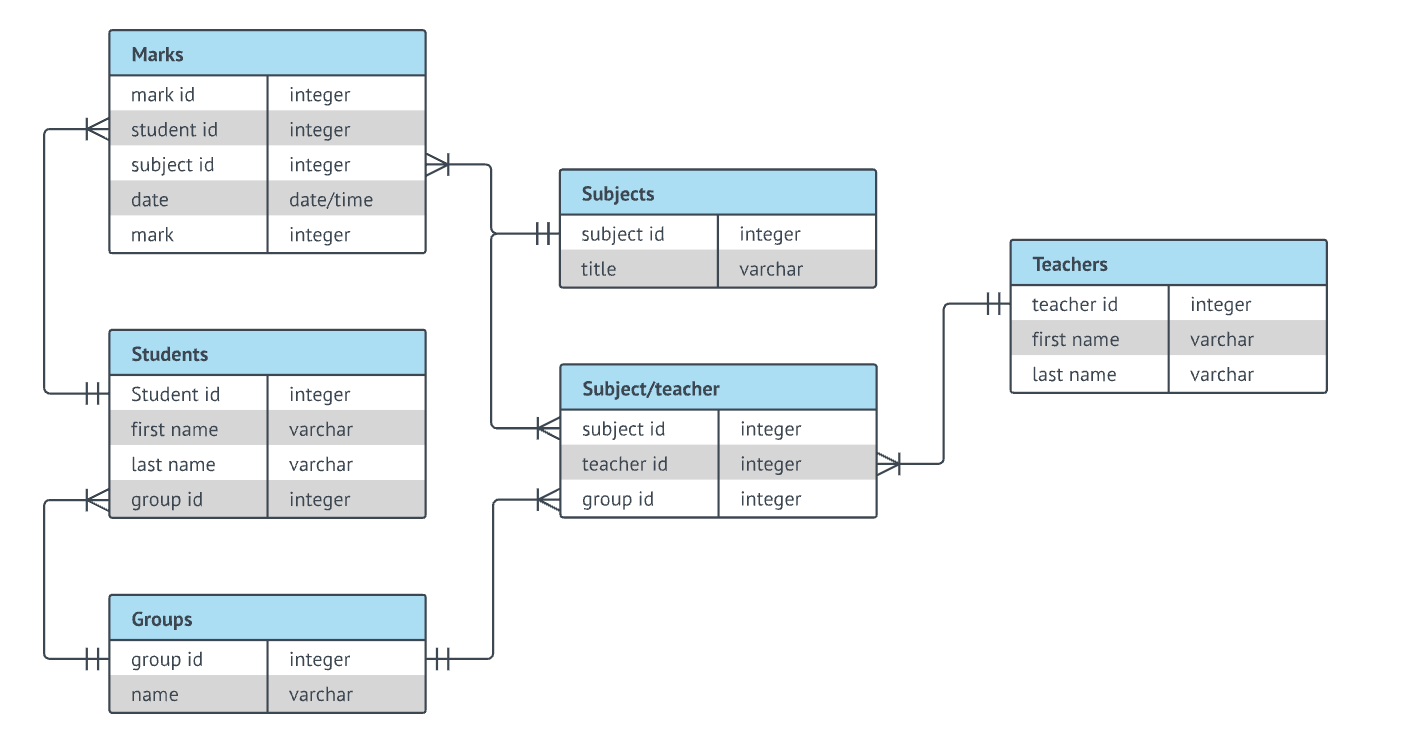
Ideas turn into a real data model.
Entities:
- Users:
id,username,email,password_hash - Books:
id,title,author,isbn - Reviews:
id,book_id,user_id,rating,comment
Relationships:
- One User → many Reviews
- One Book → many Reviews
- Reviews link Users and Books
3. API Design
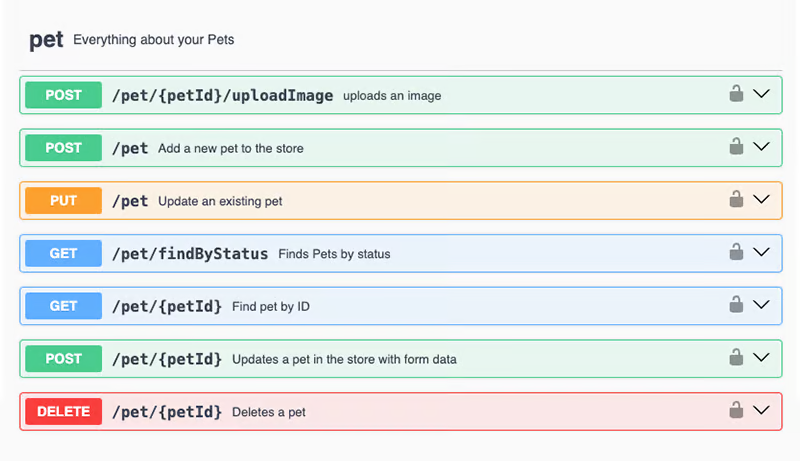
Now define what the API looks like.
Endpoints:
POST /users/register— create accountPOST /users/login— return JWTGET /books?search=title— find booksPOST /reviews— post review (JWT required)GET /reviews/{bookId}— list reviews for a book
Tools: Swagger/OpenAPI for docs, sample JSON payloads.
4. Coding the API
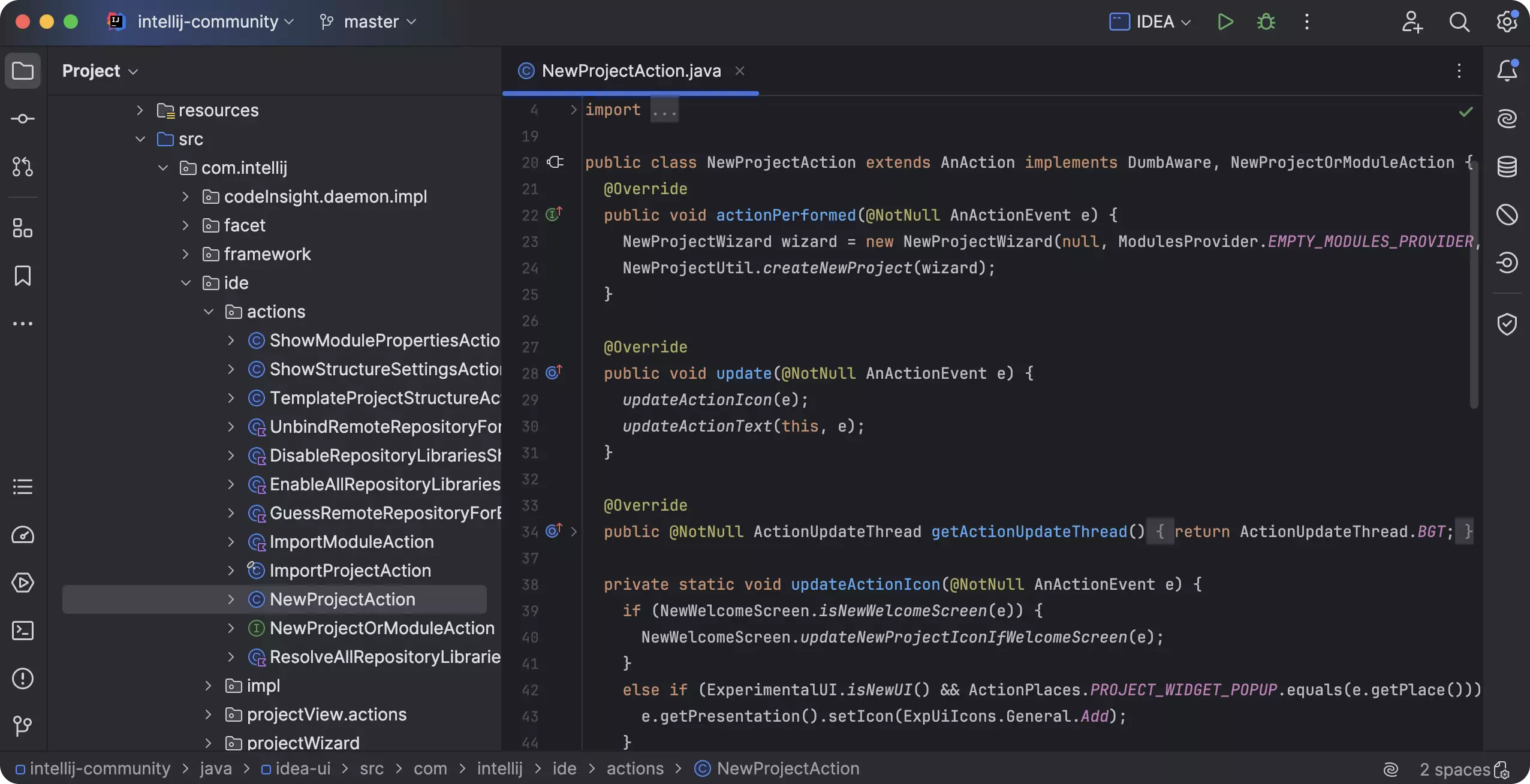
With the blueprint ready, it’s time to ship code.
Workflow:
- Generate Spring Boot project (Maven/Gradle)
- Add deps: Spring Web, Data JPA, Security, PostgreSQL driver
- Create entities (
User,Book,Review) - Build repositories
- Write services
- Add controllers
Example:
[@RestController](/RestController)
[@RequestMapping](/RequestMapping)("/books")
public class BookController {

    [@GetMapping](/GetMapping)
    public List<Book> searchBooks([@RequestParam](/RequestParam) String search) {
        return bookService.findByTitleContaining(search);
    }
}
5. Testing the API (Manual First)
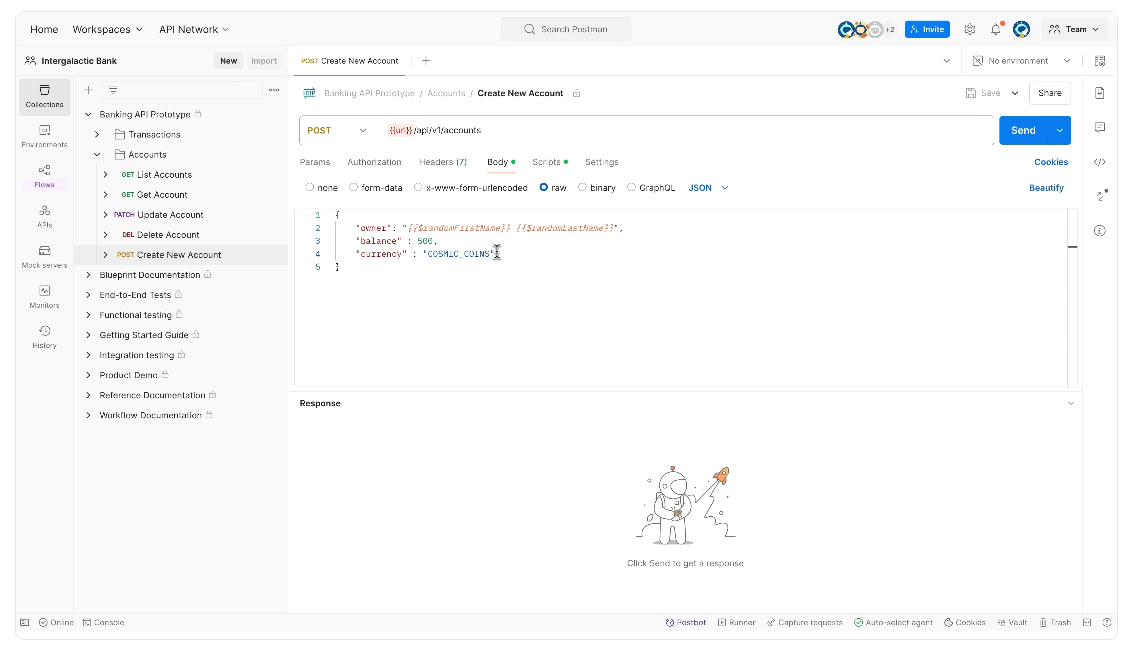
Before automation, I like to poke at the API manually.
- Run app in IntelliJ
- Send requests via Postman
- Validate responses and errors
Test Cases:
- Register → success
- Login → JWT returned
- Search books → works
- Post review → DB updated
6. Deploying Your API
When it works locally, it’s time to ship.
Package the JAR:
mvn clean package
java -jar target/book-review-api-1.0.0.jar
Deployment Options:
- Cloud VMs (AWS EC2, Lightsail, GCP, Azure) — full control
- Heroku — Git push, done
- Docker — consistent + portable
FROM openjdk:17-jdk-alpine
COPY target/book-review-api-1.0.0.jar app.jar
ENTRYPOINT ["java","-jar","/app.jar"]
- Reverse Proxies (Nginx, Traefik) — HTTPS + load balancing
✅ Quick Recap
- Plan & Design
- Database model
- Define endpoints
- Write code
- Test manually
- Deploy
Simplifying with EchoAPI: All-in-One Workflow
Traditionally you juggle docs, Swagger, Postman, and your IDE. But what if one platform handled everything?
That’s where EchoAPI comes in — a streamlined, all-in-one workflow from requirements → design → mock → code → test → deploy.
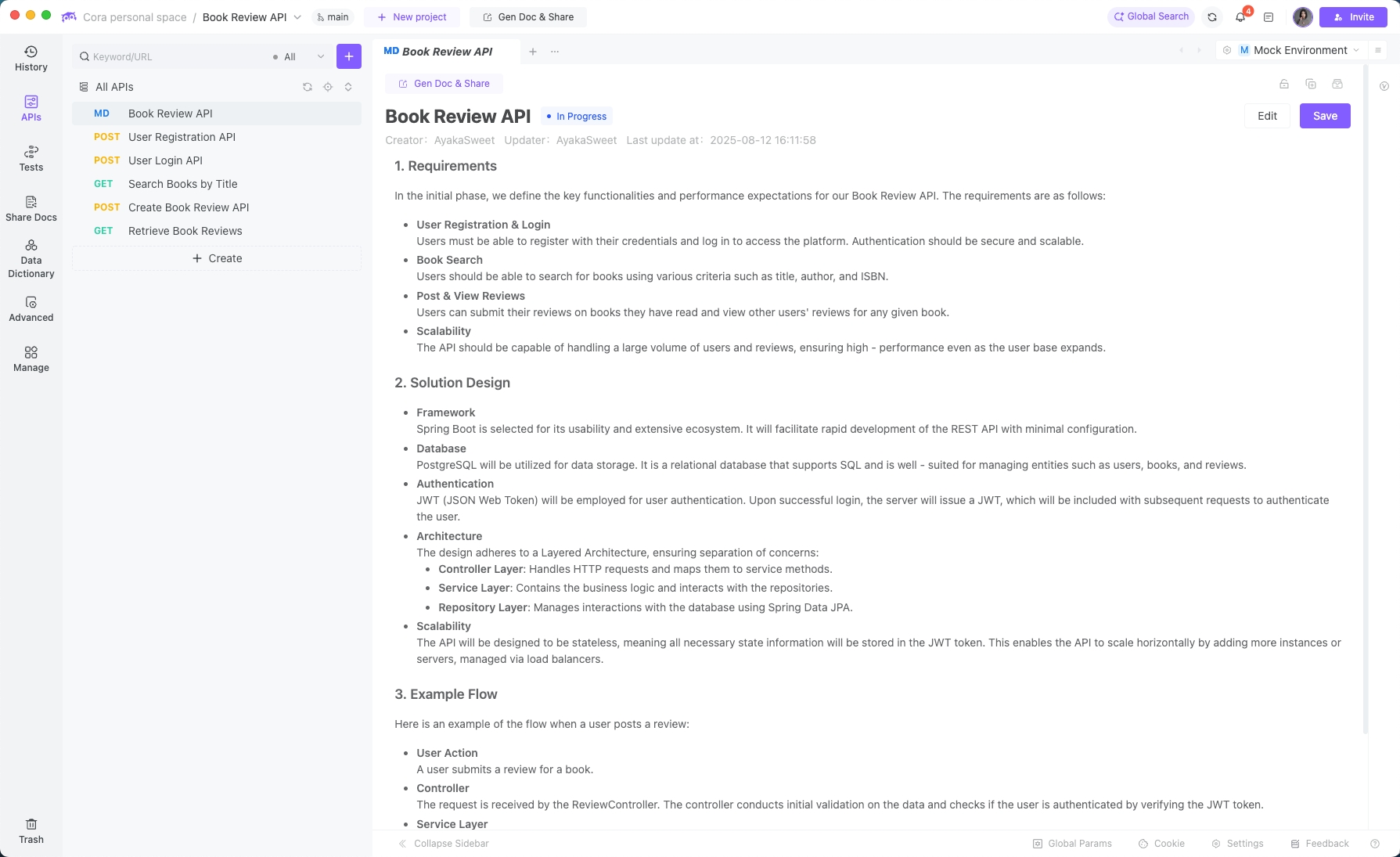
1. Requirement Analysis & Design
Markdown docs + collaboration, directly in the platform.
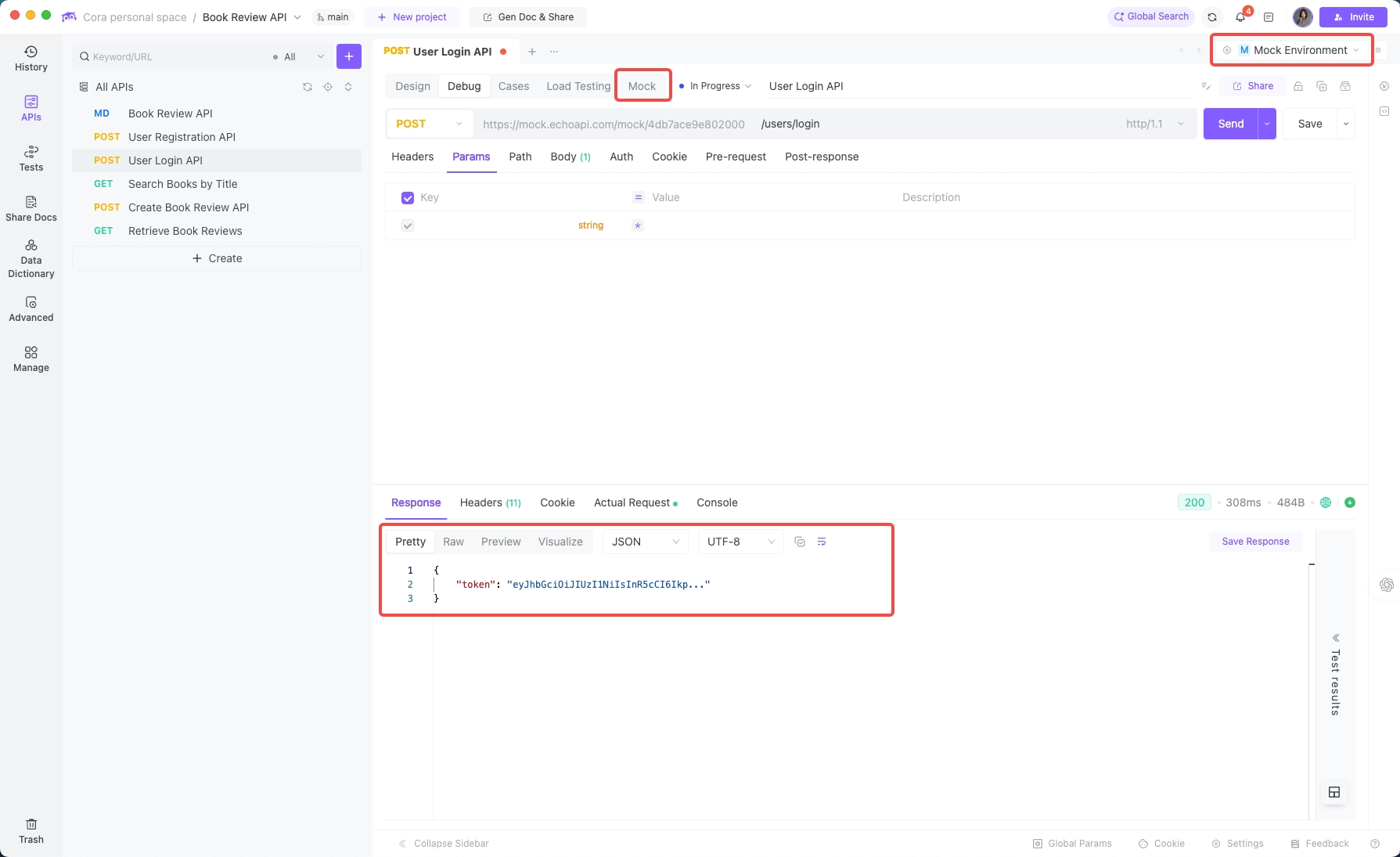
2. API Design & Mock
Visual endpoint design → instant mock API → real testing before code.
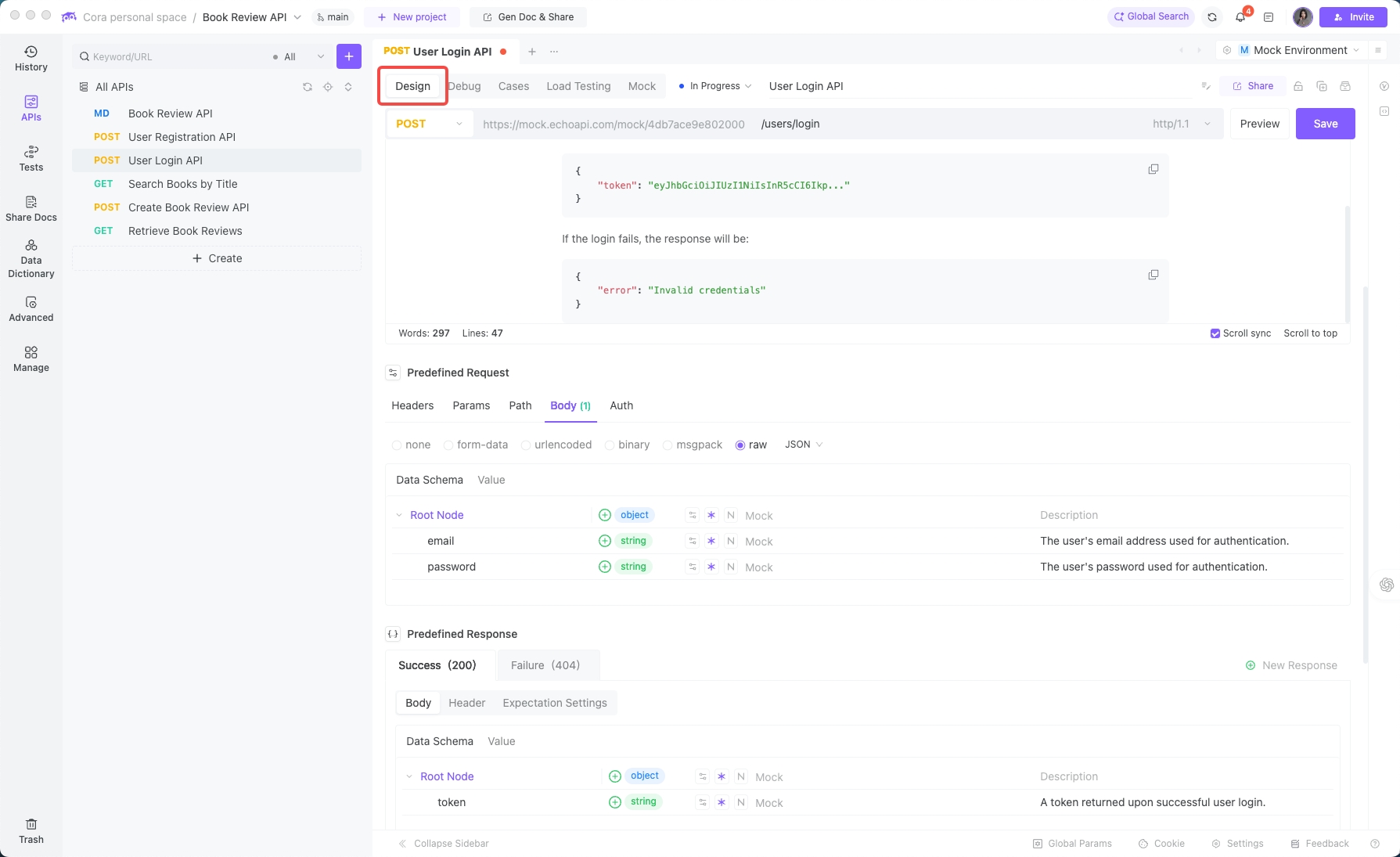
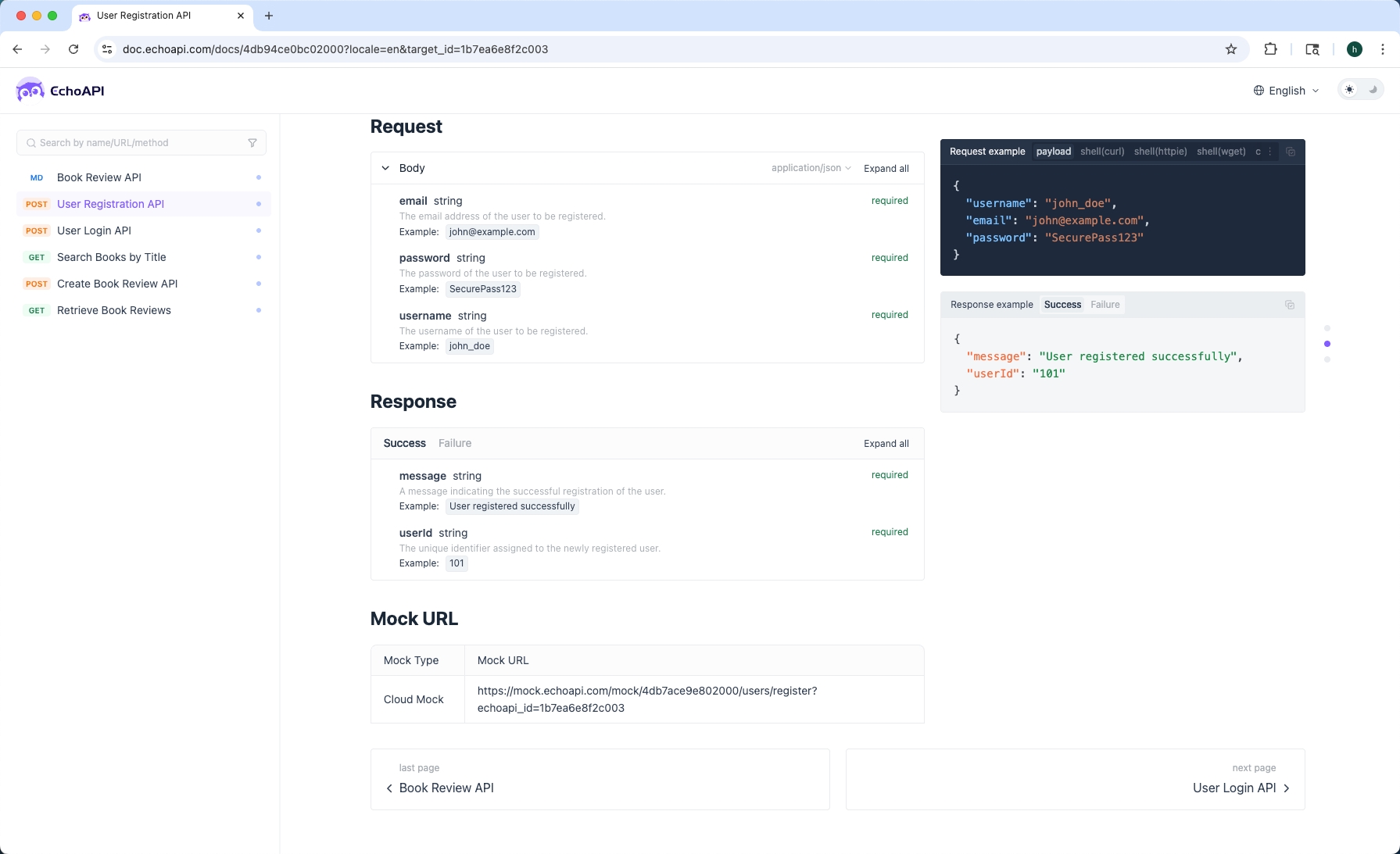
Docs generated automatically.
3. Code Generation & IDE Integration
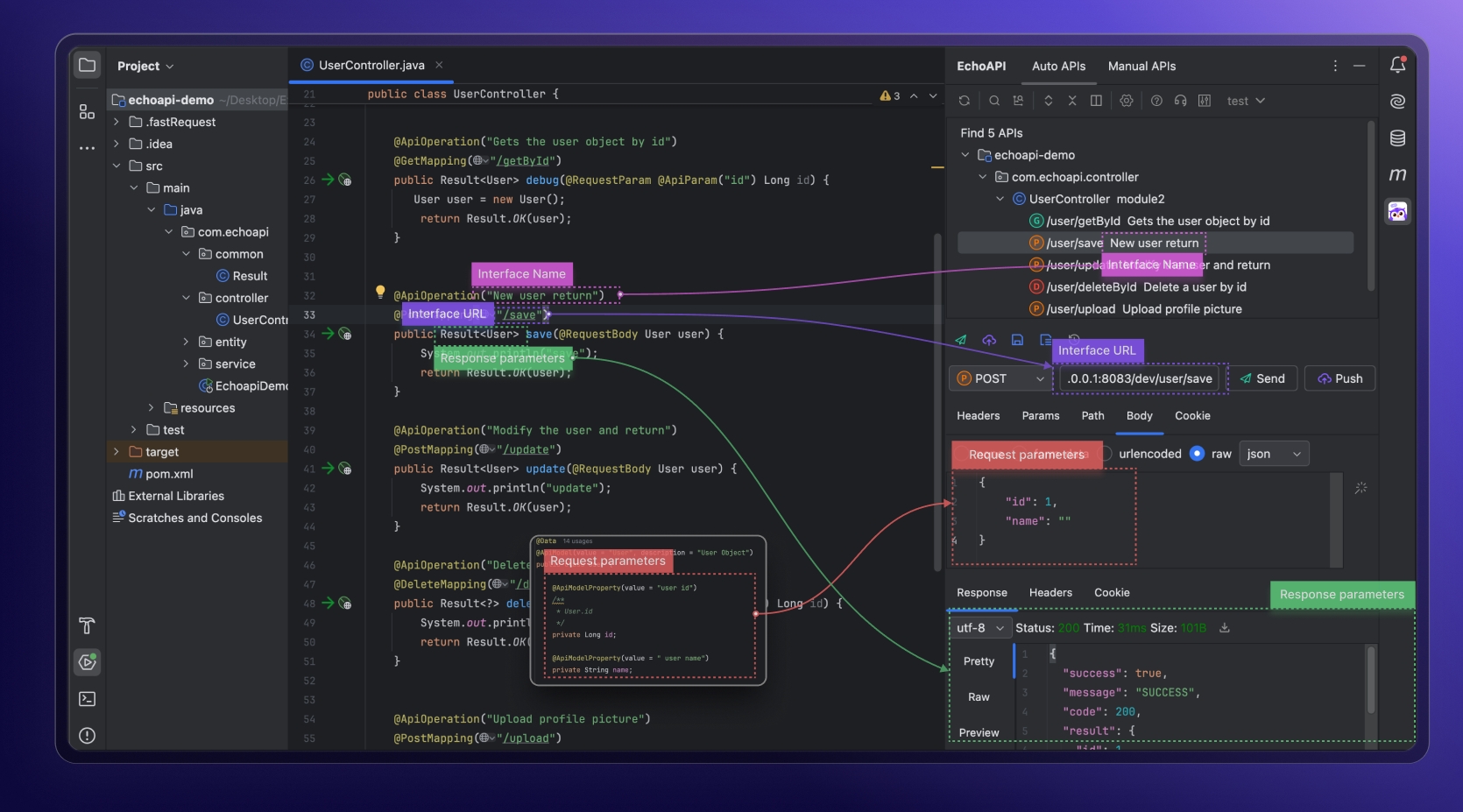
EchoAPI plugs into IntelliJ IDEA:
- Detects existing endpoints
- Syncs definitions in real time
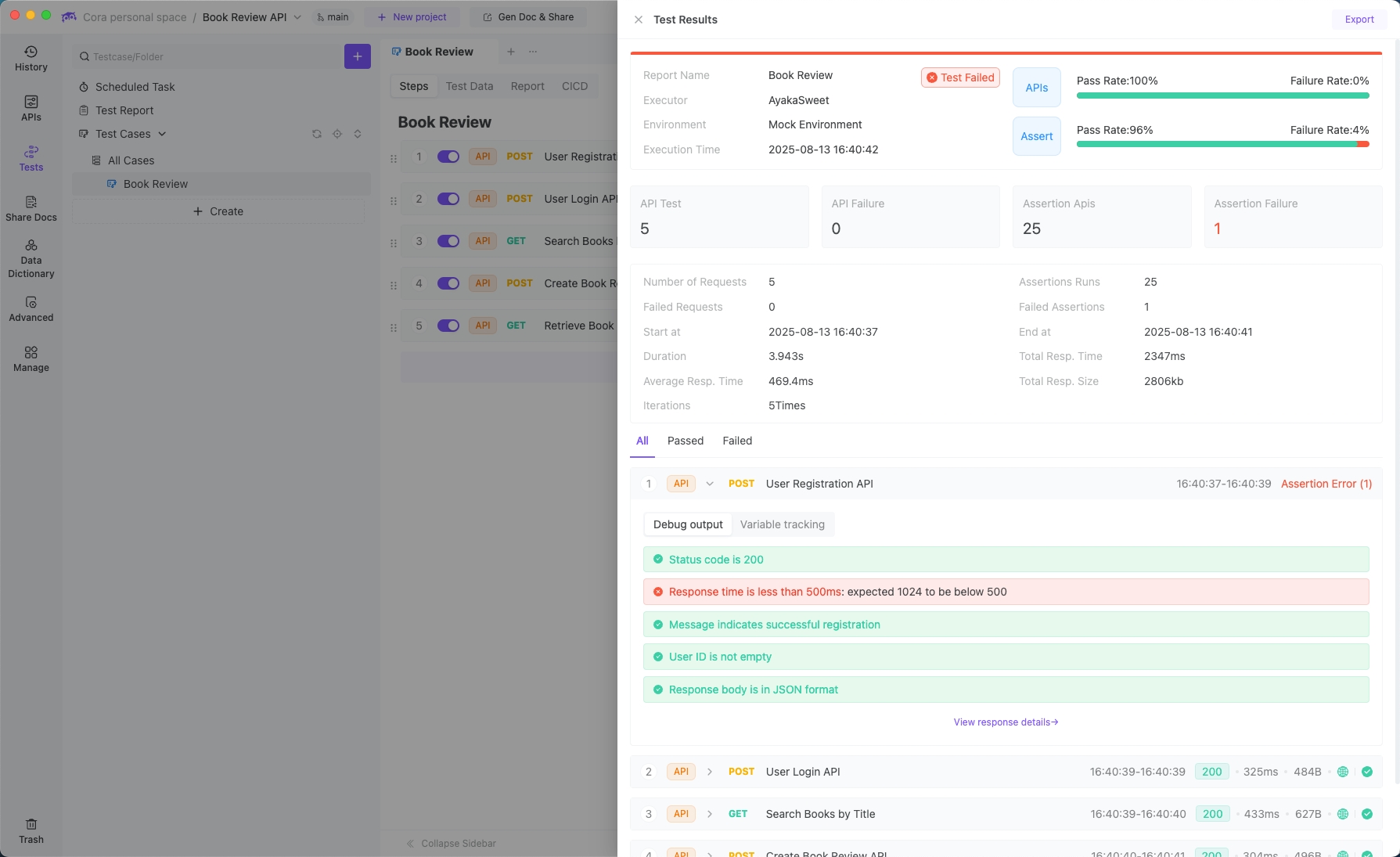
- Runs automated tests
Final Thoughts for Indie Hackers
Building APIs can feel overwhelming, but broken into steps it’s totally doable. For indie hackers, the challenge is balancing speed with quality — you want something that works fast, but won’t crumble once users show up.
Tools like EchoAPI take a lot of friction out of the process. Instead of bouncing between docs, Postman, Swagger, and your IDE, you manage the full lifecycle in one place. That means less context switching, faster iterations, and APIs that actually scale.
If you’re hacking on your next SaaS, side project, or micro-startup, don’t overcomplicate your stack. Start small, keep it clean, and use tools that simplify your workflow.
At the end of the day, the API isn’t the product — it’s the foundation. Build it right, and you can focus on what matters: delivering value to users.
