Auto-Translation During Remote Access
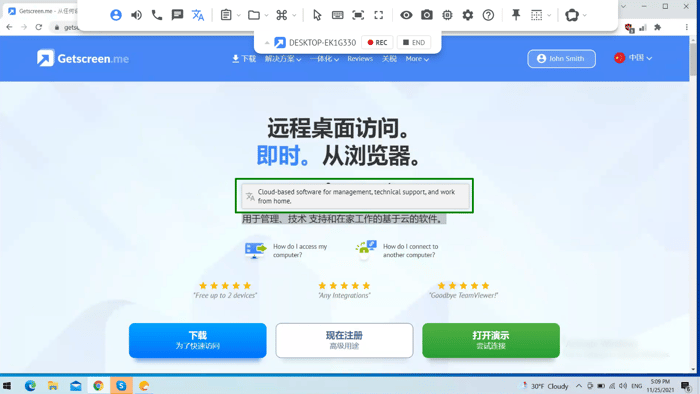
When you connect remotely to a user with the same localization, there are no language barriers and it goes easily. But if you connect to client from another country (f.e. from China) there may be some issues. You may have translation problems, especially with Windows interfaces, because they cannot be translated promptly via Google Translate, since the text in the notifications is not copied.
The developers of Getscreen.me have personally encountered such cases, so we decided to implement the option of auto-translation directly during the remote session!
It turned out to be quite convenient — just put the mouse cursor on the Chinese characters (or another language) and the program automatically translates the text into English or other languages you need. Even Windows system notifications can be translated!
You can try this option in your remote work, feedback would be appreciated.

Here you can read case about the using of this feature https://medium.com/@kolosowdima/lost-in-translation-how-i-set-up-remote-access-for-a-client-from-china-e5e750d6cfc6