Ayushman Card Download Online Using Mobile and Aadhaar
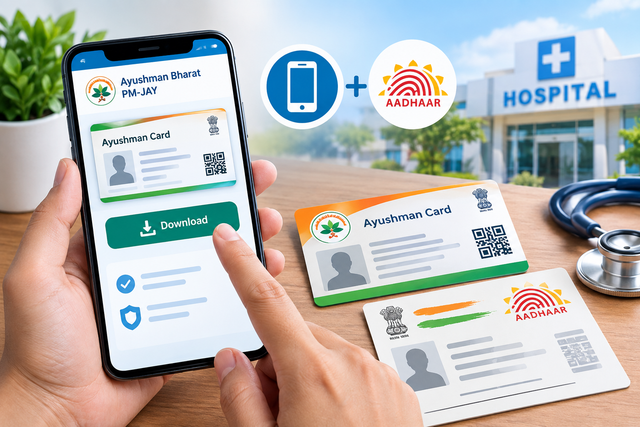
The Ayushman Card is an important document for eligible beneficiaries under the Ayushman Bharat Pradhan Mantri Jan Arogya Yojana (AB PM-JAY). It helps beneficiaries access cashless healthcare services at hospitals covered under the scheme. With digital services becoming easier to use, many people can complete verification and access their card using a mobile phone and Aadhaar details.
For people who have already completed the required verification, downloading the card online can be more convenient than visiting a centre. The process generally involves checking beneficiary details, completing authentication where required, and accessing the approved card digitally. The official National Health Authority also provides digital options for eligible beneficiaries, including the Ayushman App and beneficiary portal.
What Is an Ayushman Card?
An Ayushman Card is a digital identification card provided to eligible beneficiaries of the Ayushman Bharat PM-JAY scheme. It can be used as proof of eligibility when receiving covered treatment at participating hospitals.
The scheme is designed to provide health coverage for eligible families and individuals. The card contains beneficiary information that can be used for identification and verification during treatment.
Having a digital copy on your mobile phone can be useful because you do not always need to carry a physical document. However, beneficiaries should make sure that the card has been properly generated and approved before relying on it for treatment.
Can You Download an Ayushman Card Using a Mobile?
Yes, eligible beneficiaries can use their mobile phone to access digital services related to the Ayushman Card. The National Health Authority provides online and mobile-based options for beneficiary identification and card-related services.
For certain categories of beneficiaries, Aadhaar-based e-KYC is an important part of the enrolment process. For example, the National Health Authority states that Aadhaar-based e-KYC is mandatory for eligible senior citizens aged 70 years and above who enrol under the expanded senior citizen benefit.
The exact steps can vary depending on the beneficiary category, state implementation, and whether the card has already been generated.
Things You Need Before Starting
Before trying to access your card, keep the necessary information available. This can make the process quicker and reduce errors during authentication.
Commonly required details may include:
- Aadhaar details
- A mobile phone for receiving OTPs
- An active mobile number where applicable
- Beneficiary or family information
- Internet access
- A smartphone with a supported browser or official application
You should also ensure that the information entered during verification matches the beneficiary records. Incorrect information can prevent successful authentication or make it difficult to locate the correct beneficiary record.
How to Check Your Ayushman Card Eligibility
The first step is to determine whether your name or family is included in the applicable beneficiary database. Card download is generally possible only after the beneficiary has been identified and the required verification has been completed.
You can use official government resources to check beneficiary information. The National Health Authority has previously directed beneficiaries toward official PM-JAY resources, Common Service Centres, and empanelled hospitals for eligibility-related assistance.
If you are unsure about your eligibility, avoid relying on unofficial websites that ask for unnecessary personal information. Use official government platforms or visit an authorised centre for assistance.
Ayushman Card Download Using Mobile and Aadhaar
Once your eligibility is confirmed, you can proceed with the digital card process. The following general method can help you understand how the process works.
Step 1: Open the Official Beneficiary Service
Use the official Ayushman Bharat PM-JAY beneficiary service or the authorised Ayushman mobile application. The National Health Authority currently identifies beneficiary.nha.gov.in and the Ayushman App as official options for eligible senior citizens to enrol in the scheme.
Avoid downloading applications from unknown websites or clicking on suspicious links received through messages.
Step 2: Enter Your Mobile or Beneficiary Details
Depending on the available service, you may be asked to enter a mobile number or other beneficiary information.
Enter the details carefully. If an OTP is sent to your registered mobile number, enter the correct OTP within the permitted time.
OTP verification is commonly used to confirm access and protect beneficiary information.
Step 3: Complete Aadhaar Authentication
If Aadhaar-based authentication is required for your beneficiary category, follow the instructions displayed on the official platform.
The authentication process may require an OTP sent through the Aadhaar-linked authentication system. The National Health Authority's systems describe Aadhaar-based authentication and e-KYC as part of beneficiary verification processes.
Never share your Aadhaar OTP with another person. Enter it only on the authorised government service you are intentionally using.
Step 4: Check Your Beneficiary Information
After successful authentication, review the information displayed on the screen. Check your name and other details carefully.
If the information is correct and your card has been approved, the system may provide an option to access or download the digital card.
If your details are incorrect, do not repeatedly submit different information. Instead, seek assistance through an authorised channel.
Step 5: Download and Save the Card
If the download option is available, select it and save the Ayushman Card to your mobile phone.
It is useful to keep a PDF or digital copy in a secure folder. You can also take a printout for convenience, especially if you expect to visit a hospital.
The official PM-JAY documentation explains that an e-card can serve as proof for beneficiary verification.
What If the Card Download Option Is Not Showing?
Sometimes beneficiaries may find that the download option is unavailable. This does not necessarily mean that they are ineligible.
Possible reasons include:
- Beneficiary verification is incomplete
- Aadhaar authentication has not been completed
- The card has not yet been approved
- Beneficiary details do not match the records
- The selected beneficiary record is incorrect
- Temporary technical problems are affecting the service
In such situations, check your information again and follow the instructions shown on the official platform.
If the problem continues, you can visit a Common Service Centre or an Ayushman Bharat PM-JAY empanelled hospital for assistance. Official PM-JAY information has also directed beneficiaries to use authorised centres and helpline support for eligibility and card-related help.
How Aadhaar Helps With Verification
Aadhaar can make beneficiary authentication easier when Aadhaar-based e-KYC is applicable. It helps the system verify the identity of an eligible beneficiary using authenticated information.
For eligible senior citizens aged 70 years and above, the National Health Authority specifically states that Aadhaar is the only document needed for enrolment in the senior citizen component and that Aadhaar-based e-KYC is mandatory for card issuance.
However, beneficiaries should understand that Aadhaar authentication requirements can differ according to the applicable category and process. Therefore, always follow the instructions displayed on the official platform.
Common Problems During Card Download
Mobile users can sometimes face technical or verification problems. A few simple checks may resolve common issues.
First, make sure your internet connection is stable. If an OTP does not arrive, wait briefly before requesting another one. Repeatedly requesting OTPs may create additional delays.
You should also check that the mobile number you are using is correct for the particular verification process. If beneficiary information does not appear, confirm that you have entered the details correctly.
If the system continues to show an error, avoid using unofficial websites that promise instant card downloads. Your personal and Aadhaar information should be handled carefully.
Important Safety Tips for Beneficiaries
Digital convenience should always be combined with basic security precautions.
Keep these points in mind:
- Use official government websites and applications.
- Never share Aadhaar OTPs with strangers.
- Do not provide personal information on suspicious websites.
- Avoid downloading applications from unknown sources.
- Check website addresses carefully before entering sensitive details.
- Save your digital card in a secure location.
- Contact authorised support if you face verification problems.
These precautions can reduce the risk of exposing personal information while accessing government healthcare services.
What to Do After Downloading Your Card
After completing your ayushman card download, open the file and check the displayed details. Make sure the beneficiary information is readable and appears correctly.
Keep a digital copy on your phone and, if convenient, maintain a printed copy as well. Having the card readily available can save time when visiting an empanelled healthcare facility.
Before planned treatment, it is also sensible to confirm that the hospital is participating in the applicable PM-JAY network and that the required treatment is covered under the scheme.
Make Your Digital Card Ready Before You Need It
Downloading an Ayushman Card through a mobile phone can make access to beneficiary documentation much more convenient. When Aadhaar authentication is applicable, completing the verification carefully can help ensure that the beneficiary record is correctly identified.
The most important point is to use authorised government services, enter information accurately, and protect your OTP and personal details. If the online process does not work, authorised Common Service Centres and PM-JAY empanelled hospitals can provide assistance.
Once your card has been successfully generated and downloaded, keep both a digital and printed copy available. A little preparation can make the process of accessing eligible healthcare services much simpler when you need them.
