Backend is done, Frontend looks like 1999? A Dev's Guide to Automating Design with AI Agents
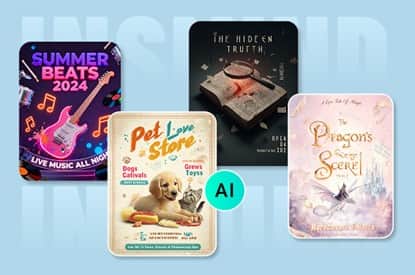
If you are reading this, I know the feeling. You've spent the last three weeks deep in VS Code. Your API response time is under 50ms, your database schema is normalized, and your auth flow is bug-free. You are ready to ship.
Then, you open localhost:3000, and reality hits you.
It looks terrible.
The "Full-Stack" Lie
As Indie Hackers and Solopreneurs, we are sold the dream of being "Full Stack." But the reality is that design and engineering are two completely different brain modes. Switching from writing logic (Python/JS) to thinking about color theory, typography hierarchy, and visual balance is mentally exhausting.
For a long time, my "design process" was:
l Search for a template.
l Spend 4 hours trying to customize it.
l Give up and ship something that looks "okay-ish."
l Launch on Product Hunt and get ignored because the visuals didn't pop.
I realized that if I wanted to ship MVPs faster, I needed to stop treating design like "art" and start treating it like "automation."
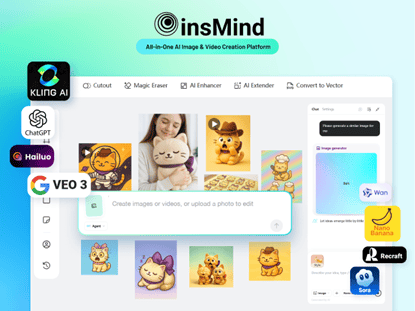
I've been building and using insMind, not just as a tool, but as an AI Design Agent that acts as a technical co-founder who handles the visuals. Here is how I'm using AI to bridge the gap between "code works" and "product sells," and how you can use this workflow to save thousands of dollars on designers.
The Workflow: From Terminal to Canvas
The core philosophy here is "Prompt to UI." We are developers; we are good at instructions. We should leverage that skill to generate assets rather than pushing pixels manually.
Here is the 3-step stack I use to generate everything from Logos to Ad Creatives.
1. The Engine Room: Accessing Top-Tier Models
The biggest headache with current AI image generation is fragmentation. Midjourney is on Discord (nightmare for workflow), DALL-E is simple but sometimes lacks artistic control, and local Stable Diffusion requires a GPU rig.
We built insMind to be model-agnostic. We integrated the heavy hitters directly into the editor. We support a variety of models, including high-performance ones like Nano Banana Pro and GPT Image 1.5.
Why this matters for Devs:
l Consistency: You can stick to one model (e.g., Nano Banana Pro) to ensure all your blog thumbnails share the same "texture" and style.
l Speed: You don't need to switch tabs or manage subscriptions. It's all in the browser.
l Editing: Crucially, these aren't just static images. Once generated, they land on a canvas where you can edit them.
2. The "Design Agent": Your AI Co-Pilot
This is the game-changer for Solopreneurs. We recently launched the AI Design Agent.
Think of the Agent less like a "tool" and more like a junior designer sitting next to you. Instead of worrying about layers, masks, and vectors, you explain the intent.
l Scenario: You need a banner for your new SaaS landing page.
l Old Way: Open Figma, draw a rectangle, search Unsplash for a photo, put text over it, realize the contrast is bad, add a gradient overlay... waste 2 hours.
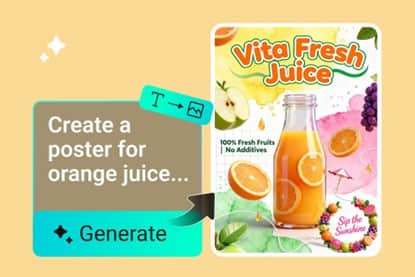
l Agent Way: You tell the insMind Agent: "Create a minimalist hero banner for a SaaS dashboard tool, blue and white color scheme, with a 'Get Started' button focus."
The Agent generates the layout, picks the font pairs, and places the elements. It does 90% of the heavy lifting. Your job changes from "Creator" to "Art Director." You just tweak the final 10%.
3. Fixing the Details: AI Image-to-Image & Editor
AI isn't perfect. We all know the "weird hands" or "strange text" issues. This is where the AI Image Editor comes in.
Usually, if an AI generation is 80% good but has one flaw, you have to trash it and re-roll. With insMind, we use AI Image-to-Image and localized editing to fix just the broken parts.
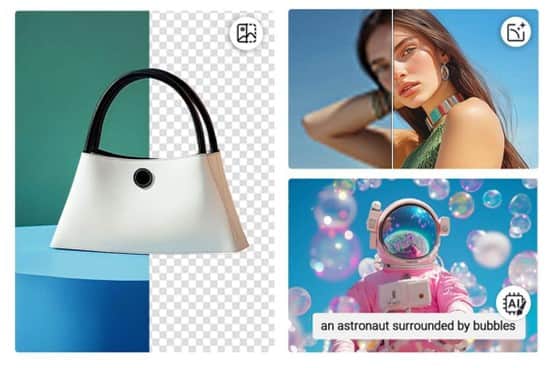
l Need to expand a square image to fit a wide Twitter card? Use AI Expand.
l Need to remove a distracting object from the background? The AI editor handles it in one click.
l Need to change the color of a shirt in the photo to match your brand? Easy.
A Practical Guide: The "Saturday Launch" Checklist
Let's say you finished coding on Friday night and want to launch on Saturday. Here is how to create your entire asset pack in under an hour using this stack.
Step 1: The Logo (5 Minutes)
Don't overthink the logo for an MVP. Use the AI Text-to-Image generator.
l Prompt: "Minimalist tech logo, isometric cube, vector style, flat color, white background."
l Refine: Use the insMind editor to remove the background and export as a transparent PNG.
Step 2: The Hero Image (15 Minutes)
This is the first thing users see. It needs to show value.
l Action: Take a screenshot of your app.
l Enhance: Upload it to insMind. Use the AI Design Agent to "Place this screenshot in a modern laptop frame on a wooden desk with a coffee cup, soft lighting."
l Result: A professional mockup that looks like a studio photoshoot, created from a raw screenshot.
Step 3: Social Media & Product Hunt Assets (20 Minutes)
You need different sizes for Twitter (X), LinkedIn, and Product Hunt. Resizing manually is pain.
l Action: Create one master design with the Agent.
l Resize: Use the smart resize feature to automatically adapt the layout for different platforms. The AI analyzes the content and rearranges elements so they don't get squashed or cropped awkwardly.
Why I Built This (The "Indie" Spirit)
I built insMind because I was tired of the gatekeeping in design.
There is a misconception that to have a beautiful product, you need a $5,000 budget or a degree in Arts. I believe that taste is subjective, but execution should be accessible.
Tools like Nano Banana Pro and GPT Image 1.5 are incredibly powerful, but raw access to them isn't enough. You need them integrated into a workflow that understands layout and business needs.
For the Community: I am trying to make this the ultimate tool for the "Code-First" entrepreneur. I know many of you are building incredible SaaS tools but are letting them die in obscurity because the marketing assets don't do the code justice.
I want to change that.
Let's Discuss: I'm currently refining the AI Design Agent's ability to understand complex SaaS layouts.
l What is the one design asset you hate making the most? (For me, it's YouTube thumbnails).
l How much time do you currently spend on design vs. coding?
Drop a comment below. I'd love to get feedback from fellow builders. If you want to try the advanced models, let me know, and I can share some tips on how to prompt them effectively for UI/UX assets.
Keep shipping!

