Best Customer Service Email Management Software: I Tested 5 Tools for Support Teams
A shared Gmail inbox feels fine…
Until it quietly starts costing you customers.
One teammate replies to a refund request.
Another teammate replies to the same customer 12 minutes later with a totally different answer.
A billing issue sits untouched for two days because everyone assumes someone else picked it up.
A simple “where is my order?” email turns into a public complaint because it got buried under 80 other messages.
That is the real problem with using Gmail for customer support:
It does not fail loudly.
It fails silently.
And by the time you notice, the customer is already angry.
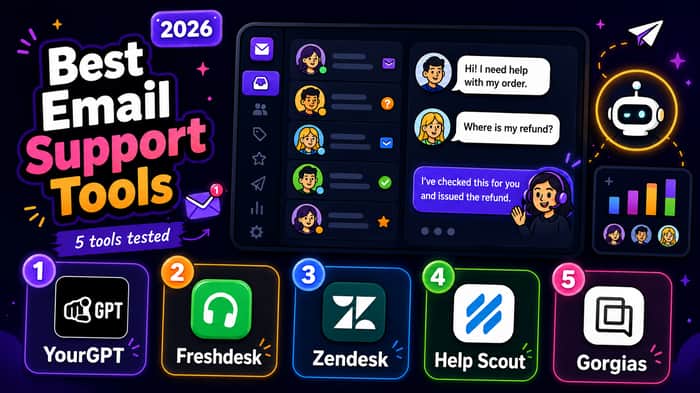
So I tested 5 customer service email management software tools that founders, SaaS teams, e-commerce brands, and growing support teams are likely to consider.
I looked at them through a founder lens:
How fast can a small team adopt it?
Does it reduce repetitive support work?
Does it prevent duplicate replies?
Can it handle email without becoming another bloated system?
Is the pricing reasonable as support volume grows?
Where does the tool actually break down?
Here’s the no-fluff breakdown.
- YourGPT—Best for AI-powered customer service automation
Most customer service email management software helps teams organize conversations.
YourGPT goes a step further.
It helps businesses build AI agents that can not only answer customer questions but also complete real tasks across support, sales, and operations.
That difference matters.
A basic chatbot can respond to the following:
“Where is my order?”
But a stronger AI agent should be able to check order status, trigger an update, route the issue, collect missing information, or hand the conversation to the right teammate when needed.
That is where YourGPT stands out.
It is built for teams that want to reduce manual support work without hiring more agents or building an internal AI system from scratch.
YourGPT works across the following:
- websites
- Slack
- Messenger
- LINE
- voice
Instead of managing conversations across separate tools, teams can bring interactions into one unified system and maintain context across channels.
That is especially useful for businesses where customers do not stick to one support channel.
Someone might ask a question on the website, follow up on WhatsApp, and later send an email. YourGPT is designed to help teams manage that fragmented customer journey with less manual switching.
The platform is also no-code, which makes it easier for non-technical teams to build and deploy AI agents using existing documents, FAQs, help center articles, or website content.
That matters because most support teams do not have developers available every time they want to update an automation flow.
Another strong advantage is PhoneAI, YourGPT’s built-in voice capability.
This allows businesses to handle inbound and outbound calls using AI in over 100 languages. For global teams, that multilingual support can be a major advantage, especially when support volume grows across regions.
YourGPT also includes a multi-model playground so teams can test models like Claude and GPT side by side before deploying an agent.
That is useful because AI performance depends heavily on the use case. Testing different models on real support scenarios can improve accuracy before customers ever interact with the agent.
The founder's appeal is simple:
YourGPT helps you automate more customer support without adding more headcount.
It can help with:
- order updates
- bookings
- CRM actions
- repetitive support questions
- routing conversations
- multilingual support
- customer handoffs
- website chat
- email support
- messaging app support
- voice support
The tradeoff is that YourGPT still needs thoughtful setup.
AI automation is not magic.
If your help docs are outdated, your workflows are unclear, or your edge cases are not defined, the AI agent will reflect that. Teams will get the best results when they properly train the system on accurate content and clear business processes.
Pricing starts at $39 per month for the Essential plan, with the Professional plan at $79 per month, the Advanced plan at $349 per month, and custom Enterprise pricing for larger teams that need dedicated support, SSO, or custom development.
Best for: teams that want AI agents to automate real customer service workflows across chat, email, messaging apps, and voice.
Not ideal if: You only need a basic email ticketing tool or want a completely plug-and-play setup with no workflow planning.
Founder verdict:
Use YourGPT when repetitive support is eating your team’s time and you want AI agents that can do more than answer FAQs.
It is a strong fit for teams that want to scale customer service without increasing headcount, especially if customers reach out across multiple channels.
- Freshdesk — Best first customer service email management tool
Freshdesk is not the flashiest tool on this list.
That is part of why it works.
For small teams moving away from Gmail, Freshdesk gives you the basics without forcing you into a huge implementation project.
It is designed for teams that need structure quickly.
You get:
- ticket ownership
- shared inbox structure
- simple automations
- internal notes
- basic reporting
- team collaboration
- knowledge base tools
- useful integrations
a free plan that is practical for small teams
This is the tool I would recommend to a founder who says:
“We are still small, but our inbox is getting messy.”
Freshdesk solves the obvious shared inbox problems quickly.
Who owns this ticket?
Has anyone replied?
How long has this been waiting?
Did two people answer the same customer?
Which issues keep coming up every week?
Those questions are hard to answer in Gmail.
They become much easier in Freshdesk.
The biggest advantage is that Freshdesk gives a small team the feeling of a real support system without making the setup feel overwhelming.
You can assign tickets, leave internal notes, set basic rules, create canned responses, and track support performance from one place.
That alone can remove a lot of inbox confusion.
Freshdesk also makes sense when your team is not ready for heavy enterprise workflows yet.
You may not need complex routing, advanced AI agents, or deep custom reporting on day one.
You may just need a clean way to stop missed emails, duplicate replies, and unclear ownership.
That is where Freshdesk works well.
The downside is that the platform can feel basic once support becomes more mature.
The most interesting automation, AI, analytics, and advanced workflow features usually sit behind paid plans.
So while the free plan is useful for getting started, you will probably upgrade once support becomes a serious function.
The other tradeoff is that Freshdesk can grow into a broader system over time, which is good for scale but may feel like more software than a very small team needs at the beginning.
Best for: startups moving from Gmail to their first real customer service email management software.
Not ideal if you need advanced AI, deep reporting, or highly custom workflows from day one.
Founder verdict:
Use Freshdesk when your current support process is messy, but you are not ready for enterprise software.
It is a strong first step when the main problem is inbox chaos, unclear ownership, and missed replies.
-
Zendesk — Best for large support operations
Zendesk is the tool you choose when customer service is no longer just “answering emails.”
It is an operation.
Multiple teams.
Multiple regions.
Multiple channels.
SLAs.
Escalations.
Macros.
Triggers.
Managers.
Reports.
Integrations.
Zendesk is built for that world.
It can feel heavy for a small startup, but that same heaviness becomes useful when your support volume gets serious.
The strongest part of Zendesk is not one feature.
It is the depth of the system.
You can route tickets based on topic, urgency, language, customer type, product area, or almost any workflow logic you want.
You can build macros for common replies.
You can connect it to CRMs, e-commerce systems, analytics platforms, internal issue trackers, and other business tools.
That is why bigger teams keep using it.
Not because it is the simplest.
Because it can handle complexity.
Zendesk starts to make sense when support has managers, metrics, escalation paths, and multiple teams touching the same customer experience.
For example, a billing question might need to go to finance.
A technical bug might need engineering context.
A high-value customer might need a faster SLA.
A refund issue might need approval before the agent responds.
Those workflows are hard to manage inside Gmail.
Zendesk gives teams a system for that complexity.
It also gives support leaders better visibility into what is happening.
You can see response times, ticket volume, agent performance, unresolved issues, common topics, and where customers are getting stuck.
That kind of reporting matters when support becomes more than a founder checking emails between sales calls.
The problem is obvious:
Zendesk can be too much software too early.
If you are a 3-person team with one support inbox, it may feel like buying a warehouse to store one bicycle.
Setup can take time.
The interface can feel heavy.
Pricing can rise as you add seats, features, channels, and automation.
And if your support process is still simple, you may spend more time configuring the system than helping customers.
Best for: larger teams with serious support volume, SLAs, reporting needs, and complex workflows.
Not ideal if you just need a clean shared inbox or simple email management tool.
Founder verdict:
Use Zendesk when customer service has become a real department, not a side task.
It is best when you need control, reporting, routing, and scale more than simplicity. -
Help Scout — Best for simple and human customer support
Help Scout is what I would pick for a team that hates traditional ticketing systems.
It feels less like a help desk and more like a calm, organized inbox.
That sounds like a small thing.
It is not.
Support tools shape how agents talk to customers.
If the tool feels robotic, the replies often become robotic too.
Help Scout keeps the experience more personal.
You still get structure:
shared inboxes
assignments
private notes
customer history
collision detection
saved replies
knowledge base features
simple reporting
customer context inside the inbox
But the interface does not make customers feel like ticket numbers.
The customer sidebar is especially useful.
Agents can see past conversations and customer details without jumping between tabs.
That context helps them write better replies faster.
For small and mid-sized teams, Help Scout hits a nice balance:
Simple enough to adopt quickly.
Structured enough to stop inbox chaos.
Personal enough to keep support feeling human.
This makes it a strong choice for SaaS teams, service businesses, agencies, and customer-focused startups that care about tone as much as ticket speed.
A founder might choose Help Scout when they want to fix Gmail problems without turning customer service into a cold enterprise workflow.
You still get ownership, accountability, and collaboration.
But the whole experience feels lighter.
That can matter a lot when your support style is part of your brand.
Help Scout is also useful when you want a clean knowledge base connected to your email support workflow.
If customers keep asking the same questions, you can turn those answers into help docs and reduce repeat conversations over time.
The limitation is reporting and workflow depth.
If you need advanced analytics, complex routing, detailed SLA management, or enterprise-level customization, Help Scout may start to feel light.
It is not trying to be Zendesk.
That is both its strength and its weakness.
It is easier to adopt but less powerful when operations become very complex.
Best for: teams that want customer service email management software that still feels personal.
Not ideal if you need deep reporting, advanced routing, or highly complex workflows.
Founder verdict:
Use Help Scout when customer experience matters more than enterprise complexity.
It is a strong fit when you want support to feel organized without making customers feel like tickets. -
Gorgias—Best customer service email management software for e-commerce
If you run an e-commerce brand, start with Gorgias.
Not because it is the best general support tool.
Because it is built for e-commerce problems.
Most e-commerce support emails are not abstract conversations.
They are tied to orders.
“Where is my order?”
“Can I return this?”
“Can I change my shipping address?”
“Can I cancel?”
“My discount code did not work.”
“I received the wrong item.”
A generic help desk can answer those emails.
Gorgias can answer them with ordered context.
Agents can see customer history, order status, tracking information, payment details, and lifetime value inside the ticket view.
That saves a ridiculous amount of time.
Even better, agents can often take action without leaving the support screen:
refund an order
cancel an order
edit subscription details
apply a discount
check shipping status
respond with order-specific information
view customer purchase history
prioritize high-value customers
This is where e-commerce-specific software beats general-purpose tools.
The support conversation is connected directly to the customer’s order data.
That means agents do not have to jump between Shopify, email, spreadsheets, and shipping tools just to answer one basic question.
For e-commerce teams, that context is everything.
A customer asking about a delayed package does not want a generic response.
They want the current status.
A customer asking for a refund does not want to repeat their order number five times.
They want someone to understand the issue quickly.
Gorgias is designed around that reality.
It also helps brands automate repetitive e-commerce questions, especially around shipping, returns, discounts, cancellations, and order changes.
During busy seasons, that can be the difference between staying on top of support and drowning in tickets.
The caveat is pricing.
Because Gorgias is tied to ticket volume, costs can grow quickly as your store scales or during seasonal spikes.
That matters for e-commerce brands because support volume is not always steady.
A sale, launch, shipping delay, or holiday season can create a sudden jump in tickets.
The other limitation is focus.
If you are not e-commerce, most of the magic disappears.
A SaaS company or service business probably does not need order-specific workflows, Shopify context, refund actions, or shipping automation.
In that case, a more general customer service email management tool will likely make more sense.
Best for: Shopify, BigCommerce, Magento, and WooCommerce brands.
Not ideal if your business is SaaS, services, or anything where order data is not central.
Founder verdict:
Use Gorgias when customer service is directly tied to orders, shipping, refunds, and revenue.
It is strongest when the e-commerce context is the difference between a fast answer and a frustrated customer.
The decision framework I would actually use
Here is the simple version:
Use Freshdesk if you are leaving Gmail for the first time.
Use Help Scout if you want support to feel personal and simple.
Use Zendesk if your support team is already operating at scale.
Use Gorgias if you run an e-commerce business.
Use YourGPT if repetitive support is eating your team’s time and you want AI-powered automation across channels.
The mistake is trying to find the “best” customer service email management software.
There is no universal best.
There is only the best tool for your support stage.
A 2-person SaaS team does not need the same system as a 200-agent enterprise team.
A Shopify brand does not need the same workflow as a B2B SaaS company.
A founder answering 30 tickets a week does not need the same reporting stack as a support manager handling 30,000.
So choose based on the bottleneck.
If the bottleneck is chaos, choose structure.
If the bottleneck is repetitive questions, choose automation.
If the bottleneck is e-commerce order handling, choose e-commerce-native support.
If the bottleneck is scale, choose enterprise workflows.
The biggest thing I learned
Customer service email management software is no longer just a place to answer emails.
It is becoming an operating system for customer conversations.
The old question was the following:
“How do we manage the inbox?”
The new question is:
“How much support can we handle without adding more headcount?”
That shift matters.
Because support volume grows faster than most teams expect.
At 20 tickets a week, Gmail feels fine.
At 200 tickets a week, it starts leaking.
At 2,000 tickets a week, it becomes a liability.
Do not wait until your inbox becomes a customer churn machine.
Fix the system before the system starts costing you customers.
