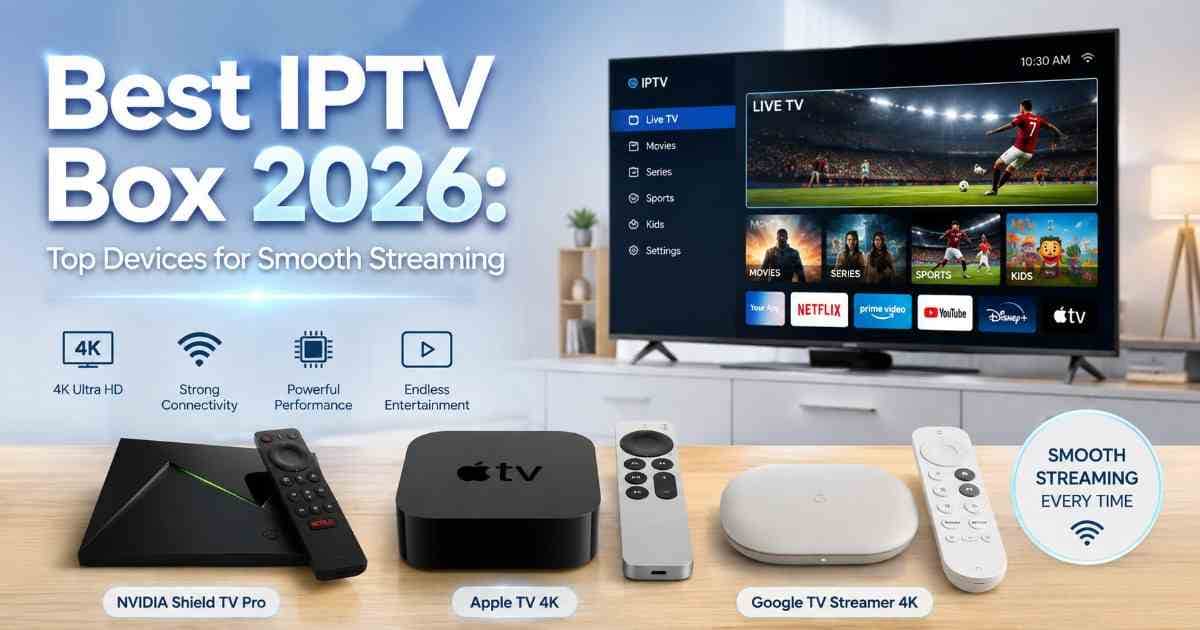
Best IPTV Box 2026: Top Devices for Smooth Streaming
Discover the best IPTV box 2026, with top devices for smooth 4K streaming, fast performance, reliable connectivity, and easy setup in Canada.
🚀 Start Your IPTV Journey
Introduction
Finding the best IPTV player is not simply about buying the most expensive streaming box. A good device should deliver smooth playback, quick app performance, reliable Wi-Fi or Ethernet, and support for the video and audio formats you actually use.
For Canadian viewers, the right best IPTV setup also depends on the IPTV app and service you choose. The box itself does not provide television channels; it acts as the hardware that runs compatible streaming applications and services.
In this guide, we look at some of the strongest streaming devices for 2026, including options for premium users, Android TV fans, and people who want a simple plug-and-play experience.
Important: IPTV is a technology for delivering television over an internet connection. The legality of the content depends on whether the service has the necessary distribution rights. The CRTC explains that online viewing availability can depend on Canadian distribution rights and geoblocking.
What Is an IPTV Box?
An IPTV box is a streaming device that connects to your television and internet connection. Instead of receiving channels through traditional cable or satellite equipment, it runs apps that deliver television and video over the internet.
Modern streaming boxes can also run services such as Netflix, YouTube, Prime Video, and other supported applications. The best device for IPTV therefore needs more than a high resolution on the box's specifications sheet.
Look for:
Strong Wi-Fi performance
Ethernet connectivity where possible
Fast processor and sufficient memory
4K and HDR support
Reliable operating-system updates
A good remote control
Access to reputable IPTV and streaming applications
Best IPTV Box Options for 2026
There is no single device that wins for every viewer. Your choice should depend on your television, internet setup, preferred operating system, and whether you prioritize simplicity, performance, or flexibility.
1. NVIDIA Shield TV Pro
Best for: Power users and demanding home-theatre setups
The NVIDIA Shield TV Pro remains one of the most capable Android TV streaming boxes available. It combines a Tegra X1+ processor, 3 GB of RAM, 16 GB of internal storage, Gigabit Ethernet, and two USB 3.0 ports.
It supports 4K HDR playback, Dolby Vision, Dolby Atmos, and AI-enhanced upscaling. That makes it particularly attractive if you watch a mixture of live TV, movies, sports, and local media.
Another advantage is wired networking. If your router is close to the television, Ethernet can provide a more consistent connection than congested wireless networks.
Why choose it:
Excellent performance
4K HDR and Dolby Vision support
Gigabit Ethernet
USB expansion
Strong Android TV ecosystem
Excellent option for advanced users
Best for: Users who want a premium best IPTV player experience with plenty of flexibility.
2. Apple TV 4K
Best for: Simple, polished streaming
Apple TV 4K is an excellent choice for viewers who value a clean interface and dependable performance.
The current Apple TV 4K uses the A15 Bionic chip and supports 4K HDR formats, Dolby Vision, HDR10+, Dolby Atmos, and Wi-Fi 6. The Wi-Fi + Ethernet model includes Gigabit Ethernet, which is useful for households where consistent streaming performance matters.
Its biggest strength is simplicity. The interface is easy to navigate, the Siri Remote is responsive, and the device works particularly well within Apple's ecosystem.
The main consideration is app availability. Before choosing Apple TV 4K specifically for IPTV, check that the IPTV application you intend to use is available and supports the features you need on tvOS.
Why choose it:
Very fast A15 Bionic processor
Excellent 4K picture quality
Wi-Fi 6
Ethernet option
Smooth and simple interface
Strong long-term premium streaming experience
3. Google TV Streamer 4K
Best for: Flexible Android TV streaming
Google TV Streamer 4K is another strong option for Canadian IPTV users who prefer Google's TV platform.
It supports up to 4K HDR at 60 fps, Dolby Vision, HDR10+, Dolby Atmos, 4 GB of memory, and 32 GB of storage. It also includes Gigabit Ethernet, which is a useful feature for stable streaming.
Compared with older entry-level streaming sticks, its extra storage and memory make it a more attractive choice for users who install several apps.
Why choose it:
4K HDR streaming
Dolby Vision and Dolby Atmos
4 GB memory
32 GB storage
Gigabit Ethernet
Google TV interface
For many households, it offers an excellent balance between performance and simplicity.
How to Choose the Best IPTV Player
The best IPTV player is ultimately the device that works reliably with your chosen legal streaming service and television.
Check the Operating System
Android/Google TV offers considerable flexibility, while Apple TV provides a more controlled and polished experience.
If you already know which IPTV application you want to use, check its supported platforms before purchasing a device.
Prioritize Ethernet for Heavy Streaming
Wi-Fi can work perfectly well, but Ethernet is often preferable for a stationary streaming box.
This is especially useful if you regularly watch high-quality live streams or have several devices competing for wireless bandwidth.
Look for 4K and HDR Support
If you own a 4K television, buying a device limited to basic HD playback makes little sense.
Look for support for 4K, HDR10, Dolby Vision, or other formats supported by your television and streaming service.
Don't Buy Based on Channel Claims
A box advertised with thousands of channels is not automatically a better IPTV device.
The hardware and the IPTV service are separate. Focus on device quality first, then evaluate the service based on reliability, content rights, customer support, pricing, and compatibility.
Best IPTV Setup for Canada
For Canadian users searching for the best IPTV Canada experience, start with the hardware and network rather than immediately looking for the cheapest subscription.
A practical setup looks like this:
Choose a reputable streaming box.
Connect it directly to your 4K television using HDMI.
Use Ethernet if practical.
Install supported streaming applications from legitimate sources.
Subscribe only to services that have the appropriate rights to distribute their content.
Keep the device and apps updated.
Test your connection during the hours when you normally watch television.
The CRTC notes that online streaming services operating in Canada can be subject to registration and other requirements depending on their circumstances.
Pro Tips for Smoother IPTV Streaming
Even the best IPTV service can experience buffering if your home network is poorly configured.
Try these improvements:
Use Ethernet whenever possible.
Place your Wi-Fi router in an open, central location.
Avoid placing the streaming box inside a closed cabinet.
Restart your router if your connection becomes unusually slow.
Keep your streaming device's software updated.
Avoid installing unnecessary apps.
Use a modern HDMI cable for 4K equipment.
Check whether your internet plan can comfortably handle multiple simultaneous streams.
Remember that a powerful box cannot fix a poor internet connection or an overloaded streaming provider.
Common Mistakes to Avoid
Buying a Cheap Unknown Box
Extremely cheap Android boxes can look attractive, but unknown hardware may have poor software support, unreliable updates, or limited compatibility.
Assuming the Box Includes IPTV
An IPTV box is not automatically an IPTV subscription. The device runs software; the service supplies the programming.
Ignoring App Compatibility
Before purchasing, confirm that your preferred IPTV application works on the operating system you plan to use.
Relying on Wi-Fi When Ethernet Is Available
If your television is close to your router, wired networking can eliminate many avoidable wireless problems.
Choosing a Provider Only by Channel Count
A huge channel list means little if streams constantly buffer or the service lacks legitimate distribution rights.
Key Takeaways
NVIDIA Shield TV Pro is a strong choice for advanced users and home theatres.
Apple TV 4K is ideal for a polished and straightforward experience.
Google TV Streamer 4K offers an excellent balance of flexibility and hardware.
Ethernet can improve consistency for demanding streaming setups.
Always check IPTV app compatibility before buying a device.
The best IPTV provider should be evaluated for reliability, support, pricing, and legitimate content rights—not simply channel count.
Hardware quality cannot compensate for a poor internet connection or unreliable service.
FAQ
1. What is the best IPTV box in 2026?
For demanding users, NVIDIA Shield TV Pro is one of the strongest choices because of its processing power, Ethernet, 4K HDR support, and expandable storage. Apple TV 4K and Google TV Streamer 4K are excellent alternatives for users with different platform preferences.
2. What is the best IPTV player for Canada?
There is no universal winner. The best IPTV player depends on your preferred app, TV, network, and operating system. Google TV and NVIDIA Shield are particularly flexible options, while Apple TV 4K is excellent for users who prefer Apple's ecosystem.
3. Do IPTV boxes come with channels?
Usually, no. A streaming box is hardware. You generally need a compatible streaming application and a separate subscription or service to access programming.
4. Is IPTV legal in Canada?
IPTV technology itself is simply a method of delivering television over the internet. The important issue is whether the service has the appropriate rights to distribute the content. Canadian availability can depend on distribution rights.
5. Is 4K necessary for IPTV?
Not necessarily. HD can look excellent, but a 4K-capable box makes more sense if you own a 4K television and use services that provide 4K content.
6. Is Ethernet better than Wi-Fi for IPTV?
Often, yes. Ethernet provides a direct wired connection and can be more consistent, particularly in busy homes with many connected devices.
7. Which is better: Apple TV or Android TV for IPTV?
It depends on your preferred applications. Android/Google TV generally offers more flexibility, while Apple TV emphasizes a polished interface and tightly integrated ecosystem.
8. Does a faster IPTV box reduce buffering?
It can improve app responsiveness and playback handling, but buffering is usually influenced heavily by internet quality, Wi-Fi conditions, and the streaming service's servers.
9. How fast should internet be for IPTV?
The required speed depends on resolution, stream quality, and how many people are using the connection. A stable connection is just as important as raw download speed.
10. How do I choose the best IPTV provider?
Look for transparent pricing, reliable customer support, clear terms, compatible applications, stable streaming, and legitimate content distribution. Avoid choosing solely because a provider promises an unusually large number of premium channels for an unusually low price.
Conclusion
Choosing the best IPTV box in 2026 comes down to matching the hardware with your viewing habits.
For maximum flexibility and home-theatre performance, the NVIDIA Shield TV Pro is a compelling choice. Apple TV 4K is excellent for people who want a fast, polished experience, while Google TV Streamer 4K provides a flexible middle ground with strong specifications and built-in Ethernet.
For Canadian viewers, remember that the box is only one part of the equation. A reliable network, compatible IPTV player, and reputable best IPTV service are equally important.
Choose the device first, verify application compatibility, and use services that have the appropriate rights to distribute their programming. That approach gives you a faster, safer, and more dependable streaming setup.

