Breaking Into Your Competitors’ Content Performance
SaaS founders always look up to their top competitors to aspire from, especially with marketing moves. They try to follow in the footsteps of their top contenders.
For example, they try to replicate their SEO moves by following up with the keywords they are using to bring traffic and rank. They implement this into their own strategy to rank their contents.
By analyzing competitors’ top-performing content, it is possible to know exactly which keywords bring them traffic and how they rank but SEO tools and the plethora of data barely show what you need. Tracking your content or analyzing competitors requires a detailed breakdown of traffic-driving keywords and their rankings for making informed decisions. Our Content Performance (Traffic-Keyword) Tracker Template is designed to give you that edge.
What is this Content Performance Tracker Template?
This template is a pivot table that helps you to have a detailed breakdown of what contents are fetching SEO traffic from which keywords, and at which position they are ranking at. This can be done for both your competitors and your own, as long as you have the keyword positions file from Ahrefs and SEMRush.
Say, you have found a particular content group performing very well in terms of total/average traffic, and you want to see the exact keyword ranks this traffic is coming from. This performance template helps you to have a closer look at it.
The template contains-
-Keywords that a particular URL is ranking for.
-Keyword metrics such as search volume, keyword difficulty, position of the URL, and the traffic the URL is getting from the template.
-The whole list is in order of the traffic Z-to-A, meaning the more total traffic, the higher position a URL gets in the list.
How to Fill in the Data?
-
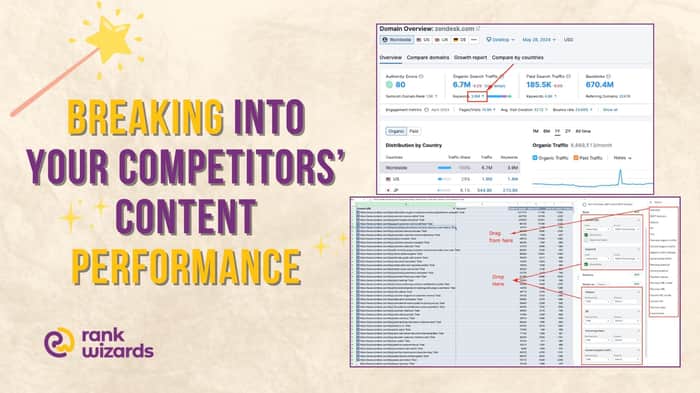
Search the domain in the Domain Overview tool of SEMRush.
-
Select the keyword number under Organic Search Traffic-
-
Download the keyword file from the Export button. SEMRush might limit your number of rows to export to 30,000. In that case, limit the search volumes to a minimum of 20, 50, etc(because they are mostly long tails or irrelevant to the content’s context), and the position to up to 50, 40, or 30(since they won’t be responsible for SEO traffic).
-
Import the file to Google sheet, and insert a pivot table.
Done, you can play around and expand the rows to find the keywords, volume, traffic, and other data.
Here is a worked-out template for you to use: https://docs.google.com/spreadsheets/d/1CChdzpHF1VDjcmi7wth3Q_aQ9r0tZahjlpmXVgz26jY/edit?gid=2092617128#gid=2092617128
Why Use This Template?
This template could be used for
-A broken-down analysis of any content’s success of your competitors.
-To pick up content patterns for ToFu, MoFu, and BoFu tier contents and brainstorm further content ideas.
-To pick up keywords(and create pages) that the competitors have not optimized, but contain good SEO potential.
Also, to keep track of your performing content and non-performing ones.
Closing Words
Maximizing your content’s SEO potential requires more than just creating great content; it’s about understanding the metrics behind it. This Content Performance Tracker Template is your go-to tool for breaking down the data, identifying key content trends, and staying ahead of the competition.
Whether you're analyzing your content or that of your competitors, this template empowers you to make data-driven decisions that enhance your content strategy and drive greater SEO success.
Start tracking, analyzing, and optimizing today to unlock the full potential of your content!
This article is just a part of our Blog Post. You can check out our full blog post here: https://rankwizards.co/content-marketing-strategy-template/

Local Python scripts have a structural advantage in the current market: they're immune to the SaaS subscription backlash. No recurring costs, no vendor risk, no data concerns.
The positioning challenge is that 'script' sounds less polished than 'platform.' Worth double-down on the positioning: 'the tool you own, not the subscription you rent.'