Bubble guide: Excluding a single date from a range of dates
Ever been stuck trying to exclude a SINGLE date from a RANGE of dates in Bubble?
Example: A customer books a property for a date, which you then need to exclude from future searches within the same date range.
Here's a quick walk-through to help 👇
When I was building an Airbnb-esque product, I ran into the challenge of having to remove a property from a users search that had already been booked within their desired date range.
As it stands, Bubble only creates a function that allows you to identify when a single date IS within a range of dates, but doesn't have an option for when it IS NOT within this range.
1️⃣ On my home page, I have two date/time pickers that I’m using to send through as custom paramters to my search results page.

2️⃣ On my search results page, I then needed to set a custom state to my repeating group, storing the dates from my page parameters as a range.

3️⃣ Next, you’ll need to set the state of this repeating group when the search results page is loaded. I’ll be setting the date range as the two dates sent through my parameters.

4️⃣ Next, I’ll add my usual constraints to my repeating group - filtering out a list of properties where the fields equal the values of my additional page parameters (excluding my dates).
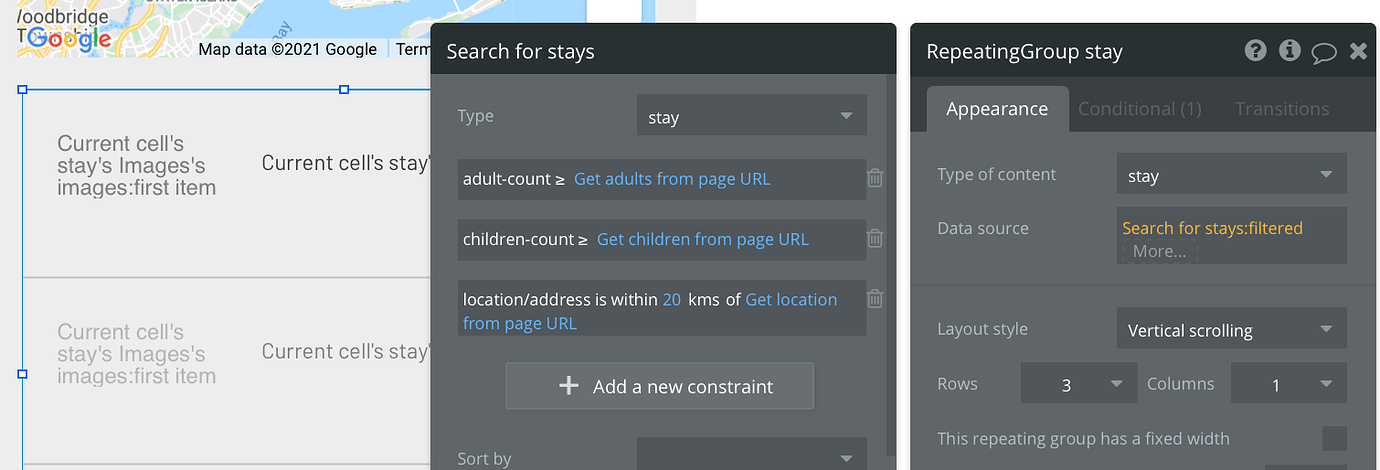
5️⃣ Now, I’ll need to add an additional filter to the list of properties that are displaying in my repeating group. Using an advanced constraint, I can filter out properties where the booked-dates (a date range I’m storing in my database each time a trip is booked) overlaps with the dates set in my repeating groups state.

6️⃣ I’ll then add a binary formatted as text, and choose when the text is ‘no’.


Now, this WON’T display any properties that have booked dates overlapping with the users query dates.
Hope this walkthrough is helpful in some way if you're looking to build a similar experience. Dates can always be tedious to work around at first.
If you found this post useful, you can check out more of my no-code content on Twitter here.

Very helpful! thanks!
Glad it could help 🙌
Thank you, that has already helped me. But I've one problem with the advanced Filter. In my "booked-dates" I have a list of date ranges. So I've to choose: ":first item" to have "overlaps with". How can I setup it with a list of date ranges? Hopefully you can help me!