Build Slack Home Tab in minutes using AWS Lambda and Amazon EventBridge
When we built the first version of Vacation Tracker, UI for Slack integrations was very limited. You could make your integration interactive by mixing buttons and dropdowns. Luckily, a limited number of interactive elements combined with a grain of imagination lead to countless creative ideas. Not all of them provided the best user experience for our users, but they were way better than our biggest competitor – the big bad spreadsheet.
The first version of our product was fully improvised. We improvised a calendar using simple buttons. No weekends? The limit was five buttons in a row. It’s a leave tracking app, who works during the weekends anyway? Many people, as we learned quickly.
Slack improved a lot in the last two years. They added a date picker, modals, input fields, and many other useful UI elements. Besides that, Slack improved their permission scopes, which was very important for Vacation Tracker, because we tried to know just a few most basic things about our users.
Our product was better than ever as one of our latest feedbacks says it’s super easy to use, much better than submitting paper forms. Managing your leave days is just one Slack command away.
However, not all of our users know how to use slash commands. Was it slash (“/”) vacation, hashtag vacation, or some other weird character?
Wouldn’t it be nice if we could have a place in Slack where users can find everything they need to know about Vacation Tracker? Something like a simple dashboard. Fortunately, someone at Slack thought the same. They introduced the App Home tab.
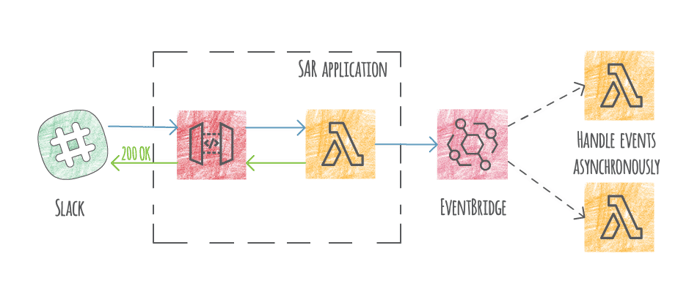
Our team built a simple serverless app that helps you build the App Home tab and Slack integrations in general. Here's an article that explains the way we develop our Slack integrations and shows how to use our serverless app to build your integration in minutes: https://vacationtracker.io/blog/build-slack-home-tab-with-aws-lambda-and-eventbridge/
