Building Software Around Tariff Data Is Harder Than It Looks
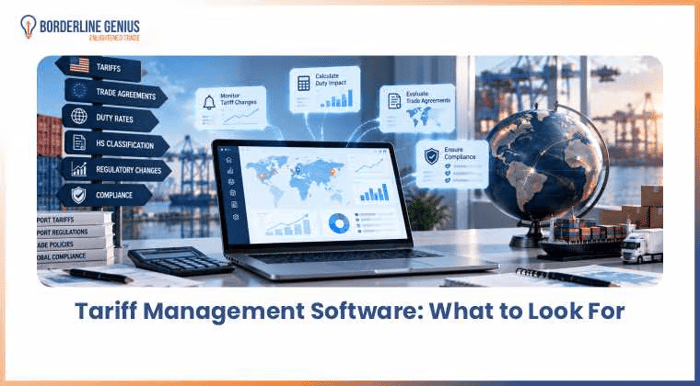
In tariff management software, accurate tariff data, duty calculation, regulatory updates, and features supporting global trade compliance should be consid
One thing I've learned from looking at trade-tech problems: the hard part isn't necessarily building a tariff lookup interface.
The difficult part is turning constantly changing trade information into something a business can actually use.
At first glance, tariff software sounds straightforward:
Enter a product.
Find the HS code.
Return the tariff rate.
But real international trade workflows are much messier than that.
A business may have thousands of products, multiple countries, different classifications, changing duty rates, taxes, trade measures, and regulatory requirements. Then you have to connect that information to the systems people already use.
The Data Problem
For a software product, tariff data creates an interesting challenge.
You aren't dealing with one static database.
You have information associated with:
Products
HS and HTS classifications
Countries
Import requirements
Customs duties
Taxes
Trade measures
Regulatory changes
Effective dates
And the information can change.
That means a product can technically return an answer while still creating a poor user experience if the underlying information is outdated, incomplete, or disconnected from the customer's workflow.
The UX Problem Is Different
Even if the data is correct, the interface still has to answer the user's actual question.
A trade professional may not simply ask:
"What is the tariff rate?"
They may actually be asking:
"How much could this shipment cost if we import this product into this country?"
Or:
"Did something change that affects our existing product catalog?"
Or:
"Can we get this tariff information into our ERP?"
Those are workflow questions, not database questions.
That distinction changes how the product should be designed.
Where Automation Becomes Useful
This is where tariff-management software gets interesting from a product-development perspective.
Instead of making users repeatedly search government tariff schedules, compare information manually, and calculate potential duties in spreadsheets, software can bring several steps into one workflow.
Depending on the product architecture, that can include:
Tariff research
Duty calculations
Regulatory monitoring
Tariff-change alerts
Product and classification searches
API access
ERP and logistics integrations
I recently looked more closely at the product requirements behind this problem in this tariff management software guide. The interesting part isn't the feature checklist itself. It's how those capabilities fit into an actual trade workflow.
The Integration Question
This is probably one of the more important product decisions.
If tariff information lives in a completely separate application, someone still has to copy the result into another system.
That's not much of an automation win.
For a larger trade operation, the product may need to connect with ERP systems, procurement platforms, logistics software, customs systems, or internal applications.
That makes API design important.
The product stops being just a "tariff lookup tool" and starts becoming a data service that other business processes can consume.
Alerts Are More Complicated Than They Sound
"Send an alert when tariffs change" sounds easy until you ask:
Which tariffs?
A company may care about only certain:
Products
HS codes
Countries
Suppliers
Import markets
Trade measures
A useful alert system therefore needs some concept of relevance.
Sending every regulatory update to every user would quickly become notification spam.
The better product question is:
Can the system identify changes that matter to this particular customer?
That's a much more interesting engineering and UX problem.
Start With the Workflow, Not the Feature List
If I were evaluating a tariff-management product, I wouldn't start by counting features.
I'd map the workflow first:
Product → Classification → Country → Tariff → Duty → Regulatory Requirements → Cost/Compliance Decision
Then I'd ask where the current process breaks.
Is classification taking too long?
Is tariff research manual?
Are duty calculations being done in spreadsheets?
Are regulatory changes being missed?
Is information trapped in separate systems?
Those answers tell you what actually needs to be automated.
Why This Is an Interesting SaaS Problem
Trade compliance has a combination that makes it particularly interesting for software builders:
messy data + high business impact + repetitive workflows + constantly changing rules.
That's a strong environment for automation, but it also means the product cannot be built like a simple CRUD application with a tariff table attached.
Data quality matters.
Source transparency matters.
Effective dates matter.
Search quality matters.
Integration matters.
And above all, the software has to fit the way trade teams already work.
That's a very different challenge from simply building another dashboard.
Closing Thought
There is a tendency in SaaS to focus on making complex problems look simple.
With tariff management, the better goal may be to make the underlying complexity manageable without hiding the important details.
For a trade professional, the ideal experience isn't necessarily "one-click compliance."
It's being able to find relevant tariff information, understand its potential financial and regulatory implications, and move that information into the workflow where a decision needs to be made.
That's the product problem that makes tariff-management software worth building in the first place.

