Building WebAudits #1 - Top 10 SEO & AI Visibility Mistakes SaaS Sites Make (From Auditing 30 websites)
We're building WebAudits - a tool for automated website audits. To actually
make it useful, we audit real sites across different niches and CMS platforms
while building it. This series documents what we find.
This post started as a Reddit thread where we offered free audits. The response was bigger than expected, so we kept going. After 30 SaaS sites, the same problems showed up over and over - roughly 20 out of 30 had most of them.
These aren't obscure edge cases. They're the kind of issues that quietly kill organic growth, make you invisible to AI crawlers, and erode buyer trust before anyone reads a single word of your copy.
1. Key Content Lives Only in JavaScript
The most widespread and most damaging issue we found.
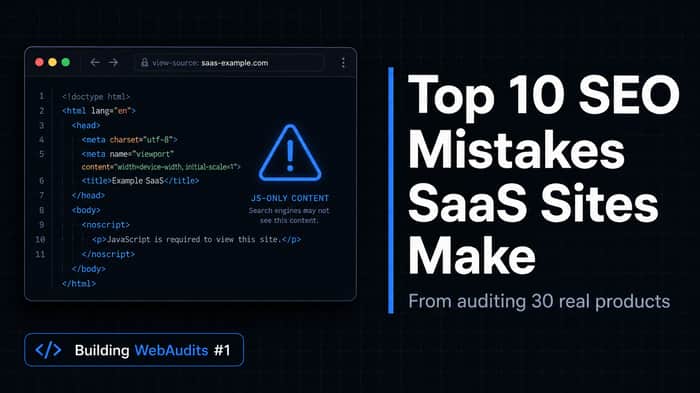
When your headlines, features, pricing, and FAQs only appear after JS executes, crawlers see a nearly empty page. Google eventually processes JS, but it's slow and not guaranteed. AI crawlers typically don't execute JS at all - your content simply doesn't exist for them.
2. Missing Canonical Tags
SaaS sites generate duplicate content almost automatically - UTM-tagged URLs, A/B test variants, integration pages, regional copies. Without canonicals, Google picks which version to index. Often it picks wrong, and your link equity gets split across pages competing against each other.
3. No H1 or Broken Heading Structure
A lot of SaaS sites build hero sections from visual components and never think about semantic HTML. The result: no actual H1, multiple H1s, or headings jumping from H1 to H3 with nothing in between.
Both search engines and AI systems use heading structure to understand what a page is about. No clear H1 = no clear topic signal.
4. No Schema Markup
Schema tells search engines what type of content is on a page - a software product, an organization, a FAQ. Without it, you're leaving context on the table. For AI-generated answers specifically, structured data significantly increases the likelihood your content gets surfaced.
Most SaaS sites we audited had zero structured data.
5. No Social Proof
A site that only talks about itself - with no customer quotes, logos, or review counts - creates friction at exactly the wrong moment. When someone is comparing three similar tools, a few real testimonials with names and roles is often the deciding factor.
6. No Contact Info or Company Description
No About page. No team info. No contact email. No legal pages. For a tool that wants access to someone's workflow and recurring billing, this is a trust killer.
Google's Quality Rater Guidelines flag absent "who is behind this" info explicitly. But buyers notice it before Google does.
7. Too Many JS Files Slowing the Page Down
Every analytics tool, chat widget, heatmap, and ad pixel you add has a cost. They accumulate invisibly, and at some point your marketing site takes 4+ seconds to load on mobile. A significant share of visitors bounces before seeing your product.
8. No Pricing Page
"[Product name] pricing" is one of the most searched queries for any SaaS product. No pricing page means losing both SEO traffic and conversions simultaneously - at a point where buyer intent is highest.
9. No FAQ Section
FAQ content does two things at once: closes buyer objections and generates additional searchable content. Questions about integrations, onboarding, support, security, and billing often match real search queries word for word.
10. Missing or Broken robots.txt / sitemap.xml
Still showing up on a surprising number of sites. A misconfigured robots.txt can accidentally block important pages from being indexed. A missing sitemap.xml means new or nested pages take much longer to get discovered.
Why This Keeps Happening
SaaS teams move fast. Engineering focus stays on the product. Frontend frameworks get heavier. Campaign pages multiply. Schema and canonical tags never make it onto the sprint board.
The result is a marketing site that looks polished but loses visibility over time - in Google, in AI-generated answers, and in buyer trust.
None of these require a site rebuild. Most are fixable within days. The hard part is just finding them - which is exactly why we're building WebAudits.
Quick Checklist
- Core content is in static HTML, not JS-only
- Every indexable page has a canonical tag
- One H1 per page with logical H2/H3 hierarchy
- Schema implemented (Organization, Product, FAQ minimum)
- Social proof visible on key landing pages
- About and Contact pages exist and are easy to find
- Page load under 3 seconds on mobile
- Dedicated pricing page linked from navigation
- FAQ content on product and pricing pages
- robots.txt and sitemap.xml configured and submitted
This is part of the Building WebAudits series - real findings from real audits, published as we build the tool. Full version of this post with more details: webaudits.dev
