Bulk Backlink Exporter: How I Reduced SEO Reporting Time by 90%
For years, my backlink reporting workflow looked the same:
Export data one domain at a time.
Copy everything into spreadsheets.
Clean up the formatting.
Repeat for every client.
It worked, but it wasn't scalable.
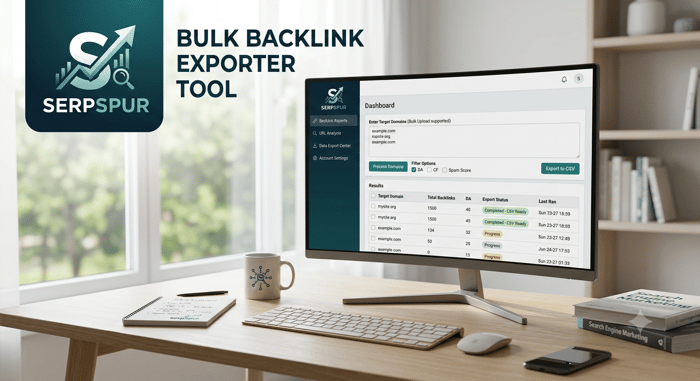
Last week I switched to a bulk export workflow and processed backlink data for 20 client domains in a single run. Instead of spending nearly three hours merging reports and cleaning CSV files, the entire process took about 20 minutes.
The biggest benefit wasn't just speed—it was consistency. Every report included the same data structure, making it much easier to compare anchor text, referring domains, and authority metrics across multiple websites.
If you manage SEO for several clients or maintain multiple websites, look for opportunities to automate repetitive reporting tasks. The time you save can be invested in analyzing backlink quality, identifying new link opportunities, or improving strategy instead of formatting spreadsheets.
Automation doesn't replace SEO expertise—it simply removes the repetitive work so you can focus on decisions that actually drive results.
#SEO #Backlinks #TechnicalSEO #SEOTools #LinkBuilding #SEOAutomation #DigitalMarketing #DataAnalysis #Productivity #IndieHackers

This is exactly the kind of time sink that makes you wonder why you didn't do it sooner. Do you think the tool could handle a mix of very large and very small domains without skewing the data in the CSV?
Man, this hits close to home. I spent my first few months managing client reporting essentially acting as a human copy-paste machine—exporting individual CSVs, wrestling with broken column headers, and wasting hours on mindless formatting just to make a spreadsheet look presentable before a client call.
The worst part isn't even the time lost; it's how much mental energy it drains right before you're supposed to be doing high-level strategic thinking. When you're spending two or three hours manually stitching reports together, your brain is fried by the time you actually look at the data to figure out what to do next.
Shifting that pipeline to bulk processing completely changes the agency dynamic. When every domain uses the exact same data structure automatically, you stop getting bogged down in spreadsheet mechanics and can actually spot macro-trends across your client portfolio—like noticing a shifting anchor text pattern or a sudden drop in referring domains before it hits rankings. Automation doesn't just save time; it keeps you from making sloppy human errors when you're staring at thousands of rows of data at 5 PM on a Friday.
Really appreciate you sharing this workflow breakdown. What tools or scripts did you end up using to handle the bulk pipeline cleanly without breaking the formatting?
Ahrefs exports are such a time sink, especially when you're juggling multiple client accounts. I've had to build my own scripts for this before, but a clean one-click solution sounds way better. How does it handle duplicate URLs or overlapping domains between clients—does it merge them or keep separate rows?