ClipCare - A Clean, Fast Clipboard Manager for macOS
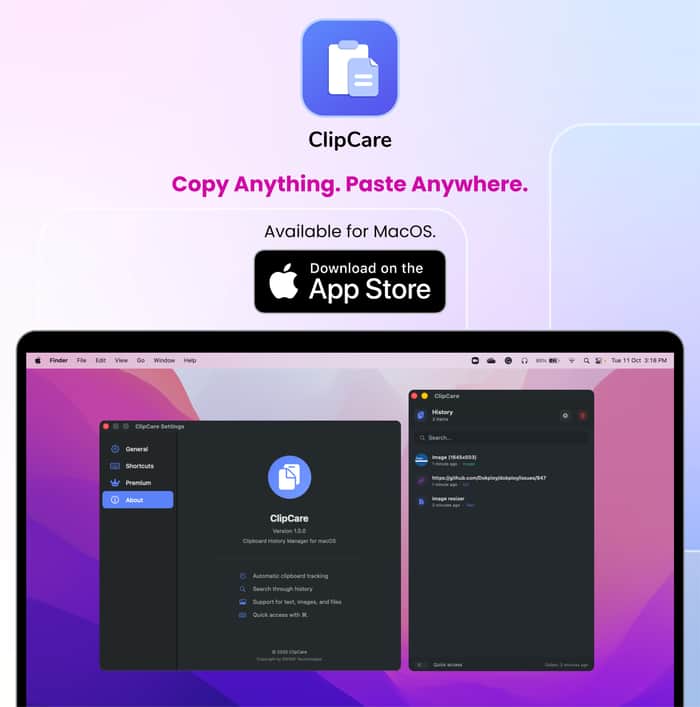
Just launched my new macOS utility app - ClipCare!
If you’ve ever used Windows, you know how convenient it is to access your clipboard history. I used that feature all the time - but when I switched to Apple’s macOS, I realized how much I missed it.
macOS doesn’t make it easy to quickly reuse what you’ve copied. Screenshots go to a folder, copied text disappears after one use, and finding what you just copied can slow you down.
There are apps out there that try to solve this, but most of them was not as smooth as I wanted.
So I built ClipCare - a lightweight utility app that automatically manages everything you copy like text, images, screenshots etc and keeps it all organized and ready to paste instantly.
Built using Swift, ClipCare focuses on speed, simplicity, and a distraction-free UI - just what you need, nothing extra.
After launch, I received some great feedback from users that helped shape the next updates:
Launch at Startup - ClipCare now starts automatically when you power on your Mac
Custom Shortcuts - users can now choose their own key combinations (since the default ⌘ + . conflicted with VS Code)
Both are live in the latest version, making ClipCare even more seamless to use. I originally built it for my own workflow, but it turned out to be so useful that I decided to share it with everyone.
If you use a Mac, definitely give ClipCare a try - it might just save you a few clicks (and a bit of sanity 😄). If you’re someone who copies and pastes all day or deals with frequent screenshots, give ClipCare a try - it might just make your Mac workflow a little smoother (and your desktop a little cleaner 😄).
App Link : https://apps.apple.com/us/app/clipcare-clipboard-history/id6753917603
Open to feedbacks!

This is super cool — and honestly, such an underrated workflow improvement.
Clipboard friction is one of those “hidden” productivity drains you only notice once you fix it.
Love that you focused on speed and zero-noise UI. A lot of clipboard managers feel like full apps instead of helpers — ClipCare looks like it stays out of the way. That’s exactly the kind of tool I keep installed forever.
Also, I really relate to your “built it for myself first” approach — I’m doing something similar with Rephrazo-AI (check it out in my profile if interested), but for writing flow.
When I write emails, docs, or landing pages, editing breaks my concentration — so I built a tool that rewrites and shortens text inline, without switching windows.
Different problem than yours, but same philosophy:
small tools that remove friction → big impact on daily work.
If you're curious: https://rephrazo-ai.app
Would love your feedback, especially since ClipCare users probably care a lot about seamless workflows too.
And seriously — congrats on the launch. Shipping is hard.
🔥👏 Great work.
Thank you so much. Really appreciate and congrats too for Rephrazo - great app though and useful. Would be installing it.