Code Scanning: Complete Guide for Developers & Businesses

With the speed of software development today, security is no longer an after-thought, it is a requirement. Cyberattacks are increasing, and the discovery of vulnerabilities in source code can lead to significant risk for organizations. Code scanning, or scanning code for vulnerabilities, is the answer.
Code scanning is an essential practice in DevSecOps in which developers find, fix, and secure code before it reaches a production environment. In this guide, we will discuss code scanning in DevSecOps will discuss what code scanning is, how it works, benefits, tools, and best practices, and will address some of the most frequently asked questions.
What is Code Scanning?
Code scanning, otherwise known as static application security testing (SAST), is the automated process of analyzing source code, bytecode, or binaries to identify security weaknesses, bugs, or possible vulnerabilities without running the code. It provides the opportunity to address security weaknesses in applications during the software development lifecycle.
This can help teams reduce the attack surface, maintain secure coding practices, and improve compliance within the security framework of best practices with standards such as OWASP Top 10, PCI-DSS, as well as ISO/IEC 27001.
Why is Code Scanning Important?
As applications become more complex and the time developers have to build software becomes shorter, it is difficult to manually find every risk. Code scanning makes this easier and is a key component of secure software development.
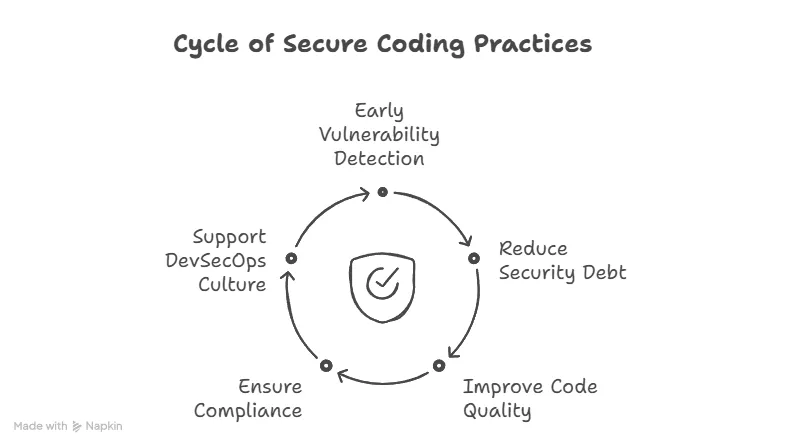
Key Reasons Code Scanning Matters:
-
Early Detection of Vulnerabilities: Fixing bugs during development is less expensive and quicker than fixing bugs once the product has shipped.
-
Reduces Security Debt: Reduces Security Debt: Technical debt includes not only performance issues but also unpatched vulnerabilities. Code scanners fix both problems.
-
Improves Code Quality: The scanners will often identify codes with poor coding patterns, unused code, or planning to use outdated libraries.
-
Compliance and Auditing: Many regulations require organizations to be able to exhibit that they have secure coding practices.
-
Supports DevSecOps Culture: By incorporating security within CI/CD pipelines, it becomes the responsibility of every team member.
How Does Code Scanning Work?
Code scanning tools do static analysis of code; they look at the code without executing it. Here is a high-level overview of the process:
-
Parsing Codebase: The tool parses the source code to understand its structure, syntax, and dependencies.
-
Pattern Matching & Rule Engines: Scanning tools leverage engines built on pre-defined rules to identify insecure functions, known vulnerabilities, or bad practices.
-
Taint Analysis: The scanning tool will track untrusted inputs (like user input) through the code to check whether it reaches sensitive functions.
-
Reporting Issues: Scanning tools generate reports of potential issues noting the legibility of the issues and what the recommended fixes are.
-
Integration with CI/CD: Modern tools integrate in systems like Git repositories or CI tools like Jenkins, GitHub Actions, or GitLab CI/CD the tool will run automatically during pull requests and commits.
Types of Vulnerabilities Detected by Code Scanning
Code scanning tools are capable of identifying a wide range of vulnerabilities, including:
-
SQL Injection
-
Cross-Site Scripting (XSS)
-
Command Injection
-
Insecure API usage
-
Hardcoded credentials
-
Buffer overflows
-
Use of deprecated functions or libraries
-
Race conditions
These issues, if left unchecked, can be exploited by malicious actors, leading to data breaches or system compromise.
Popular Code Scanning Tools
There are many tools available both open-source and commercial for code scanning. Here are some of the most widely used:
| Tool | Type | Key Features |
| --- | --- | --- |
| SonarQube | Open-source/Enterprise | Detects bugs, vulnerabilities, and code smells |
| GitHub Code Scanning | Integrated | Supports SARIF format, integrates with CodeQL |
| Fortify Static Code Analyzer | Commercial | Enterprise-grade SAST with compliance support |
| Checkmarx | Commercial | Advanced SAST with integration options |
| CodeQL | Open-source (GitHub) | Semantic code analysis with custom queries |
| Semgrep | Open-source | Lightweight, fast scanning with rule-based matching |
Code Scanning vs Other Security Testing
| Security Method | Type | Description |
| --- | --- | --- |
| Code Scanning (SAST) | Static | Analyzes source code without running it |
| Dynamic Application Security Testing (DAST) | Dynamic | Tests a running application for vulnerabilities |
| Interactive Application Security Testing (IAST) | Hybrid | Monitors code execution during runtime |
| Software Composition Analysis (SCA) | Dependency-focused | Scans third-party libraries for known CVEs |
Each of these complements code scanning and should ideally be part of a complete application security testing strategy.
Best Practices for Effective Code Scanning
Proper implementation of code scanning is just as important as actually executing the scans. By implementing the below, you can further maximize the benefits of code scanning.
1\. Integrate Early and Often
Set static code scanning in your CI/CD pipelines to automatically run on code pushes or pull requests.
2\. Use Custom Rules
Several tools allow users to create custom security policies or rules based on the application's context.
3\. Prioritize Results
Start with high-severity items first. Highlight the need to filter out low-quality or false-positive non-actionable items to avoid "alert fatigue."
4\. Fix as You Code
Train developers to address items as they write code by incorporating a shift-left philosophy.
5\. Track and Trend Metrics
Keep measuring metrics, including:
-
Number of vulnerabilities over time
-
Average time to fix
-
Recurring vulnerabilities
6\. Combine with Other Tools
Ultimately, use static scanning in conjunction with DAST, SCA, and other scanning tools to provide a comprehensive suite.
Advantages of Code Scanning for Organizations
-
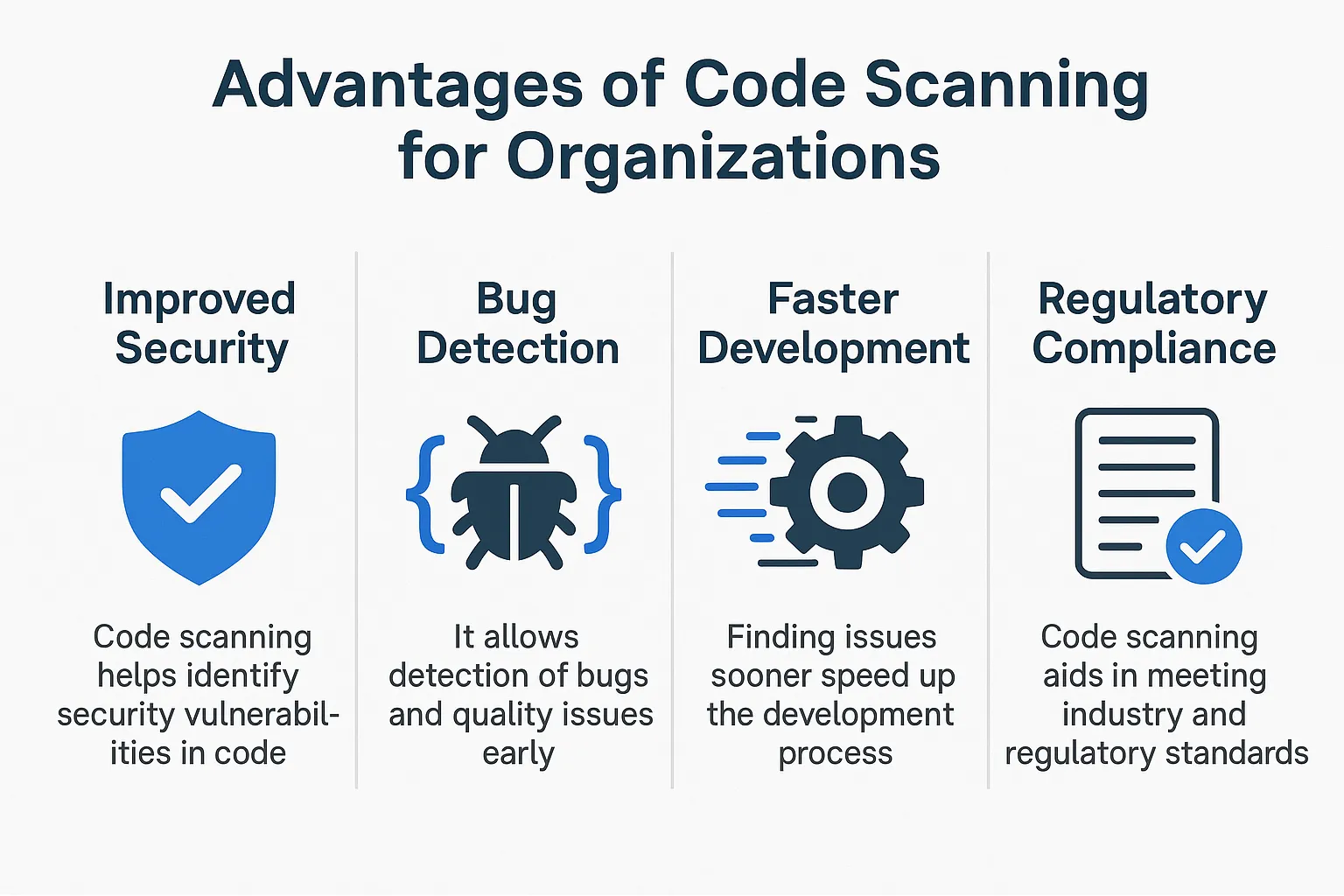
Speedy Time to Market: Fewer security incidents mean fewer delays and less fire-fighting.
-
Lower Remediation Costs: Remediating a vulnerability in the development stage is 6x-15x cheaper than fixing it afterward.
-
Protecting Reputation: Customer confidence is greater when a breach is avoided.
-
Regulatory Compliance: Easier to comply with frameworks such as GDPR, HIPAA, and NIST.
-
Developer Enablement: Increased awareness of security makes developers conscious of code quality long-term.
Challenges and Limitations
While powerful, code scanning is not a silver bullet. Here are some common challenges:
-
False Positives: Not every issue reported by the scanner is a real vulnerability.
-
Limited Visibility During Runtime: Static scanners can only do so much; they are not able to see the inherent logic and execution flow during a runtime.
-
Tool Complexity: While we want to make sure tools are usable, some tools have a steep learning curve or need to be tuned to be useful.
-
Performance Bottlenecks: Too many scans can bog down CI/CD pipelines without optimizing the performance.
Further Resources for Secure Coding & Testing
-
5 Best Open-Source API Testing Tools in 2025
→ Related to secure coding and testing frameworks. -
A Guide to Test Cases in Software Testing
→ Complements code scanning by explaining how to verify secure code via test cases. -
Getting Started with Microservices Testing
→ Relevant for scanning distributed codebases in microservices architectures. -
What is Regression Testing?
→ Discusses ensuring changes in code (like security patches) don’t break existing features. -
Automated Unit Testing: A Complete Guide
→ Aligns well with code scanning by automating validation of secure code logic. -
Continuous Testing in DevOps
→ Supports the idea of integrating code scanning into CI/CD pipelines.
Conclusion
The practice of code scanning is foundational to the contemporary software development life cycle. Whether you create an application from the ground up or simply maintain an old application, embedding code scanning within your process will allow you to keep your applications secure, reliable, and compliant.
Threats change. Your practices must evolve. Code scanning allows developers to build better code, security teams to sleep better at night, and organizations to innovate.
FAQs
1\. Is code scanning equivalent to vulnerability scanning?
No, code scanning examines source code for security flaws, while vulnerability scanning typically scans live systems or networks looking for known vulnerabilities.
2\. Can I run code scanning tools locally?
Yes! Tools like SonarQube, Semgrep, and CodeQL can be local tools you run before pushing any code to a higher environment.
3\. Code scanning is just for developers, right?
Developers benefit the most, but security teams, DevOps engineers, and QA testers also look at code scanning report results to keep secure pipelines happy.
4\. What programming languages can be scanned?
Most major scanning tools will support the programming languages in common use, including; Java, JavaScript, Python, C#, C++, Go, and TypeScript.
5\. Does code scanning affect performance?
Not directly to a production system; it may marginally impact CI/CD build times for considering the overall size of the code base and the frequency of scans.
6\. What is the difference between CodeQL and Semgrep?
CodeQL is more precise but typically slower to evaluate security flaws because it is designed to evaluate against a semantic database of code. Semgrep is faster to scan and typically easier to set up but often require tuning of the pattern for more complexity.
