Common DTG Printing T-Shirt Mistakes to Avoid
Introduction
If you’ve ever ordered a DTG Printing T-Shirt, you already know how impressive the results can be. Smooth prints, unlimited colors, and photo-level detail make DTG custom prints perfect for modern apparel. From brand merch to personalized gifts, DTG on demand has made custom clothes printing more accessible than ever.
But here’s what many people don’t realize — DTG printing is precise, and small errors can lead to big quality issues. A DTG Printing T-Shirt might look dull, feel stiff, or fade quickly if the process isn’t handled with care. Things like low-quality artwork, wrong fabric, or improper curing can all affect the final product.
The good news is that these problems are preventable. With the right knowledge and attention to detail, custom dtg shirts can look vibrant, feel soft, and last through many washes. Let’s explore the most common DTG mistakes and how to avoid them for consistently great results.
Key Takeaways
High-quality artwork is essential for sharp, professional results. Always use 300 DPI, transparent PNG files for the best output in DTG T-shirt printing.
Fabric choice matters more than you think. 100% cotton garments produce brighter colors and longer-lasting prints compared to polyester blends.
Proper pretreatment and curing are critical for durability. Uneven application or incorrect heat settings can lead to fading, cracking, or prints that wash out.
Regular printer maintenance keeps print quality consistent. Nozzle checks, cleanings, and proper white ink management prevent common DTG custom print issues.
What is DTG Printing?
DTG (Direct-to-Garment) printing is a method where designs are printed directly onto fabric using specialized inkjet technology. A DTG Printing T-Shirt has a soft feel because the ink absorbs into the fibers instead of sitting on top of the fabric.
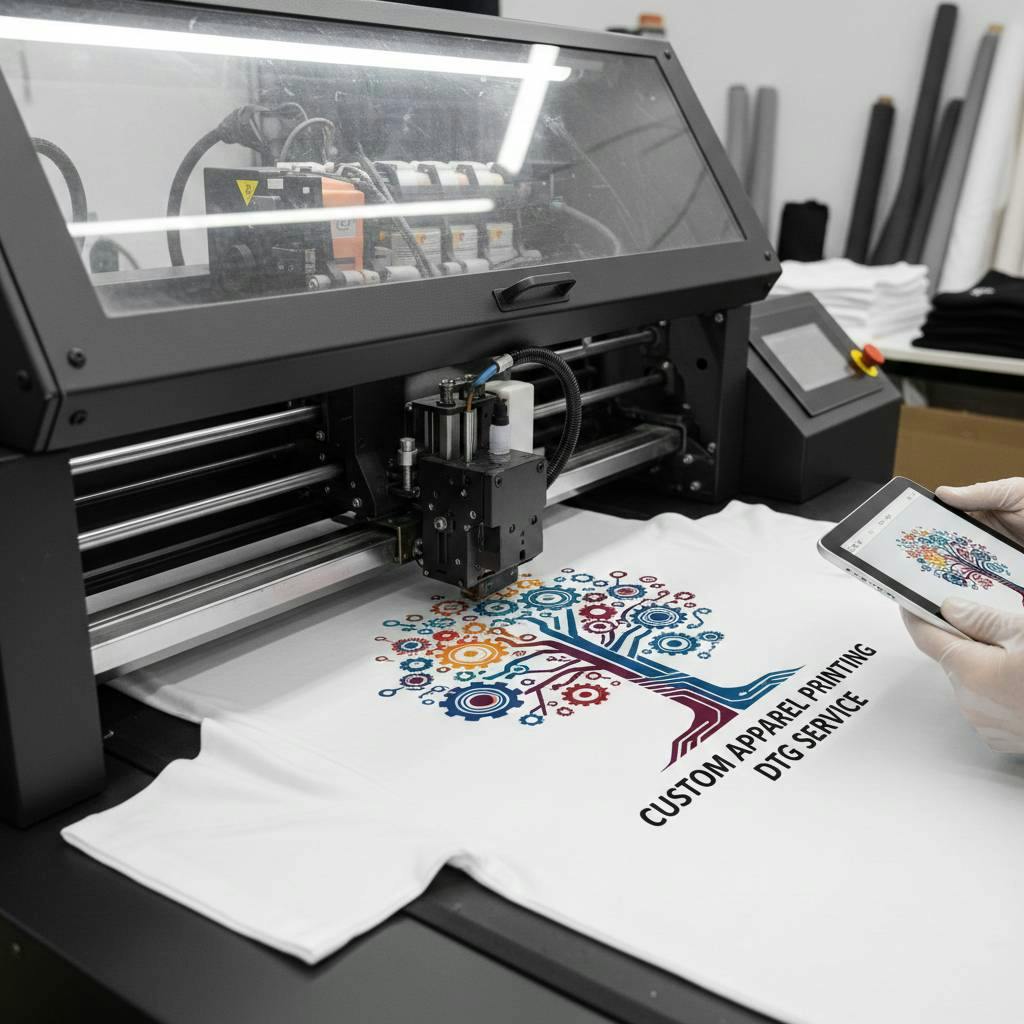
Unlike screen printing, DTG doesn’t need separate setups for each color. It also differs from print-on-demand embroidery and Custom DTF Transfers because it can produce detailed, full-color artwork with a smooth finish. This makes DTG T-shirt printing perfect for complex designs, photos, and colorful graphics.
One of the biggest benefits of custom dtg printing is flexibility. It works great for small orders, single pieces, and DTG on demand production. Whether you need one Custom DTG shirt or a small batch, DTG offers professional results with lower setup costs.
Because the process is precise, every step matters — and even small mistakes can affect the final DTG Printing T-Shirt quality.
Common DTG Printing Mistakes to Avoid
Getting a perfect DTG Printing T-Shirt takes more than just pressing “print.” DTG is a precise process, and small errors can lead to faded colors, blurry details, or prints that don’t last. Whether you’re ordering DTG custom prints or producing DTG on demand, knowing these common mistakes can save time, money, and materials.
Let’s look at the most frequent problems in DTG T-shirt printing and how to avoid them.
1. Poor Artwork Preparation
A high-quality DTG Printing T-Shirt starts with high-quality artwork. One of the biggest mistakes in custom dtg printing is using low-resolution images. Files under 300 DPI often look fine on a screen but turn blurry or pixelated when printed on fabric.
Another issue is using the wrong file format. Images without transparent backgrounds may print unwanted boxes around the design, which ruins the professional look of a Custom DTG shirt.
Best practice: Always use high-resolution (300 DPI) PNG files with transparent backgrounds for sharp and clean DTG custom tees.
2. Improper Pretreatment
Pretreatment is essential, especially for dark garments. It helps the ink bond properly with the fabric. If pretreatment is applied unevenly, a DTG Printing T-Shirt can end up with patchy colors or faded areas.
Using too little pretreatment weakens color vibrancy, while too much can leave visible marks. Printing on a damp shirt is another common error in DTG T-shirt printing that causes ink spreading.
Best practice: Apply pretreatment evenly and make sure garments are fully dry before printing your DTG custom prints.
3. Incorrect Fabric Choice
Fabric choice plays a major role in the final look of a DTG Printing T-Shirt. DTG works best on 100% cotton because cotton fibers absorb ink deeply and evenly. Polyester-heavy blends often result in dull colors and prints that fade faster after washing.
Choosing the wrong fabric can reduce the quality of even the best custom dtg printing setup.
Best practice: Stick with high-quality cotton garments for vibrant, long-lasting Custom DTG shirts.
4. Poor Garment Loading & Placement
If a shirt isn’t placed correctly on the printer platen, the design may come out crooked or off-center. This is a common issue when producing multiple DTG custom tees quickly.
Even a small alignment shift can make a DTG Printing T-Shirt look unprofessional.
Best practice: Use alignment tools, guides, or hoops to ensure perfect placement before printing.
5. Neglecting Printer Maintenance
DTG printers need regular care to produce consistent results. Skipping maintenance can lead to clogged printheads, banding lines, or ink flow problems. These issues directly affect the quality of a DTG Printing T-Shirt.
Poor maintenance can also cause color inconsistencies in DTG custom prints.
Best practice: Perform daily nozzle checks and regular head cleanings to keep your dtg printing online production running smoothly.
6. Wrong Curing Time or Temperature
Curing is what makes the design permanent on a DTG Printing T-Shirt. If the print isn’t cured long enough or at the right temperature, the ink may fade, crack, or wash out quickly.
Overheating can also damage the garment or make the print feel stiff — another common mistake in DTG T-shirt printing.
Best practice: Always follow the ink manufacturer’s recommended curing time and temperature for durable custom dtg shirts.
7. Ignoring White Ink Management
White ink is crucial when printing on dark garments, but it requires extra attention. It tends to settle and clog if not circulated properly. This can cause weak white underbases and dull colors on a DTG Printing T-Shirt.
Without proper white ink management, even well-designed DTG custom prints can lose their brightness.
Best practice: Shake and circulate white ink regularly to maintain strong opacity, especially in DTG on demand production.
8. Design Size Inconsistency
Using the same design size for every garment is a common sizing mistake. A graphic that looks perfect on a medium shirt may look too small on a 3XL DTG Printing T-Shirt. This affects the overall balance and appearance of your Custom DTG shirt line.
Best practice: Adjust design dimensions proportionally for different garment sizes to keep your DTG custom tees looking professional.
Best Practices for Flawless DTG Printing
Avoiding mistakes is important, but following the right process consistently is what truly delivers premium results. When every step is handled with care, DTG T-shirt printing produces soft, vibrant, and long-lasting designs that customers love to wear.
Here’s a simple checklist to keep your DTG custom prints looking professional every time:
a):-Use the right garments
Always start with high-quality, 100% cotton shirts. The better the fabric, the better the ink absorption, which leads to smoother and more vibrant custom dtg shirts.
b):-Prepare artwork properly
Sharp, high-resolution designs make a huge difference. Use 300 DPI files with transparent backgrounds so your custom dtg printing results look clean, detailed, and professional.
c):-Apply pretreatment evenly
Consistent pretreatment ensures strong color vibrancy and wash durability. Uneven application can ruin an otherwise great print.
d):- Ensure accurate garment placement
Take time to align shirts correctly on the platen. Straight, centered prints instantly make DTG custom tees look more polished.
e):-Maintain your equipment
Regular nozzle checks and cleanings prevent clogs and color issues. Well-maintained printers produce consistent DTG custom prints and reduce costly reprints.
Experienced providers like Aesthetic Bk follow strict quality control at every stage of the DTG T-shirt printing process. Their expertise in handling dtg printing online orders ensures consistent, high quality custom apparel results.
FAQ’s
Q1):-What file format is best for DTG printing?
Ans:- High-resolution (300 DPI) PNG files with transparent backgrounds are ideal. Proper artwork setup ensures your design prints cleanly and professionally on custom DTG shirts.
Q2):- Can DTG printing be done on dark shirts?
Ans:- Yes, DTG works on dark garments, but it requires a strong white ink underbase. Proper pretreatment and white ink management are essential to make colors appear bright and accurate on darker fabrics.
Q3):- What fabric works best for DTG T-shirt printing?
Ans:- The ideal material for DTG T-shirt printing is 100% cotton. Cotton fibers absorb ink more effectively, which results in brighter colors, better detail, and longer-lasting prints.
Q4):- How much does a DTG T-shirt cost?
Ans:- The cost depends on the shirt quality, design complexity, and order size. Single DTG custom shirts are usually pricier than bulk orders, but there are no setup fees. For precise price, a lot of online DTG printing providers provide immediate quotations.
Conclusion
High-quality DTG apparel comes down to getting the details right. From using sharp artwork and cotton garments to proper pretreatment and curing, each step affects how your final print looks and lasts.
Most print issues are caused by small, avoidable mistakes. By following the right process and working with experienced professionals, you can ensure your designs stay vibrant, soft, and durable wash after wash.
Great prints aren’t just about good design — they’re about doing every step the right way.

