Complete Guide: How to Install and Use Cursor AI Editor
In the world of software development, where new tools emerge almost daily, finding the perfect fit for your workflow can be a game changer. Meet Cursor, an AI-driven code editor, and EchoAPI, its transformative API management plugin. Together, they promise to streamline your coding and API development processes, all within one powerful platform.
What is Cursor?
Cursor is a code editor similar to VS Code,it is more than just a code editor—it's an AI-powered tool that integrates advanced artificial intelligence features to assist you in writing code more efficiently. By leveraging advanced AI features, Cursor assists developers in writing code more efficiently. It offers intelligent code completion, automated refactoring, real-time error detection, and even learning support for beginners looking to hone their skills. With Cursor, coding becomes not just faster, but also smarter.
Why Choose Cursor Over Visual Studio Code?
Visual Studio Code (VS Code) is a beloved staple among developers for its versatility. But Cursor offers something extra: AI integration. Cursor's key advantages include:
- AI-Powered Code Completion: Get intelligent suggestions that save time and reduce errors.
- Automated Refactoring: Optimize your codebase effortlessly with AI-driven insights.
- Real-Time Error Detection: Fix issues on the fly as Cursor highlights syntax errors and potential bugs.
- Learning Support: Let Cursor's AI mentor you with suggestions and explanations to improve your coding skills.
Getting Started with Cursor
Ready to make the leap? Getting Cursor up and running on your computer is a breeze.
Step 1: Downloading Cursor
Head to the official Cursor website and grab the installer for your operating system.
- Visit the Official Cursor Website:Navigate to the Cursor official website.
- Choose Your Operating System:Cursor is available for Windows, macOS, and Linux. Click on the download button corresponding to your operating system.
- Download the Installer:Save the installer file to a convenient location on your computer.
Step 2: Installing Cursor on Your System
Follow the prompts, whether you're on Windows, macOS, or a Linux distro. The process is straightforward!
For Windows Users:
- Run the Installer:
- Locate the downloaded
Cursor-Setup.exefile and double-click it to start the installation process.
- Accept the License Agreement:
- Read through the End-User License Agreement and click "I Agree" to proceed.
- Choose Installation Location:
- Select the destination folder where you want Cursor to be installed or use the default path.
- Select Additional Tasks:
- You can choose to create a desktop shortcut or add Cursor to your system path for easier command-line access.
- Complete the Installation:
Click "Install" and wait for the installation process to complete.
- Once done, click "Finish" to exit the installer.
For macOS Users:
- Open the Disk Image:
- Double-click the downloaded
Cursor.dmgfile to open it.
- Drag and Drop:
- Drag the Cursor application icon into the
Applicationsfolder shortcut.
- Launch Cursor:
- Navigate to your
Applicationsfolder and double-click Cursor to launch it.
- Security Prompt:
- If prompted with a security warning, go to
System Preferences > Security & Privacyand click "Open Anyway".
For Linux Users:
1. Download the Package:
- Cursor provides
.deband.AppImagepackages. Choose the one suitable for your distribution.
2. Install the Package:
- For Debian-based systems (Ubuntu, Mint), use:
sudo dpkg -i /path/to/cursor.deb
- For other distributions, you can use the AppImage:
chmod +x Cursor.AppImage ./Cursor.AppImage
- Resolve Dependencies (if any):
- If you encounter dependency issues, run:
sudo apt-get install -f
Step 3: Setting Up Cursor
Launch Cursor, sign in or create an account if needed, and configure your settings to suit your workflow.
1. Launch Cursor:
- Open Cursor from your applications menu or desktop shortcut.
2. Sign In or Create an Account:
- If Cursor requires an account for AI features, follow the prompts to sign in or create a new account.
3. Configure Settings:
- Customize the editor settings according to your preferences, such as themes, font size, and key bindings.
4. Install Extensions (Optional):
- Browse the extension marketplace within Cursor to install additional tools and language support.
Step 4: Migrating from Visual Studio Code
If you're a Visual Studio Code user considering a switch to Cursor, you'll be pleased to know that Cursor supports many of the same extensions and keyboard shortcuts. Here's how to make the transition smoother:
1. Import Settings:
- Check if Cursor offers an option to import settings from VS Code during the initial setup.
2. Install Familiar Extensions:
- Search for and install the extensions you commonly use in VS Code.
3. Keyboard Shortcuts:
- Customize the key bindings in Cursor to match those you're accustomed to.
Quickly Debugging REST APIs in Cursor
For fast and efficient REST API debugging within Cursor, you can utilize the EchoAPI plugin:EchoAPI for Cursor, which seamlessly combines code editing and API management functionalities.
Here are some simple steps to help you get started:
Install the EchoAPI Plugin:EchoAPI for Cursor
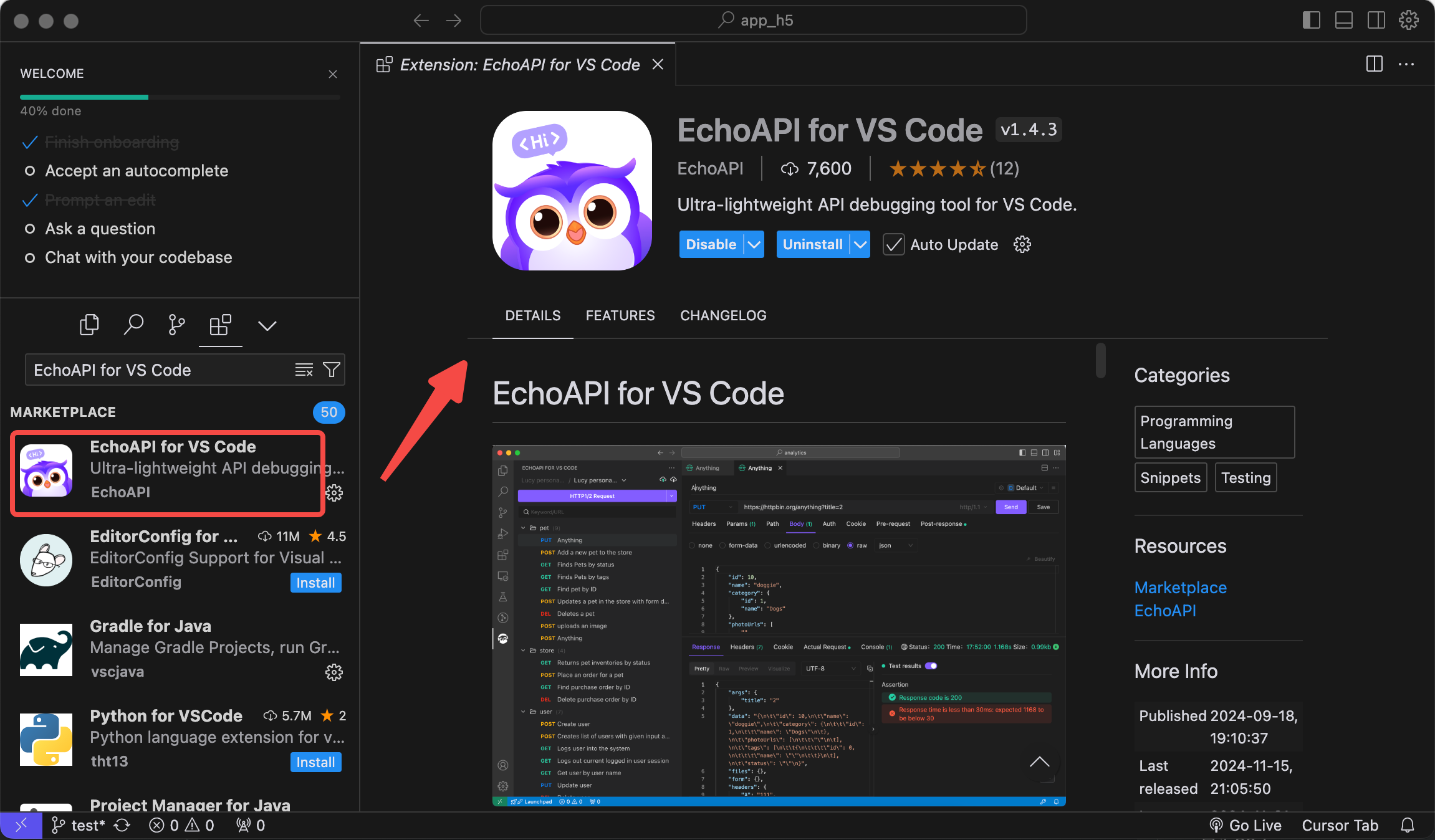
Ensure you have Cursor installed and add the EchoAPI for Cursor to your Cursor environment.
API Debugging and Testing:
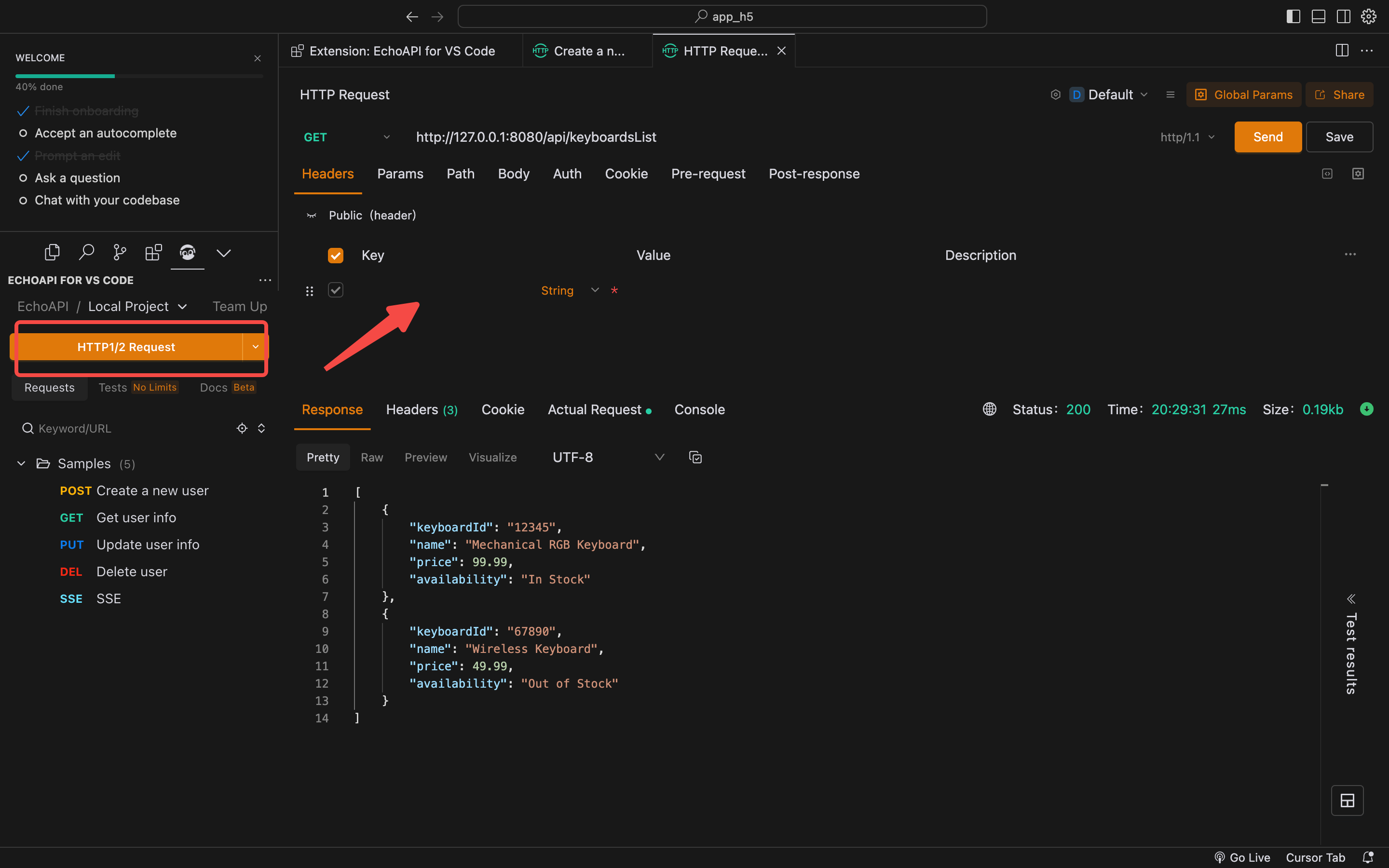
With EchoAPI for Curso, you can perform various API tests directly within Cursor. Enter your API requests, define parameters, and set headers.
The EchoAPI interface allows you to send requests and view the responses conveniently, significantly reducing the hassle of switching between different windows.
Use Pre and Post Scripts:
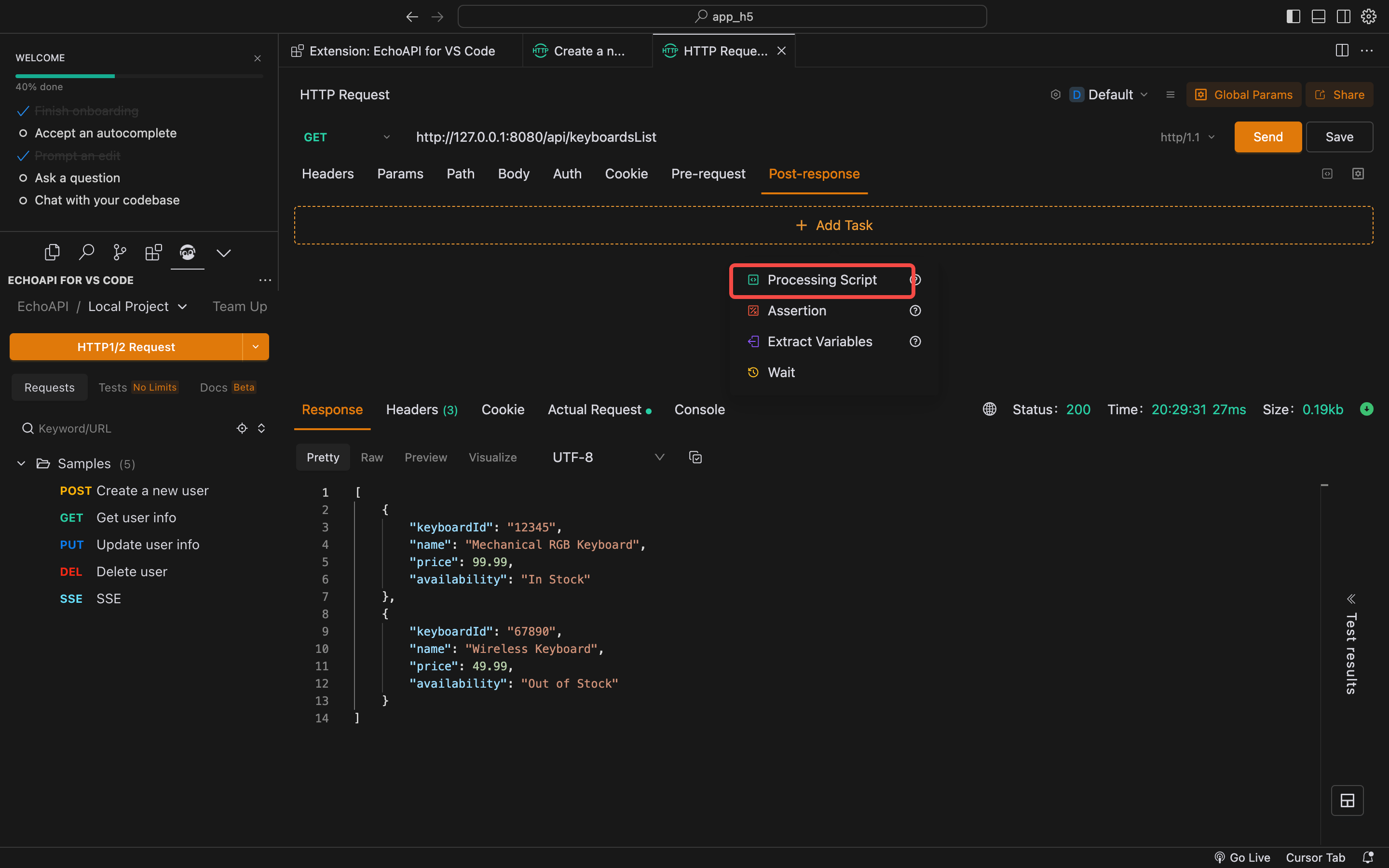
- EchoAPI for Curso lets you execute custom scripts before and after tests, which is useful for setting up test environments or cleaning up afterwards.
Visual Assertions:
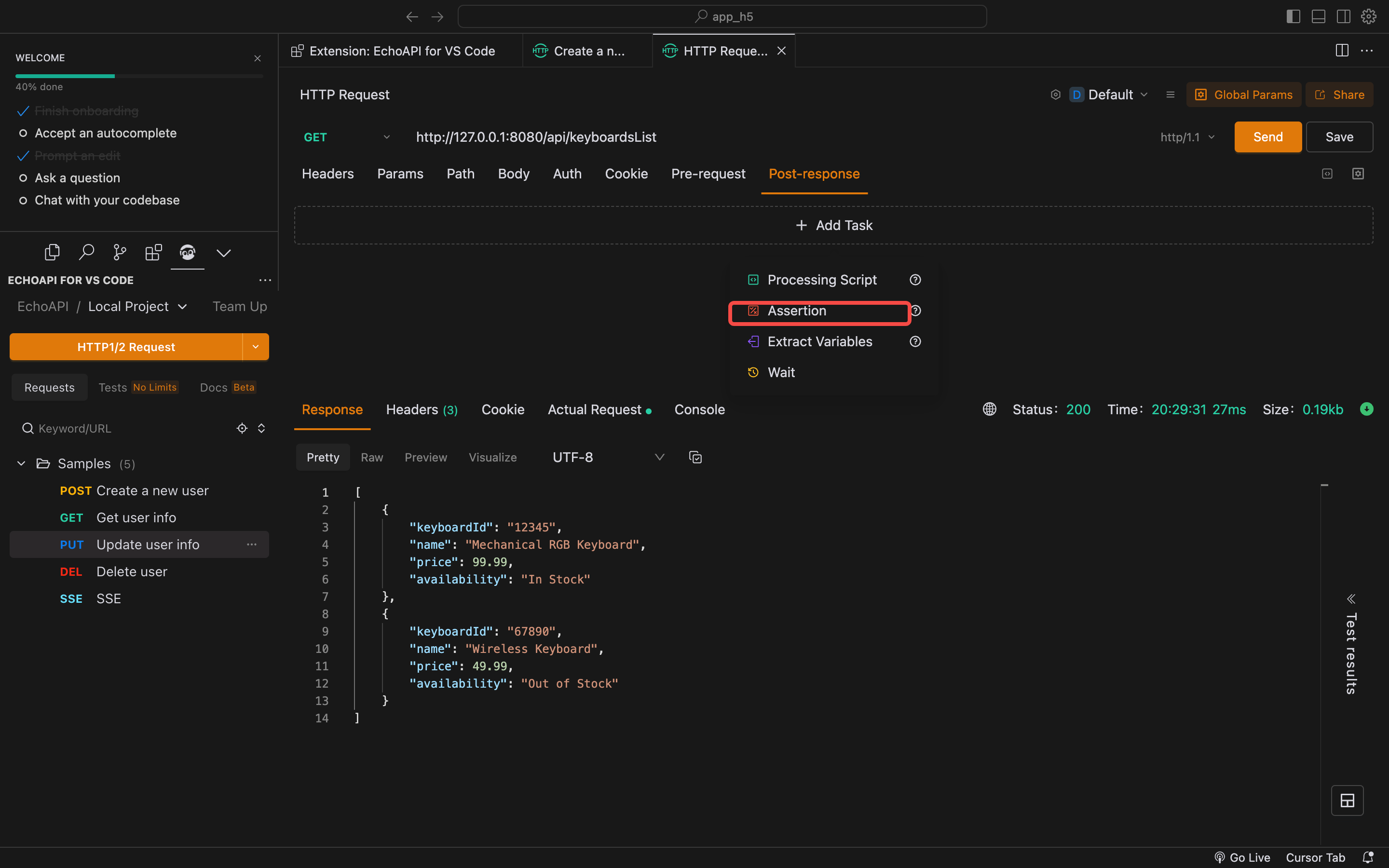
- Add conditions to test results to visually confirm that API responses meet your requirements.
Generate Automated Documentation:
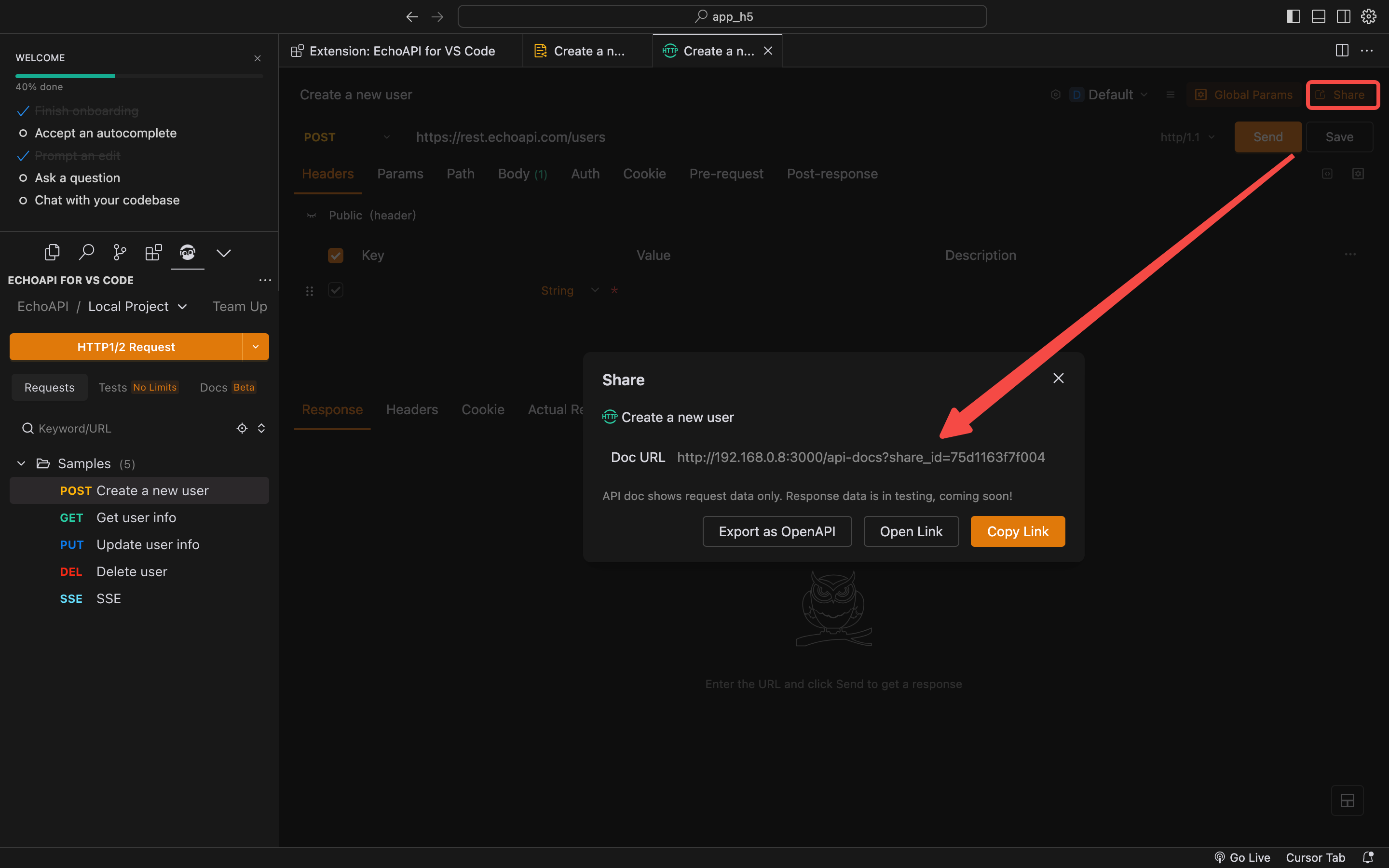
- Utilize EchoAPI's automated documentation generation to ensure your API documents are always comprehensive and up-to-date, reducing the need for manual recording.
By leveraging these features, you can greatly enhance the efficiency and accuracy of debugging REST APIs in Cursor. Quick and intuitive testing and debugging make API development easier and more effective.
What is EchoAPI for Cursor?
EchoAPI for Cursor extends Cursor’s capabilities, allowing developers to handle REST API development directly within the editor itself. Say goodbye to constantly toggling between multiple applications; EchoAPI centralizes code editing and API management for a seamless, efficient workflow.
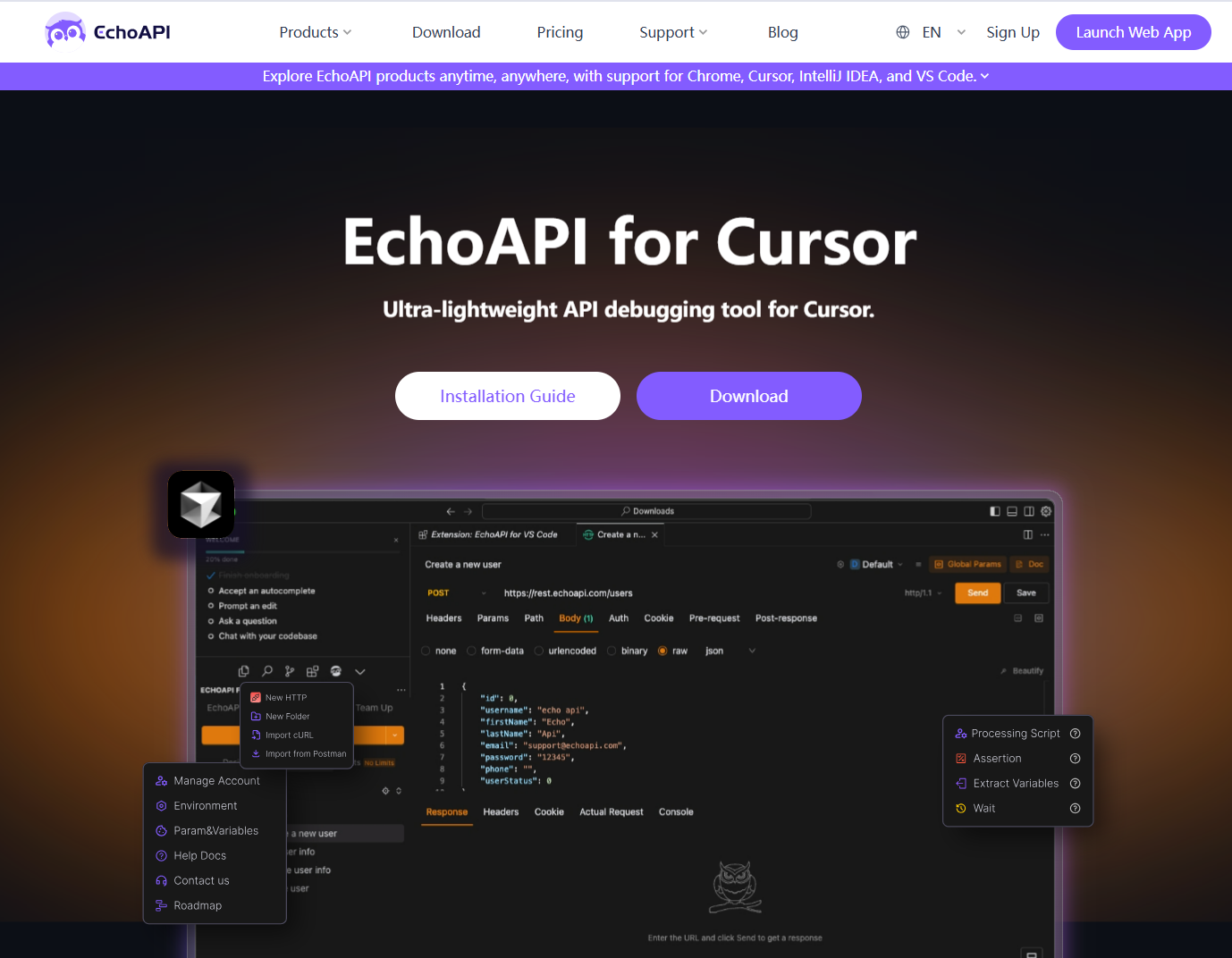
Key Features of EchoAPI for Cursor
- API Debugging and Testing: Conduct thorough API tests directly in Cursor, ensuring fast bug detection and resolution without leaving your coding environment.
- API Design: Quickly define endpoints and configure requests using an intuitive interface—all in one place.
- Pre and Post Scripts: Execute custom scripts before and after API tests to maximize testing flexibility.
- Visual Assertions: Employ visual confirmations for test results to simplify analysis and ensure your APIs meet precise specifications.
- Automatic Documentation Generation: Generate up-to-date API documentation effortlessly, improving communication and understanding across teams.
- Data Synchronization: Sync data effortlessly across projects and teams for consistent collaboration.
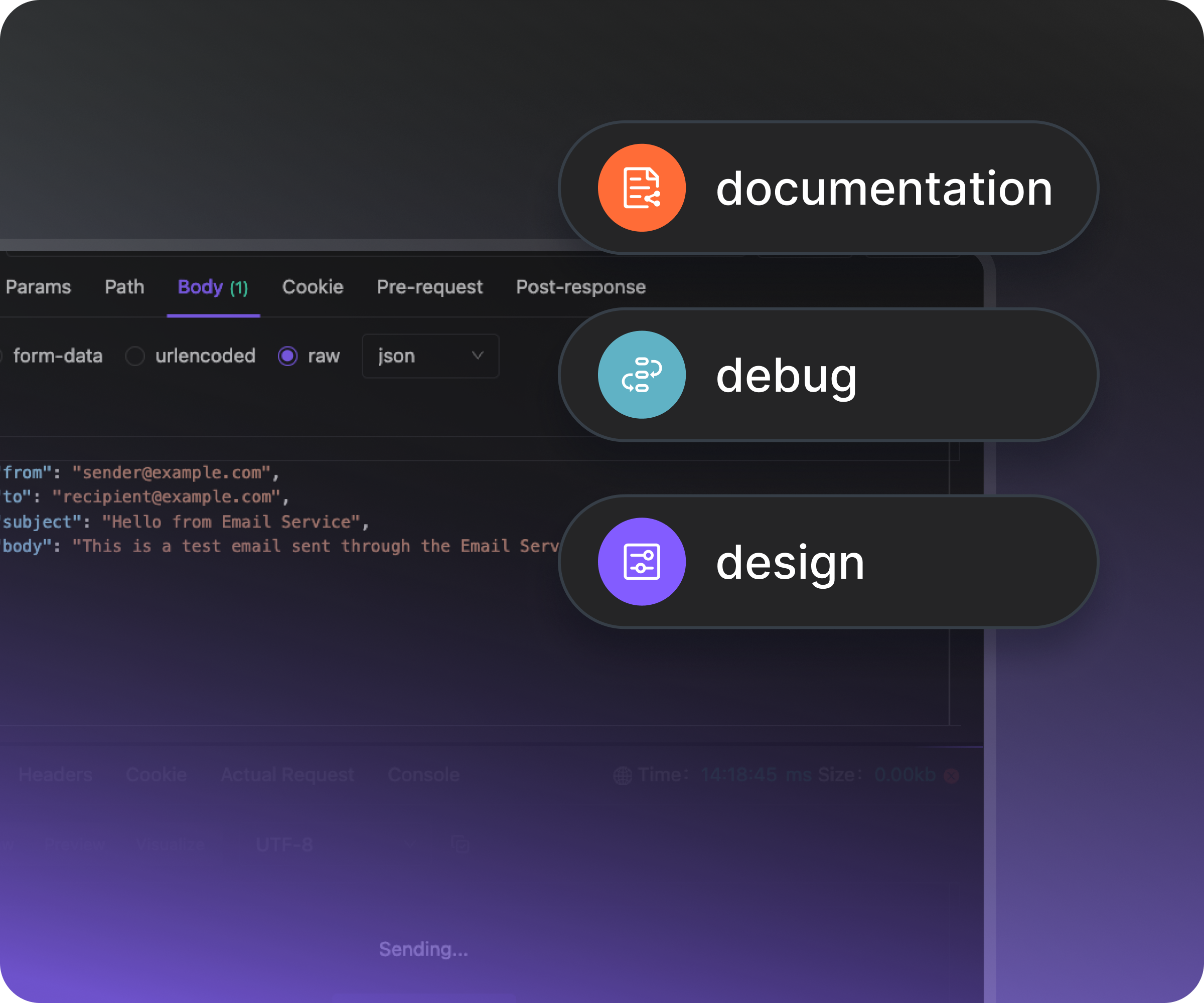
Why EchoAPI for Cursor is Essential
- No Login Required: Start working immediately, without dealing with login credentials.
- Completely Free: Enjoy all functionalities at zero cost, making it a budget-friendly choice.
- Ultra-Lightweight: Easy and quick to use, this tool allows you to get started with minimal fuss.
- Simple and Intuitive UI: Designed for both newbies and veteran developers, EchoAPI simplifies complex API operations.
Conclusion
Installing EchoAPI for Cursor is a no-brainer for any developer dealing with REST APIs. Its user-friendly design, zero cost, and seamless integration with Cursor make it an invaluable asset to your development toolkit. While some might experience issues, like I did briefly on my MacBook Pro M2, the potential productivity boost is undeniable. Download EchoAPI for Cursor today and revolutionize your coding experience.
