Decoding URL Encoding: Unveiling the Mystery Behind % Symbols

In the vast and intricate web of modern development, URLs (Uniform Resource Locators) aren't just simple web addresses—they're like the postal addresses of the internet, guiding data to its destination. But URLs can't just be a jumble of any characters. They follow strict rules to ensure that nothing goes awry. When certain characters get in the way, that's where URL encoding steps in as our unsung hero. Today, we're pulling back the curtain on common encoded symbols like %3A, %2F, and %23, and exploring why they're crucial for smooth, secure, and functional URLs.
What is URL Encoding?
Imagine you're trying to send a letter, but some of the letters in the address are unrecognizable, confusing the postal worker. That's kind of what happens with URLs. Certain characters, like spaces or punctuation marks, can trip things up. URL encoding transforms those characters into a safe, recognizable format that browsers and servers can easily understand.
In URL encoding, a character is replaced with a percent sign (%) followed by two hexadecimal digits representing the character's ASCII value. This ensures that your URL remains clean and readable by both machines and humans.
Common URL Encoded Symbols
Below are some of the most frequently used encoded symbols in URLs and their purpose:
%20 (Space " ")
- Spaces are not allowed in URLs and must be encoded as %20. This is often seen in URLs with multiple words in search queries, form data, or file names.
https://example.com/search?q=hello%20world
- Encoded: q=hello%20world
- Displayed: q=hello world
%40 (At symbol " @ ")
- The @ symbol is typically used in email addresses or certain authentication systems. If it appears in query data, it must be encoded as %40.
https://example.com/profile?email=user%40example.com
- Encoded: email=user%40example.com
- Displayed: [email protected]
%25 (Percent sign " % ")
- Since the percent symbol is used to denote encoded characters, it must be encoded as %25 if it appears in the data itself.
https://example.com/coupon?code=50%25OFF
- Encoded: code=50%25OFF
- Displayed: code=50%OFF
%2B (Plus sign " + ")
- The + symbol often represents a space in query strings, but when it needs to appear as data (e.g., in a mathematical expression or phone number), it must be encoded as %2B.
- https://example.com/calculate?expression=5%2B5
- Encoded: expression=5%2B5
- Displayed: expression=5+5
%3D (Equal sign "=")
- The equal sign is commonly used to assign values to parameters. However, when part of data (e.g., a formula), it must be encoded as %3D.
https://example.com/formula?equation=H2O%3Dwater
- Encoded: equation=H2O%3Dwater
- Displayed: equation=H2O=water
%2C (Comma ",")
- Commas are allowed in URLs but must be encoded as %2C when they appear in data to avoid confusion, especially in query parameters or when multiple values are separated by commas.
https://example.com/names?list=John%2CJane%2CBob
- Encoded: John%2CJane%2CBob
- Displayed: John, Jane, Bob
%5B and %5D (Square brackets " [ ] ")
- Square brackets are often used in programming contexts, such as arrays, but must be encoded as %5B and %5D in URLs.
https://example.com/query?array%5B0%5D=value1&array%5B1%5D=value2
- Encoded: array%5B0%5D=value1&array%5B1%5D=value2
- Displayed: array[0]=value1&array[1]=value2
%22 (Double quote " " ")
- Double quotes are reserved characters and must be encoded as %22 when part of the data.
https://example.com/message?text=%22Hello%2C%20world%22
- Encoded: text=%22Hello%2C%20world%22
- Displayed: text="Hello, world"
%27 (Single quote " ' ")
- Single quotes, often used in names or text, must be encoded as %27 to prevent URL breakage.
https://example.com/search?name=O%27Connor
- Encoded: name=O%27Connor
- Displayed: name=O'Connor
%5C (Backslash " \ " )
- Backslashes are less common in URLs but must be encoded as %5C when used in file paths or other data.
https://example.com/path?location=C%3A%5CUsers%5CAdmin
- Encoded: location=C%3A%5CUsers%5CAdmin
- Displayed: location=C:\Users\Admin
%3A (Colon " : ")
- The colon separates the protocol (e.g., http:) or port number in URLs. When part of the data, such as a time value, it must be encoded as %3A.
https://example.com/event?start=12%3A00
- Encoded: start=12%3A00
- Displayed: start=12:00
%2F (Forward Slash " / ")
- Forward slashes are used to separate different parts of the URL, like directories. However, when part of the data (e.g., in a search query), it must be encoded as %2F.
https://example.com/search?q=hello%2Fworld
- Encoded: search?q=hello%2Fworld
- Displayed: search?q=hello/world
%3F (Question Mark " ? ")
- The question mark typically denotes the start of a query string. If it’s part of the actual data, it must be encoded as %3F.
https://example.com/feedback?comment=What%3Fare%3Fyour%3Fthoughts
- Encoded: comment=What%3Fare%3Fyour%3Fthoughts
- Displayed: comment=What?are?your?thoughts
%23 (Hash " # ")
- The hash symbol links to a specific section within a webpage. When part of data, it must be encoded as %23.
https://example.com/search?q=developer%23tools
- Encoded: q=developer%23tools
- Displayed: q=developer#tools
%26 (Ampersand " & ")
- Ampersands are used to separate multiple query parameters in a URL. When part of the data, it must be encoded as %26.
https://example.com/search?q=R%26D
- Encoded: q=R%26D
- Displayed: q=R&D
Why URL Encoding matters

Preventing Errors and Confusion
Special characters like slashes or question marks play critical roles in URLs. If they're not used correctly or show up in the wrong places, things can get messy. By encoding these characters, you ensure they're treated exactly as intended.
Guaranteeing URL Safety
Some characters, such as spaces or symbols, aren't allowed in URLs. Encoding these ensures that unsafe characters are converted into a format that won't cause errors, like spaces being transformed into %20. Making ensure sensitive data, like email addresses or personal information, is securely handled.
Smooth Query Handling
If you're working with complex URLs that include search parameters, URL encoding keeps everything clean. It prevents the ampersand (&) from mixing up your query strings and ensures that all parameters are correctly processed.
Real-Life Uses of URL Encoding
Web Forms: When users submit data through forms, the information is often sent via URL. Special characters in the form need to be encoded so the server can process them properly.
APIs: In modern APIs, query strings are a common way to pass data between the client and server. Proper encoding ensures that special characters are correctly interpreted without disrupting the flow of data.
Social Media Links: Ever wonder how URLs get so long when you share a link on social media? URL encoding is part of the process that ensures the link, no matter how complex, is transmitted safely.
Conclusion and the Next Step
URL encoding may seem like a small technical detail, but it's a fundamental part of web development that keeps things running smoothly. By encoding special characters like : (%3A), / (%2F), ? (%3F), # (%23), and & (%26), developers can ensure that URLs remain secure, functional, and user-friendly.
So next time you see those % symbols in a URL, you’ll know exactly what’s going on—keeping the internet running smoothly, one encoded character at a time.
Simplifying API Development with EchoAPI
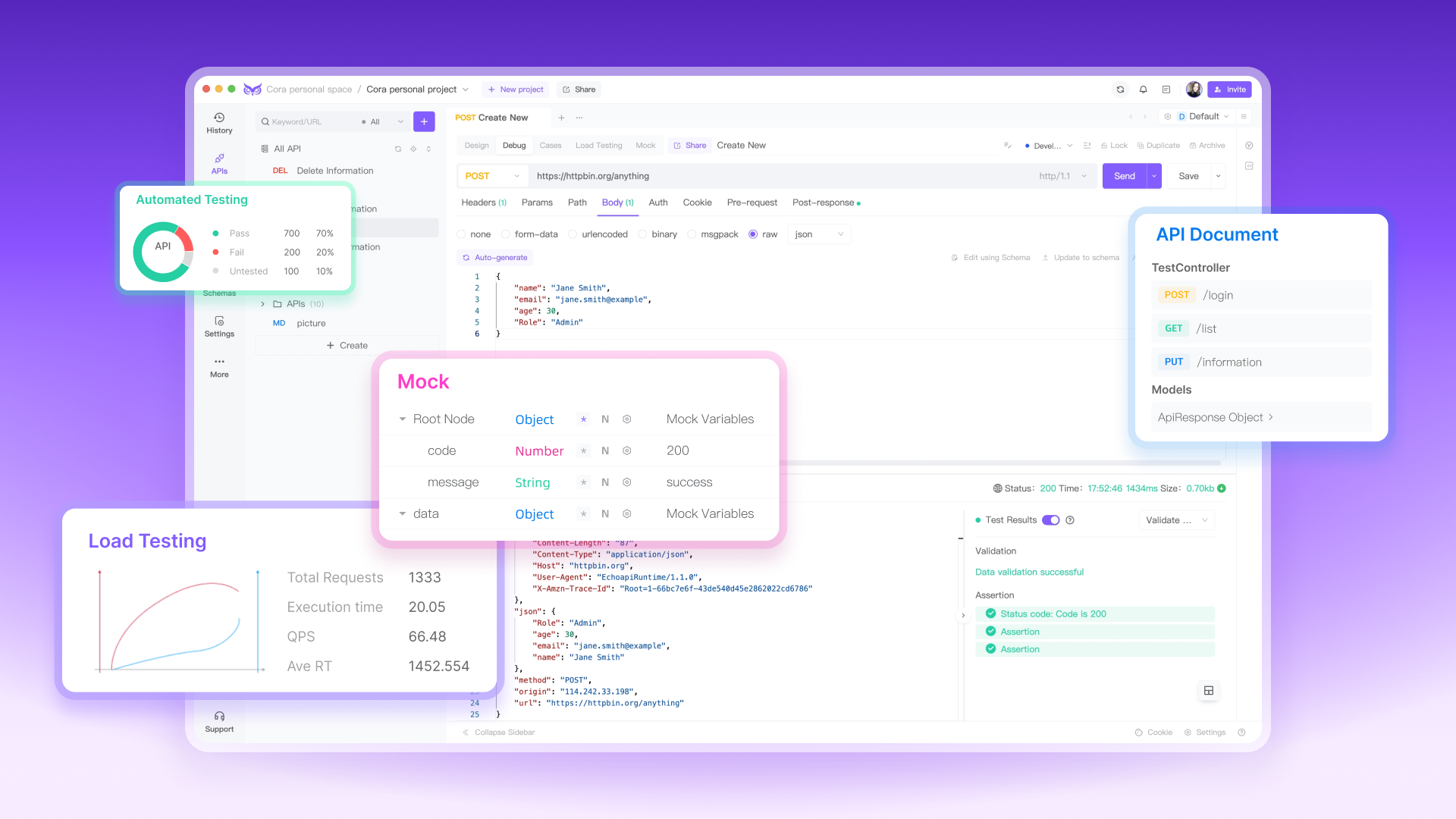
In the fast-paced world of web development, having the right tools can make all the difference. EchoAPI goes beyond just handling URL encoding—it offers a full suite of features designed to streamline your entire API workflow. From debugging, testing to automated documentation, EchoAPI empowers developers to build reliable, efficient APIs with ease. You can automate your testing and ensure continuous integration, making sure your APIs are always performing at their best. Whether you’re managing Apis or tackling complex API challenges, EchoAPI has you covered every step of the way.
