Do startups outside China need an AI “relay layer” too? (Lessons from a \$32k key leak)
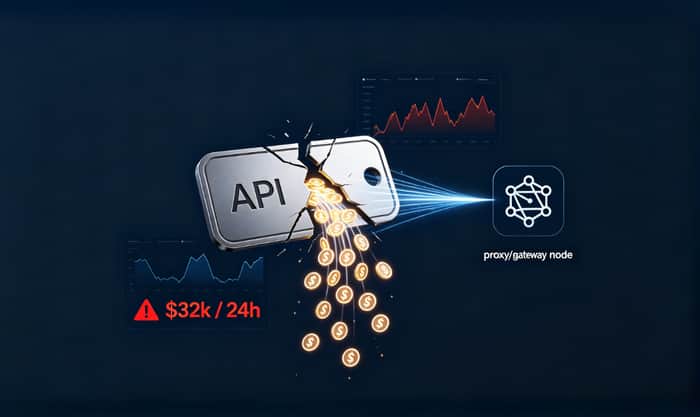
Short answer: yes — but in global markets we usually call it an AI Gateway, LLM Proxy, or inference gateway, not a “relay station.”
I’m writing this after hearing a painful incident from another early-stage team:
- one upstream AI API key reused across multiple services/environments,
- key leaked during normal collaboration,
- traffic was routed through an abusive relay endpoint,
- roughly \$32,000 burned in 24 hours before anyone intervened.
The important part is not the specific number.
The important part is this: uncontrolled AI traffic becomes a financial and security risk very fast.
Why this topic matters globally (not just in one region)
When people ask “Do overseas teams need a relay layer?”, they often mean:
“Do we actually need another layer between our app and model providers?”
For many international teams, the answer becomes “yes” as soon as they move beyond prototype stage.
In global teams, the drivers are usually:
- Key protection: never expose upstream provider keys in client apps.
- Cost guardrails: enforce limits before spend happens.
- Attribution: know which user/team/agent generated cost.
- Multi-provider routing: failover and price/perf routing across vendors.
- Compliance: control logging, redaction, and data handling policy.
So the need is real — the naming is just different.
When you can skip it (for now)
To be fair, not every startup needs this on day one.
You can usually defer a gateway/proxy if all are true:
- single backend service only,
- one provider, low traffic,
- no client-side model calls,
- no tenant-level billing/limits,
- no compliance or audit pressure.
But once those assumptions break, “just rotate keys and monitor logs” stops working.
The mistake most teams make after a leak
After incidents, teams often do three things:
- revoke the leaked key,
- issue a new key,
- tell everyone to be more careful.
You should absolutely do those. But they only fix this event.
To prevent the next one, you need system-level answers:
- Who can call which model endpoints?
- How much can each actor spend per request/day/week/month?
- What happens automatically when behavior turns abnormal?
- Can every expensive call be traced to owner + context?
If those are undefined, you have incident response — not governance.
The 2 controls that mattered most in the \$32k case
For this failure mode, two controls dominate all others.
1) Multi-layer spending limits
A monthly budget alone is too coarse. You need layered limits:
- Per-request cap: contains prompt/config accidents.
- Daily cap: protects unattended windows.
- Weekly/monthly cap: catches slow-burn overspend.
- Per-actor cap: per tenant/team/project/agent/environment.
The key idea:
A budget in documentation is not a control. A limit enforced on the request path is a control.
2) Threshold-triggered auto-disable
Alerts without automated action still leak money.
Use tiered response:
- Tier 1: alert + throttle,
- Tier 2: auto-disable risky key/channel,
- Tier 3: hard cut-off + escalation to owner/on-call.
Most real loss happens in the unattended 30–90 minutes after abnormal traffic starts.
Auto-disable shrinks that loss window.
What “relay layer” should mean in practice
You don’t need an enterprise rewrite. A lightweight setup works:
Control plane
- identity mapping + policy,
- budgets/quotas/limits,
- anomaly rules + thresholds,
- audit and attribution storage.
Gateway/proxy layer
- validate and enforce policy before model calls,
- apply allow/block/reroute/throttle decisions,
- emit consistent usage/cost events.
Execution layer
- call public/private model providers,
- follow policy decisions deterministically.
The principle is simple:
Centralize governance at the AI request entry point, not inside every app service.
A practical decision framework: “Do we need this now?”
If any 2+ are true, implement a gateway/proxy now:
- multiple teams or environments share keys,
- monthly AI cost is trending up fast,
- you need tenant/user-level limits,
- you need auditable attribution,
- provider failover/routing is becoming common,
- compliance review is coming.
If fewer than 2 are true, start with minimal controls (per-request cap + daily cap + attribution), then expand.
24-hour playbook I’d run today
0–2h: Stop the bleeding
- revoke suspected credentials,
- tighten expensive routes,
- enable full audit logging,
- rate-limit risky entry points.
2–8h: Attribute and scope
- replay by project/agent/environment,
- separate valid spikes from abuse,
- map impact and active exposure.
8–24h: Install durable controls
- replace direct master-key usage with scoped keys,
- deploy per-request + daily/weekly/monthly limits,
- enable threshold-triggered auto-disable,
- define recovery runbook (who approves restore, when, based on what metrics).
That’s the shift from firefighting to operational control.
What changed my founder perspective
I used to think model choice was the hardest decision.
Now I think the moat is operational discipline:
- boundaries are enforced,
- anomalies are auto-contained,
- ownership is traceable,
- recovery is rehearsed.
Put simply:
Treat AI keys like production assets, not config strings.
If you’re shipping AI features this month
Start with this minimal stack:
- per-request cap,
- daily cap,
- threshold-based auto-disable,
- actor/project/environment attribution on every call,
- one tested disable-and-restore runbook.
You don’t need perfect governance on day one.
But you do need real guardrails before your next growth spike.
If useful, I can share a compact implementation checklist for indie teams in a follow-up comment.

This is a strong framing. I especially agree with the line that a budget in documentation is not a control, but a limit enforced on the request path is.
For early teams, the hard part seems to be deciding what to implement first without turning the gateway layer into a huge infra project.
If you had to pick the first 3 controls for an indie team using multiple AI providers, would you start with per-request caps, daily spend limits, attribution, auto-disable, or scoped keys?
Great question. For an indie team, I'd pick these three, in order:
Daily spend limits. Nothing else matters if you wake up to a $5,000 bill. A hard cap per project per day is the seatbelt. It doesn't need to be smart — just a number that says "stop."
Scoped keys. One key per project, locked to a specific model. This kills two birds: you know exactly which project is spending what, and a leaked key can only hit one model. No cross-contamination.
Attribution. Not real-time dashboards — just a log. Who called what, when, how much. You don't need it until you do, and when you do, you really do.
Per-request caps and auto-disable are great but they're optimization, not survival. You can add them in week 3. The first three are about not dying in week 1.
Curious what you'd pick differently.
This is exactly why AI output quality and reliability matter so much. A proper human review layer can catch issues early, before they reach users and turn into costly mistakes
100%. Human review catches what no automated check ever will. But here's the thing I keep seeing: most teams don't even know which model they're reviewing. A human reviewer reads an output and flags it — but they don't know it came from a degraded Claude instance instead of the GPT-4 they thought they were paying for.
Human review is the last mile. The first mile is knowing what model actually served that request, what it cost, and whether that's what you signed up for. That's the layer we're focused on. If the reviewer doesn't know the model silently drifted, they're QA-ing blind.
Would love to see a world where human review tools plug into observability data so the reviewer sees "this response was generated by Claude-3-Haiku (downgraded from Sonnet)" right next to the output.
I’m dropping the AiKey Personal installation links here in case it helps:
—— macOS/Linux:
curl -fsSL https://aikeylabs.com/zh/i/ih04 | sh
—— Windows (cmd):
curl.exe --ssl-no-revoke -fsSLo "%TEMP%\aikey-w.ps1" https://aikeylabs.com/zh/iw/ih04 && powershell -ExecutionPolicy Bypass -File "%TEMP%\aikey-w.ps1"
—— Windows (PowerShell):
$f="$env:TEMP\aikey-w.ps1"; curl.exe --ssl-no-revoke -fsSLo $f https://aikeylabs.com/zh/iw/ih04; & $f
If you need the Enterprise version, email
aikeyfounder@gmail.comfor details.