Finally Launched! Any Feedback?
Hi folks!
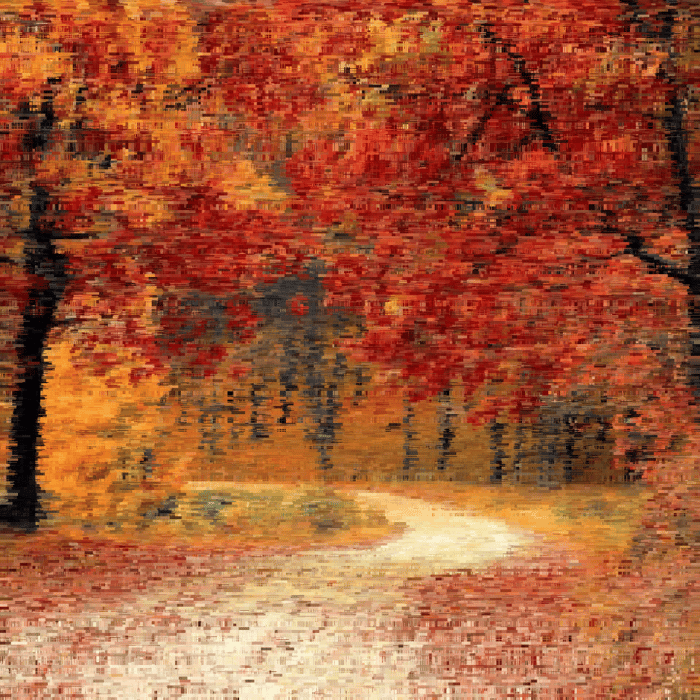
I finally launched Artbuffer (https://www.artbuffer.com) today! Artbuffer lets you easily convert your photos into beautiful digital paintings using magical brushes. I built it for myself so I could create beautiful wall art for my home, without spending years learning how to paint.
I had been making a push towards launch for the last few weeks and it's ridiculous how many todo items pop up when you think you're 99% done! Don't get me wrong: there are still a ton of bugs and design issues (e.g. the editor only works in landscape mode), but I figured it'd be faster to fix if actual people are complaining about them (as opposed to the perfectionist in my head).
My only goal with this launch was to answer the question: does anyone even like the images that Artbuffer produces? I'm curious to hear what your folks think in this regard. Any feedback? Suggestions? Rants?
Here are some of my creations over the last few days! Each of these took about three to five minutes to create from the example photos.
https://www.artbuffer.com/view?a=wslyHCoGjqoA3ZKgsQ_hNAlnshT-jt
https://www.artbuffer.com/view?a=-9Wr6aLtgF383zsAWxchXJbt8CWjko
https://www.artbuffer.com/view?a=E1UYpeN9lTL9cqMgfVr4n89uDWMiBc
https://www.artbuffer.com/view?a=KSG9OBjz4gxyhmIotP9EHOUSbGktGW
https://www.artbuffer.com/view?a=0SkDfkKDJ9lejibj7hrgXMVnzC7vzg
https://www.artbuffer.com/view?a=2017x2Als37oHAvyINfhqJh0h19jj5
Cheers!

I really like this idea! We all could use some more art in our lives, and I have a lot of bare walls. ;) I like the first two images you linked to. The other ones not as much.
Good to know! I like that everyone I talk to seems to like a different subset of the examples I show them, because it shows that there's enough variation in the output to satisfy diverse tastes.
Really cool application but you seem to have default react fav-icon. Please update it with your own. :)
Ah, thanks for pointing that out :-P
I should make an actual logo at some point soon (and use that for the favicon). Right now I'm just using some font-awesome font as the logo...!
It's a really cool app!
I'm not a very artistically talented person and one feature that I would appreciate is the ability to randomly generate a full art work using one of the brushes from the toolbox. I found it hard to create something reasonably nice by just brushing.
Regardless, it's an impressive tool!
PS: This is my first post here. Hello everyone!
Here's an example painting I made to illustrate the generalized strategy I mentioned in the other post: https://www.artbuffer.com/view?a=OuIs3I6vHAyqV-PoMb6EFiRVAFwRb5
I used the pixelate brush, start with 128px and work my way down to 8px.
Hey Victor, thanks for the feedback! The trouble you had is a very important issue for which I need to figure a way around.
The simplest solution I can think of is a "Surprise Me" button, which would pick some random brush, with random parameters, and create a random set of brushstrokes on the canvas...
But there is actually a generalized strategy for making nice paintings using Artbuffer that comes from traditional painting. Basically you want to start with a large brush size and paint the entire canvas. Then choose a lower size and paint the parts that you feel need more detail. And then keep doing that working your way down to smaller brush sizes, and stop when you're happy. It might be something I can automate for users...
The most complex alternative is to apply more sophisticated techniques like machine learning to draw things for you, tailored to the image you provide...
Thanks again, and welcome to IH!
I think those are great starter points, Manohar! Maybe the tool should help n00bs like me with exactly that and give the option to start with full canvas painted with a large brush, or at least hint at that :)
I am not so much into art, but my advice would be to keep making the app better with users feedback and over a period of time they will fall in love with it.
Yeah I'm going to keep iterating till it picks up :-)
I had fun playing around with it! Good work :)
Thanks!
Really cool, the UI is super slick too - nice work.
It would be nice if there was a bit more of a guided tour once you get into the Editor. Once you're dropped in there, it's a little confusing how to get started with the painting, in my opinion. Besides that, beautifully done!
Thanks for the suggestion on the tour! I just added one that walks the user through the major parts of the UI :-)
I love it nice work!
Thanks!
I like the images.
There's a painter in Seattle that does similar paintings: https://www.google.com/search?q=Brooke+Borcherding+painter&tbm=isch&ved=2ahUKEwiN4eGDmr3nAhXCwJcIHVIqCN8Q2-cCegQIABAA&oq=Brooke+Borcherding+painter&gs_l=img.3...26778.26778..27222...0.0..0.73.73.1......0....1..gws-wiz-img.yCf089ItugM&ei=nCs8Xo2jLcKB3_QP0tSg-A0
When I showed my wife the image above her first question was "can you adjust the brush/block size?".
I wonder... Do you think there's a way to take those images and "3d print" them to essentially paint an image in the same way a human would do it with a brush? It's not only about the image but also the texture, volume of paint, and the 3d nature of the paint built up on the canvas.
Hope that helps,
Wow that looks incredible! Really cool stuff. And yeah, in the editor you basically select the brush on the left, and the various parameters on the right, and then draw with it.
I've actually thought very hard about making it like a real painting with the feel of, say something like oil paint. The closest I can think of is to use a plotter (https://www.axidraw.com/) with a paintbrush on it, but it's still messy ( see the section on "Brushes and paint" over here https://tylerxhobbs.com/essays/2018/executing-generative-art-with-a-plotter).
One alternative I considered was to use a service like instapainting.com to get a painted canvas made of an image generated via Artbuffer. Basically have an artist copy the exact image, but using physical paint.
At least with Artbuffer I'm going to try to stick with plain fine-art prints initially and see if there's interest.
Thanks for the comment! :-)
This comment was deleted 4 years ago
Thanks!
One of the cool features of Artbuffer is something that isn't launched yet and currently invisible to the user. All the brushes you see were implemented using simple javascript and run in a sandboxed web worker. While I've implemented all the brushes you see, the goal is to get it to a point where anyone can contribute brushes. There is an entire community of generative artists who would find value in this.
That's what makes it extremely powerful compared to the other options out there, in my opinion :-)