First principles of designing workable interfaces, published in 2003
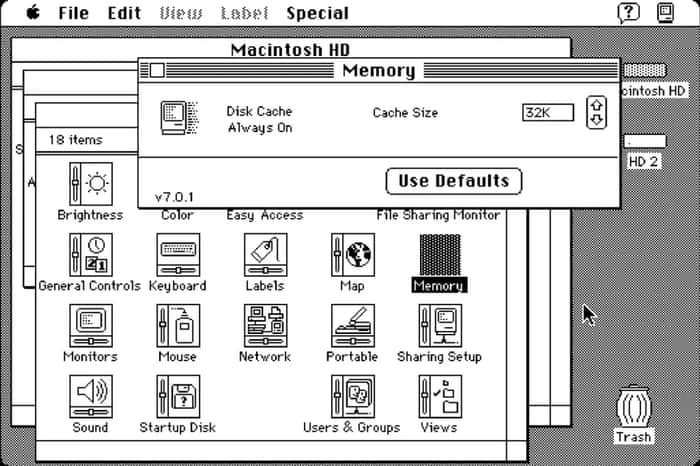
🗞️ Part of the principles from the article:
- Maintain a balance between full user independence and excessive restrictions
- Inform the user of the current status of operations to reduce the voltage. This information should always be in sight
- Supplement the color indication with additional hints so that people with color blindness can read the information
- The controls should clearly tell the user that they can be used, while the elements that work differently should be visually different
- Evaluate not only the speed of the interface, but also the time it takes the user to complete the task
- Error messages and hints should accurately describe the problem. This will help save time
- In the names of menu items and buttons, the keyword must go first. For example: not "Insert Page Break", but "Page Break". First, give the user the opportunity to solve the problem in a simple way. Open additional functions for those who need them
- If the application is created for beginners, it should guide the user
- Allow to cancel any action. This will allow the user to explore the interface safely
- Consider Fitts' law, which states that the accuracy of hitting a target is inversely proportional to the distance to the target and squared to its size. Also, the fastest available targets on any monitor are the four corners of the screen
- Use multithreading wherever possible so that the user can continue working while the calculations are going on
- Make sure that users don't lose their data if they make a mistake
- Workable interfaces are visually clear, forgive mistakes and give their users a sense of manageability. Users briefly look around the scope of opportunities, understand how to achieve their goals and work.
🍪 Desert for you:
-
Ant Design System 3.0. An updated design system in Figma of 2100+ customizable components based on the Ant Design React library. In the new version, we added the Figma Tokens Sync function, which allows you to synchronize the design with the React library using a plugin, and also updated the documentation and added new Slot, Space and Grid components. The price is from $100 for the design system and from $9 per month for the Figma Tokens Sync option.
-
A collection of realistic mockups of equipment, packaging, covers and other items. The author of the mockups is Anthony Boyd, a 3D artist from the USA.
bezier.design for more news or tools on design🚀
