Follow these steps to get a perfect page speed score for NextJS 💯
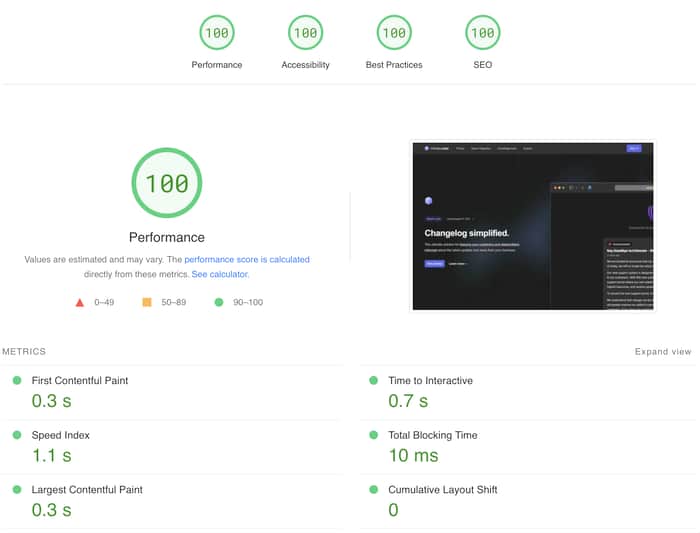
The Easy Fixes:
SEO: I use the "next-seo" package to add the necessary SEO tags and OG parameters for each page (https://github.com/garmeeh/next-seo), make sure you've added OG params also.
Accessibility and Best Practices: Follow the guidelines from PageSpeed Insights or Chrome Lighthouse. I fixed issues with color contrast, viewport configuration, and duplicate IDs.
The Hard One, Performance: To improve performance, do the following:
Static Rendering and Lazy Loading (optional): NextJS already statically renders pages, but double-check for any client-heavy parts that may benefit from lazy loading using dynamic imports (https://nextjs.org/docs/advanced-features/dynamic-import). Do NOT lazy load everything, that can make things worse. Lazy loading adds more chunks to final builds, which means the client will have more requests and JS files to download, so chose wisely, I did some trial and error to find the sweet spot.
Reducing First load JS: Use "bundle-analyzer" (https://www.npmjs.com/package/@next/bundle-analyzer) to identify and reduce the size of the client JS. Once you run a build with bundle analyzer, it will open 2 or 3 pages in your browser for server, edge and client JS.
Navigate to the client page and filter the view for just our landing page (pages/index), I'd also recommend looking at _app to see if there are some libraries or context providers that are big and is included in every page. Now you can see which libraries and components are necessary for your initial JS load. To fix the problem, focus on removing anything that is large and unnecessary for rendering the landing page. If a component, say Footer, is too heavy, try lazing loading it.
Optimize Images: If using Vercel, use "next/image" instead of "img". If not, compress images, serve as webp, and reduce size to meet page requirements.
