Framify Device - Add Device Frame to a Screenshot or Video
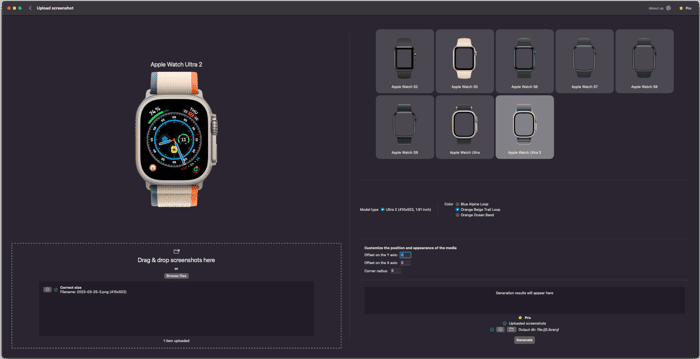
🌟 Effortlessly Add Device Frames to Your Screenshots & Videos! 📱💻
Website: https://framifydevice.com/
iOS/macOS App store: https://apps.apple.com/nl/app/framify-device-mockup-bezel/id6478162764
Meet Framify Device - The tool for professionals looking to showcase their app visuals with style! 🎉 With this powerful app for macOS, iOS, and iPad, adding high-quality frames to your screenshots and videos takes just seconds! ⏱️ Here’s what Framify Device can do for you:
✨ Instant Framing – No complex software needed; just frame your screenshots & videos instantly!
📱 400+ Device Frames – iPhones, iPads, MacBooks, Samsung Galaxys, and more! You can even request new frames!
🎨 Customization Options – Match frames to your brand with customizable colors.
🔗 Seamless Integration – Works perfectly on macOS, iOS & iPadOS for ultimate flexibility.
💾 Export with Ease – Perfectly framed for clients, websites, or social media, ready to impress!
⏳ Time-Saving Automation – Cropping and resizing? Framify Device handles it for you!
🔍 Dynamic Device Finder – Automatically finds the best frame for your media dimensions!
🎁 Free Trial – Add frames daily, free, and unlimited.
Built with the latest tech (Swift, Rust, SwiftUI), Framify Device keeps you up-to-date with the smoothest experience. Compatible with tons of file types like .png, .mov, and more! 🔄
💥 Transform your screenshots and videos into stunning visuals with Framify Device! Ready to leave a lasting impression? Try Framify today!
