From Laggy to Lightning Fast: How I Rebuilt veo3 im for Performance and UX
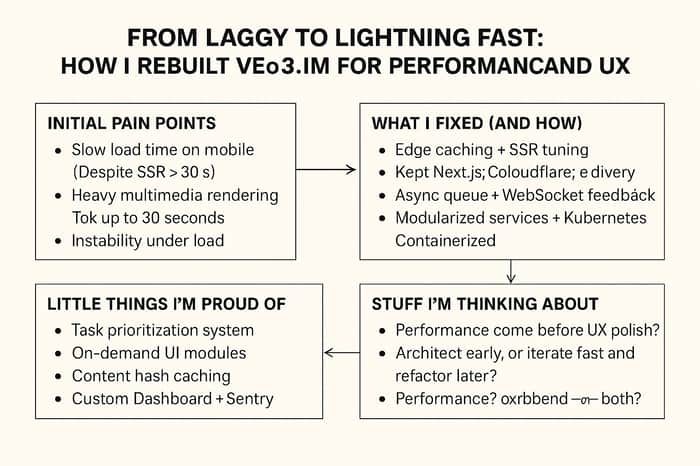
Hey folks—just wanted to share a behind-the-scenes look at how I’ve been improving veo3.im. It started out as a simple project, but once people actually started using it… let’s just say things didn’t go as smoothly as I expected.
Pages were slow. Video rendering lagged. Some parts of the system would randomly choke under load. Classic early-stage pain, right?
So I took a step back, looked at the data, gathered feedback, and began fixing things one by one. Here's what I changed, what worked (and didn’t), and a few open questions I'm still wrestling with. Would love to hear your thoughts too.
🔍 The Initial Pain Points
- Slow Load Time on Mobile
SSR was in place, but mobile users still waited over 3 seconds to see anything. Not good. Especially for first-time visitors.
💬 Discussion: Is SSR really the best default for mobile-first apps?
-
Heavy Multimedia Rendering
High-res image and video rendering could take up to 30 seconds. Way too long. And there was no progress indicator, which made the wait feel even worse. -
Instability Under Load
Under heavier traffic, the app became unpredictable. Sometimes tasks queued fine; other times, they just hung. Node + Express wasn’t scaling as smoothly as expected.
🛠️ What I Fixed (and How)
- Edge Caching + SSR Tuning
Kept Next.js, added Cloudflare for edge delivery, and used Incremental Static Regeneration (ISR) for dynamic content. This combo made a big difference.
Result: TTFB dropped from ~1.8s → ~500ms. Mobile load time much smoother.
- Async Task Queue + WebSocket Feedback
Built a Redis + BullMQ queue system for rendering, and added WebSocket-based live feedback. Now users can actually see progress instead of waiting in the dark.
💬 Open Q: Do you prefer real-time progress or a fast final result?
- Modularized Services + Kubernetes Scaling
Split up services (rendering, logging, scheduling, etc.), containerized them, and rolled out dynamic scaling with Kubernetes. Also separated cold/hot nodes to avoid contention.
🎯 Some Little Things I’m Proud Of
Task Prioritization System — Based on complexity and usage history. It’s subtle, but makes the app feel more “fair.”
On-Demand UI Modules — Heavy tools only load when you need them.
Content Hash Caching — Prevents redundant renders.
Custom Dashboard + Sentry — Tracks client-side errors in real time, super helpful.
💡 Stuff I’m Still Thinking About
Should performance come before UX polish?
I removed some animations to make the app faster—but was it worth it?
Architect early, or iterate fast and refactor later?
I chose the latter, but I’m wondering if a more robust setup from day one would’ve saved me time.
Who’s responsible for performance—frontend or backend?
Or is it always a shared responsibility?
💬 Curious how you’ve approached these trade-offs. Drop your take below!
👋 Wrapping Up
I’m still actively working on veo3.im, and I know there’s more to improve. But this round of optimizations—from caching to task queues to scaling—has already made a huge difference in stability and user experience.
If you're building something that involves rendering, media generation, or just needs to feel fast, I hope this post gives you some useful ideas. And if you’ve got better solutions—or questions of your own—I'd love to chat.
Let’s keep shipping (and breaking) things 🚀
Looking forward to hearing what you think 👇
