From Laggy to Lightning Fast: How I Rebuilt veo3 im for Performance and UX
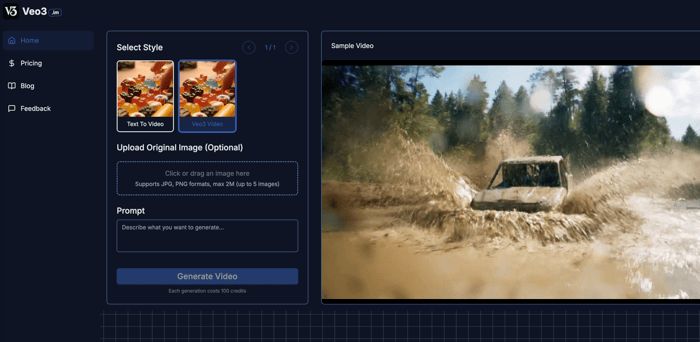
I’ve been working on an MVP for indie devs, and ran into a pretty common problem:
I could code the product, but I couldn’t explain it clearly.
Screenshots don’t tell the whole story. Wall-of-text landing pages don’t convert. I knew I needed a short demo video to walk people through the “why” and “how.”
But I’m not a video editor. I don’t want to learn After Effects. And I don’t have the time to spend hours editing in CapCut.
So I gave veo3.im a shot — it’s an AI video generator that takes structured input (like a short outline or markdown doc) and turns it into a voiceover-driven product video. Think explainer video without touching a timeline.
And honestly? It kind of feels like using a compiler for product storytelling.
The Real Problem: Narrative Flow Is a Logic Issue, Not Just a Design One
Here’s what I realized:
Most tools focus on visuals and effects — but what I really needed was a way to sequence product logic like this:
- Who’s this for?
- What’s the core problem?
- What’s your solution?
- How does it work (with screenshots)?
veo3.im lets you do exactly that. It works off structured inputs like JSON or markdown, e.g.:
{
  "title": "Async API Collaboration",
  "sections": [
    {
      "headline": "Who’s it for?",
      "content": "Indie developers building async-first tools",
      "media": "screenshot1.png"
    },
    {
      "headline": "What problem?",
      "content": "Traditional API docs are static and hard to maintain",
      "media": "screenshot2.png"
    }
  ]
}
Under the hood, it seems to run a render pipeline — possibly using Puppeteer, FFmpeg, and maybe even Lottie animations (based on the output styles). It layers in auto voiceover (with surprisingly good pacing and emotion tags), and spits out a video you can share immediately.
It’s not flashy. It’s not “creative” in the way some AI tools try to be.
But it’s structured. It respects the flow of ideas. And for developers, that’s kind of perfect.
Why This Resonates with Me as a Dev
In code, we care about:
Execution order — what happens first, what happens next
Interfaces — clean separation between components
State transitions — changes that are easy to follow
Storytelling works the same way.
A good demo video isn’t just pretty — it shows why the product matters, and how it works, in a way that respects logic and pacing.
veo3.im feels like a dev-friendly solution for product comms. Like if renderVide were a real function.
One Open Question (Would Love Thoughts):
I’m thinking about integrating this into my onboarding flow.
Like: when a new user signs up, auto-generate a custom “getting started” video for them (using their account info and setup path).
Has anyone tried that approach?
Any gotchas with API-based video generation — like async rendering delays, FFmpeg crashes, or audio desync issues?
Would love to hear if anyone here has tried automating video as part of their product experience.
📎 Link: https://veo3.im
🔧 Use case: explain your product in 60–90 seconds without motion design
💬 Curious what other devs think — is structured video storytelling a tool we should be using more often?

“compiler for product storytelling” is such a perfect analogy..
Great work! It’s impressive how performance fixes like this can directly boost user retention. Did you notice any changes in metrics like bounce rate or time-on-site after the rebuild? Also curious if you’re using any tools to track Web Vitals going forward. 🚀
It was exactly what I needed! As an independent founder, I waste a lot of time trying to make decent promotional videos instead of coding. After trying veo3, I can generate the video footage I want, it's so easy to use
Really inspiring to see such a detailed breakdown of the performance overhaul! 🔧✨ Your focus on both UX and speed really resonates — especially the shift from laggy interactions to that “instant feedback” feel. I’m curious, though: did you run into any major trade-offs between animation smoothness and load time?
Also, would love to hear more about how you managed state updates while keeping things responsive — any framework-specific tricks you’d recommend?
Thanks for sharing — bookmarked for future reference 🙌