How EchoAPI Simplifies Multi-Environment Testing for APIs
How EchoAPI Simplifies Multi-Environment Testing for APIs
As a developer, I frequently rely on Postman and Insomnia for tasks like testing endpoints and inspecting responses. Although helpful, these tools frequently lack the ability to manage and test APIs efficiently across multiple environments.

A major pain point is the repetitive task of specifying the same parameters across multiple endpoints. This repetitive process leads to errors and inconsistent results, ultimately draining productivity and increasing debugging time.
EchoAPI simplifies environment variable management through a centralized global parameters directory, minimizing the risk of misconfigurations. This improvement streamlines team collaboration, cuts down on repetitive tasks, and boosts productivity.
I'll discuss how EchoAPI tackles these challenges and its value for developers.
What is EchoAPI?
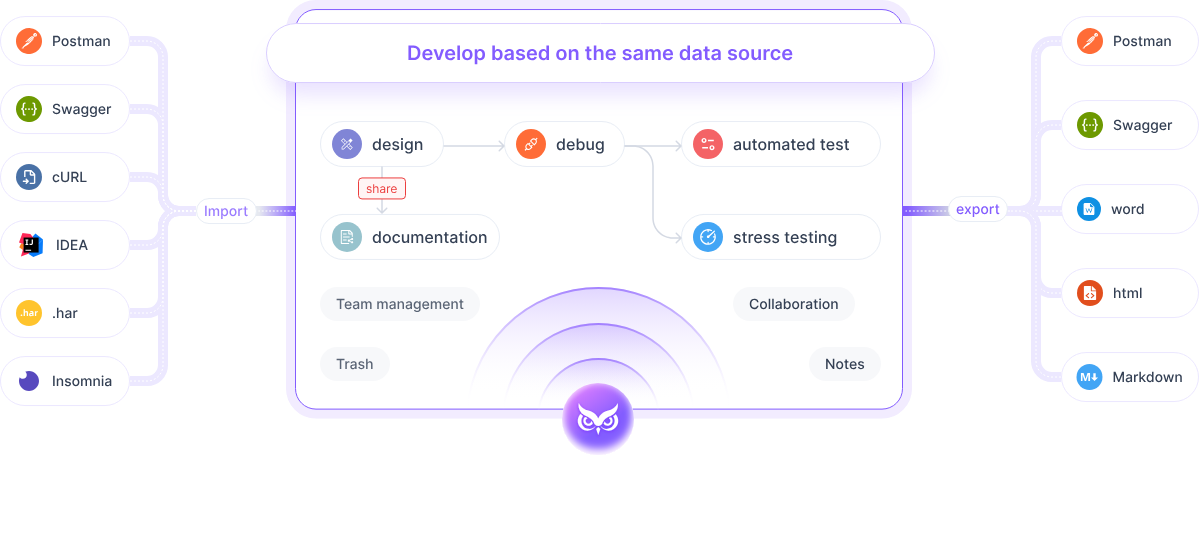
EchoAPI is a versatile API debugging tool similar to Postman. It goes above and beyond by offering features like automated testing, load testing, and one-click API documentation generation. It also includes various free-to-use plugins: the Google Chrome plugin (EchoAPI Interceptor), which captures and modifies APIs directly from your browser; the IDEA plugin (EchoAPI Helper) for generating and managing APIs within the Java development environment; and the VSCode plugin (EchoAPI for VSCode) for comprehensive API management and testing. These plugins aim to streamline your workflow by being lightweight and not requiring a login, addressing common issues like cumbersome login processes and tool overload, all free of charge.
The Significance of Environment Testing in API Debugging
In API development, environment testing is crucial. APIs often need to operate across multiple environments, such as development, staging, and production, each with its specific configurations. Thorough testing of APIs across these environments guarantees proper functionality and efficiency, reducing the risk of runtime issues.
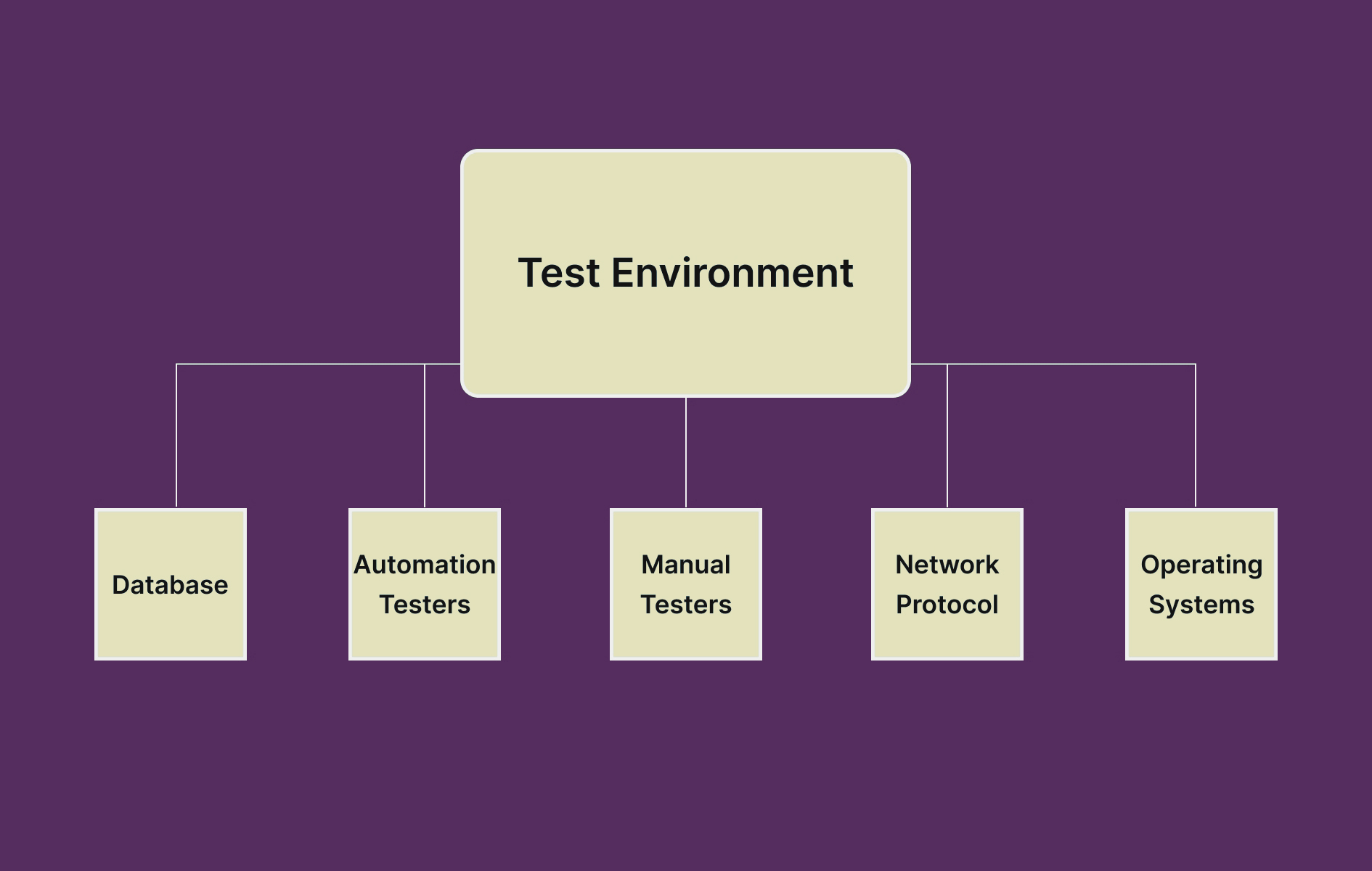
By allowing developers to replicate real-world conditions, environment testing helps identify potential problems before they affect end users. This approach not only increases confidence in the API's reliability but also saves time and resources by catching bugs early in the development cycle.
Using Environment Variables and Global Variables in EchoAPI 🛠️
EchoAPI streamlines multi-environment testing through two types of variables:
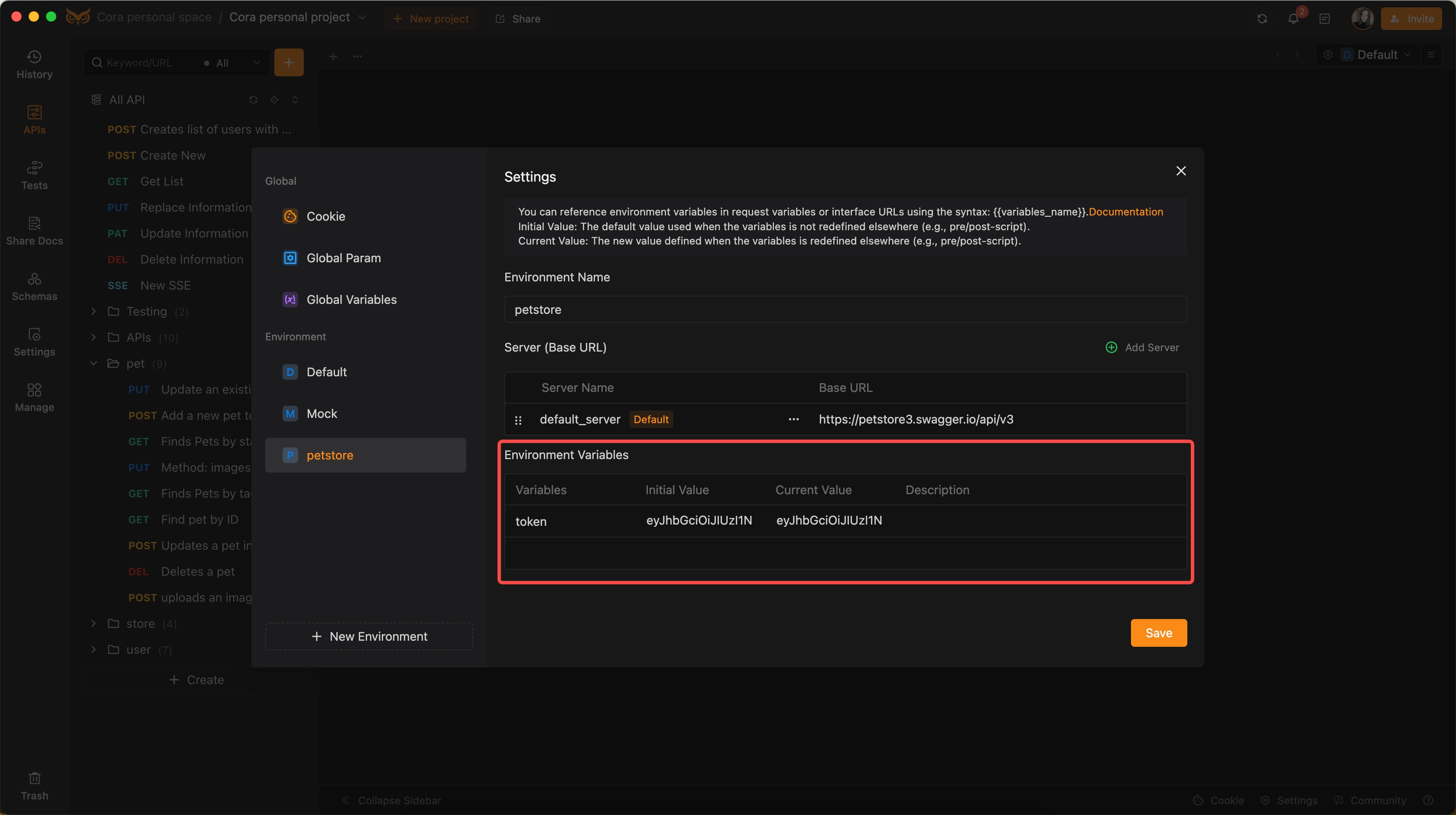
Environment Variables:
Easily switch between different environments to streamline API debugging.
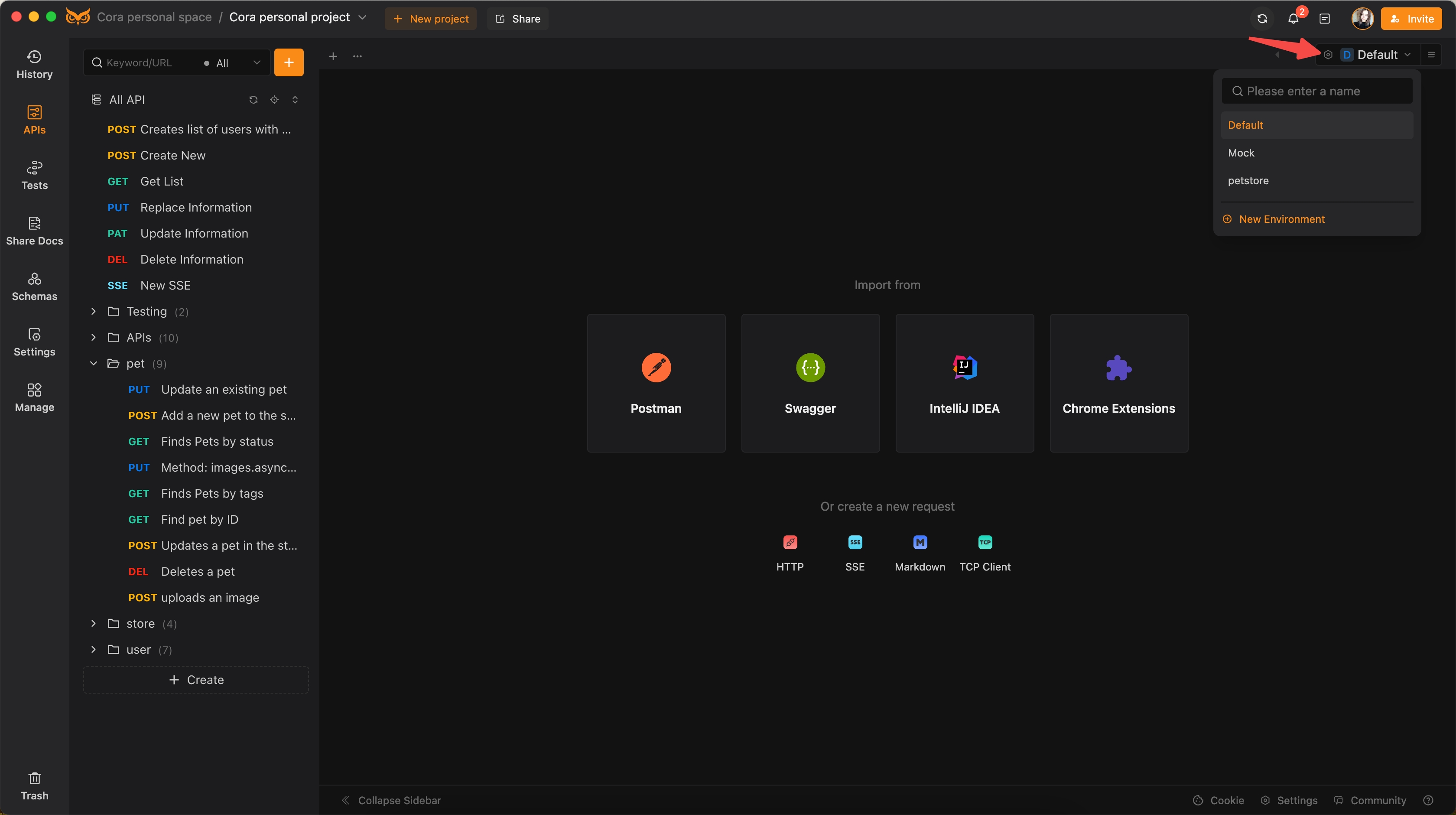
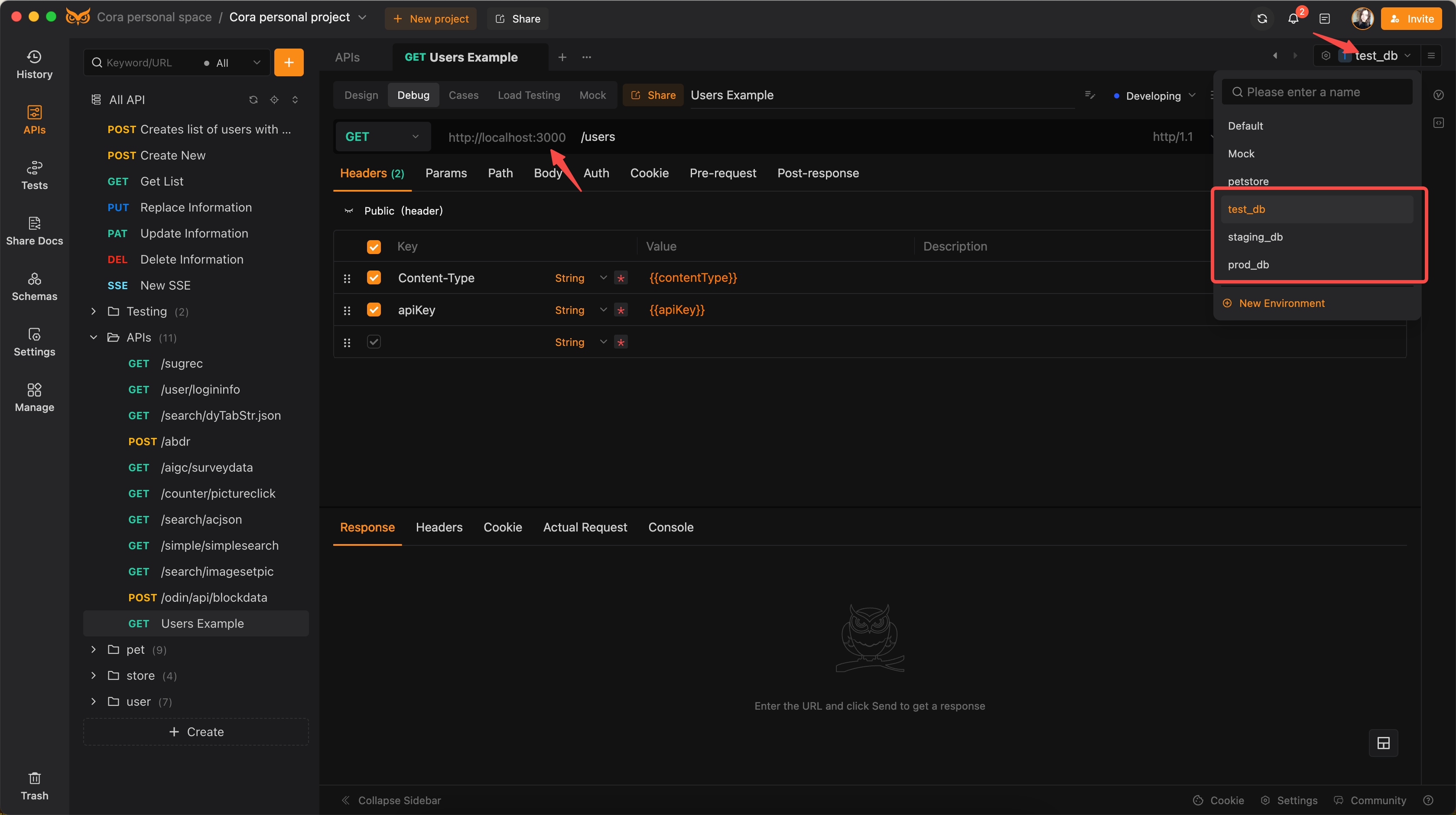
Configure specific servers (base URLs) for each environment within the settings.
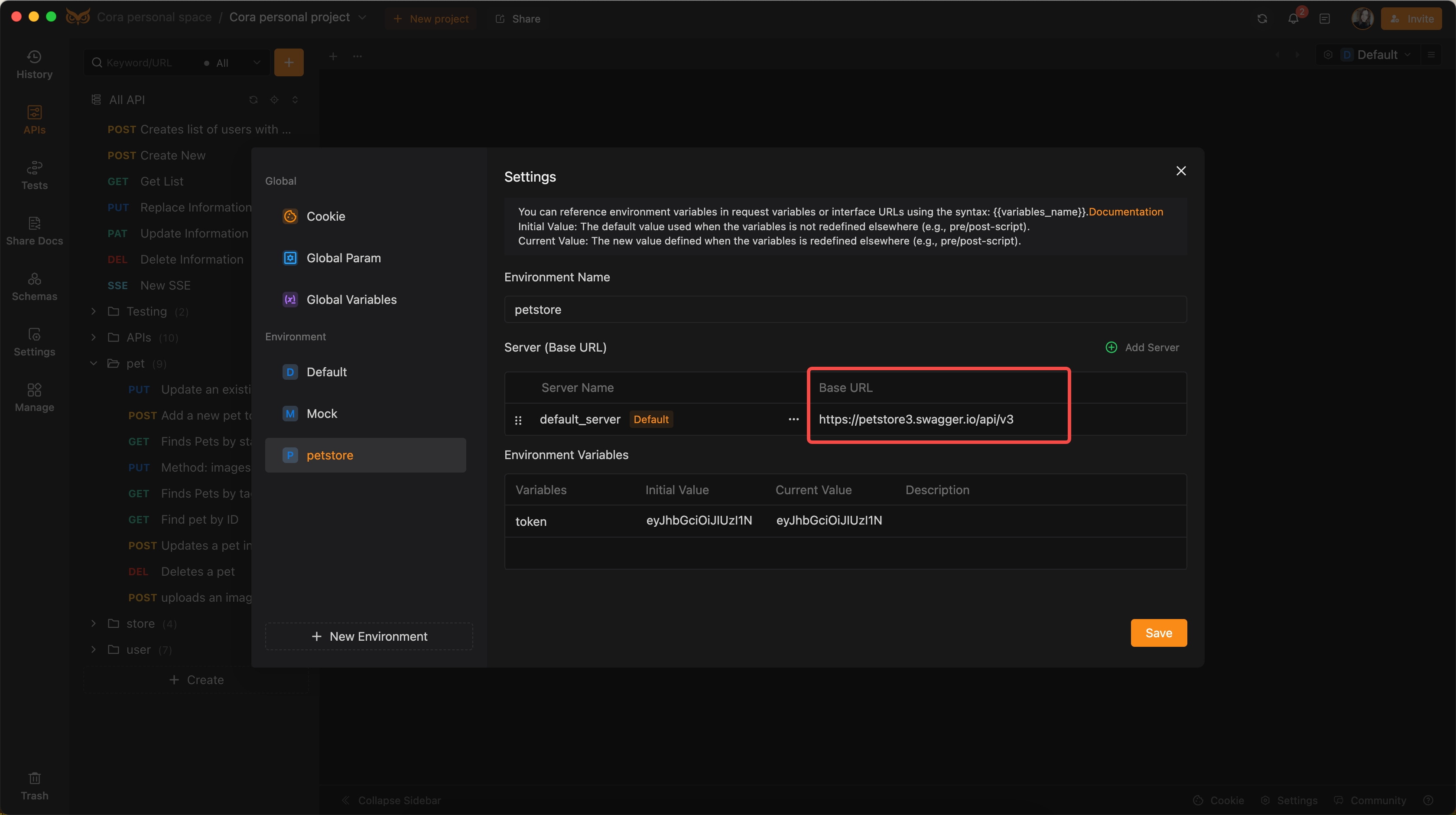
Define tailored environment variables for each setup to suit various testing scenarios.
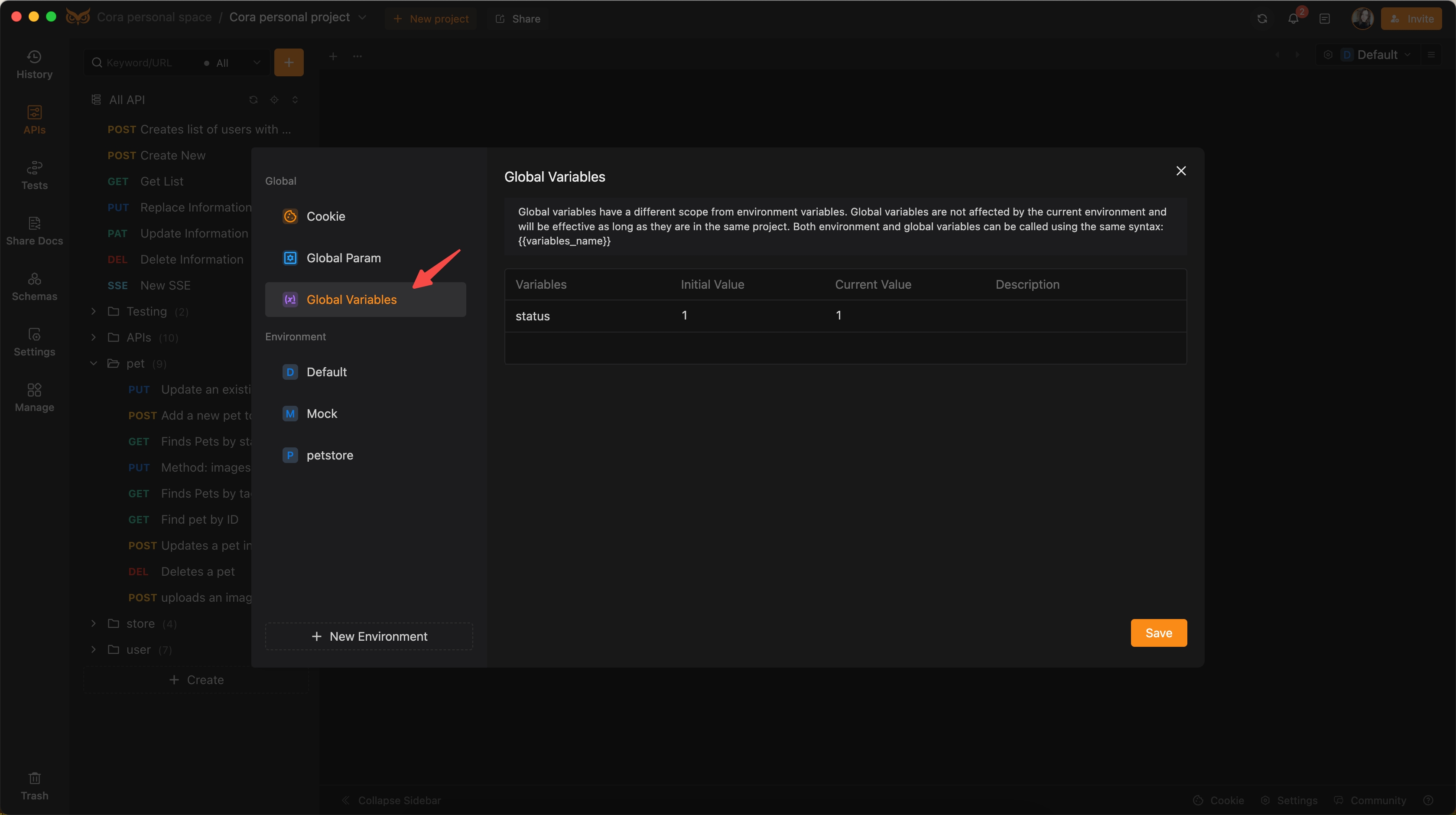
Global Variables:
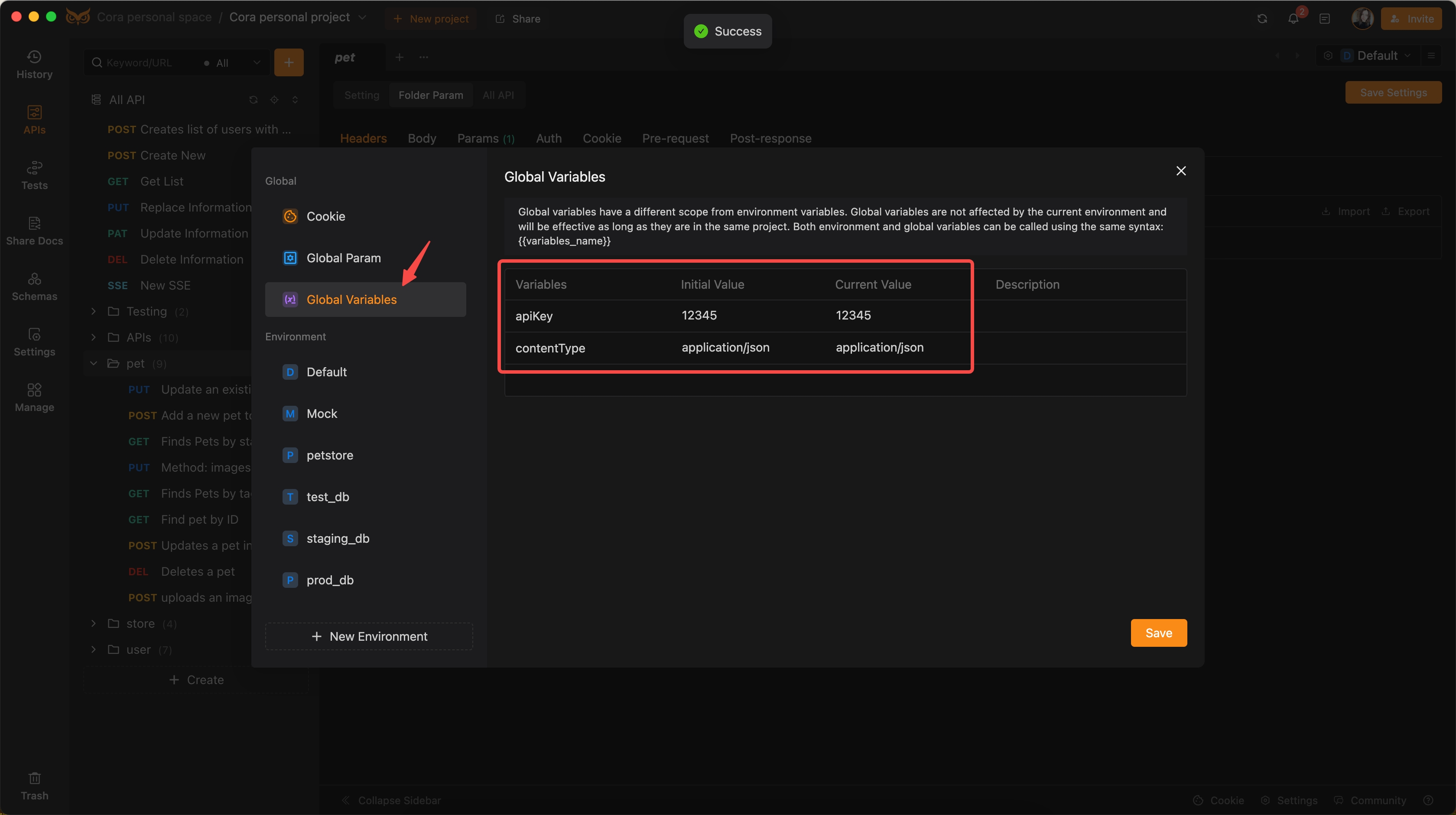
Remain consistent across the entire project regardless of environment changes.
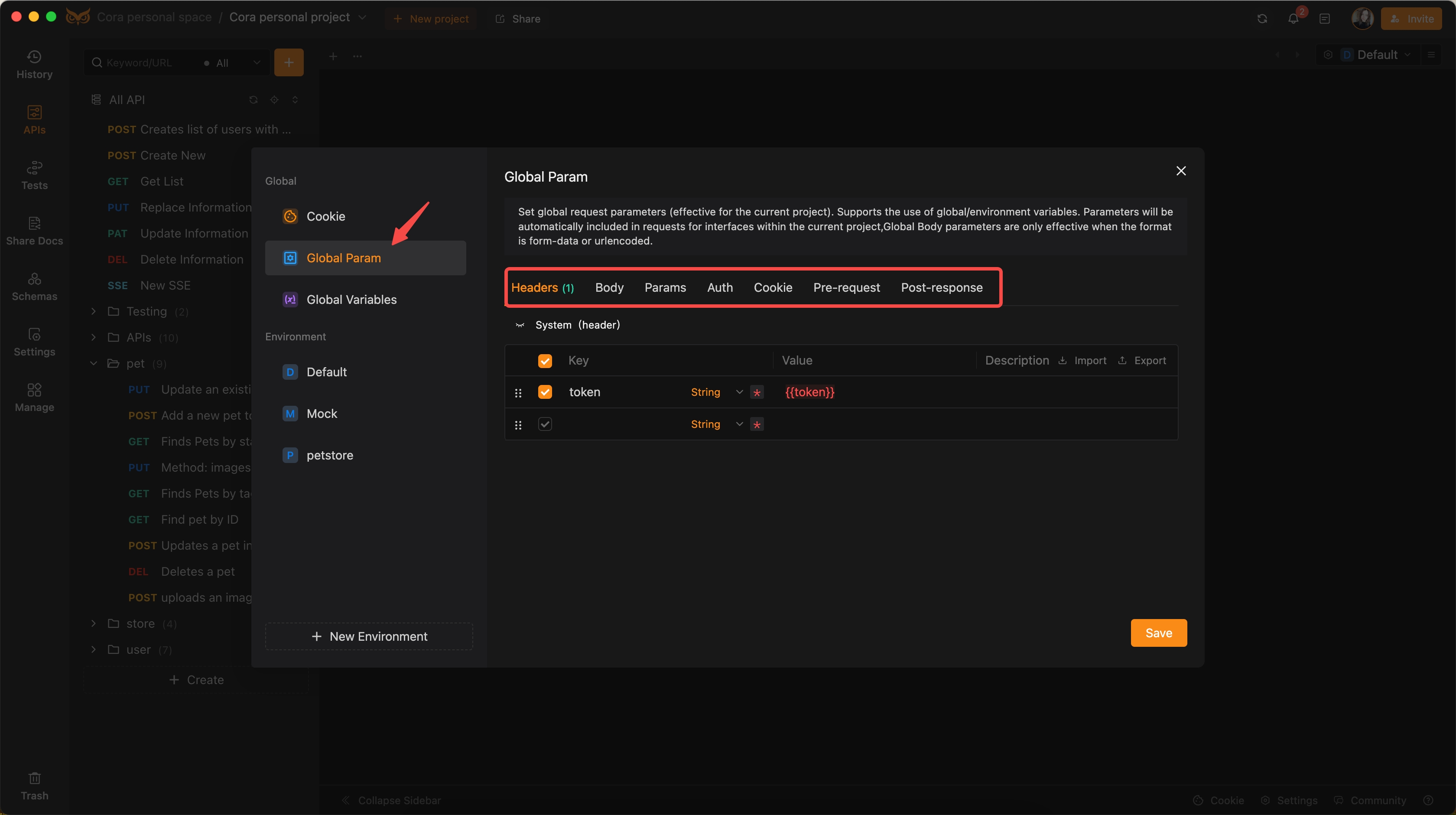
Global Parameters:
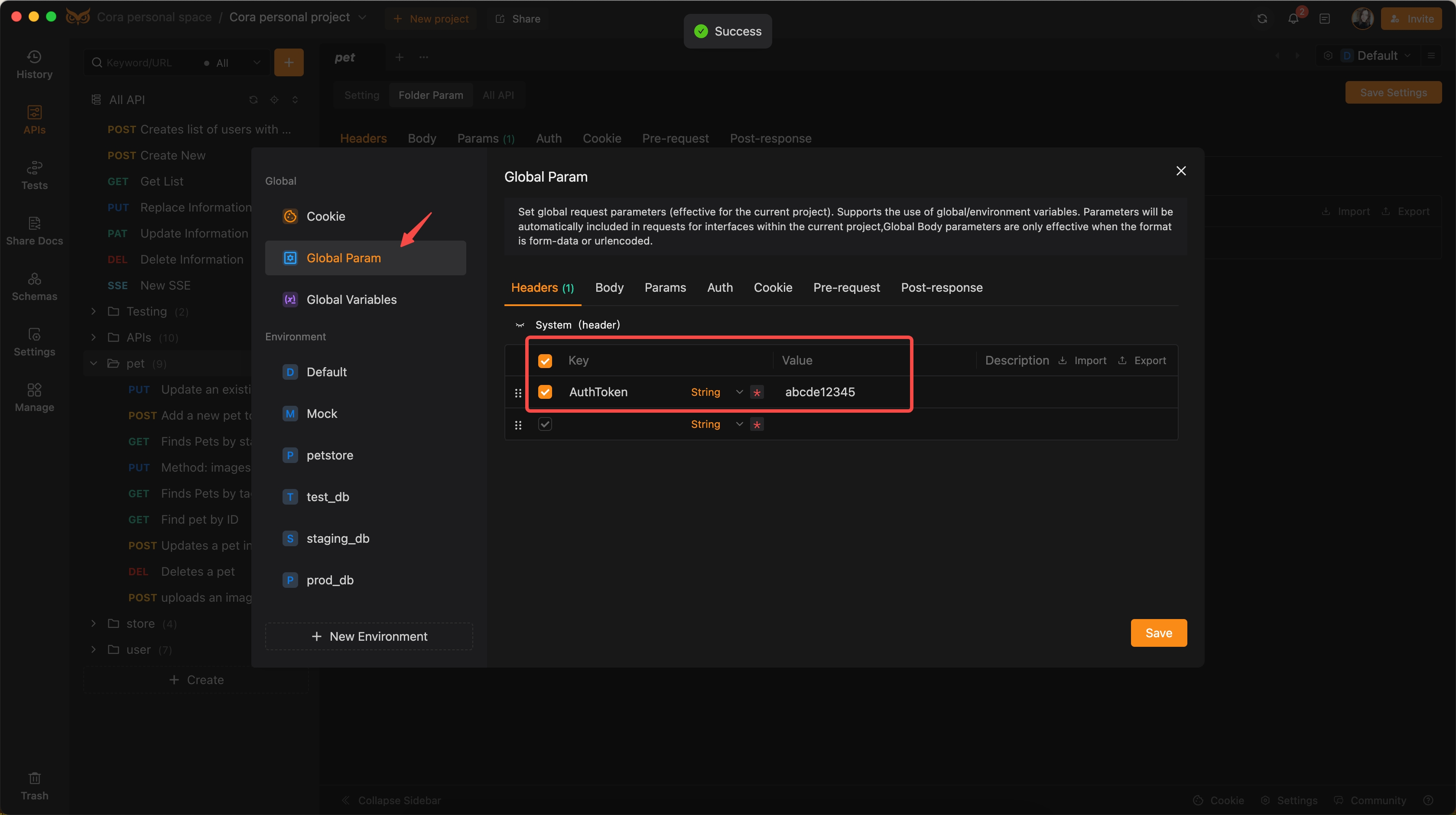
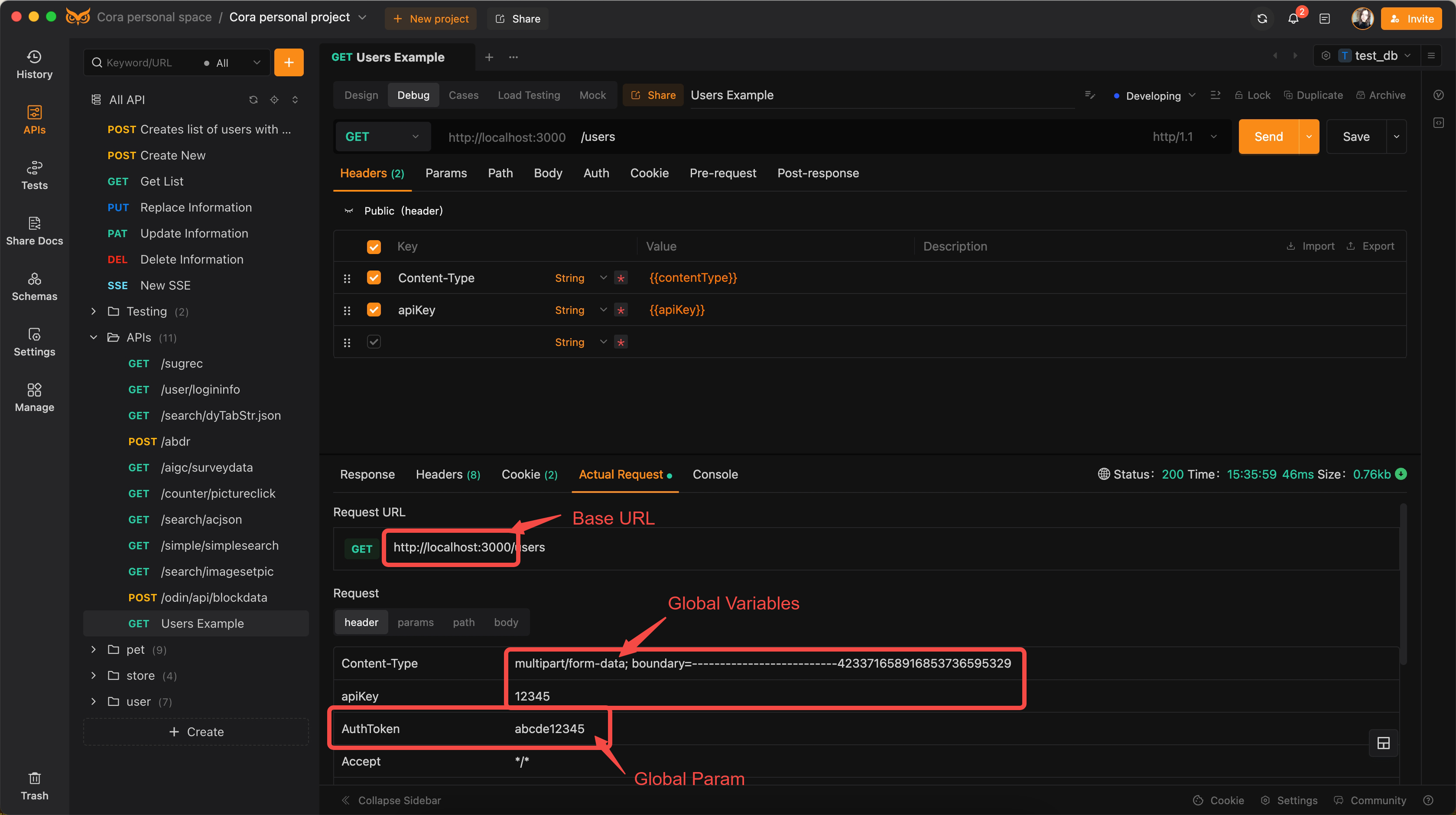
Apply to all API endpoints in the project when set, ensuring consistent configurations throughout. It supports setting universal values for Headers, Body, Params, Auth, Cookies, Pre-request, and Post-response configurations.
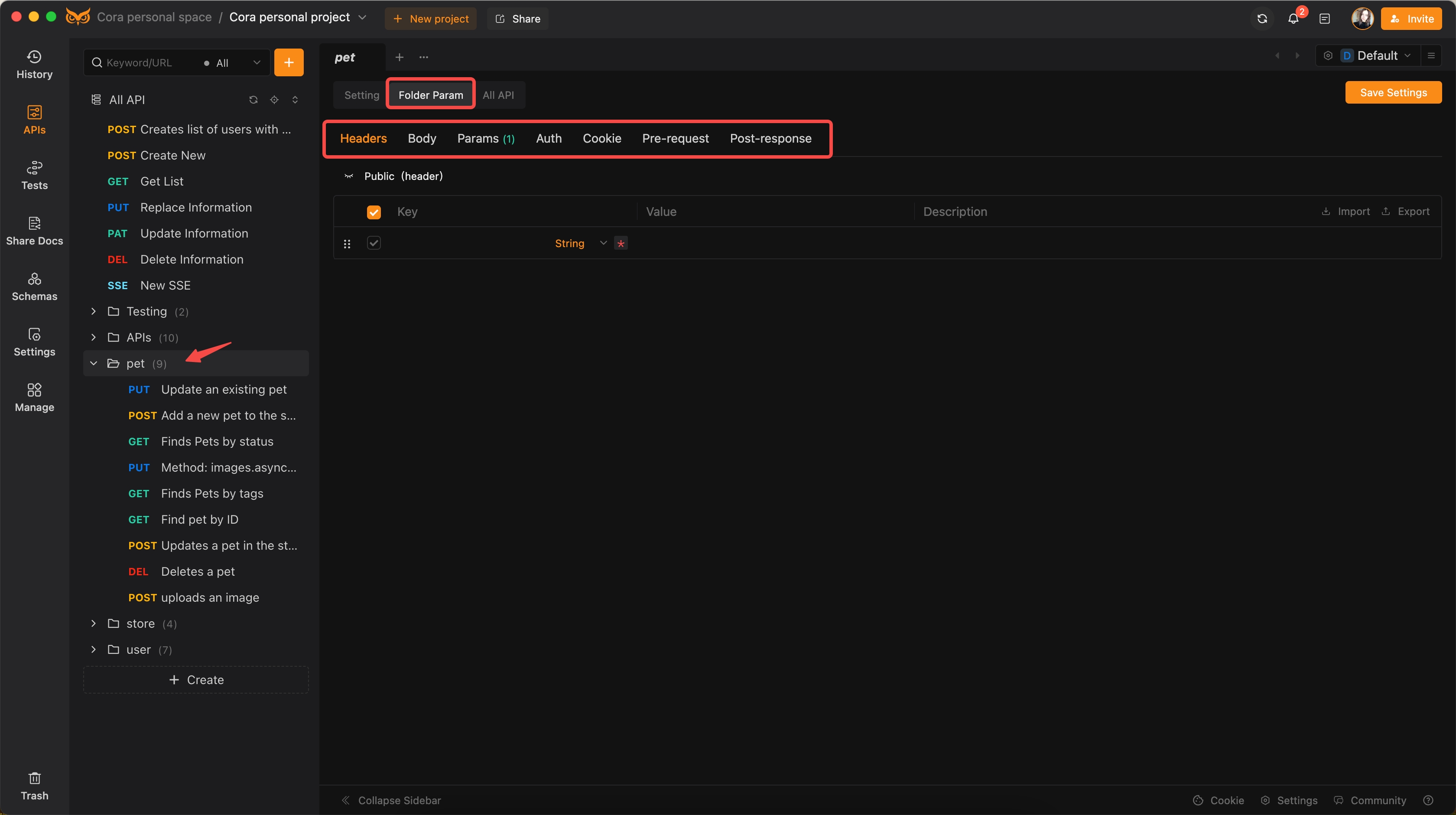
Folder Parameters:
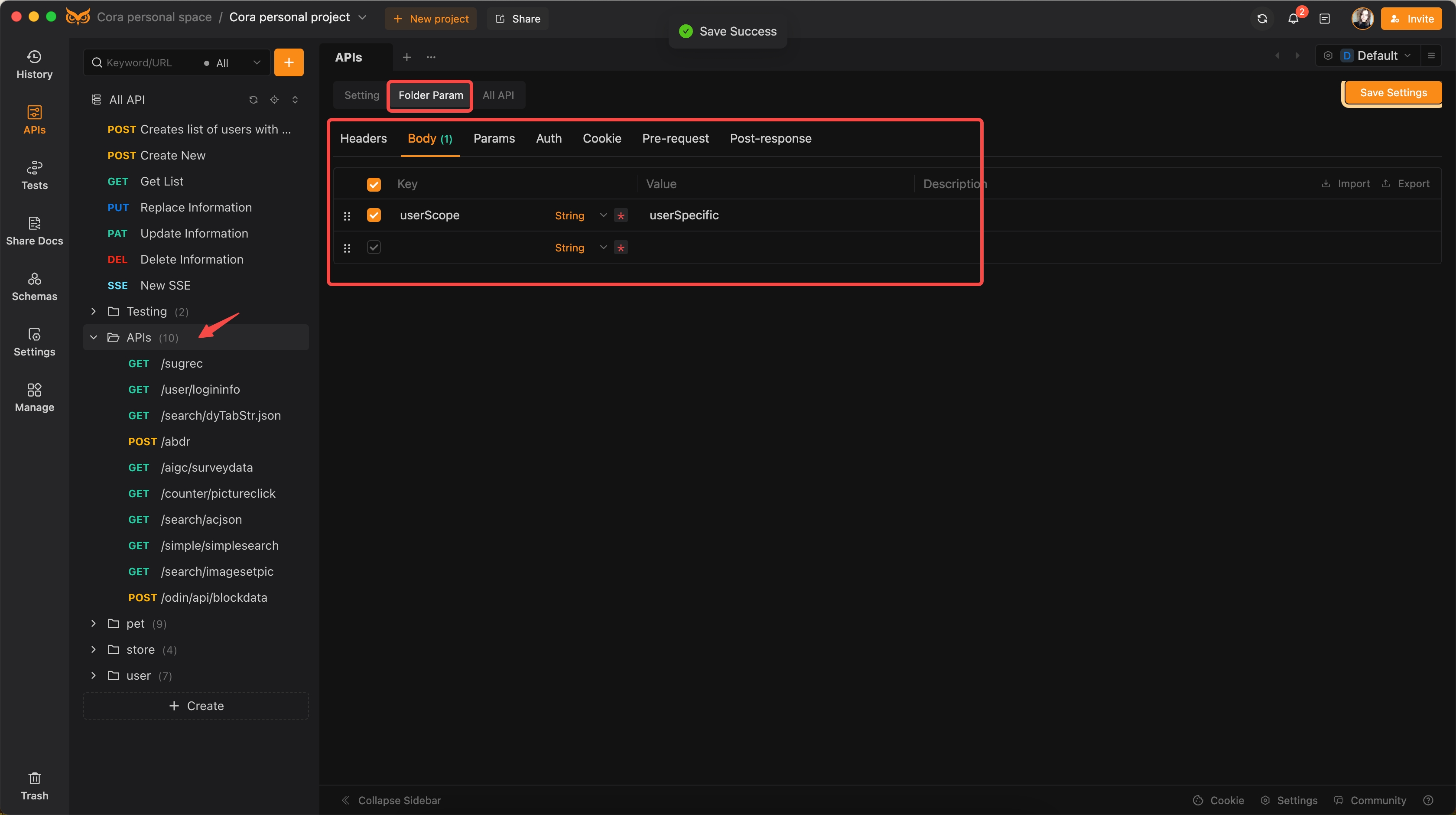
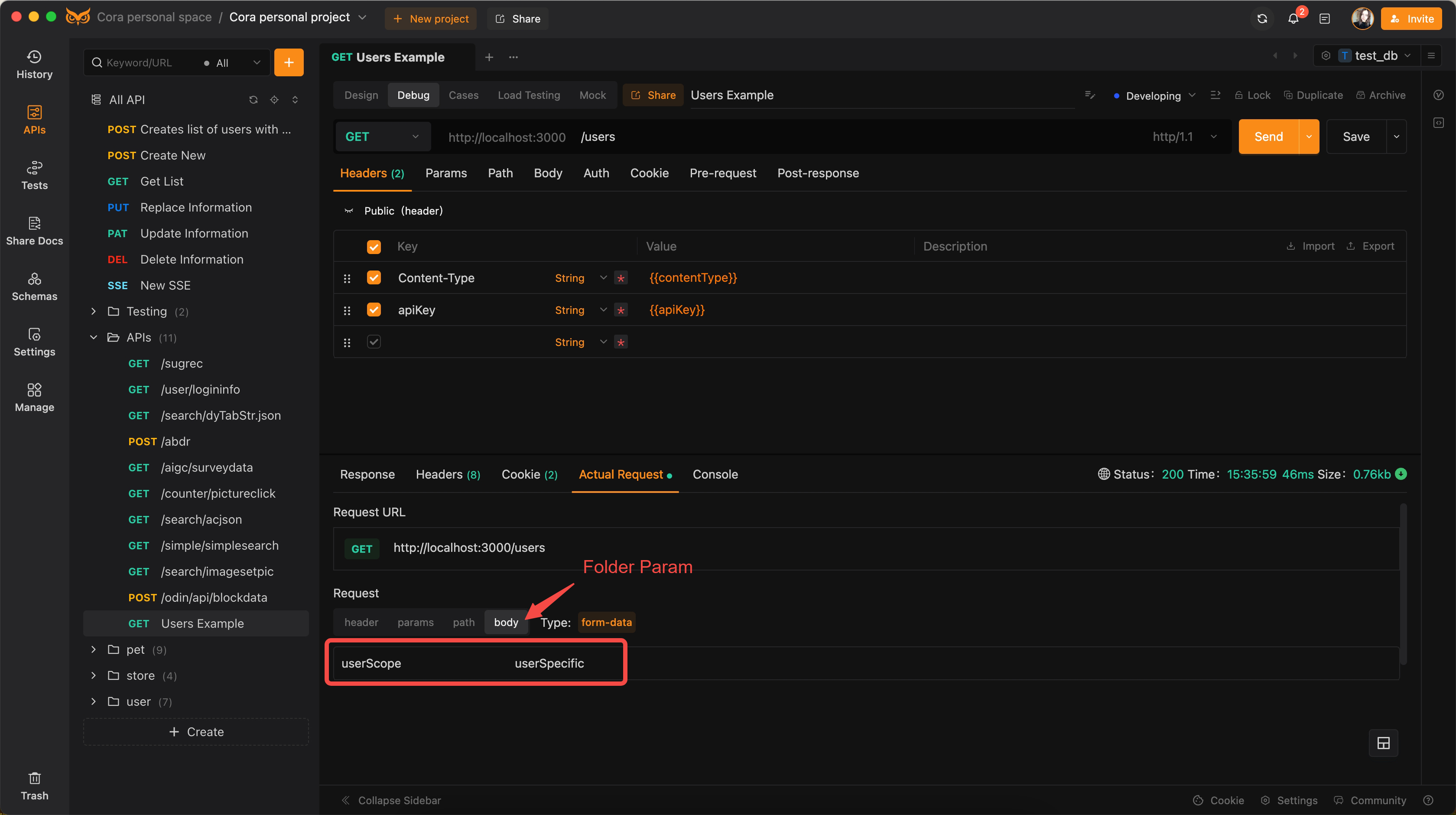
Apply to APIs within a specific folder, providing extra control and granularity.
Understanding the priority of these variables and parameters is crucial for effective API testing:
- Parameters:
API Parameters>Folder Parameters>Global Parameters - Variables:
Environment Variables>Global Variables
Scenario: Development Phase
- Requirement: The API needs to fetch user details.
- Environments:
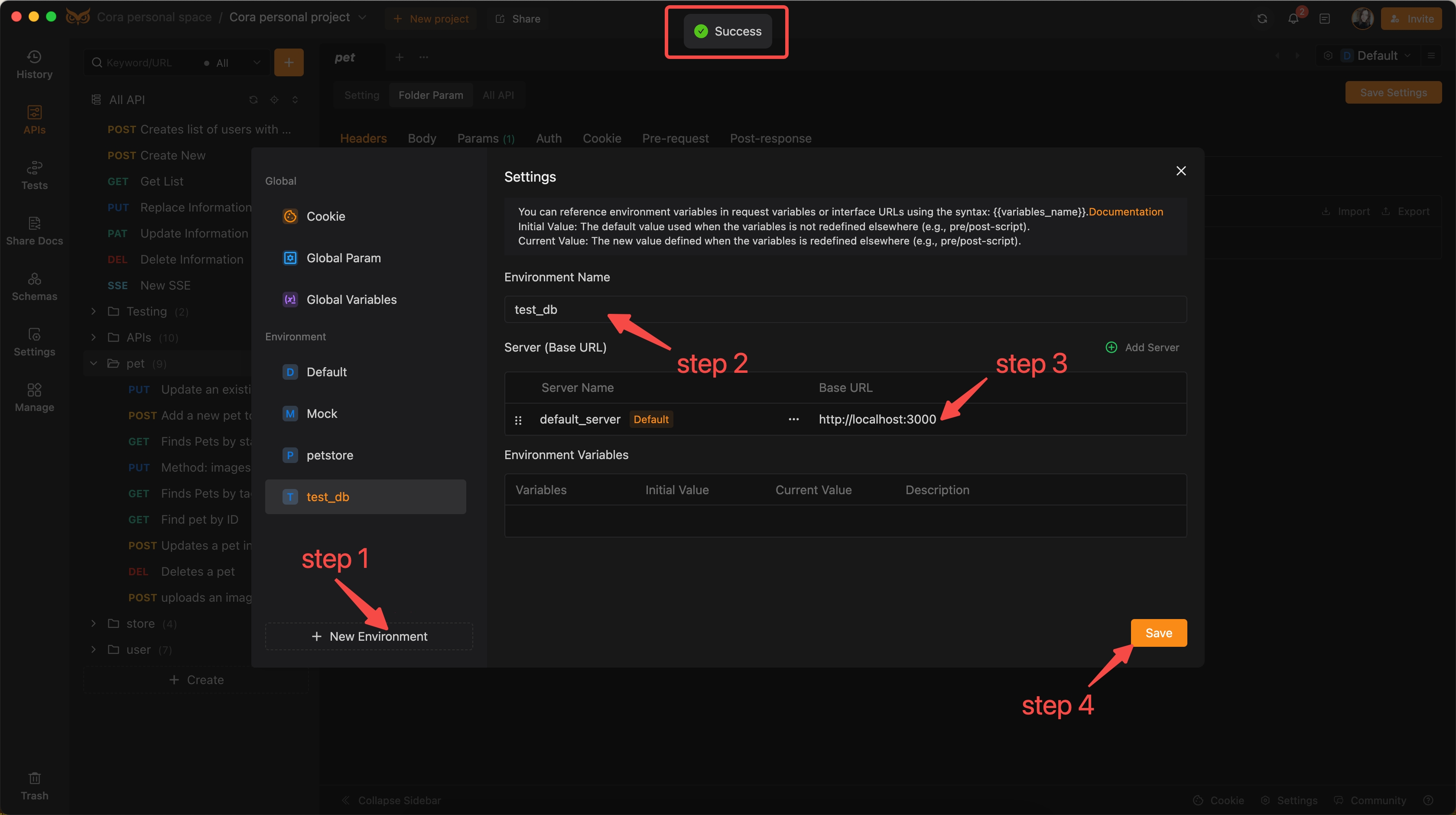
- Development: Using localhost and test data
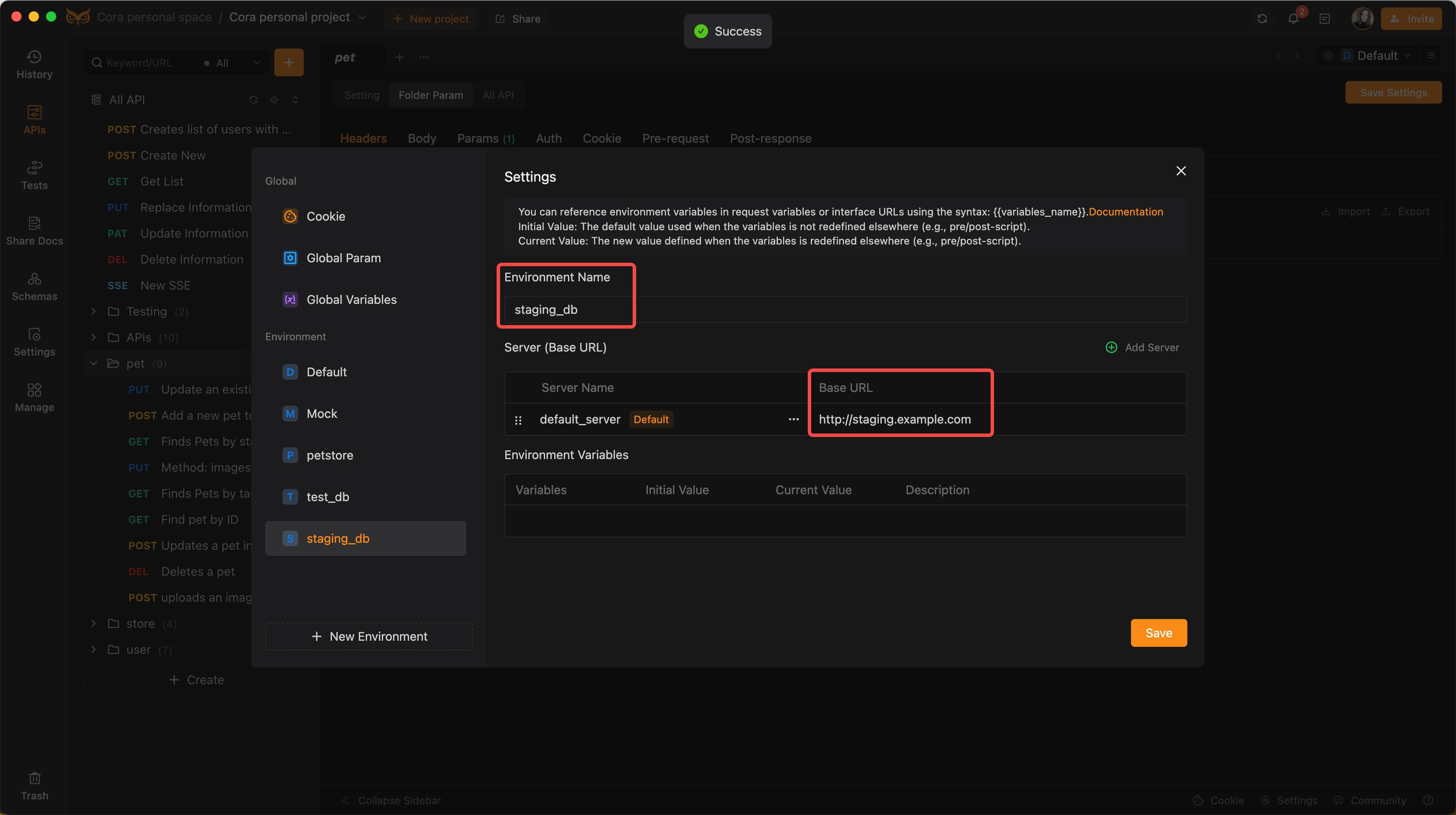
- Staging: Using a staging server with pre-production data
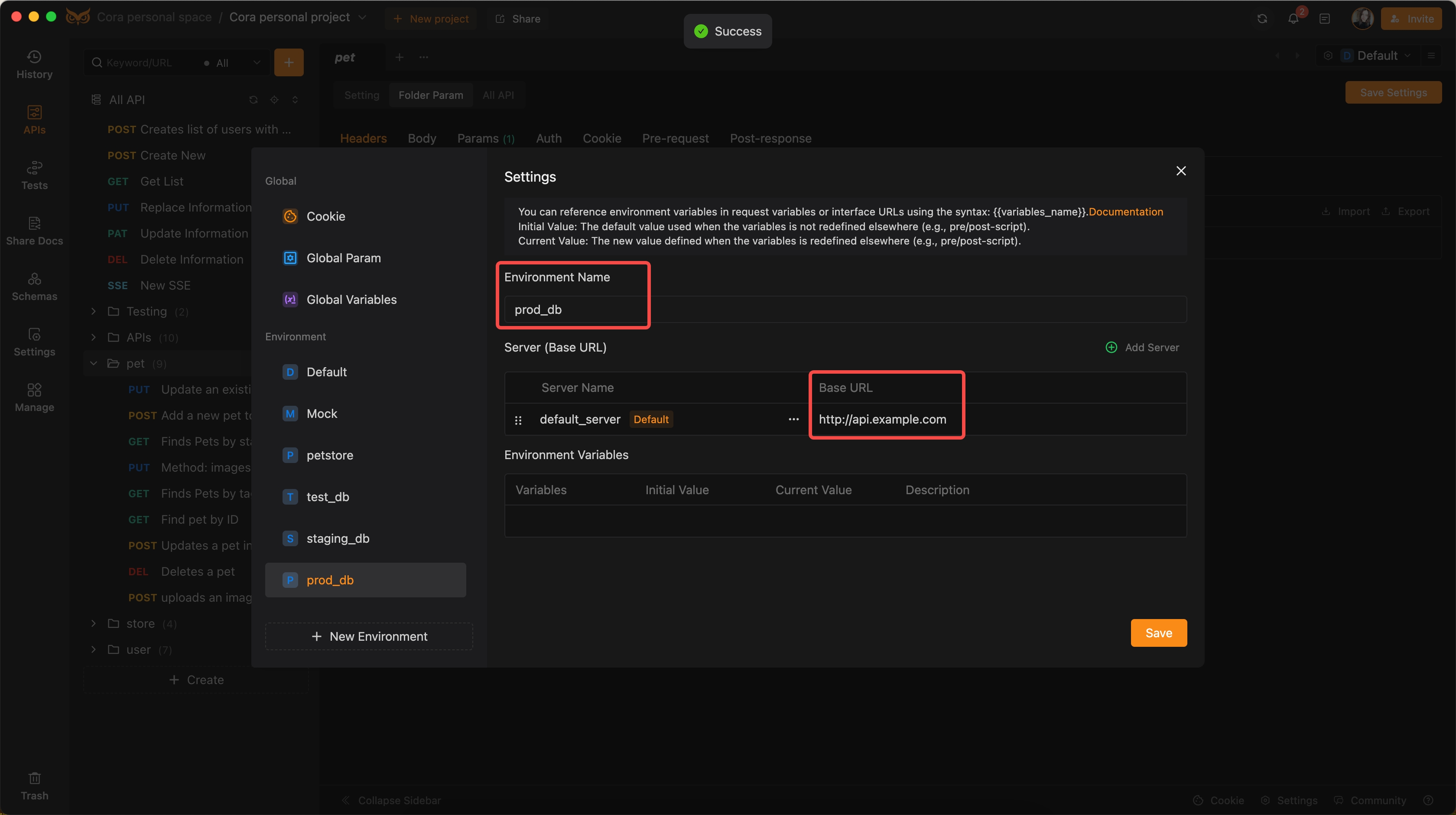
- Production: Using the live server with real user data
Step-by-Step Approach:
Step 1: Define Environment Variables
- Development Environment:
- Staging Environment:
- Production Environment:
Step 2: Define Global Variables
Step 3: Define Global Parameters (applies to all APIs)
Step 4: Define Folder Parameters (applicable to user-related APIs only)
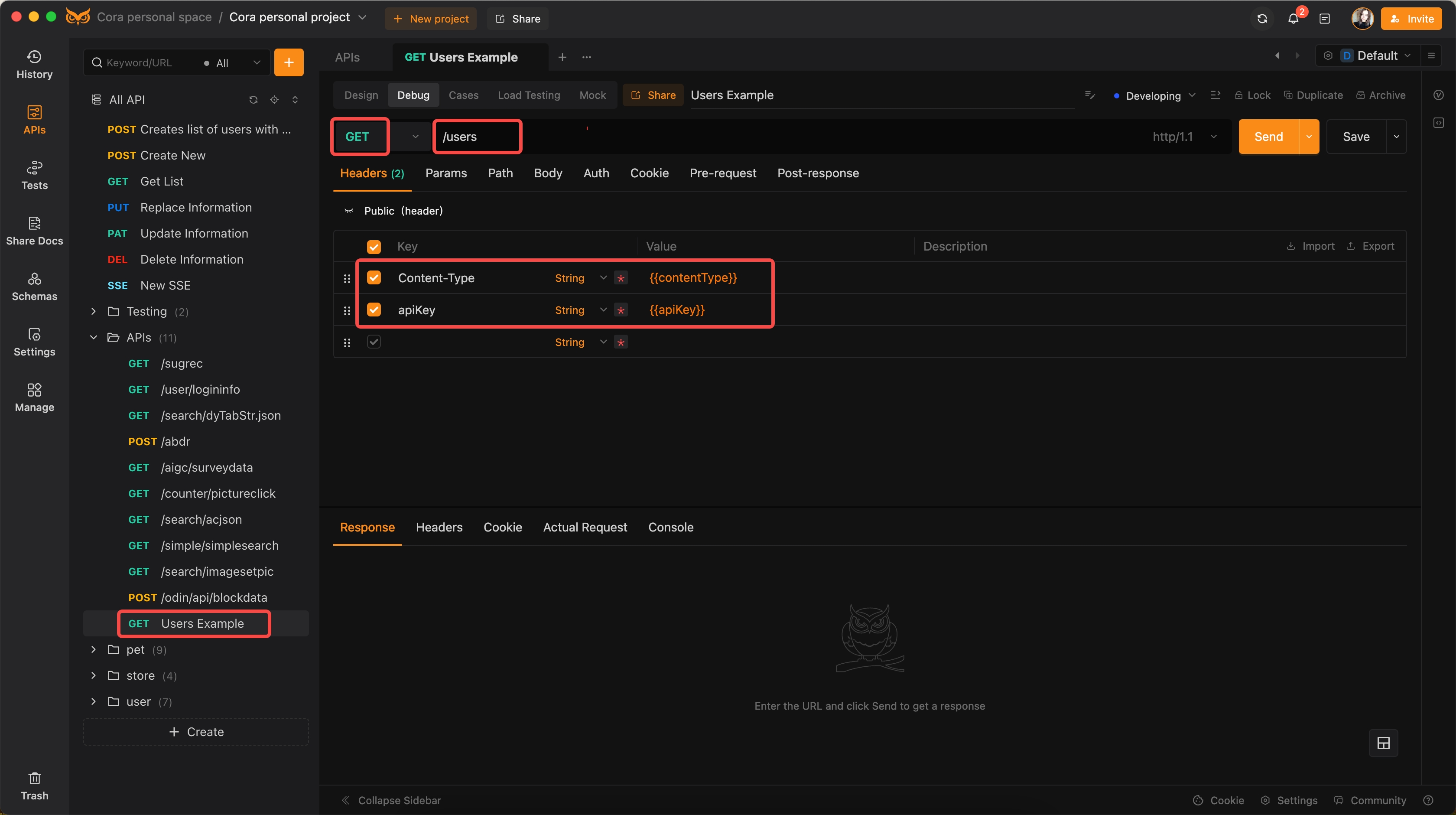
Step 5: API Call Configuration
- Endpoint: /users
- Method: GET
- Headers:
Content-Type": "{{contentType}}","apiKey": "{{apiKey}}"
Step 6: Testing and Switching Environments
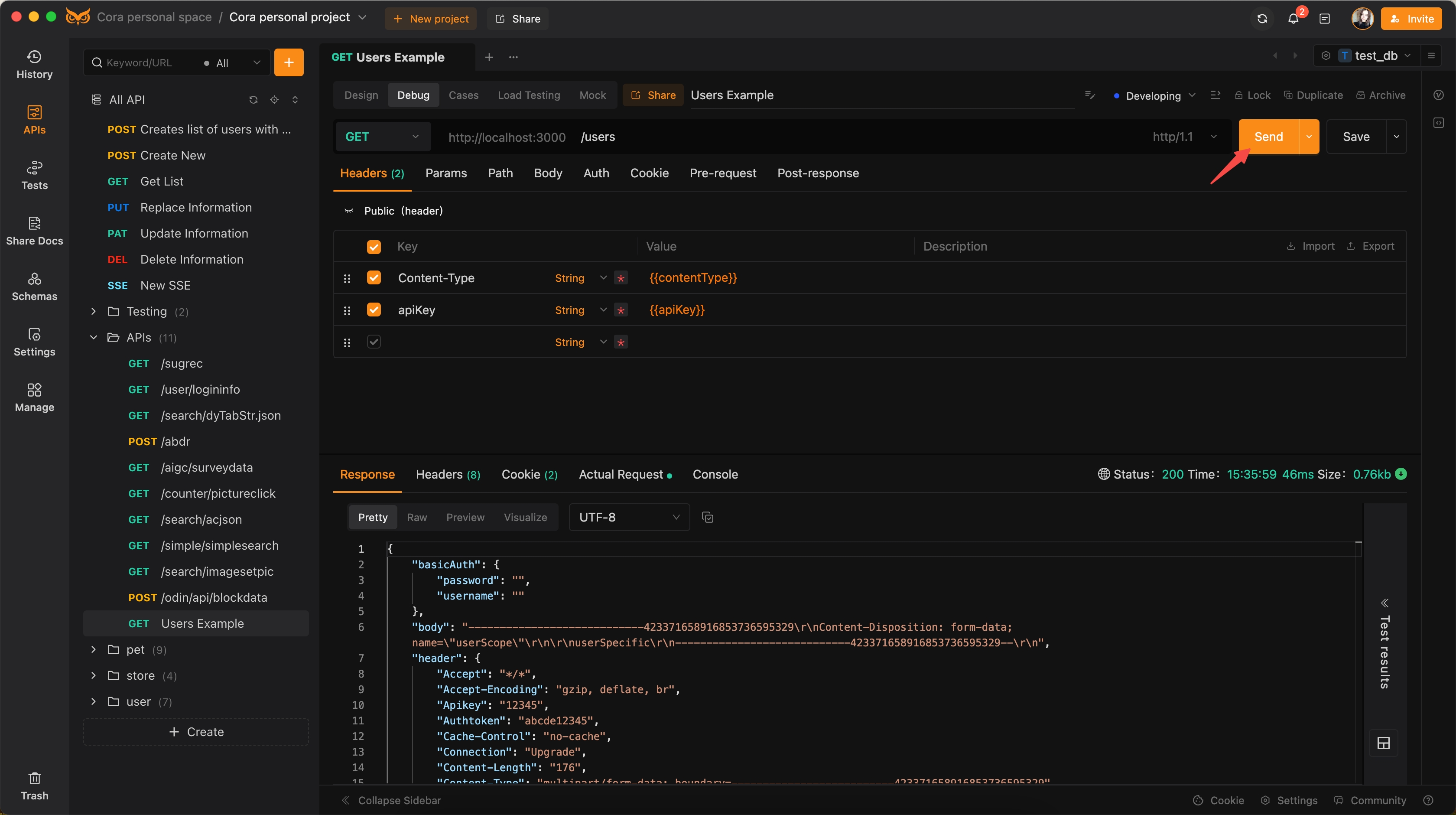
Use EchoAPI to easily switch between environments, ensuring the API returns accurate user data for each configuration.
Observations:
Send and retrieve results:
View the corresponding Base URL, Global Variables, and Global Parameters:
The Body within the Folder Parameters is also effective:
Conclusion
EchoAPI simplifies multi-environment testing, ensuring that APIs perform reliably across diverse scenarios. By leveraging environment variables, global variables, global parameters, and directory parameters, EchoAPI provides a robust and flexible solution for managing complex API configurations. This advanced level of control and prioritization allows developers to streamline workflows, enhance testing efficiency, and ensure API reliability.
For developers seeking to optimize their API testing strategies, EchoAPI offers the tools and capabilities necessary to drive substantial improvements and uphold high standards across multiple environments.
