How I built a LinkedIn copywriting app in 1 week (as a non-coder)
Hey IndieHackers,
I've got a story that might sound familiar to some of you.
For years, I've had ideas for software products but always hit the same wall: I couldn't code.
A few years back, I even dropped $10k on a developer for a career coaching Wordpress site. The result? A clunky mess that I had to abandon.
Fast forward to 1 month ago and after having been playing with GenAI apps for the past year, I decided to take another swing at building something.
This time a tool to help me write better LinkedIn posts based on the copywriting style of successful LinkedIn creators/influencers.
How I did it?
- Found a basic React template on Vercel
- Set up a Vercel account for easy deployment
- Sketched out some rough designs in Figma
- Used Claude by Anthropic to help with coding (more on this in a bit)
- Lots of trial and error, lots of questions to the chatbot
The result:
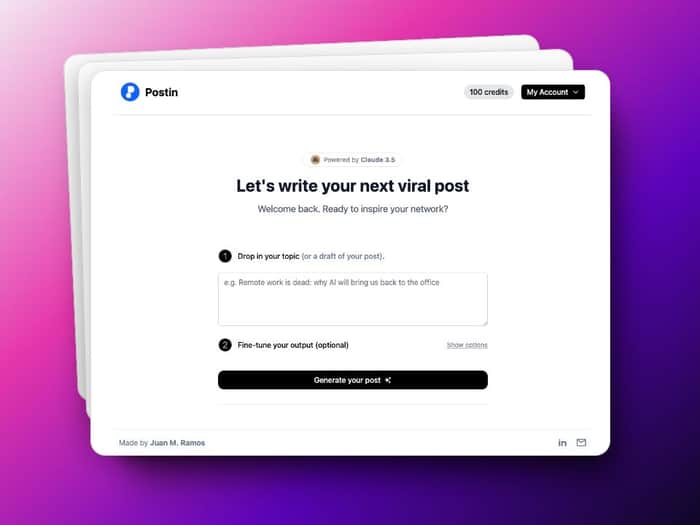
www.postin.ai - a web app for writing LinkedIn content, with integrated user accounts, payments, and an AI-powered post generator. It's far from perfect, but it works well, and over +100 people are using it.
Here's my workflow:
-
Describe what I want to build:
I start by drafting ideas in Figma, creating basic mockups of how I want the app to look and function.
Then I upload screenshots of these designs to Claude and ask for feedback, like "Act as an expert in UI/UX design. Rate my design for a web app for writing on LinkedIn X/10. If your score is lower than 10, what would you change to make it a 10/10?" -
Get code suggestions:
I create a Claude Project and upload all the code files from my starting template. Then I ask Claude to provide the full working code for my app design based on my Figma mockups. This gives me a solid foundation to work from. -
Implement and test:
I take the code Claude provides and add it to VSCode (or now, Cursor).
I run the code and test each new feature or change as I implement it. -
When stuck, I describe the error and ask for help:
If I encounter errors or bugs, I copy and paste them to Claude and ask for a fix.
If the suggested fix doesn't work, I keep asking, providing more context about the error and my codebase until we find a solution that works. -
Repeat until it works:
I iterate through steps 2-4 for each new feature or component of the app. For example, I went through this process to add user authentication using Memberstack, integrate the AI post generation using Claude API, create the Kanban board view for content planning using React libraries, and now I'm working on adding a calendar view.
The game-changer in this process has been discovering Cursor.
Instead of switching between Claude and VSCode, I can now ask questions, request code, and fix bugs directly in Cursor using plain English. Cursor analyzes my prompt, reviews my codebase, and provides working code that I can implement with a single click.
This workflow has allowed me to go from idea to a fully functional app with complex features in less than two weeks, despite my limited coding background.
Lessons Learned for fellow IndieHackers:
- You don't need to know everything to start building. Just ask good questions to your preferred chatbot (I recommend Claude 3.5 by Anthropic).
- AI tools can fill knowledge gaps, but you still need to understand the basics of using GenAI tools.
- Building in public, LinkedIn in my case, keeps you accountable.
- Launching quickly and iterating is better than aiming for perfection
What's Next:
I'm working on improvements based on user feedback. Calendar view for posts planning is coming soon!
Any tips for a newbie founder on growing this thing?
I'm still learning and would love to hear your thoughts and experiences. Let's chat in the comments!
