How I built a privacy-first image compressor that hits LCP 2.0s on mobile
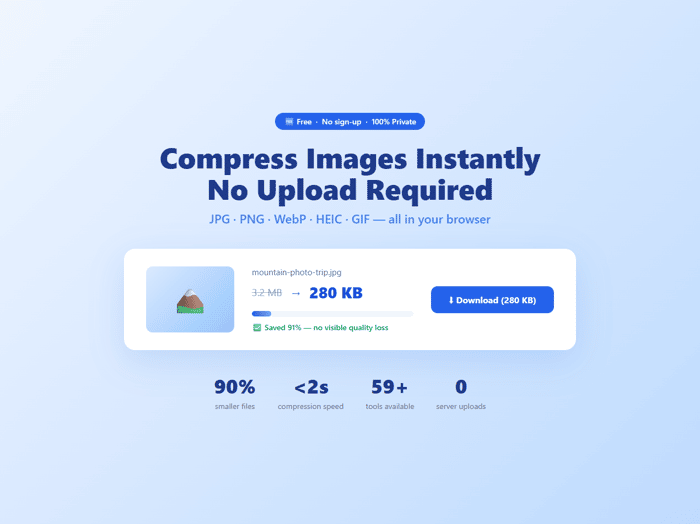
I kept running into the same problem: every image compressor I used either uploaded my files to a server (not great for client work) or froze the browser tab mid-compression.
So I built CompressImg — a free image compressor that runs 100% in your browser. Files never leave your device. No sign-up, no watermarks, no limits.
The hardest part wasn't compression — it was performance.
Initial PageSpeed score on mobile: LCP 7.1s. That's terrible for an SEO-focused tool.
The culprit: loading AdSense and GA4 with afterInteractive instead of lazyOnload. One config change dropped LCP from 7.1s → 2.0s on mobile.
Other wins:
- Moved compression into a Web Worker → UI never freezes during heavy compression
- Lazy-loaded AdSense only after compression completes → better UX, avoids CLS
Stack: Next.js 14 (static export) + browser-image-compression + Vercel + heic2any + gifuct-js
Where I am now (3 weeks in):
- 65+ tool pages live
- 246 GSC impressions, 6 organic clicks, avg position ~45
- Homepage ranking pos 8.2, /compress-image-for-linkedin pos 9.4
- Launching on Product Hunt tomorrow (May 8) 🚀
The SEO strategy: long-tail first — "compress image to 100kb", "photo compressor", "reduce image size" — before going after head terms.
What surprised me: content depth matters more than I expected. Pages with 1000+ words + FAQ schema + comparison tables get crawled faster and rank higher, even at the same URL age.
Happy to answer questions about the Web Worker setup, Next.js static export + SEO, or the privacy architecture. Open to honest feedback on the tool too.

The Web Worker approach makes a lot of sense, especially when users are processing larger images. Keeping the processing client side also helps when privacy is important. For simpler resizing and compression tasks, I have also found browser based tools useful when you do not want to install another app.