How I built an amazon deal finding service with no code! (with link to editor)
(Video walkthrough and editor teardown at the bottom).
App Walkthrough
- User selects amazon categories he/she wants deals for on a Bubble app
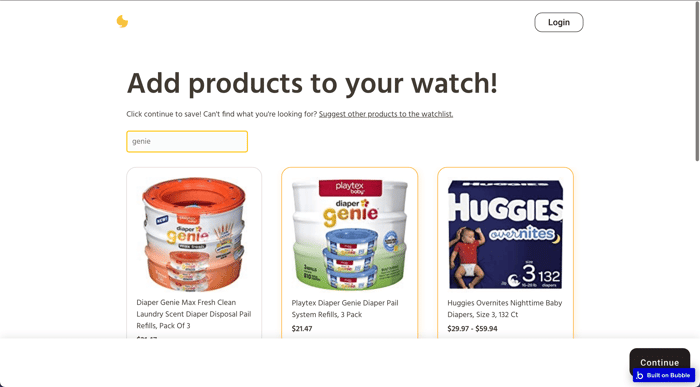
- User selects additional specific products
- User creates an account
- I manually run a Browserflow scraper a few times a day on the various categories
- If any great deals show up, I use a backend bubble admin page to email the deals to any user who wanted to be alerted of that category/product.
In-depth Walkthrough
- User selects amazon categories he/she wants deals for on Bubble

- User selects additional specific products

- User picks specific products he/she wants to follow

- User creates an account

- User sees confirmation page

- I use browserflow to manually run through amazon's bestseller lists


- I find a deal, go back to a bubble admin page. I choose the product/category this deal falls under, compose the email, and send. Only the people with the correct preferences selected will receive the email.


Teardown
Video Teardowns:
Browserflow (scraper)
Bubble web app (web app)
Editor if anyone wants to see exactly how the bubble side was built: https://bubble.io/page?type=page&name=index&id=amzn-baby-bestsellers&tab=tabs-1
Shoot me an email with your email if you want to see the browserflow workflow (there's no public share function unfortunately)
Would you pay $5/mth for more teardowns like this?
I'm thinking of maybe starting a blog and charging like $5/mth for people to access it. But I'd only do it if people find this content useful!
