How I built and released my mobile app idea in 3 months
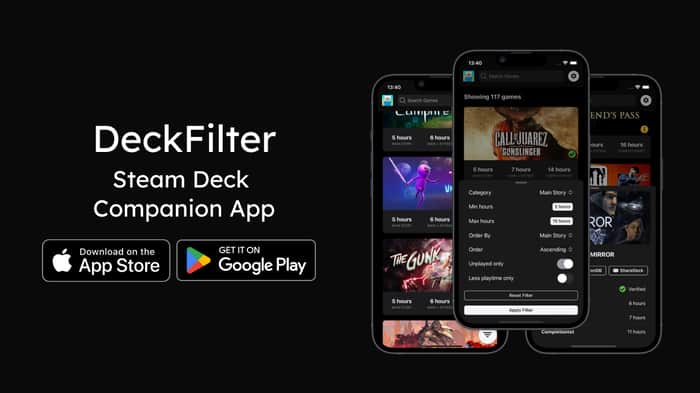
Hey IndieHackers, it’s great to be part of this community! I've learned so much from your posts, and now I'm excited to give back by sharing my own journey. I’d like to tell you about the development and launch of my app, DeckFilter, from the initial idea right through to its release. Looking forward to hearing your thoughts and answering any questions you might have!
In June 2022, I got a Steam Deck, and suddenly my collection of games shot up from about 100 to 400. This huge number made it really tough to sift through my games quickly. The Decky HLTB plugin on the Steam Deck did show how long each game would take to beat, but only if I looked at them one by one, which wasn’t very helpful if I wanted to make a quick choice.
Starting Point: Solving My Own Problem
Wanting a faster way to pick a game, I decided to put my development skills to use. At first, the app was just for me. I made a simple version that let me filter games by how long they’d take to finish. I was pretty excited about it, so I shared a video of how it worked on Reddit to see if others might find it useful too. You can check out that video here: Prototype Video.
The response was way better than I expected. Lots of people seemed really interested, and their encouragement made me think this could be more than just a personal project. So, I kept working on it, making it better based on what people said.
Beta Testing: Learning from Users
Before I started the beta test for DeckFilter in January, I had already picked the name for the app. I wanted a name that was simple and showed what the app does. I thought about names like DeckBuddy and DeckCompanion, but they were already used or didn’t fit perfectly. I chose "DeckFilter" because it was clear and showed that the app helps Steam Deck users filter their game choices.
After picking the name, I shared the beta version on Reddit to see what other people thought. You can check out the post here. I was looking for 5 iOS users and 5 Android users to help test the app. Some people really liked the idea, but others weren't sure why it was needed. Their comments were really helpful. They made me think about how to make DeckFilter better by adding new features and fixing any problems. Over the next few weeks, I worked on making the app easier to use and more helpful.
All this hard work based on what users told me helped make DeckFilter better prepared for more people to use it. I was excited to see how everyone would like the improvements and I kept using their suggestions to make the app even better.
Launching the app and pricing
In mid-February, after much preparation and feedback, I was ready to launch DeckFilter. This time, I decided to make it a paid app. I had previously developed a freemium app, which involved managing free features along with premium ones through in-app purchases and subscriptions. However, for DeckFilter, I wanted to keep things simple. I didn’t want to deal with separating features into free and premium categories or setting up paywalls.
Choosing to make DeckFilter a paid app also allowed me to see what it's like to rely solely on direct sales. It simplified the development process because I could focus on enhancing the app itself without worrying about which features should be paid or free.
To expedite the approval process on the App Store, I submitted a screen recording with the application on App Store Connect. This was effective; the video clearly demonstrated DeckFilter's functionality, helping it get approved on the first try—a smoother process compared to my previous apps.
Launching as a paid app was a new experience for me, and I was eager to see how users would respond to it being available for purchase right from the start.
Development Tools and Marketing Materials
The app is made with React, TypeScript, and Ionic + Capacitor. Throughout the development process, I relied on Visual Studio Code for coding and maintained all my project files in a private GitHub repository. To streamline my workflow and enhance productivity, I utilized AI tools like ChatGPT Pro and GitHub Copilot. These tools were invaluable, significantly speeding up development by suggesting code snippets and quickly helping correct any errors. Using these advanced tools not only made the coding process smoother but also freed up more time for me to focus on the creative side of developing the app.
For the DeckFilter launch, I quickly created a website using WordPress, which was an easy choice given my experience with the platform. The site, available at deckfilter.app, features a clean simple design with Tailwind CSS. I included screenshots and descriptions of the app's features on the homepage, along with a roadmap and changelog pages to keep users informed of current functionalities and upcoming updates.
I also use ChatGPT to help me with writing as this as it’s not my strength. I have a strong vision and can write out ideas and concepts but finally forming a readable copy is something I always struggled a lot with. So writing got a lot easier, but it’s still a heavy task for me.
For the app's splash screen, I used pgicons.abiro.com, a tool that generates icons and splash screens suitable for Cordova-based development tools, including Ionic. The main app icon was created using an IonIcon from ionic.io/ionicons and the App Icon Generator at icon.kitchen.
To create visuals for the Play Store and App Store, I utilized appscreens.com. This tool proved to be the most straightforward for generating app screenshots. I also exported the device mockups for the website and refined them by removing whitespace using Trimmy at app.trimmy.io.
For the video featured on the homepage, I used mock.video, which provides mockup videos. It messed up the colors a bit but it was good enough for now. Looking ahead, I plan to use MockuPhone for quick and effective app video and image mockups for future things.
Final thoughts
Wrapping up, I want to highlight how keeping things simple and taking small steps really helped me move fast. Working by myself made it easier to get things done quickly, unlike in my previous startup where having five founders really slowed us down.
I'm always working to make DeckFilter better, and there are some exciting updates coming soon. I just released the wishlist sync feature, which I hope will make it even more useful. Since I launched I also started a blog on the website and made some free tools for users.
Thanks everyone for reading, and have a great time!

The mobile-launch bit I’d add: validate the exact first-use path, not only the app idea. With Kinetic Override, the key test is whether someone can understand the permission, record one tiny tap/swipe macro, replay it, and trust what happened. That tells me much more than a generic “looks good”.