How I got users to discover 60% more features before they even hit install
Here's the problem with Chrome extensions: the UI is tiny, scattered across popups and bubbles, and most users never discover half of what it can do.
My solution was an interactive onboarding wizard. But I added a twist.
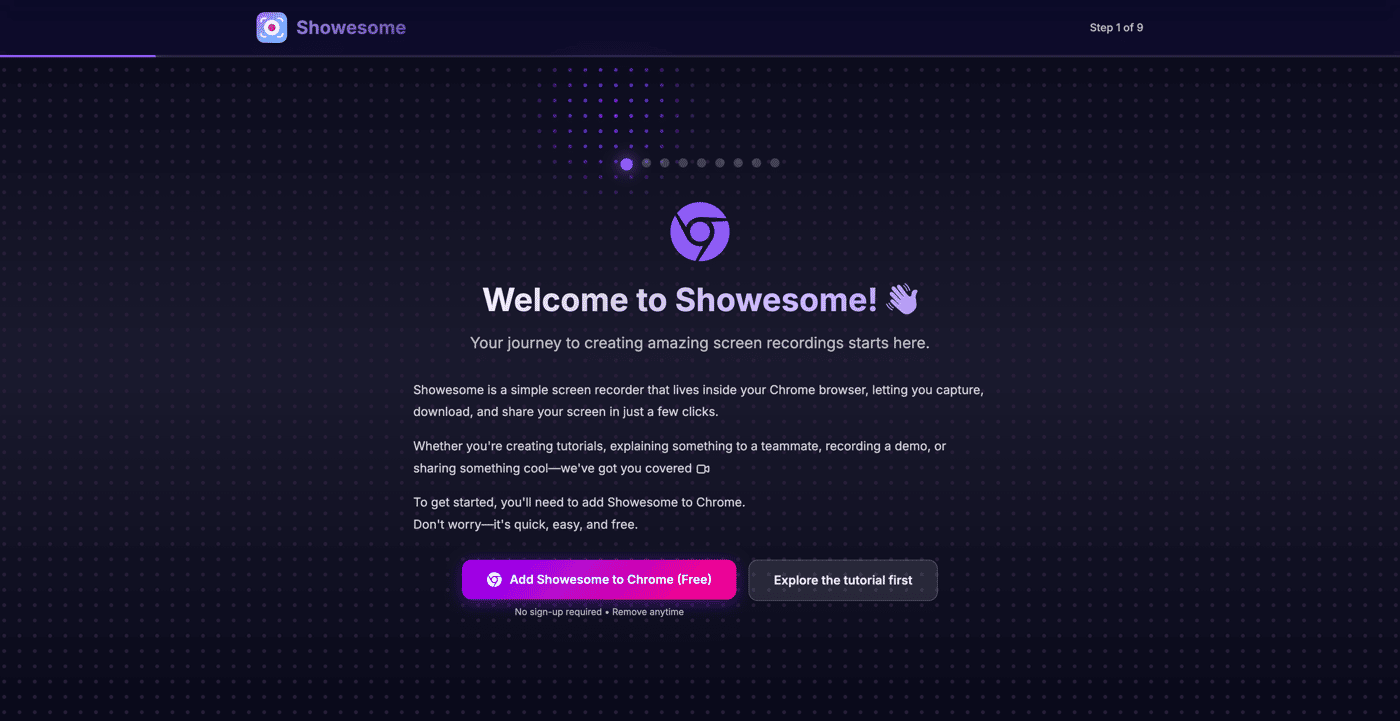
If the extension IS installed: The website and extension communicate live. Click a card on the website → the actual extension bubble changes shape in real-time. Click the extension → the website moves to the next step. Everything is synced, both directions.
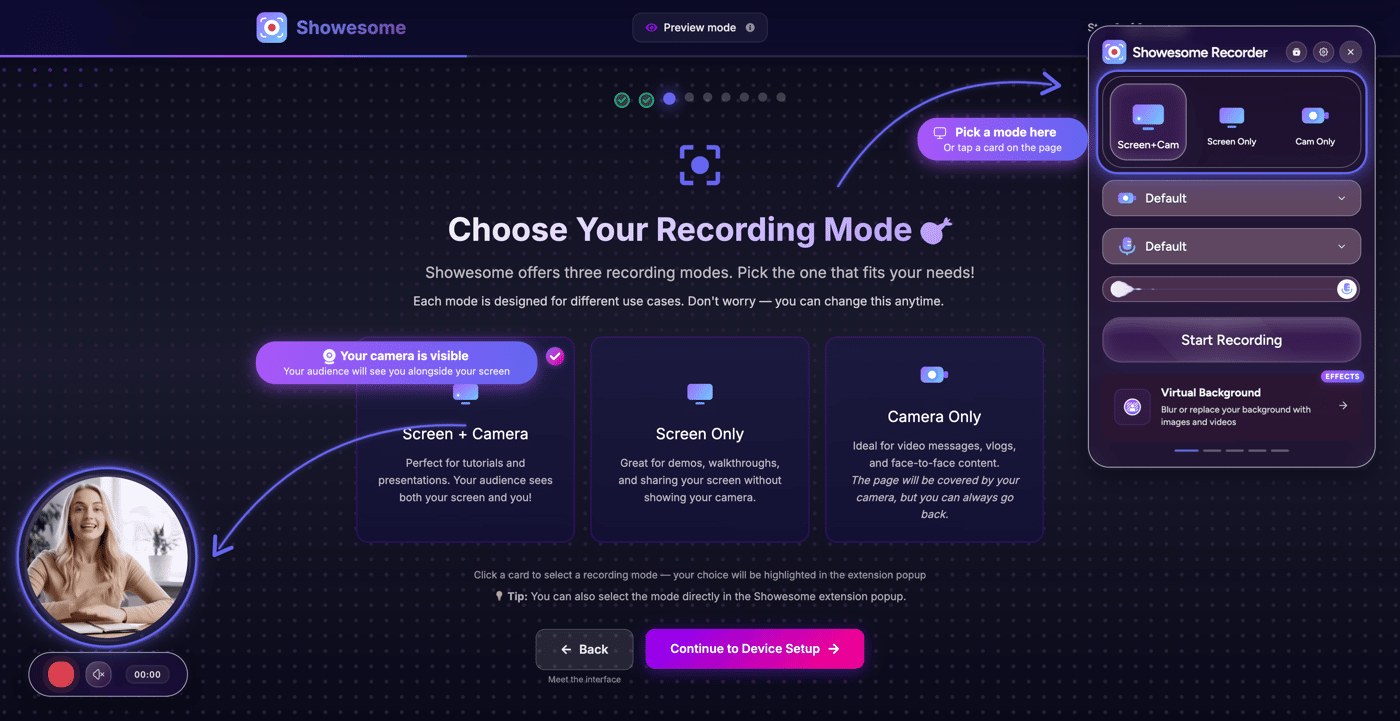
If the extension is NOT installed: I render pixel-perfect screenshots of the popup, bubble, and controls exactly where they'd appear. Users can still click the website cards and watch the "fake extension" update as if it were real. The only difference? They can't click the extension itself — but honestly, they don't notice.
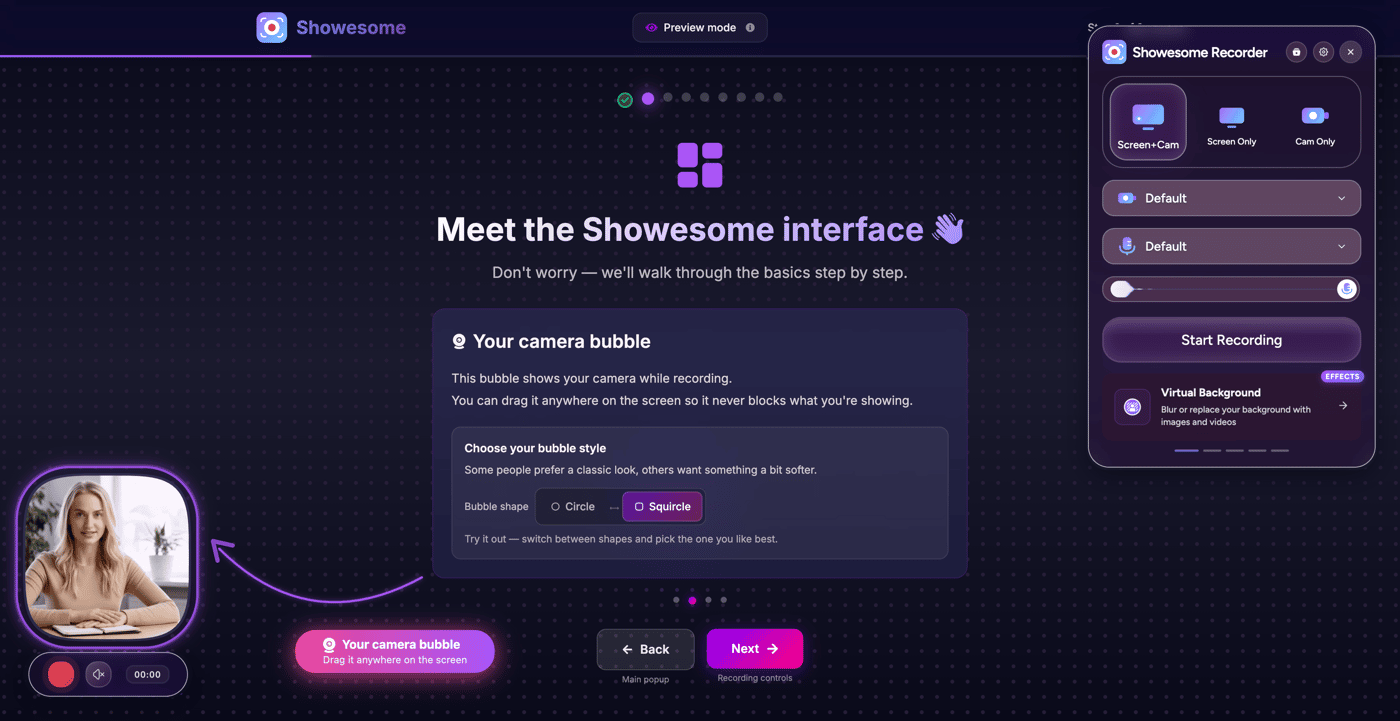
It also remembers your progress across sessions (close it, come back, pick up where you left it), walks you through every single feature step by step — recording modes, bubble dragging, circle vs squircle shape, device selection, virtual backgrounds, focus mode, zoom, recording stats, all the advanced settings...
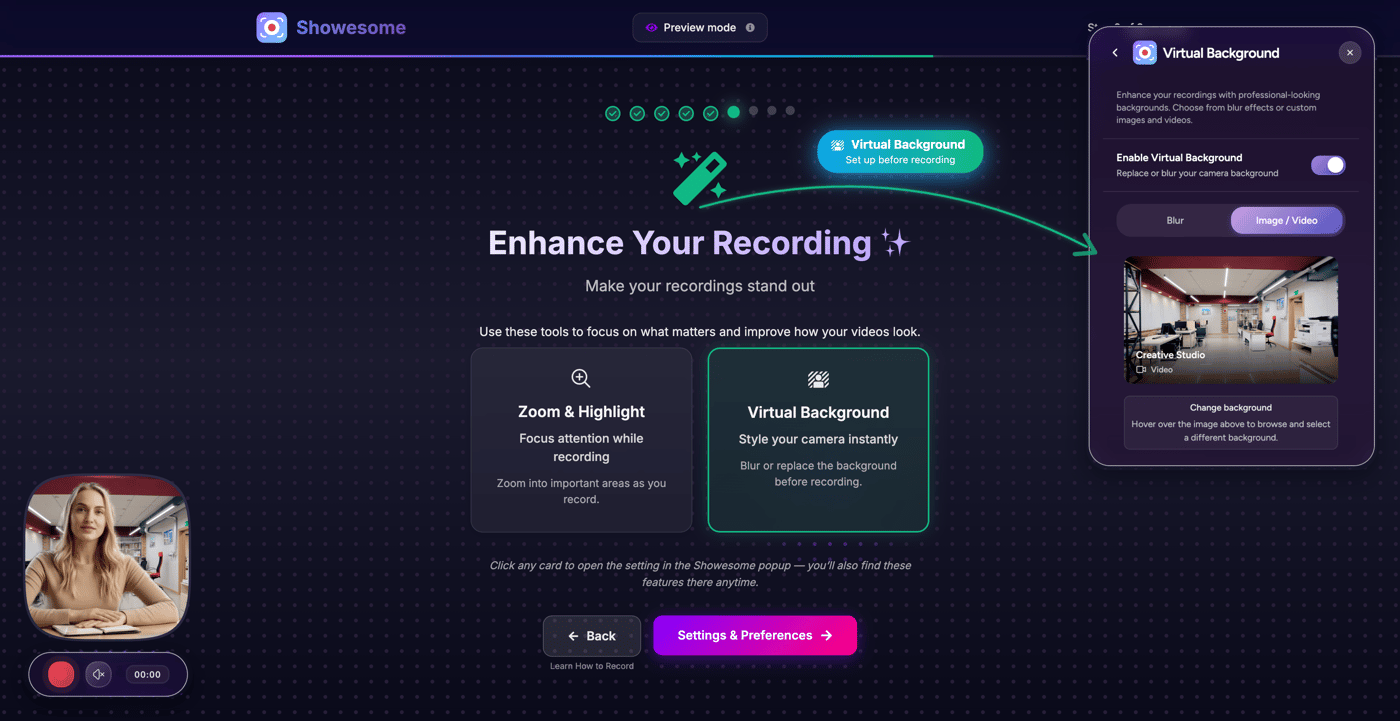
And you can relaunch it anytime from the extension or directly from the website.
Honestly, building this was more complex than some features of the product itself. But seeing users actually discover and use features they previously missed? Worth it.


This is wild (in a good way). Turning onboarding into a bi-directional live sync between website and extension is a seriously high-leverage idea. Also love that it still works as a “fake UI” when not installed.
Appreciate it 🙏 the live sync idea was the turning point — everything else came after that.