How I helped an Immigration Services Agency to streamline their business processes.
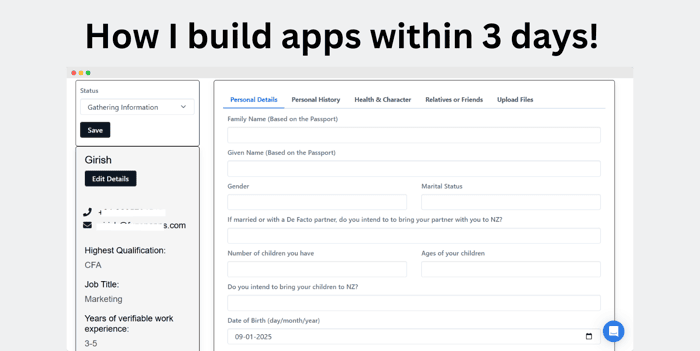
Building a CRM for an immigration services agency wasn’t something I had planned, but when a friend running an agency mentioned how disorganized their client management process was, I knew there had to be a better way.
They were juggling spreadsheets, emails, and paper files, and it was clear they needed a proper system to streamline everything.
I decided to take up the challenge. With no coding background, I turned to a no-code platform (I used Fuzen.io) and built a fully functional CRM tailored to their needs.
Here’s how I did it and what I learned along the way.
Understanding the Problem
The first step was figuring out what the agency really needed. After talking to them, a few key pain points stood out:
- Tracking inquiries and converting them into clients was chaotic.
- Managing client documents and keeping them organized was a nightmare.
- Sending follow-ups and reminders manually took up too much time.
- They needed automated birthday emails to build stronger relationships.
Armed with this information, I sketched out the features they needed in the CRM:
- Enquiry Dashboard to track leads and inquiries.
- Clients Dashboard to manage client profiles and progress.
- Email Templates for sending follow-ups and updates.
- Document Management to organize and store important files.
- Birthday Email Workflows to send automated greetings and build rapport.
Building the CRM
Using a no-code tool, I started assembling the CRM piece by piece. Here’s a breakdown:
1. Enquiry Dashboard
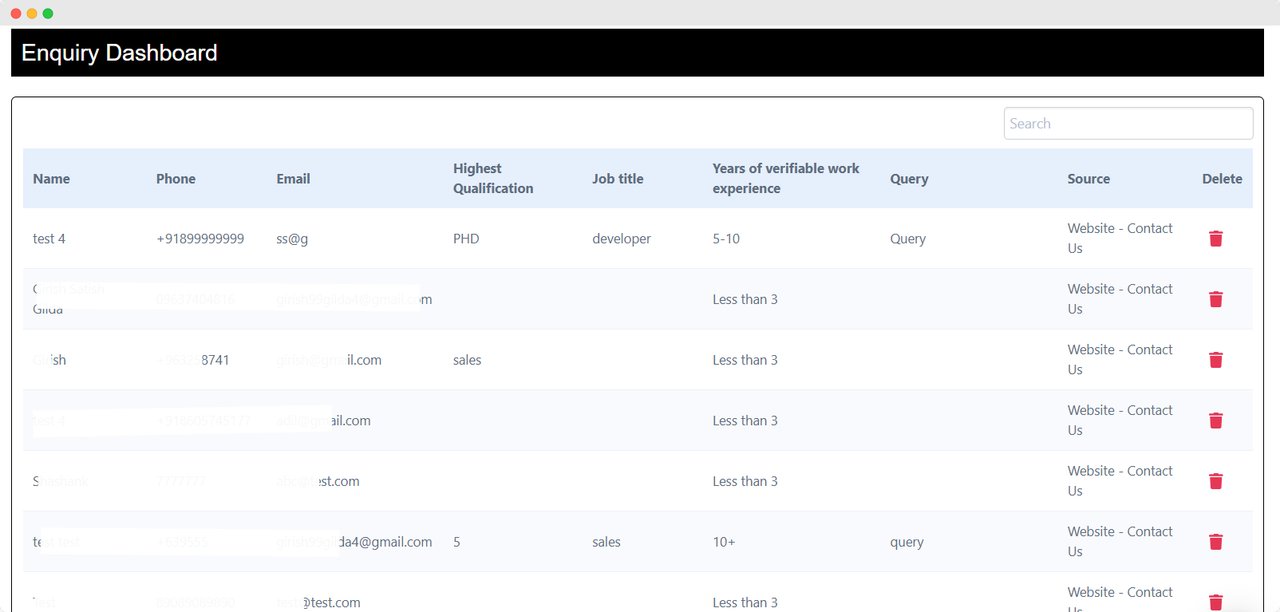
I created a simple form for capturing leads and inquiries. The data fed directly into a centralized dashboard where the team could track each lead’s status—new, in-progress, or converted.
This alone made a huge difference in organizing their sales process.
2. Clients Dashboard
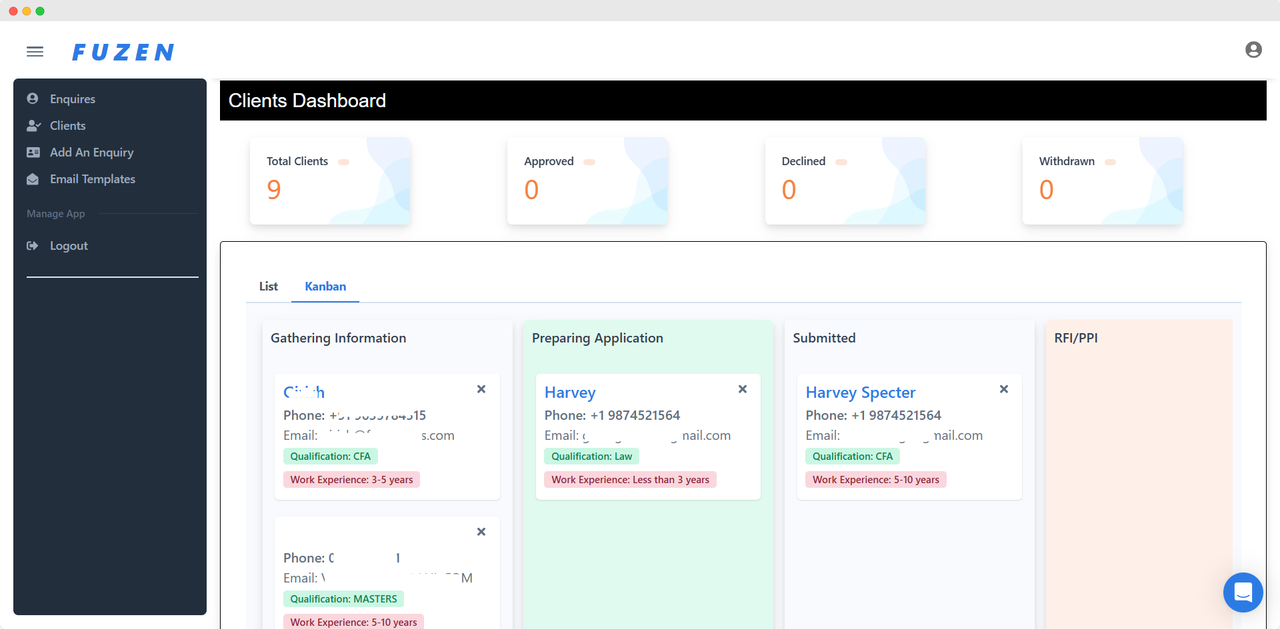
Next, I set up a client's dashboard that acted like a Rolodex on steroids. Each client had their profile, including contact details, application status, and notes. Filters and search options made it easy to find information instantly.
3. Document Management
Immigration services involve tons of paperwork—passports, visas, financial statements, you name it. I integrated a document management feature where they could upload, store, and categorize files securely. It eliminated the need for endless email chains.
4. Email Templates
To save time, I added pre-designed email templates for common communications—application updates, appointment reminders, and thank-you notes. The team could send personalized emails in seconds.
5. Birthday Email Workflows
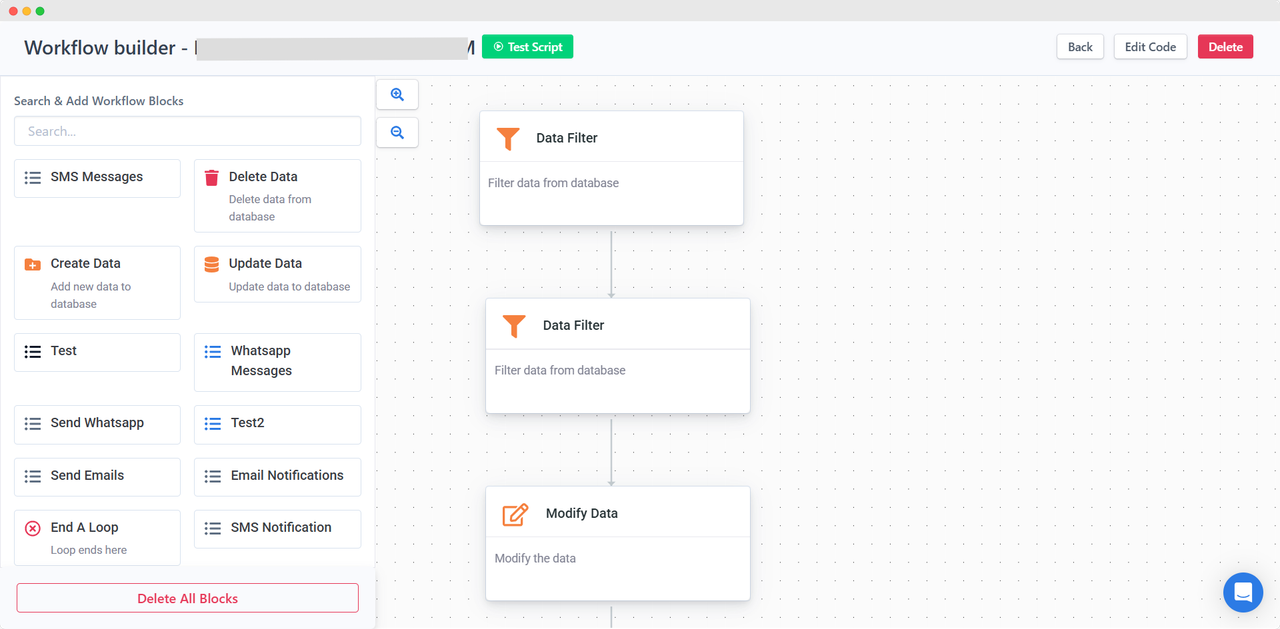
Finally, I set up an automated workflow to send birthday emails to clients. It might sound small, but it’s a great way to make clients feel valued and increase referrals.
Results and Impact
The CRM transformed how the agency operated:
- Time Savings: Daily tasks like sending updates and reminders took minutes instead of hours.
- Improved Client Satisfaction: Clients appreciated the timely communication and organized processes.
- Higher Conversion Rates: With better lead tracking, they converted more inquiries into paying clients.
Lessons Learned
- Start Simple - I initially focused only on the core features they needed. Fancy extras can always come later.
- Feedback is Gold - Regular feedback from the agency helped me tweak the CRM and make it more useful.
- Automation Matters - Automating repetitive tasks saved time and reduced errors.
- Test as You Go - Small tests along the way helped catch issues early.
Stats to Back It Up
- 30% of small businesses struggle with disorganized client management systems. (Source: Salesforce)
Companies that use CRM systems see a 29% increase in sales. (Source: HubSpot) - 91% of businesses with 10+ employees use a CRM to manage customer data. (Source: Capterra)
Final Thoughts
Building this CRM showed me just how powerful no-code tools can be. I didn’t have to write a single line of code, yet I delivered a system that streamlined operations and improved client relationships.
If you’re thinking about building something similar, start with a simple version and focus on solving one problem at a time. The tools are there—you just have to put them to work.
Have you ever built a CRM or customized a tool for your business? I’d love to hear about your experience. Drop your story in the comments below!

You have covered a lot of tactics there. Thanks! I am just starting out as well. What were some of the marketing techniques that you used to get your first hundred users and what has worked the best in terms of outreach?