How I "scaled" my SaaS database and broke my app.
This post was made as a gentle reminder to my future self...
Like many of you, before launching my SaaS I reached for a free and hosted cloud database. Many options exist, but I gravitated towards what I was already familiar with, a document database popularized by MongoDB on Atlas 🌿
TOC
-
When cheaper is actually better
-
Backups, yup, they're pretty important
-
Feeling of dread
-
Moment of truth
-
Spoke to soon
Sinosend tech stack is a pretty straightforward multi-cloud architecture with a heavy reliance on resilient storage backed by Alibaba Cloud Object Storage & Cloudflare R2. As it turns out, storing a massive amount of encrypted user files at scale and having it be accessible at the edge, everywhere, all the time is not a trivial task. We believe we mostly solved the complex parts for our app due to years of trial and error dealing with poor, intermittent connections and high latency mobile networks.
More importantly, a lot of our customers send files across continents. Hence being accessible in China & India, where our competitors have, been 'firewalled', is critical to our success.
When cheaper is actually better.
We needed a database to store metadata of file object IDs. Don't tell our customers this, but believe it or not, what worked best for us was an M0 instance on Mongo Atlas. It has worked for well over a year, handling workloads in excess of what the instance was designed for.
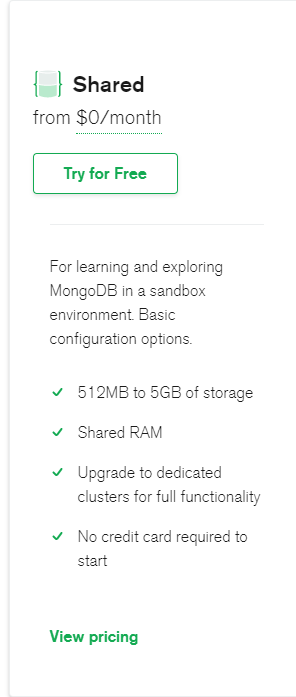
However, we missed one crucial thing, M0 doesn't provide backups. 😳
Backups, yup, they're pretty important.
We hadn't thought of a backup solution for our database. Of course, our storage service is backed up several times a day and has a 99.99995% SLA, but we left our database in the dust; We've now reached 300 MAU (monthly active users). It's time to upgrade.
Okay, what's up from M0 on Atlas Azure? The next option is M10 which works out to :

My math sucks. I wish these cloud services would tell us the monthly cost from the outset instead of charging by the hour like a cheap motel room. We're not running Heroku instances where we can spin up and down, so why not show us the fees per month.
So for Azure (East)
At 0.10/hour x 24 x 30 = $72/month.
What do I get for $72/month?
- 1 wannabe vCPU (shared)
- As much RAM as my laptop had circa 1999 (2GB)
Pathetic, no thanks. I would much prefer Atlas's serverless offering which sadly is still in beta and doesn't support some of the more advanced features such as Realm functions and database triggers. I'll happily switch over to serverless Mongo as soon as it's generally available. Until then, I need to look for something more compelling.
MongoDB recently introduced paid shared database M2/M5 instances that include backups for a flat monthly fee; Now we're talking.
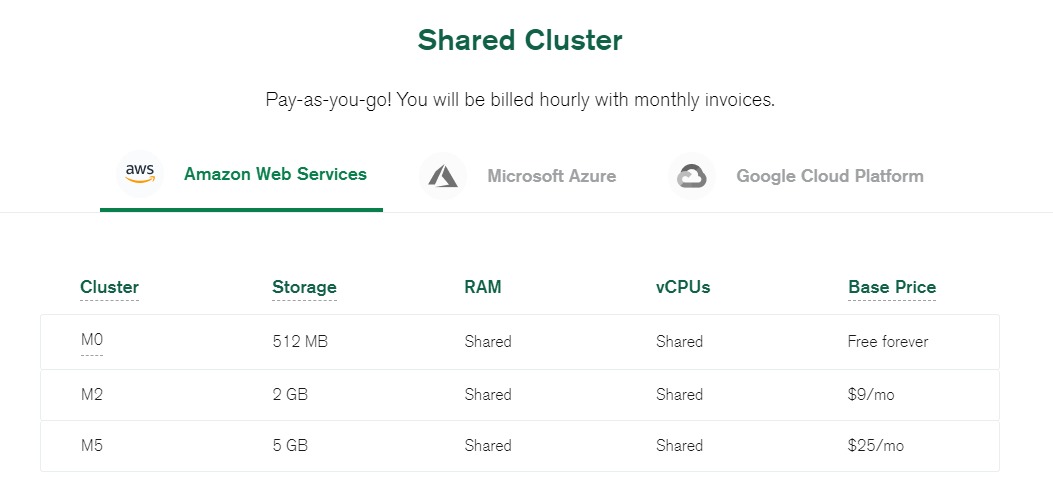
Okay, so how hard can this be? All I need to do is Upgrade to M2.
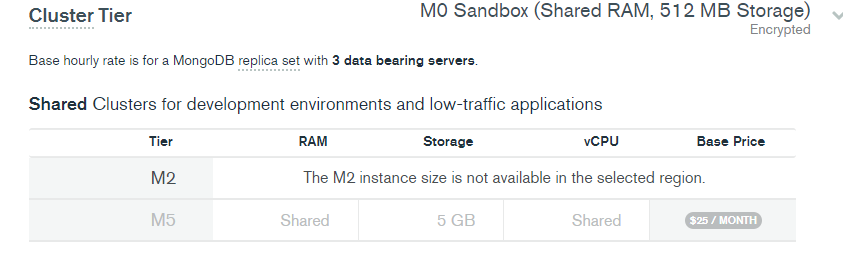
But, M2 is not available on Azure in 'eastasia' (the region that we're currently in)
To solve this I would need to change regions to AWS where M2 is available in 'eastasia'. And at $9 a month for a hosted 3 replica database with backups sounds perfect. Let's do it.
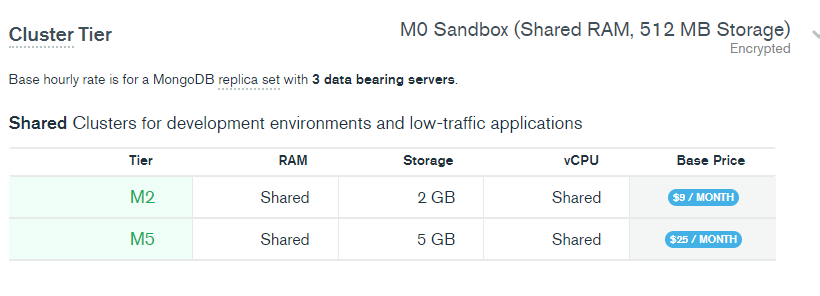
I hastily clicked 'Upgrade' 

oh WAIT! The connection string will change ?!
Since I was changing cloud providers AZURE -> AWS the connecting string changes from:
mongodb+srv://name:<password>[@hkg](/hkg)-cluster.azure.ksqyh.mongodb.net/dbname
🔽
mongodb+srv://name:<password>[@hkg](/hkg)-cluster.ksqyh.mongodb.net/dbname
Sinosend follows a JAMSTACK approach, all our functions are serverless on Alibaba Cloud, which means we need to update all our 100+ functions DB connection strings! (env variables)
Error logs began to pop up, my brow began to sweat.
You know that feeling...
nausea set in, and a sinking feeling of dread, knowing that I missed something so simple, nucking futs!
I had to work fast. Reversing the upgrade wasn't an option.
I was using Alibaba Function Compute as our serverless API backend. It was then that these 100+ functions started to produce ugly 500 http errors.
Luckily, most of these cloud functions use 'layers', a simple abstraction of shared code that you can use between functions, similar to AWS LAMBDA LAYERS. Layers allow you to share common utility code between each serverless function. And as many of you know, serverless functions run independently of each other.
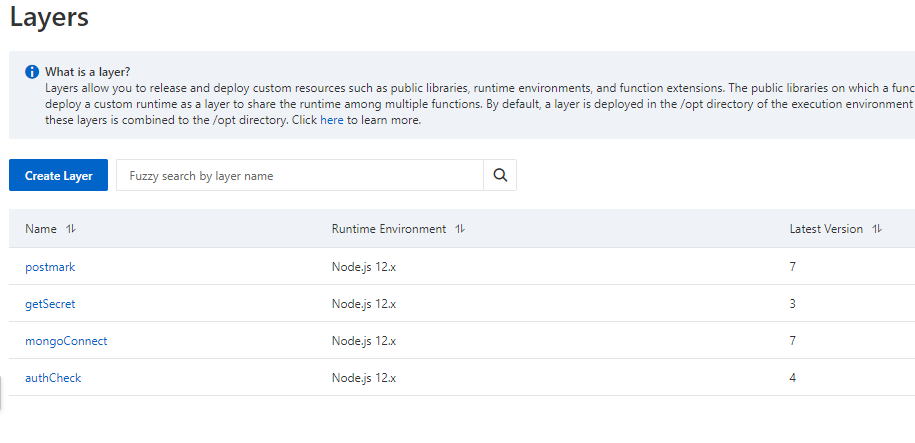
Diving into my layer "mongoConnect" function, I quickly realized it wasn't actually where I had set the connection DB string.
const {MongoClient, ObjectId } = require('mongodb');

var cachedDb
const dbConnect = async (URI) => {
     let cachedDb = null

    function connectToDatabase(URI) {
        if (cachedDb) {
          console.log('Using cached database instance');
          return Promise.resolve(cachedDb);
        }

        return MongoClient.connect(URI)
          .then(db => {
            console.log('Using New DB Instance')
            cachedDb = db;
            return cachedDb;
          });
      }

return await connectToDatabase(URI)
}

exports.dbConnect = dbConnect
exports.ObjectId = ObjectId
I wrote the above 'layer' a few years ago, and who remembers old code? The connection string wasn't there; it came from KMS (Key Management Service), where I stored the secret. Ah-hah! I was smart enough to use KMS to store my cryptography keys and secrets!
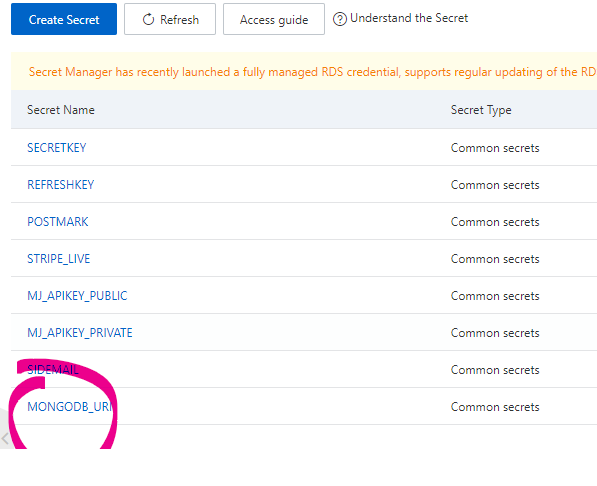
A simple change of the secret value to the new upgraded M2 cluster:-
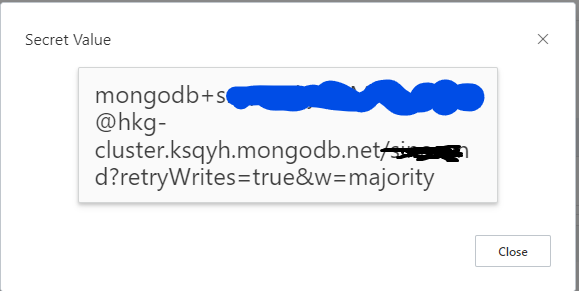
Then, the moment of truth, 60 minutes later.
All serverless functions are now using the new Atlas M2 instance. After an hour of downtime and a handful of angry emails (all now happy customers, by the way) everything was now resolved. Mission accomplished, upgrade Done.
Not out of the woods
That went swimmingly until about 5 hours later; I received this email from MongoDB
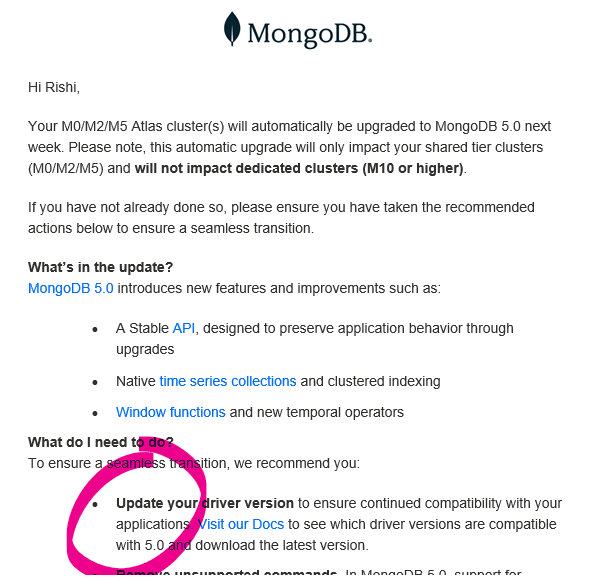
I just solved one problem. Now I'm being handed another! Fother Muck!
The email, in a nutshell, says that I have to upgrade my Mongo node drivers to version 4.x or above within the next seven days as Mongo is force upgrading my cloud database to V5. Mongo's solution to this is to upgrade to a Dedicated instance whereby I can control version upgrades; okay, we talked about this, ain't happening until the full serverless offering is GA.
A quick check of my projects package.json shows I was using mongodb 3.6, which means that I needed to update my 'layer' function to mongodb version 4.x, or risk having all my api calls fail again! Okay, this should be simple, right!?
Nope!
Alibaba Function Compute 'layers' have versions. Each version is handled by a zipped node module folder and is automatically assigned a version number.
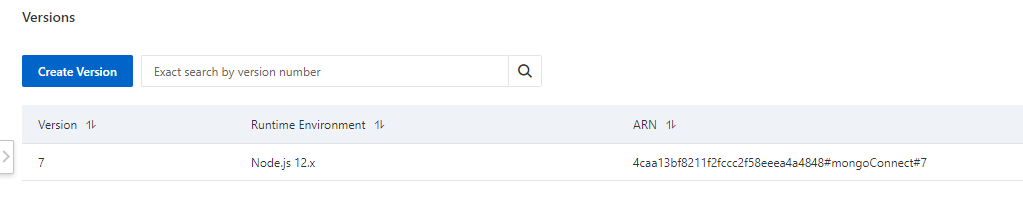
We're getting into the weeds here, but remember, this article was for my future self. If you're still with me, this means that if I create a new layer function with the updated npm module npm i mongodb 'layers' will create a new version, which results in me having to update all 100+ functions layers version number manually. 😧

Arghh! How painful, updating the layer version will take another hour, not to mention testing each serverless function!
I reached out to Alibaba support to see if there was any way I could edit layers without changing version numbers, hopefully I will hear back from them soon!
As of Feb 13th, I'm waiting to hear back with a solution.
2 options remain
- Manually change all cloud functions layer version number
- Update the existing layer function while maintaining the original version number (preferred solution, but unable to do)
I'll post the results in the comments if you're interested.
Lesson learned
Upgrading or changing database instances is not without problems, and even the simplest of changes can result in unnecessary downtime. Luckily, I used KMS to store my secret key and layers to share my database connection string. A simple change fixed the problem within an hour, It saved days from manually modifying 100+ serverless functions.
Hopefully, soon I can stop being #devops CTO for a week and work on the most essential part of being a solo SaaS founder, marketing.
Twitter : @rishi
Blog : EasyWeb.Dev
I work here : Sinosend

Ah, this sucks.
Please keep us posted on what the Alibaba support suggests to do. The problem you describe could be a fairly common one and I guess could happen to all of us...
I will take this as a reminder for my future self too 🙂. There are nuggets to take care of when building so they don't bite in the future when the time comes for migrations or upgrades. Thanks for sharing..
Happy to see you resolved this quickly !
I think having a staging environment is really important when you have a sustainable amount of users. It doesn't cost that much, especially if you are using a lot of serverless
yes, that is true... except as a solo founder we don't tend to think about these things.. everything will be just fine.... untill...
There are some red flags in your implementation.
Your db connection string should be stored in an environment variable. Not in the code itself. The db connection string being committed in the code is a big security risk.
Additionally, you should have a staging environment for your app where you can test things like db upgrades and db migrations.
Hi Vmg1, .... indeed storing any secret in code is a security risk, but i don't do that, don't think i said that i did..
If you read further you'll find out that all my keys are stored in a Key Management Service (KMS) which uses a rotating key, infact its a step better then environmental variables. 🙂
Besides since i am using serverless functions, none of the server code is committed to github or any public repo.
This comment was deleted 5 years ago