How Test Data Shapes Your API Quality
Let’s talk about something that rarely gets the spotlight in API development: test data. Yeah, that boring stuff you think you can “just mock later.” But in reality, test data is your secret sauce, your nitro boost, the “God Particle” that actually gives your tests meaning. Skip it, and you’re basically revving an engine on a runway… with no plane attached.

Think of me as your unofficial test-data hype-person. I won’t just preach why this matters—I’ll show you how to do it, step by step, with code you can copy today.
Part 1: Data Is the Real MVP
You can write perfect code, architect like a wizard, and have unit tests everywhere—but if your test data sucks, you’re basically driving blind. APIs are black boxes. Test data is what you throw in to see what comes out—good, bad, or downright hilarious.
- Good data → “Hey, it works!”
- Bad data → “Cool, it fails safely.”
- Weird data → “Wait… 10,000-character usernames with emojis?” 🤯
Lesson learned: the quality and variety of your test data determines the reliability and security of your API. No shortcuts here.
Part 2: Hands-On with EchoAPI
Time to get our hands dirty. Let’s use EchoAPI—a developer-friendly API platform—to manage, visualize, and reuse test data without pain.
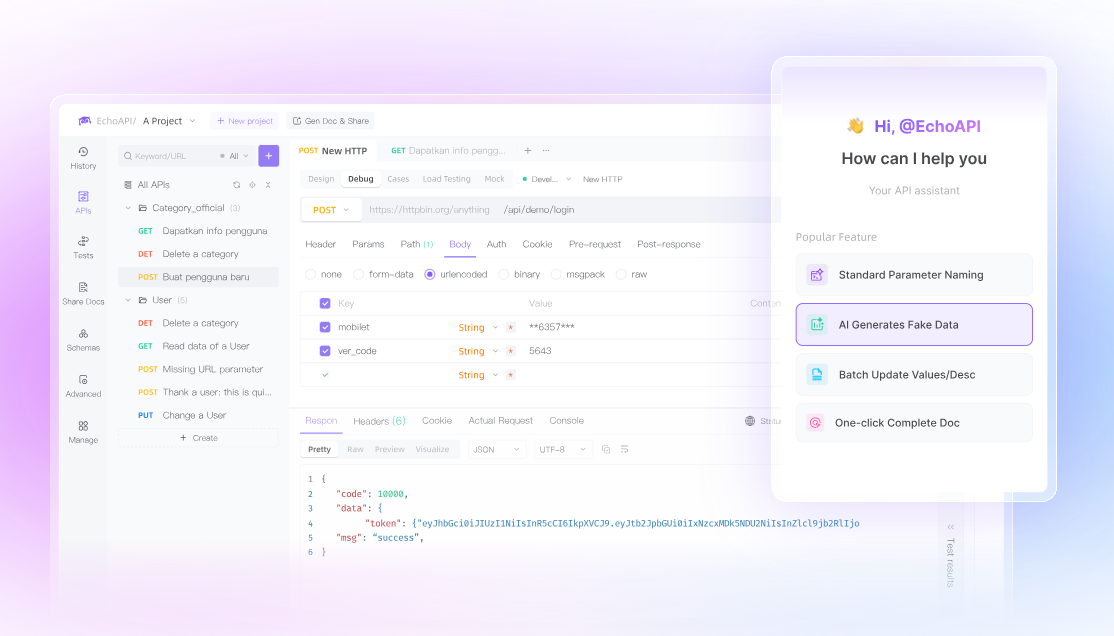
We’ll start simple: a login endpoint:
POST /api/login
Request Body (JSON):
{
  "username": "string",
  "password": "string"
}
Step 1: Build a Test Data Strategy
Don’t just test the happy path. You need angles you didn’t even know existed:
| Case Type | Purpose | Example Data (username / password) | Expected Result |
| --------------- | ------------------ | -------------------------------------- | -------------------- |
| Positive | Core functionality | test_user / CorrectPass123! | 200 OK, return token |
| Negative #1 | Wrong username | wrong_user / CorrectPass123! | 401 Unauthorized |
| Negative #2 | Wrong password | test_user / WrongPassword | 401 Unauthorized |
| Boundary | Push limits | a…a (150 chars) / any | 400 Bad Request |
Step 2: Upload & Run Data in EchoAPI
EchoAPI’s magic? You don’t hardcode—you manage, reuse, and visualize test data.
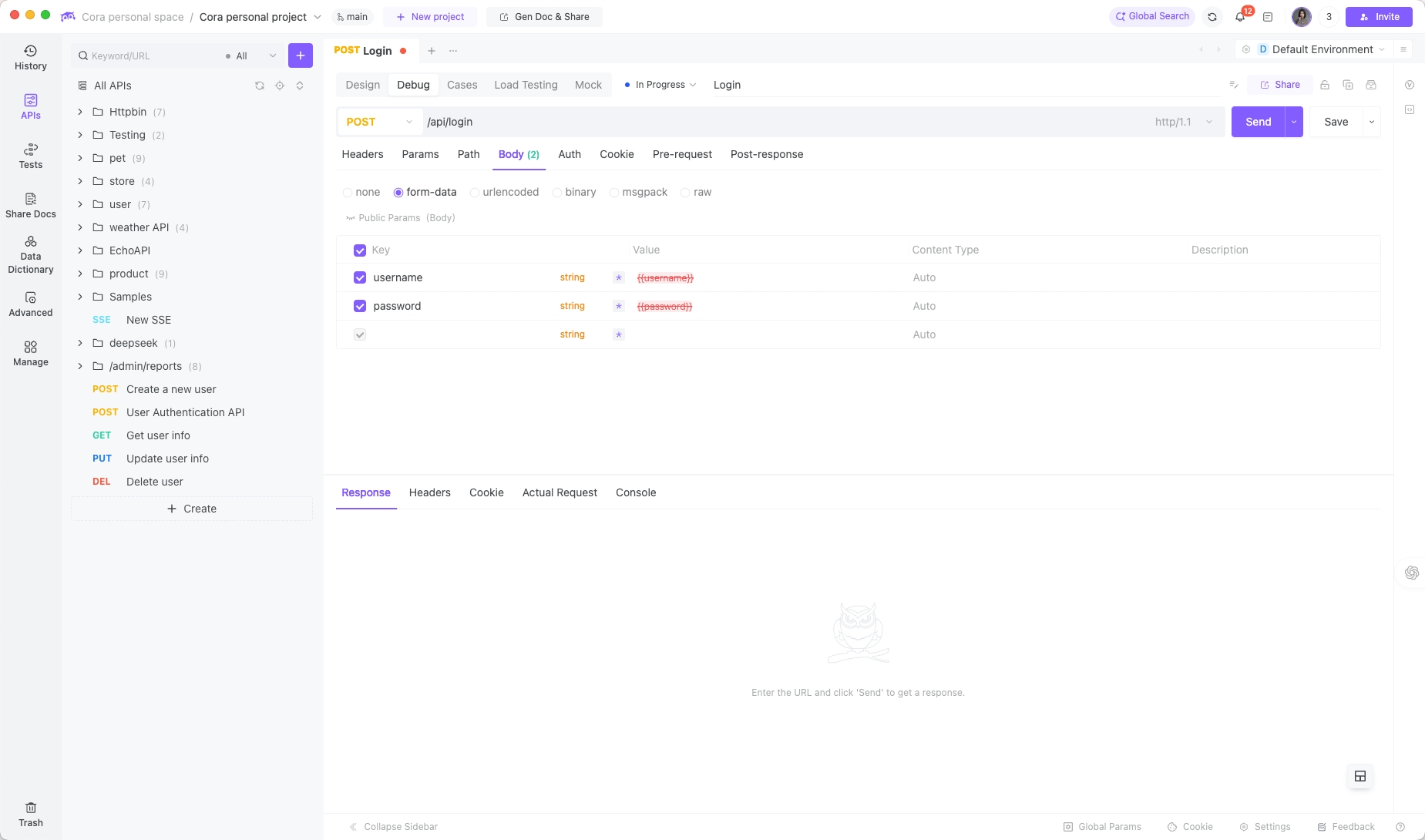
Step 2a: Create request
Set your login URL and HTTP method.
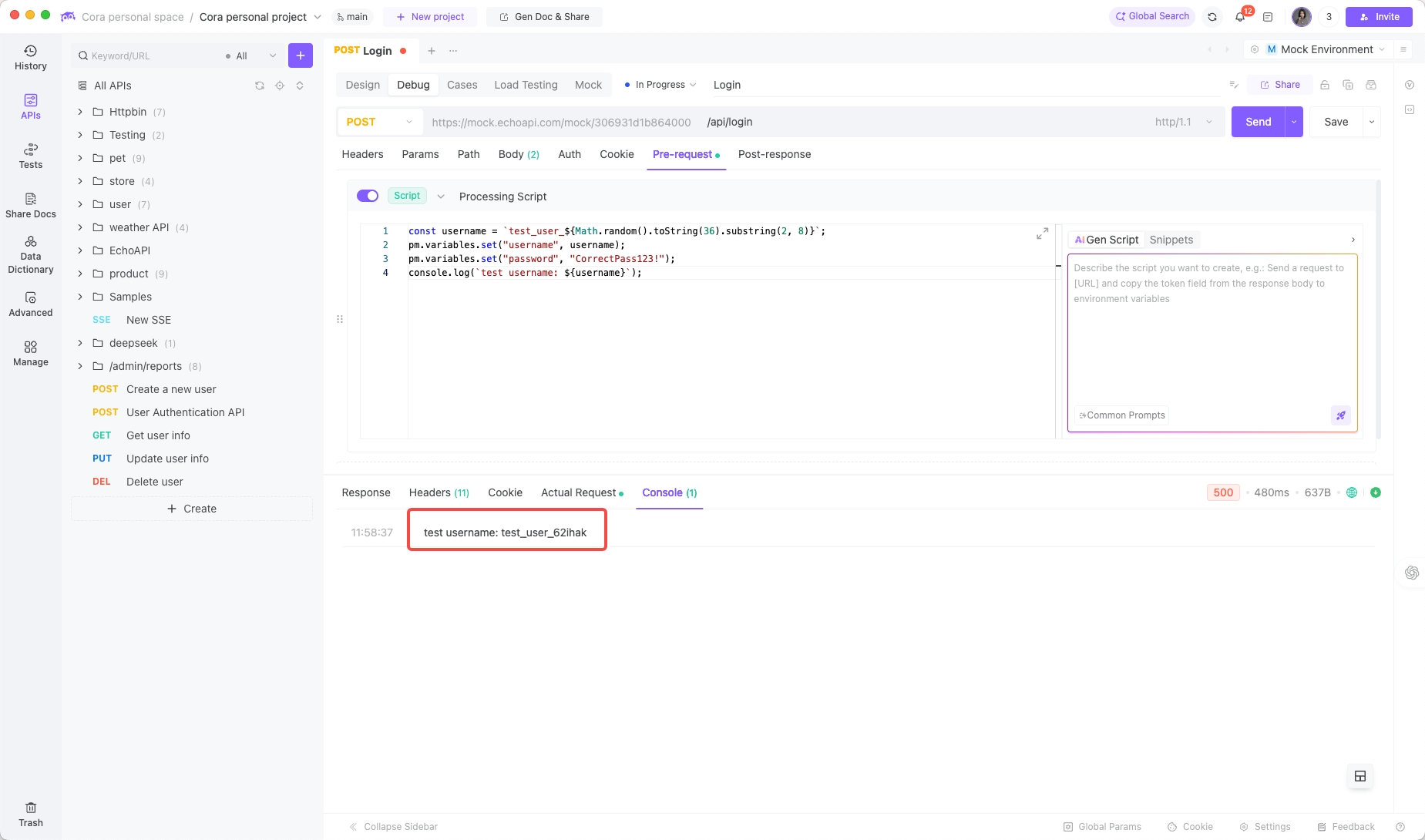
Step 2b: Dynamic data with scripts
const username = `test_user_${Math.random().toString(36).substring(2, 8)}`;
pm.variables.set("username", username);
pm.variables.set("password", "CorrectPass123!");
console.log(`test username: ${username}`);
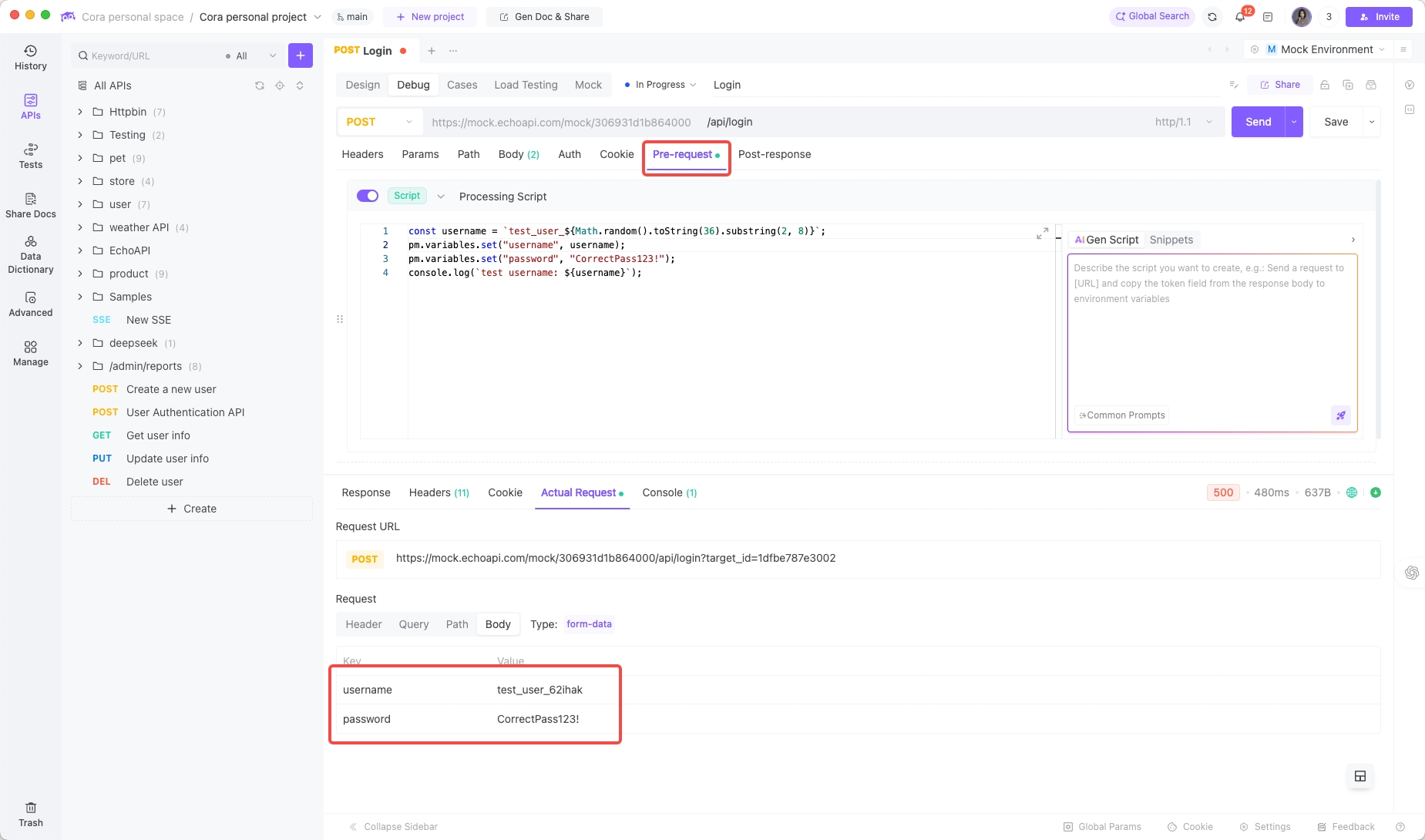
Step 2c: Reference variables in body
{
    "username": "{{username}}",
    "password": "{{password}}"
}
Each test run now gets a fresh username—no collisions, no mess.
Step 2d: Bulk testing with CSV/JSON
login_data.csv:
username,password,expected_status
test_user,CorrectPass123!,200
wrong_user,CorrectPass123!,401
test_user,WrongPassword,401
,,400
- Upload CSV to EchoAPI.
- Reference variables in request body.
- Add assertions in Tests tab:
pm.test(`Status Code is ${pm.iterationData.get("expected_status")}`, function () {
    pm.response.to.have.status(pm.iterationData.get("expected_status"));
});

if (pm.iterationData.get("expected_status") == 200) {
    pm.test("Response includes token", function () {
        var jsonData = pm.response.json();
        pm.expect(jsonData.data.token).to.be.a('string');
    });
}
- Run and watch EchoAPI generate a clean pass/fail report.
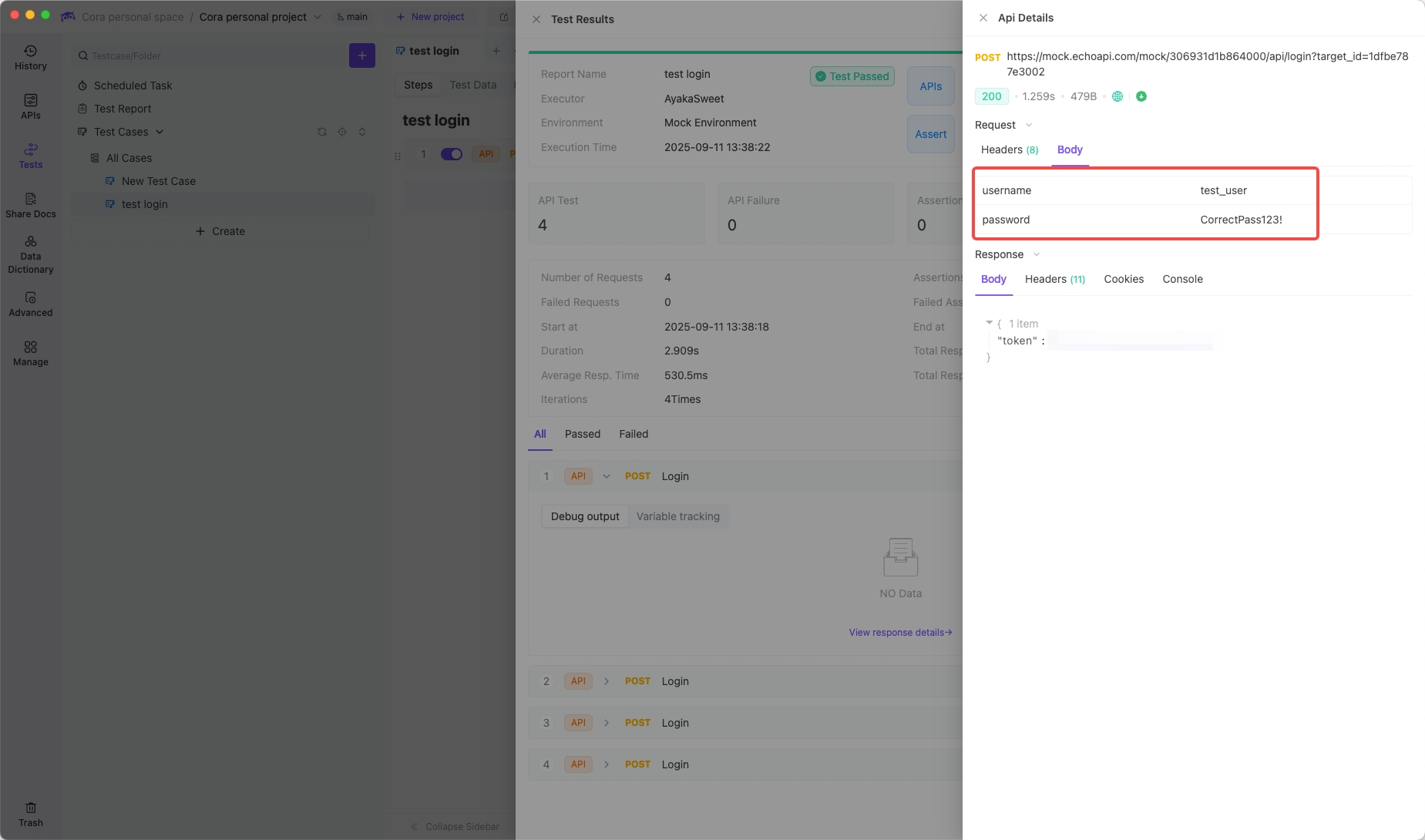
Step 3: Let AI Fill the Gaps
Humans miss stuff. AI doesn’t.
Hit “Generate Test Cases with AI” and get scenarios across:
- functionality
- boundaries
- edge cases
- invalid types
- injection attempts
- missing fields
- encoding issues
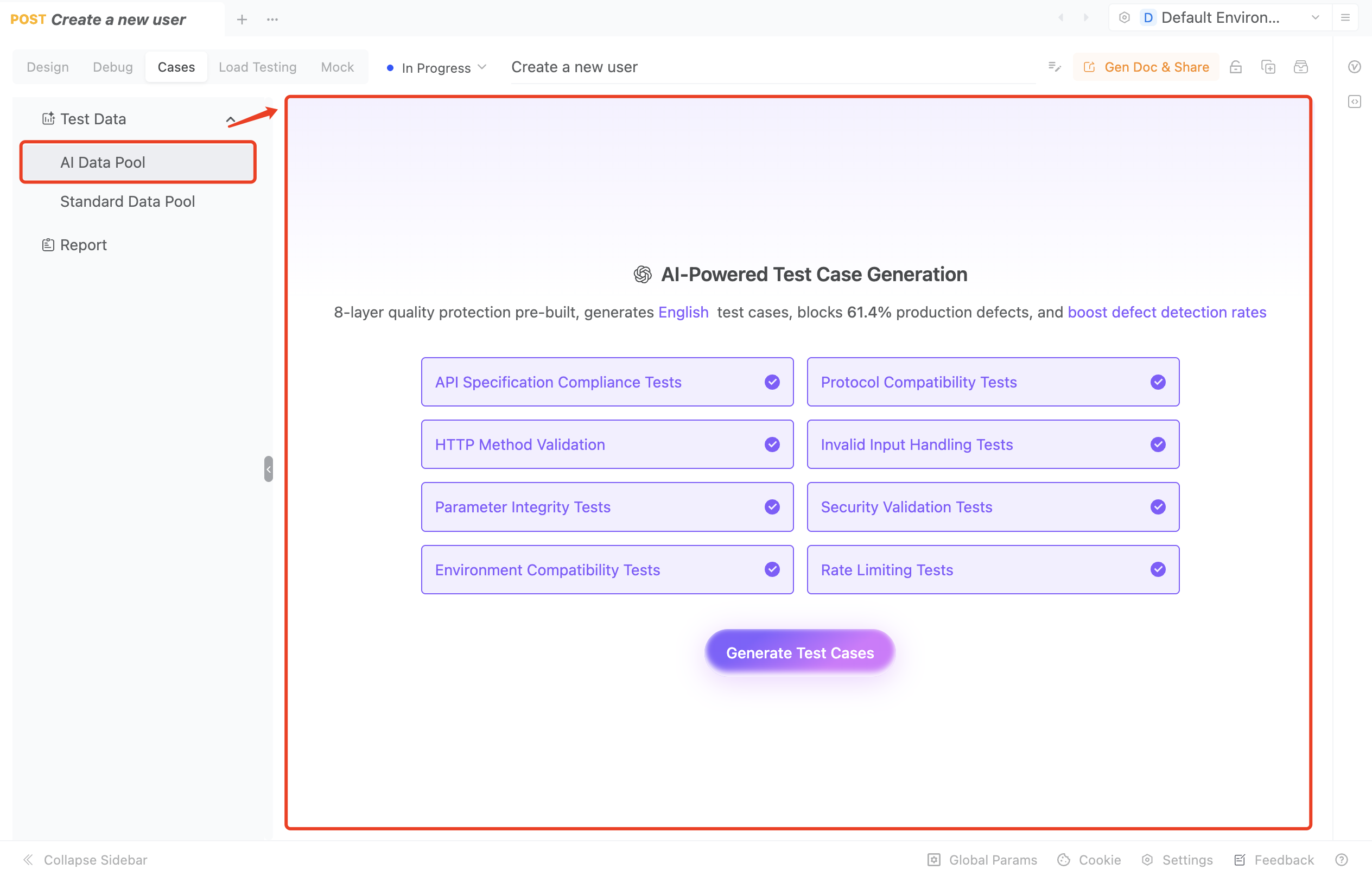
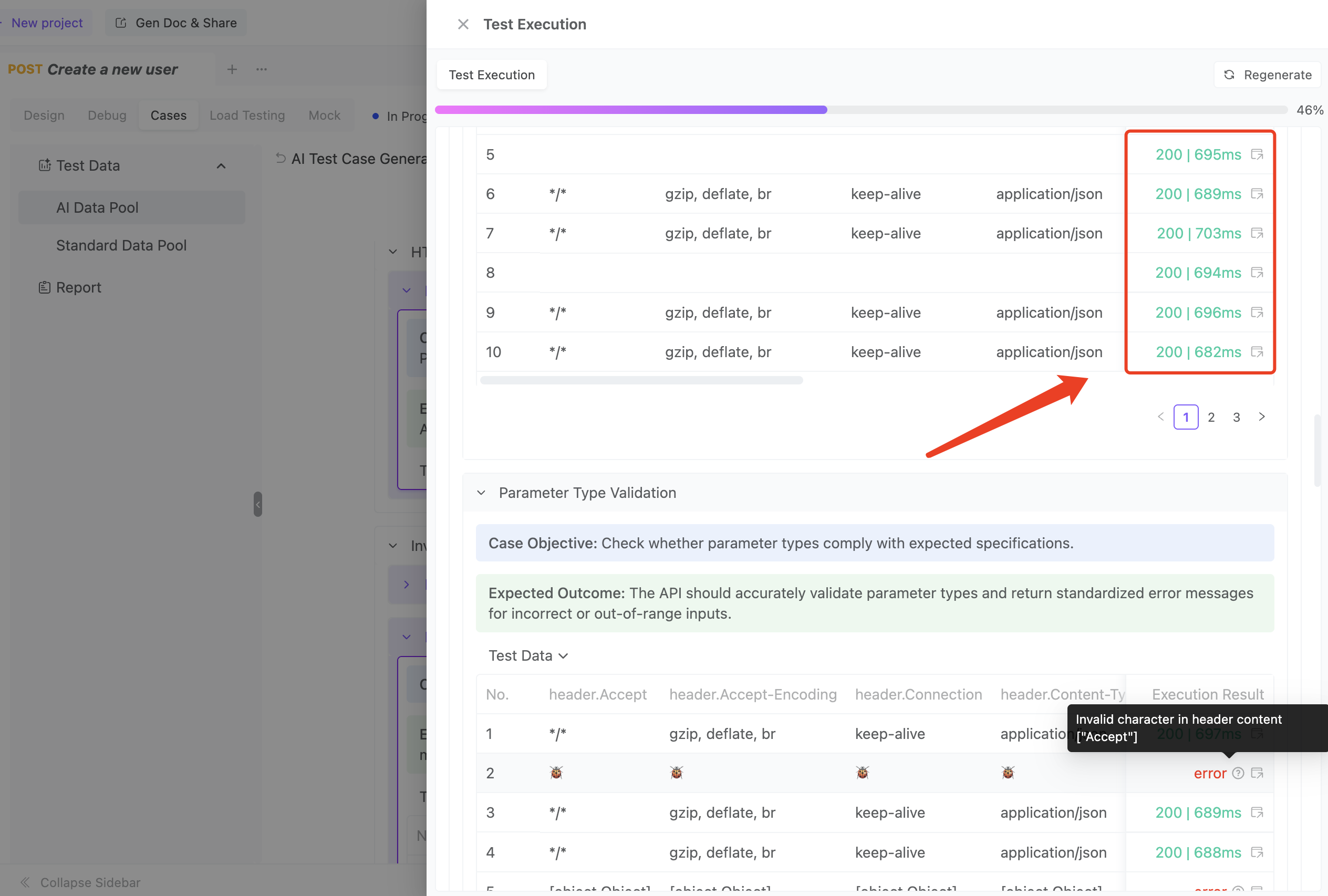
- Instant coverage of things developers forget—SQL injections, malformed inputs, etc.
- One click replaces hours of manual prep.
Part 4: Pro Tips for Test Data Management
- Isolation & uniqueness – never reuse static data.
- Realism – use
faker.jsor similar to simulate realistic inputs. - Centralized management – environments, globals, external files. Change once, update everywhere.
- CI/CD integration – Jenkins, GitHub Actions, or similar. Automated tests = less stress, more confidence.
Final Thoughts
Stop hoping your API survives by luck. How you handle test data is a reflection of your engineering maturity.
With EchoAPI, data-driven, automated, and parameterized testing isn’t a dream—it’s plug-and-play. Treat your test data like real code: version it, manage it, scale it.
Fuel your tests, toughen your APIs, and ship with confidence. 🚀
