How to build a dynamic form with Angular - A simple example with explanation
Need a quick intro to dynamic Angular forms?
Here's a 3-minute guide to get you started.

Dancing in your pants to build a dynamic form with Angular?
In this article we'll work with a simple example, taking a JSON blob and using it to dynamically render a reactive Angular form.
The JSON blob will keep our examples simpler but it's your project so do what you want, make an HTTP call to your API server for the JSON blob, compile the JSON file with the app, or even...
...um...
...wrap it up in a sock and hurl it into the toilet.
Wait? Toilets?
Oh!
JSON blobs and dynamic forms. Uh... let's get started.
Our JSON blob
Here's the data we'll be using to dynamically render the form.
[
    {
        "fieldName": "Name",
        "fieldType": "text",
        "required": true
    },
    {
        "fieldName": "Email",
        "fieldType": "email",
        "required": true,
        "validator": "email"
    },
    {
        "fieldName": "Message",
        "fieldType": "text",
        "required": null
    }
]
We'll use this JSON as a dynamic declaration of what our form will be like.
Why dynamic?
Because, buster, by the time we get this dynamic Angular form all wired up all we'll have to do is change the JSON blob on the fly to meet the whims of your boss and the form will change.
Want to add a field? Just add a new item to the JSON array.
Dynamic is the BUZZZZZZZZ word.
Creating a dynamic Angular form with the JSON response
First we'll generate a class used to model our form fields and deserialize it nice and sweet.
ng g class form-field
And then in the form-field.ts file we'll declare the JSON properties like so.
export class FormField {
    fieldName: string;
    fieldType: string;
    required: boolean = false;
    validator: string;
}
Next in our component's typescript file we'll use an HTTP client to load the JSON and render it.
import { Component, OnInit } from '[@angular](/angular)/core';
import { HttpClient } from '[@angular](/angular)/common/http'
import { FormField } from '../form-field';
import { FormControl, FormGroup, ValidatorFn, Validators } from '[@angular](/angular)/forms';

[@Component](/Component)({
  selector: 'app-dynamic-form',
  templateUrl: './dynamic-form.component.html',
  styleUrls: ['./dynamic-form.component.css']
})
export class DynamicFormComponent implements OnInit {

  formFields: FormField[];
  form = new FormGroup({});

  constructor(
    private httpClient: HttpClient
  ) { }

  ngOnInit(): void {
    this.httpClient.get<FormField[]>("/assets/form.json").subscribe((formFields) => {
      for (const formField of formFields) {
        this.form.addControl(formField.fieldName, new FormControl('',this.getValidator(formField)));
      }
      this.formFields = formFields;
    });
  }

  onSubmit(): void {
    if (this.form.valid) {
      let value = this.form.value;
    }
  }

  private getValidator(formField: FormField): ValidatorFn {
    switch(formField.validator) {
      case "email":
        return Validators.email;
      case "required":
        return Validators.required;
      default:
        return null;
    }
  }

}
And finally, here's the HTML stuff for our component.
<form [formGroup]="form" (ngSubmit)="onSubmit()">
    <div *ngFor="let formField of formFields" class="form-group">
        <label> {{ formField.fieldName }}</label>
        <input class="form-control" type="{{ formField.fieldType }}" value="{{ formField.fieldName }}" [required]="formField.required" formControlName="{{ formField.fieldName }}" />
        <br>
    </div>
    <button type="submit" class="btn btn-primary" [disabled]="this.form.invalid">Submit</button>
</form>
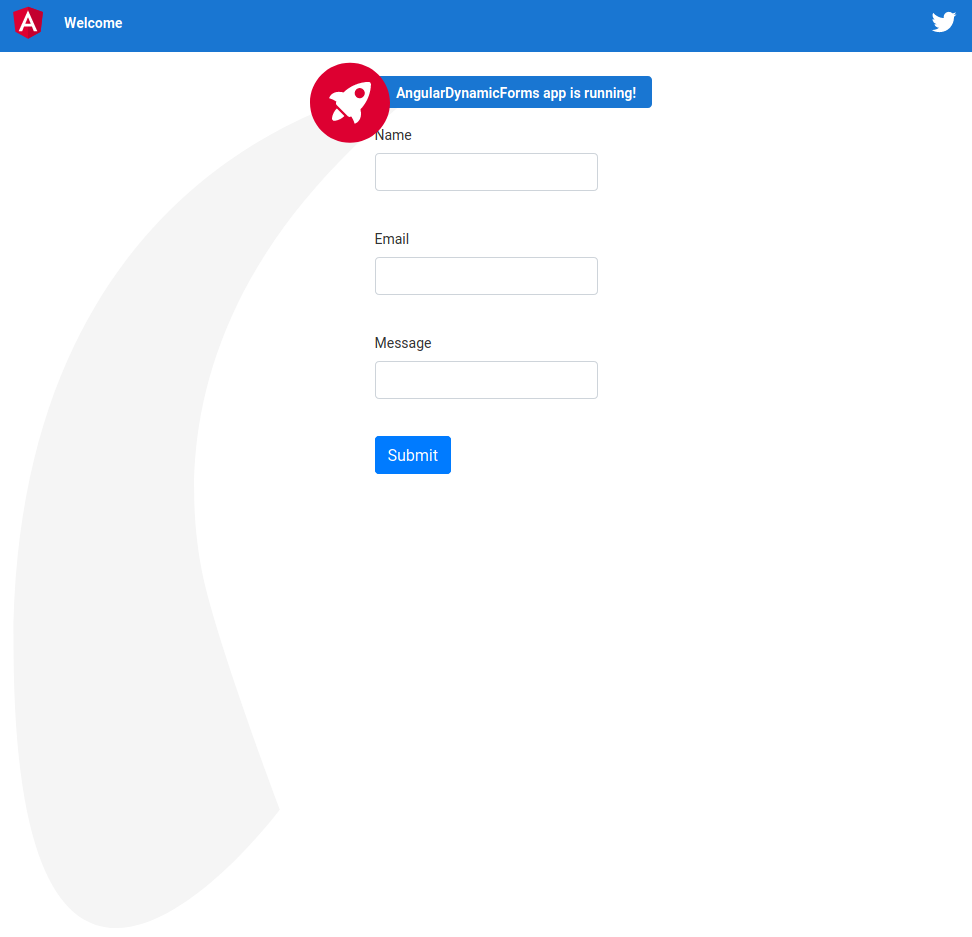
With a splash of Bootstrap CSS we get a simple form like so.
Conclusion
This is a very basic example of how a dynamic form can be created.
And since you're smart, I'm sure you noticed that this example has its limits. One area where it is lacking is validating input.
So go ahead, take it from here, and add some superpowers to make it a honking-powerful, dynamic Angular form.
Questions or comments? Don't hesitate to reach out.
Further Reading
Originally posted here.

This looks great. Well done