How to build a Stripe pricing page in Notion!
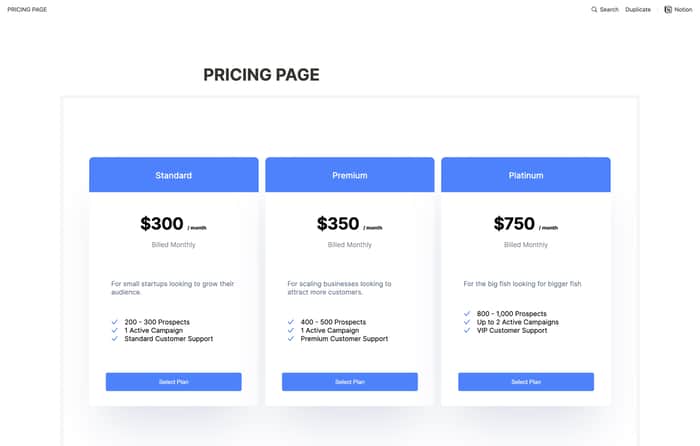
Hi Indiehackers! If you've ever had to publish a Notion marketing website, you know how annoying it is to implement a live pricing page onto your site.
This week, I walk you through how you can build out a fully functioning pricing page in Notion using Stripe and Servicebot.
I achieve this in just a few steps:
- Create your products in Stripe
- Tag each product with a "sb_service" and "sb_tier" tag under "metadata"
- Create a new "Pricing Page" billing page in Servicebot
- Configure your pricing page & checkout form
- Save & Copy the embed code
- Host the script (I use HTML Save)
- In your designated Notion page, type "/embed" and paste the hosted page URL that you just created
VOILA! You have a live pricing page 🎉
👉 Full video: https://youtu.be/rYXTL3yQHeg
👉 Notion Template: https://www.notion.so/PRICING-PAGE-9519d41813874d4490614b1f06d19598
Take the poll below to let me know what you'd like to see next :)

sooooo dopeeee
Thank you!!