How to Check the Same Status of Data in Each Row within a Group with esProc

The ID field of a certain database table is the grouping field of cars, and each group of cars is further subdivided into brand and type.
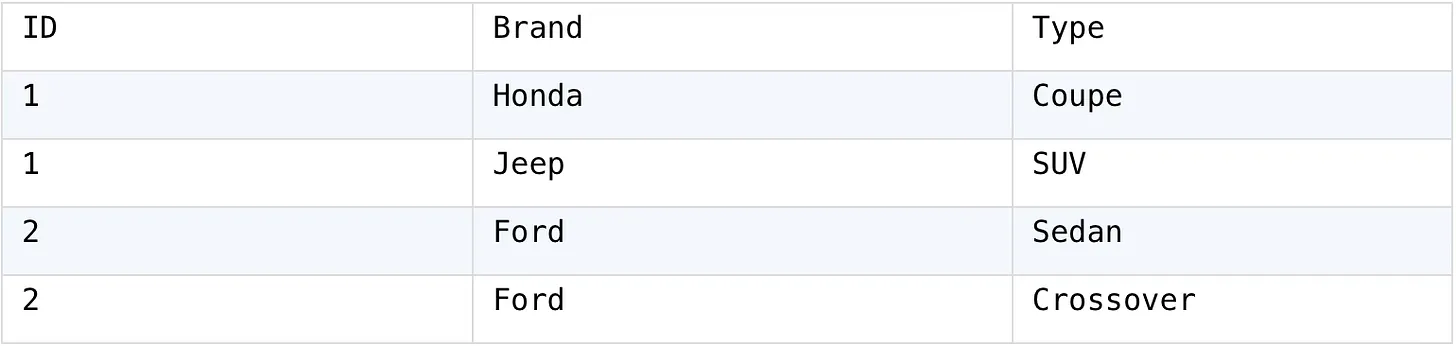
Now we need to group the cars by ID and calculate whether the difference between the cars in the group is in terms of brand or type. If there is more than one brand of car in the group, we will assign the difference column to Brand; If there is more than one type of car in the group, assign the difference as Type.

After SQL grouping, it is necessary to aggregate immediately, making it difficult to make logical judgments in the grouped subset, and the indirectly implemented code is very complex. SPL can retain the grouped subset for further calculation:
✅ Try.DEMO
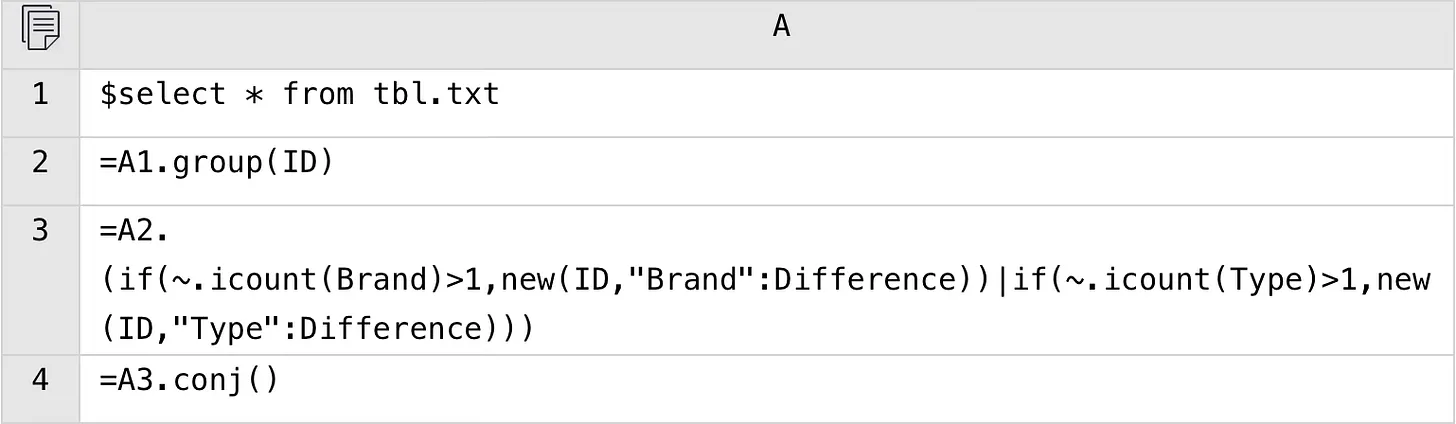
A1: Load data.
A2: Use the group function to group by ID, but do not aggregate. Each group is a set of records.
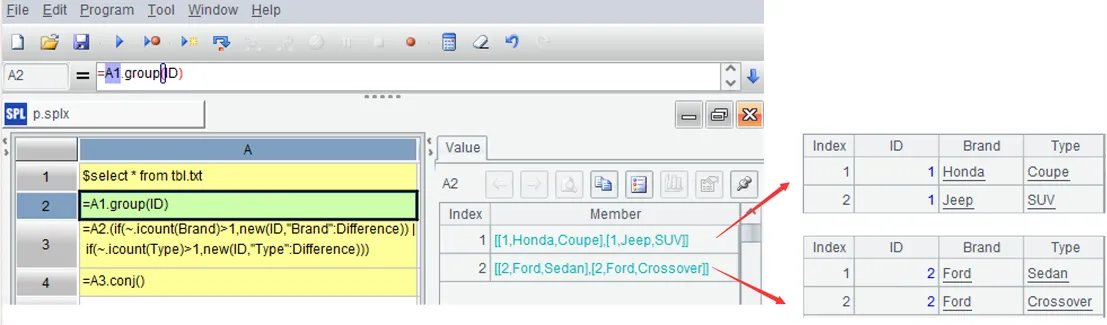
A3: Process each group of data: If the Brand of the current group is greater than 1 after count distinct, create a new record with the field ID taken from the current group and the field Difference as the string “Brand”; Similar processing is applied to the Type field of the current group, but the Difference field of the new record is the string ‘Type’. The symbol ~ represents the current group, the icount function is used for count distinct, and the symbol | can merge new records (or any data) into a set.
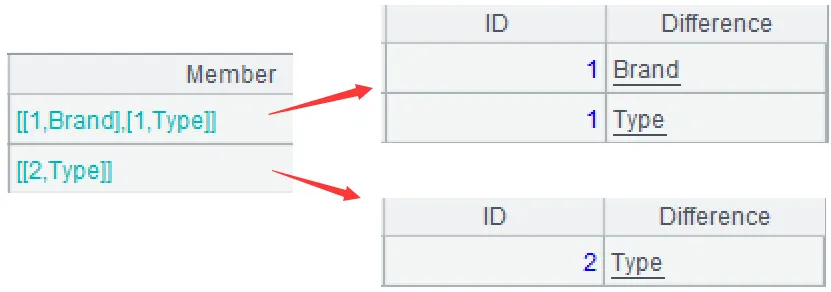
A4: Merge members of different groups.
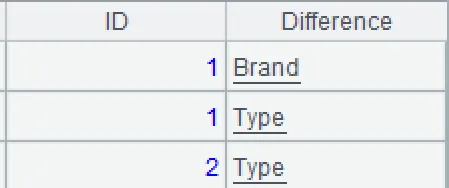
The above A2-A4 are calculated step by step for easy debugging, and can also be combined into one statement:
=A1.group(ID). conj(if(~.icount(Brand)>1,new(ID,"Brand":Difference))|if(~.icount(Type)>1,new(ID,"Type":Difference)))
Powerful to Use! Try It FREE! 🆓👉🏻 esProc SPL FREE Download.
