How to Create a Video Editing App For Your Business?
In 2021, there is no doubt that video marketing has become an integral part of our life. Whether we need to learn something new in cooking or a coding tutorial, we watch videos of it. As per the research by Cisco, videos have a share of 79% in the global internet market in 2020, while it was 63% in 2015.
Whether you are a vlogger or an amateur video creator, the chances are you have a video editor on your desktop. However, wouldn’t it be great if you could edit your videos on your handy devices? Your Phone!
Video marketing continues to rise; therefore, many people are accessing it on their mobile phones. Business owners are leveraging the power of this medium and video marketing.
So, if you might be wondering whether it’s the right time to invest time and money into a video editing app, well, we can certainly say, yes, it’s.
Video editing apps play a major role in the creation and popularization of video content.
Such huge popularity of videos laid the need for video editing apps for creating amazing and interactive videos.
==As per the report by HubSpot, around 70% have confirmed that their video marketing has helped them to generate more sales. And with 85% of customers relying more on videos to make buying decisions.”==
However, mobile video editing apps have changed the paradigm of content creation and marketing. Now, as an independent creator, you can also create compelling and engaging videos.
As an Android app development company and iPhone app development company, we are going to share how to develop a video editing app, its development cost, and key features to consider for both Android and iOS platforms.
Let’s begin it.
The Rise of Video Editing Apps
In this competitive world, there are several video editing apps available in the market that have made their benchmark with their unique features.
Are you still wondering which could it be?
Well, it’s TikTok. As we know, every person has a TikTok application on their mobile phones. It’s the perfect example of a music video editing app as well as a video-sharing app.
This app allows you to create, edit, publish and share videos with their unique features - customized filters and themes. Everyone - be it individual or business owners is using this app to endorse their products and services. Due to its high audience base, you can easily engage with your target audience to convert them into a customer.
Types of Video Apps
As we said earlier, there are plenty of video editing apps available for both platforms. They may offer various solutions such as quick editing, adding various filters & animations, or other effects.
Here, we have bifurcated different types of video editing apps, such as:
- Video Recording Application
- Video Editing Application
- Video Editing & Recording Application (An app that does both)
- Screen Recording Application
- Screen Recording and Editing Application (An app that does both)
Popular Video Editing Apps to Look Out For
When you are planning to enter the market with a video editing app, you need to analyze the market. Before developing an app for your business, determine what your app will look like and what types of features it will have.
The market analysis will help you understand your competitors, what tools and features they offer, and what issues their customers face.
Let us go through the four most popular video editing apps available in the market.
Adobe Premiere Rush
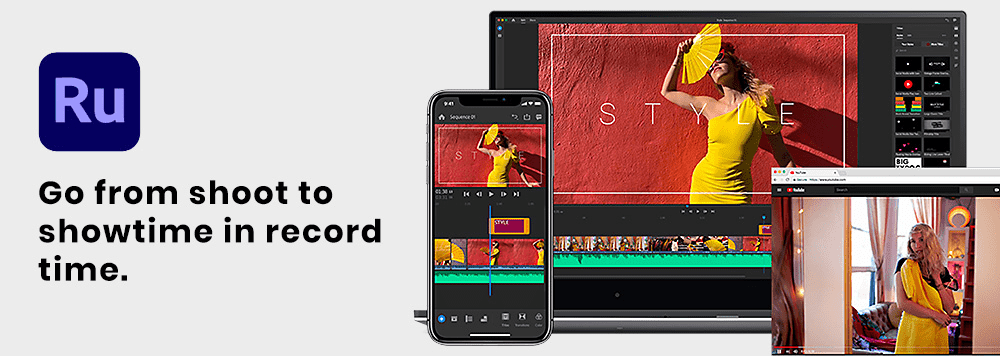
Adobe Premiere Rush is a cross-platform video editing mobile application. This has everything that you are looking for. It allows you to create highly professional videos for your business. This app also allows you to share the video across social media platforms.
Adobe Premiere Rush app is available for both devices on their App Store. Moreover, it offers a desktop application. This app is designed for users who don’t have enough knowledge of video editing. This app lets you record a video and edit it as well. Once you capture the video, you can edit it using various animated graphics, titles, and overlays.
Features:
- You can add music and titles to videos
- Apply some effects to clips within a multitrack timeline
- Professional camera functionalities for capturing high-quality content
- Arrange video, audio, graphics, and photos with drag and drop option
Quick
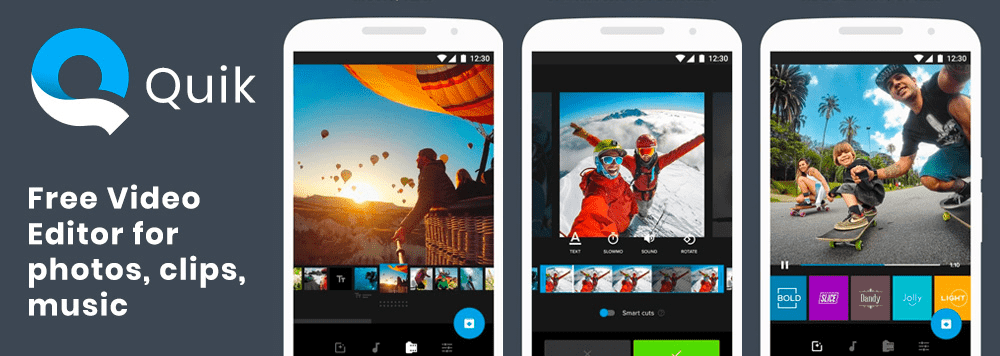
Just a few buttons on the Quick app and you can create an attractive video. This app was developed by the GoPro team. The main goal of this app was to promote its brand among non-users and bring more value to them.
Through this app, you can choose certain pictures and video clips. And in a while, the app will automatically find animations, and beautiful transitions, and syncs everything to the beat of the music. The unique feature of this app is it finds out the best moments and highlights them, such as panoramic views, high jumps, smiles, high-speed moments, etc. Additionally, you can also add text and music to the story.
Apart from this, you can add customizable titles, filters, trims, and photos. Quick is bundled with GoPro cameras for creating a powerful ecosystem where you can export videos to the apps directly from GoPro cameras.
This app is free and available on Android and iOS.
Features:
- You can add up to 75 photos and videos clips
- Plenty of theme options with different graphics and transitions
- Speed up the video or play in slow-motion
- Choose a cinema, square, or portrait formatting
Splice
Splice is a real gem and a highly professional video editing app. This app offers many tools, through which you can add fonts, and transitions, arrange video clips and add effects, and music tracks.
The iOS users can sync this app with their iTunes account and add music directly from iTunes.
Features:
Offers GPS stickers to show how fast you were doing things
Choose a formant: cinema, square, or portrait
Automation activation of audio while detecting voice
Video acceleration or slow motion
App Platforms:iOS
iMovie
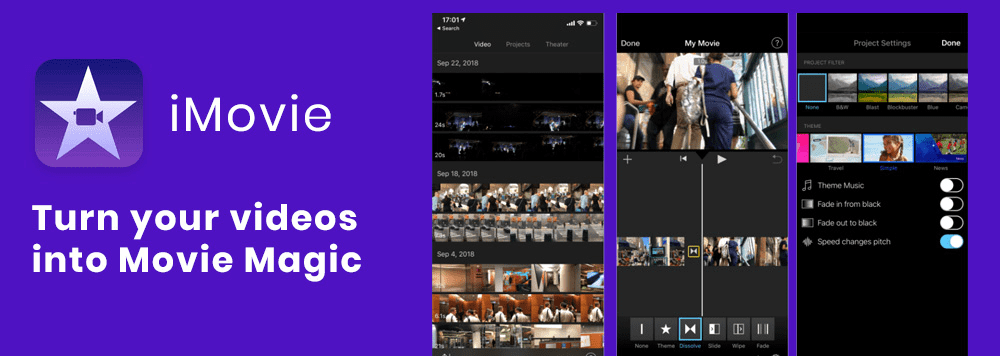
iMovie tops among other best video editing apps. It’s quite similar to Splice but has its unique features. The app offers 14 different templates and 8 themes to apply to your video. This will help you create Hollywood-style videos.
This app allows you to add fancy credit rolls, studio logos, customizable backgrounds, and many special effects which makes your video unique.
It also supports 4K resolution and can also fix shaky videos. Furthermore, this app supports 4K resolution videos. Also, it can fix blurred or shaky videos.
As the name suggests, iMovie was developed by Apple. Henceforth, it’s only available for iOS users. Moreover, via iCloud or Airdrop, users can easily transfer their projects across their Apple devices.
Do Your Analysis
Before you hire Android developers hire iPhone developers to create a video app, you need to brainstorm and polish your ideas. This will help you minimize the risks and get a quality product.
Before hitting the industry, you need to analyze your target audience, competitors, and requirements of apps, and determine their strengths and weaknesses.
Validate Your Ideas
In this competitive market, you will find plenty of video editing apps in the market. So, if you are developing such an app, what’s new in that? The question must be, how different your app would be from the existing ones?
Well, you have to incorporate some unique features into your idea. No user would want to have an app from the above-given apps. They would surely choose you if you offer a better user experience or some extra features.
So before jumping into the sea, you must be aware of swimming. Therefore, you have to start with a better research of your competitors. You must offer unique solutions to your users. You should also know what features your competitors do provide and what they lack, etc.
Define Your Target Audience
If you don’t know about your destination, there is no way of leading that path.
Therefore, as a mobile app development company, we can advise you that you must know for whom you are developing a mobile app. It’s vital to understand your audience’s interests and the problems that they want to solve.
Since this blog is about how to create a video editing app, the target audience will more likely be sports, travel, vlogger, etc. Generally, video editing apps are for those who are amateur photographers and like to create interesting videos.
You can divide your users as per the following categories:
- Age
- Location
- Interests
- Income
This bifurcation will help you narrow down your target audience. Moreover, you can also ask your audience about their experience with video editing apps and note down their opinions.
Social Media Integration
Social Media Integration is the most vital feature of any video editing app. Once users create an interesting video, they would want to showcase to the people and share it instantly on other social media platforms, such as Twitter, Facebook, Instagram, TikTok, etc. Along with video-sharing, your app can also be visible to other users. It’s a wise choice to add as many social media channels to your video editing app.
Monetization
It’s essential to launch an MVP to generate revenue out of your app. This will help you test various monetization approaches such as premium features, subscriptions, and in-app purchases.
Video editing apps can enhance your business revenue. Snapchat and Instagram stores allow promoters to promote their products through video ads. However, your app should have unique features such as face filters, animations, effects, geotags, etc, to let users use them more efficiently.
This will help you incorporate those features that users want to see.
Features to Consider
It’s not possible to create a video editing app if you can’t define its features. Figure out the features that you want to include before implementing an idea.
You can bifurcate the features into MVP and Additional Features.
MVP
Minimum Viable Product (MVP) is an app that consists of vital features, ensuring the execution of basic tasks. It plays a vital role in mobile app development services.
An MVP allows you to launch an app quickly by integrating essential features. This version gives you such important data as market response and user feedback. Besides, once you get the feedback, you can decide which features you can add, what improvements are needed, etc.
Additional Features
MVP doesn’t come up with Additional Features. If your MVP has stood up to the expectations of users, then it’s time to add additional features to it. It offers a better user experience and an attractive user interface.
However, you can add more features once your app hits the path of success.
For example, when a taxi booking app - Uber was launched, its developers made a lot of complex features after the release of the MVP version: scheduling a ride, carpooling, split fares, etc.
Additional Features can bring more complex and unique functionality. Therefore, you can implement these features in future updates once the MVP is released.
Here, to create a video editing app MVP for your business, you can consider the following features:
- Trimming and adding frames
- Merge files into one
- Special sound effects
- Social network sharing
- Save video
- Color correction and transition settings
Now, it’s time to launch an MVP with these features. If it becomes popular then you can add the following additional features:
- AI editing assistance
- Cloud storage
- Reverse video option
- Syncing with different music platforms
- Speed up/slow down settings
- Picture-in-picture option
Choose The App Revenue Model
Once you complete the development process of your video editing app, the first thing that will come to your mind is to monetize an app.
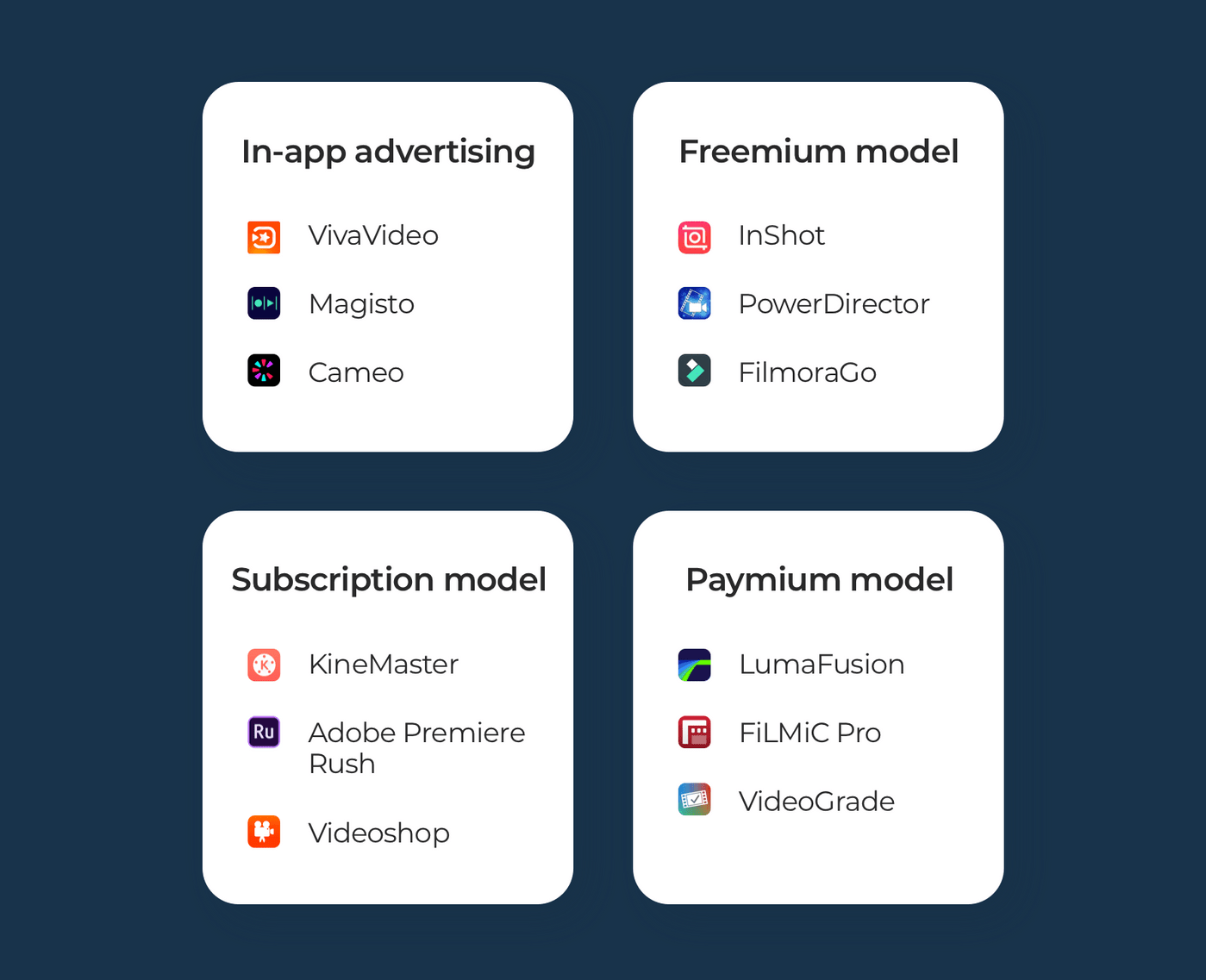
There are many ways by which you can monetize your video editings apps such as in-app advertising, freemium model, subscription, and Paymium model.
In-app Advertising
From walking up in the morning to going to bed at night, we will come across many advertisements such as YouTube, TV, billboard, newspaper, website, etc. Obviously, it’s the most common method to generate revenue.
When it comes to web mobile applications, you can incorporate other apps to make money. E.g VivaVideo and Cameo.
In-app advertising speaks for itself. When users open your app (free app), they can see ads. VivaVideo is a great example of a free video editing app with ads.
Freemium Model
As the name suggests, a Freemium model comprises two different models: Free + Premium.
The app comes with no cost in the freemium model. However, users can use the app without paying any cost. But, they can only utilize its premium features by paying for it. We can consider InShot, PowerDirector, and FilmoraGo for the Freemium Model apps.
Subscription Model
Well, there’s a quiet difference between Freemium Model and Subscription Model. In both models, users can download the apps free of cost. However, unlike the Freemium Model, where the users have to pay for premium features for one time, in the Subscription Model they can subscribe for a while to use premium features.
KineMaster, Adobe Premier Rush, and Videoshop are examples of subscription models.
Paymium Model
The Paymium model is a very rare monetization model among video editing apps. For this, users have to pay to download the app and have in-app purchases at the same time.
The most popular apps with the Paymium model are LumaFusion, FiLMiC Pro, and VideoGrade.
Tech Challenges Developers Face While Developing a Video Editing App
Video editing apps for iOS and Android platforms are not a cakewalk to develop. Despite not considering the various OS, developers face many tech challenges.
Well, it’s time to discuss those challenges for iOS app development services and Android app development services. Let’s unleash them.
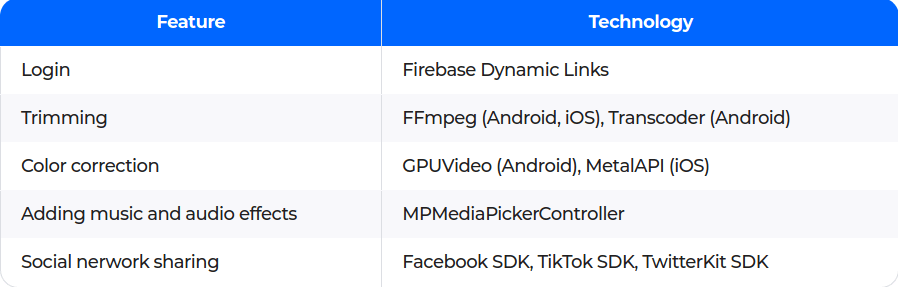
Tech Stack for iOS and Android Platforms
There are many tech stacks available for video editing apps for Android and iOS.
Here’s the list of technologies developers can use for Android app development services and iPhone app development services.

When considering the development of a video editing application for your business, conducting thorough market research is a crucial first step. This research will help you understand the competitive landscape and the specific needs of your target audience.
One excellent option to consider is CapCut Application , which is known for its user-friendly interface and compatibility with Android, iOS, MAC, and PC platforms. https://mycapcutapk.com/
Hey Kiran!
Thanks for your valuable tips on video app making. Definitely video and photo editing are one of the big markets in today's social media era. Everyone is looking to show their best version on social media. And that's why there are many photo and video editing apps available today. The checklist that you have given in this article is very helpful for anyone who is looking to make an editing app. We have also used the same techniques and models to make our app https://thelightroomapk.com/lightroom-mod-apk-for-ios/ and it's one of the favorite apps of editors.
Hi Kiran,
I wanted to express my gratitude for the fantastic tips you shared regarding creating video apps. It's evident that video and photo editing hold a significant presence in today's social media landscape. People are constantly striving to present their best selves on these platforms.
In the ever-evolving landscape of digital artistry, tools that empower creativity are invaluable. Among the vast array of digital painting and drawing applications, ibisPaint X stands out as a versatile and user-friendly platform, catering to both amateur and professional artists. With a multitude of features and a vibrant community, ibisPaint X has become a go-to choice for artists seeking to express themselves digitally.
VN Video Editor for Windows, Mac & Android - Whether you're looking for an easy way to edit videos or a more advanced option, we have a solution for you. Read on to see what we think are the best video editing software options.
https://sites.google.com/view/vn-video-editor-for-pc/vn-video-editor-alternatives
Famous Video Altering Applications to Post For
At the point when you are intending to enter the market with a video altering application, you really want to examine the market. Prior to fostering an application for your business, figure out what your application will resemble and what kinds of elements it will have. For this kinemaster is best app. It is friendly use to Android, IOS , MAC and PC. You can chk tutorial https://kinesuper.com/kinemaster-for-ios.
Alight Motion - What Is It? Alight Motion is a unique new way to move around your city. Get ready to experience the benefits of this incredible invention! Alight Motion is an innovative new way to move around cities that uses light beams instead of wheels. It allows people to travel quickly and safely in any direction without having to worry about traffic or getting stuck in a gridlock.
What Is It? Alight Motion is the world's first motion powered by light. Using a combination of lasers and sensors, Alight Motion creates a network of moving lights that allow users to navigate through urban environments with ease.
Ways To Make Your Website More Interactive With Alight Motion Alight Motion is a free tool that allows you to create interactive content on your website. https://sites.google.com/view/alight-motion-pc/home Learn how it works today! Alight Motion is a web application that lets you create interactive content for your site. It’s easy to use and requires no coding knowledge.
Create an interactive map with Alight Motion. Alight Motion is an online tool that makes creating interactive maps simple. You can choose from a variety of different map styles, add custom icons, and even add text labels. Once you’ve finished designing your map, simply upload it to your website.
Add motion graphics to videos. If you’re looking to make your videos more interesting, consider adding some motion graphics. These effects can help bring your message to life and keep your audience engaged. There are several ways to incorporate motion graphics into your videos. One option is to use a program like Adobe After Effects. Another option is to use a service like Animoto.
Create a video game using Alight Motion.Alight Motion is an easy to use tool that lets you add motion graphics to any web page. You can even create games with it. It’s perfect for creating fun, engaging content for your website.
Build a quiz or trivia game. If you’re looking to build some interactivity into your site, try building a quiz or trivia game using Alight Motion. This will help engage visitors and keep them coming back.
Create a virtual tour Another way to add interactivity to your site is by creating a virtual tour. A virtual tour is an online version of a real-life tour where users can explore a space through images and text. You can use Alight Motion to create one of these tours.
This comment was deleted 4 years ago