How to create automated lead generation from landing page to email sequences without coding. Complete guide
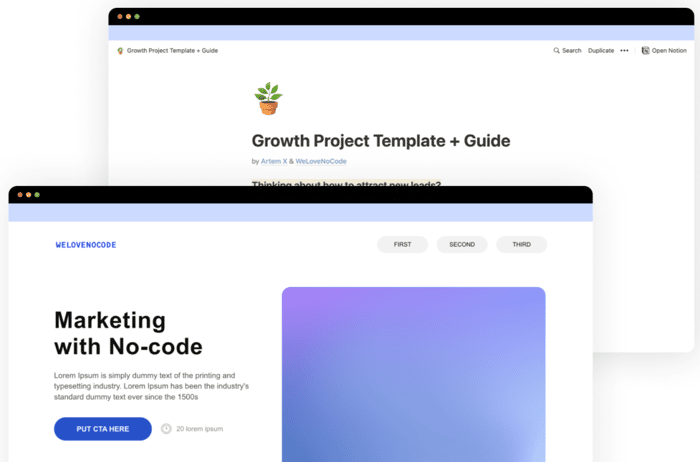
Hey, people! My name is Stepan, I am a marketing manager at WeLoveNoCode, a fast-growing startup and the biggest no-code talent marketplace in the world. Thinking about how to attract new leads? This is the right place. In this long-read guide, you will learn how to create a growth project website (or call it a lead-gen landing page with automation) with the power of no-code, and learn how to work with Tilda, Typeform, and ConvertKit.
Step 0. Preparation
To start with creating lead-gen automation, you'll need a creative growth idea and this guide. We've prepared all the templates and are glad to share them for free, so you can take them here. You will also find the same complete guide in Notion there, including animations and detailed instructions to edit the templates. Let's dive deeper into the process.
Step 1. Take a Tilda template
To use our template go to Tilda → Start a new website → Create new page → Scroll to the very bottom → Enter Template ID → Take the ID from the templates package you've received using the link above (at step 0).
This template was based on twenty projects that we launched in the last 10 months, they brought us thousands of new leads and hundreds of customers.
Step 2. Change everything you want
Change "Lorem Ipsum" to your growth project copy & images. You can easily change colors, text, images, and icons with the powerful visual editor. Also, you can customize SEO, social badges, fonts, analytics, etc. through the site settings.
Step 3. Create & connect Typeform
People will leave their emails to receive our "something ✨", so create your dream form & publish → Put the link to your form in buttons (Tilda).
Step 4. Create Tag in ConvertKit
We need that tag to track our new leads. Go to ConvertKit → Subscribers → In the right sections find the button "+ Create a Tag" → Save.
Step 5. Connect ConvertKit to Typeform
In the Typeform editor go to the "Connect" tab → Find ConvertKit → Connect it choosing your new Tag. In addition to this integrations, you can connect a lot more to Typeform, for example, we also use HubSpot.
Step 6. Create sequence & automation in ConvertKit
Go to ConvertKit → Sequences → "+ New sequence" → Create an email for your clients. You also can create a second sequence with "After 1 day" sending time.
Then go to Visual Automations → "+ New Automation" → Start from scratch → Follow steps from the screens below → Live your automation.
Step 7. Launch your activity 🎉
You can publish and share your project whenever you want! ProductHunt, IndieHackers & Social media are waiting for you. And ConvertKit is ready to send sequences to tons of new leads! Congratulations!

That's what I gonna do on a weekend. thanks !!